On September 30th, the 25.2.0 release of Field Maps went live. This was an off-cycle, mobile-only update, that was several years in the making. Spoken about in release articles throughout the year, shown at Esri events, it was a major update that included many new features and a rebirth of Field Maps on a completely new code base, built from the 200.8 version of the ArcGIS Maps SDK.
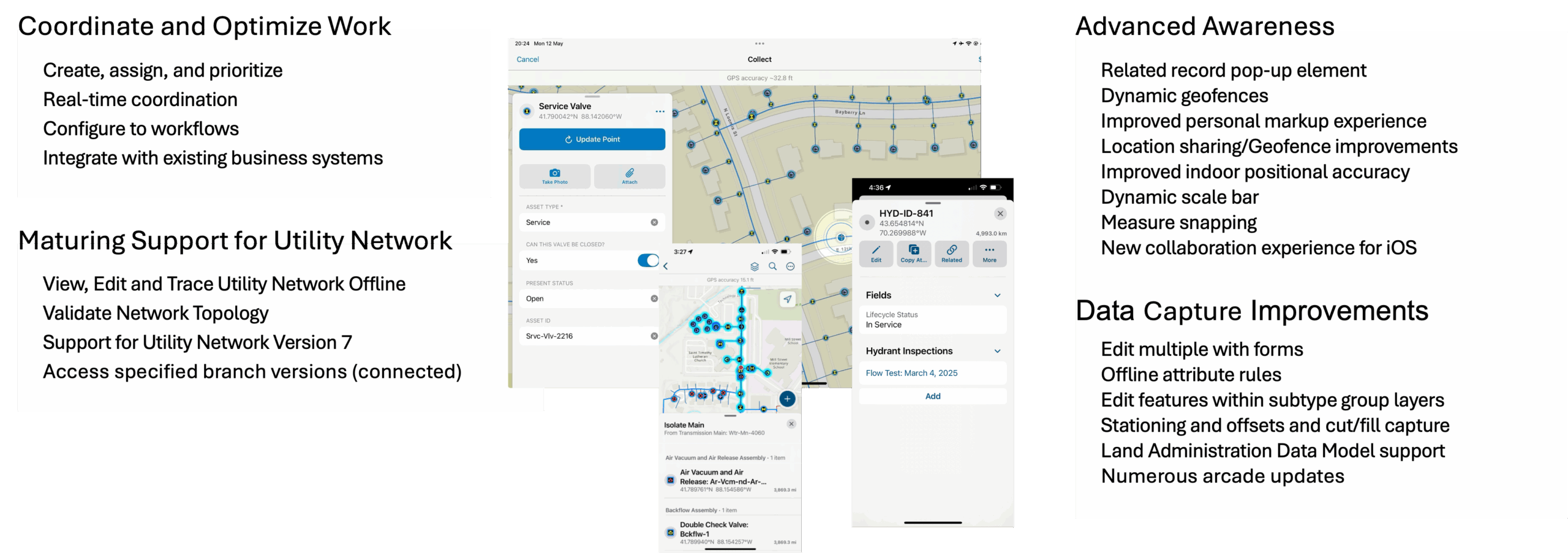
We pride ourselves on building stable, quality product that delivers on the capabilities you ask for. Unfortunately, the 25.2.0 release surfaced instability for several customers. In response, we released a series of patch updates addressing critical issues. The 25.3.1 and 25.3.0 releases include numerous quality improvements/alignment across iOS and Android. Please see details of each release below.
25.3.1 release
Our last, quality-driven update for 2025 released on December 17th in the Apple App Store and Google Play.
It includes the following list of customer reported issues:
- ENH-000180248, BUG-000181549, BUG-000181394, BUG-000180275, BUG-000180102, BUG-000179968, BUG-000179958, BUG-000179885, BUG-000161830
- Promotion of Collect Here action to the toolbar from overflow menu.
- Performance improvements when browsing maps on the Android platform.
- Performance improvements when loading forms.
- Aggregated features do not return popups for single features (non-clustered).
25.3.0 release
The 25.3.0 update was released on December 1st, 2025 in the Apple App Store and Google Play.
It includes the following list of customer-reported issues:
- BUG-000180046, BUG-000179997, BUG-000179959, BUG-000180075, BUG-000180077, BUG-000179875, BUG-000178151, BUG-000179871, BUG-000180075, BUG-000180135, BUG-000178443, BUG-000180643, BUG-000180934.
Additional improvements reported on Esri Community include:
- Fix for mention of repeated, un-expected sign in prompts.
- Support opening an app link from signed out state.
- Revert from showing distance units in yards unless explicitly set by user.
- Displaying field values when tapping on features from an OGC layer.
- Automatically start upload when starting Field Maps is app closed while in progress.
- Include EXIF when browsing and resizing photo as attachment.
- Enable snapping after rotating or zooming map.
- Do not zoom map to extent of parent feature when adding new child feature.
What’s coming next
We have a lot of new capabilities planned for 2026 and here is a quick glimpse at what you can expect to see coming.
Evolving map capabilities
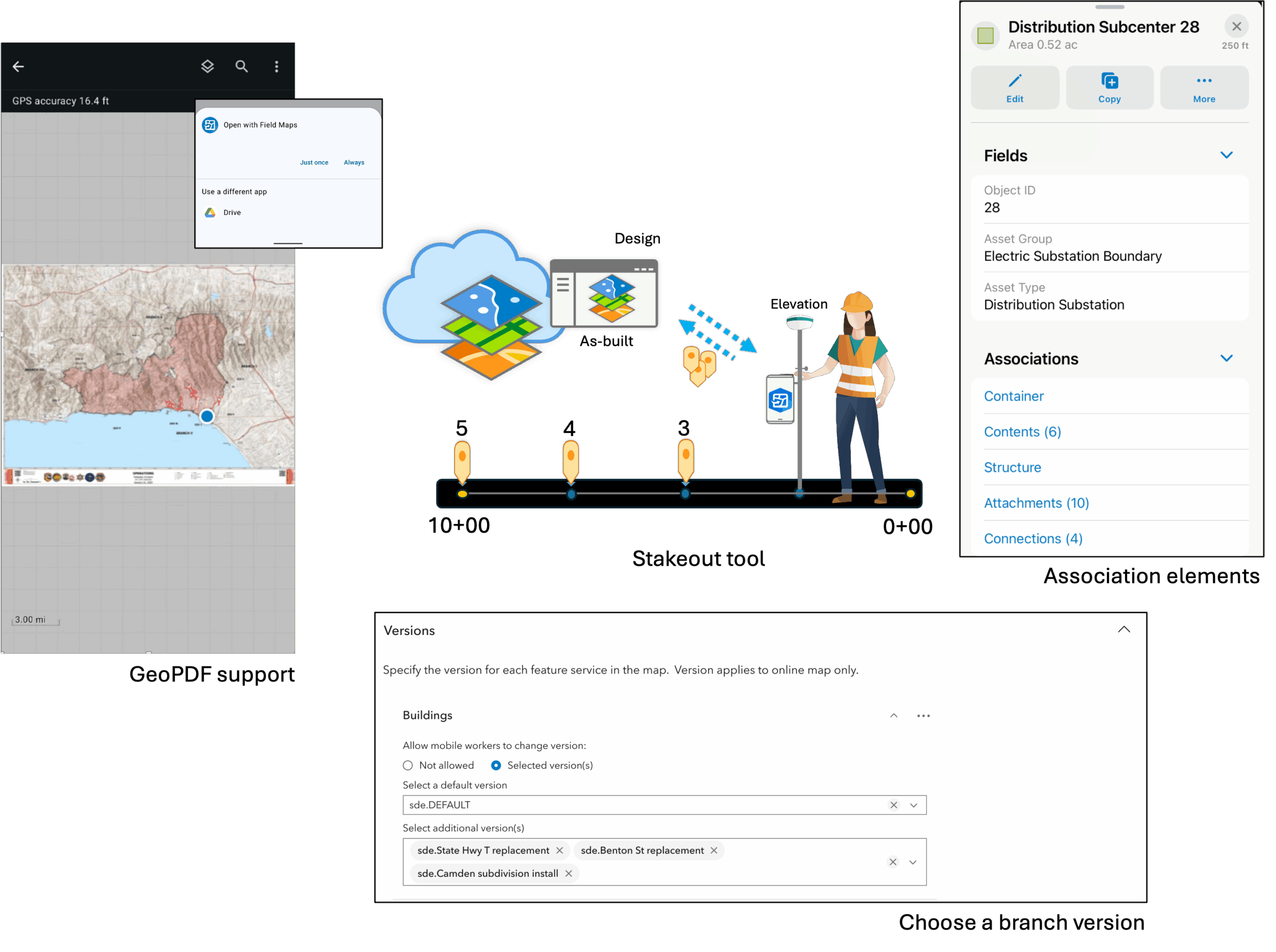
- Download and directly open a Geospatial PDF as a new, on-device map.
- Use a Geospatial PDF file as a referenced basemap for data capture.
- Support for filtering attachments in pop-up elements by type or keyword.
- Introducing a new Stakeout tool enabling direct navigation to a point, along a line, or boundary of a polygon with precision.
- Numerous quality of life improvements
Utility Network improvements
- Support for association pop-up elements
- Viewing and editing support for subtype group tables
- Enhanced tracing capabilities
- Increased flexibility when working with branch versioning (available with ArcGIS Enterprise 12.1+
Data capture improvements
- Onboarding of new GPS receiver manufacturers
- Support for tilt compensation
- Enhanced metadata (tilt, orthometric height, coordinate system details)
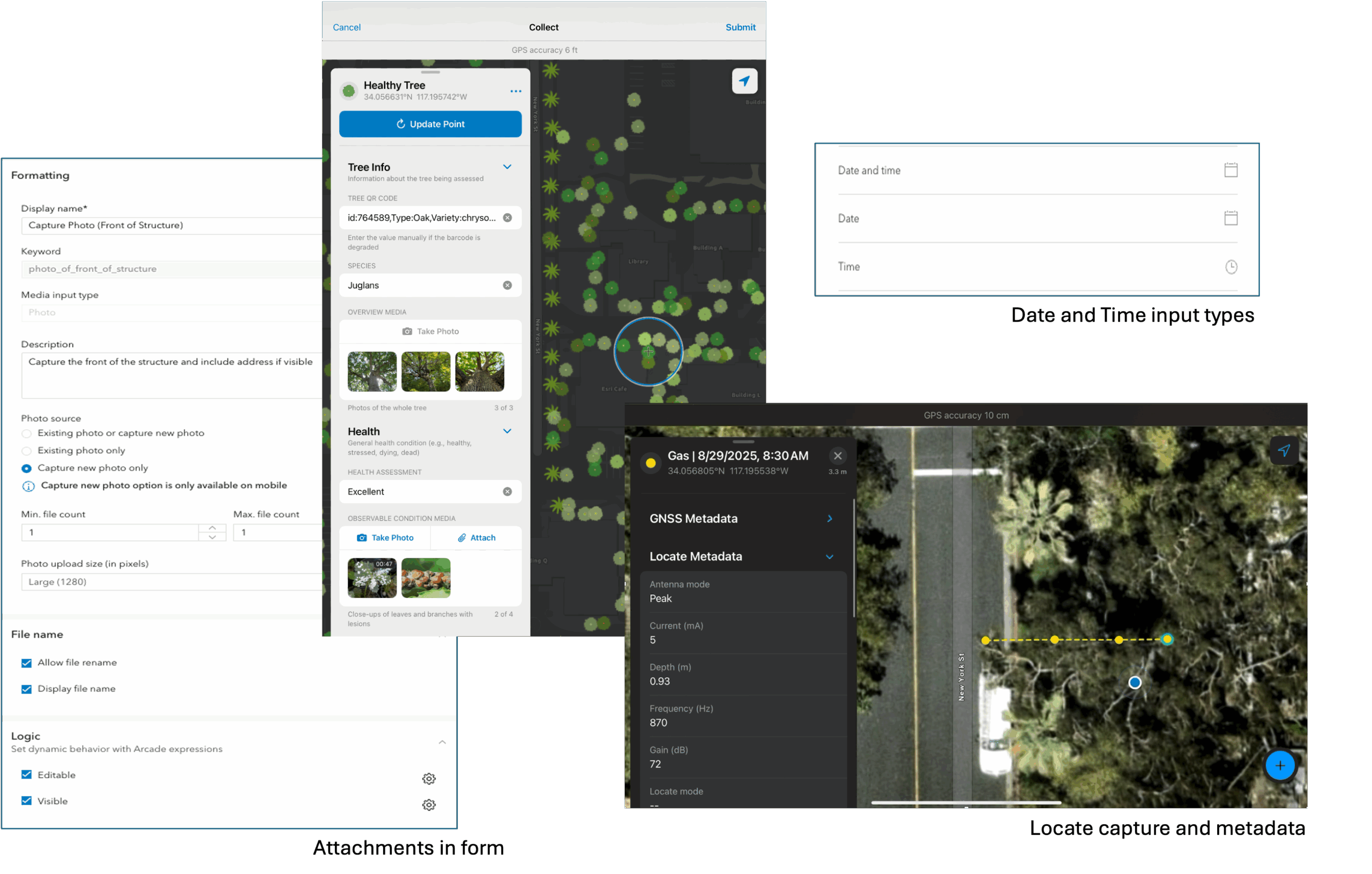
- Direct support for line locators (includes locate metadata)
Form editing improvements
- Include capture of attachments within the form
- New media input types
- Supports form logic
- Writing of keywords for attachment filtering
- Multi-choice question type
- Dynamic choice lists (pick list driven from a table)
- Date and Time only field inputs
- Arcade assistant support included in Field Maps Designer
- AI-assisted data capture
- Extract forms from an image
- Audio transcription and text analysis
As always, this list of enhancements is subject to change.
With every update, we provide opportunities for you to test development builds ahead of their general availability. We make beta builds available through the ArcGIS Field Maps Early Adopter Program and strongly encourage you to join the beta program and test. It is an opportunity to exercise mission critical workflows and provide direct feedback to our development team as well.
If you have questions about ArcGIS Field Maps or feel passionate about needed improvements, please reach out to us from the Esri Community page. If you would like to connect with and learn from your fellow users, please join our LinkedIn group.

Hi Jeff,
Great to see the work done with Field Maps to remedy the bugs from 25.2.x. Congrats on getting that out so fast.
I am stoked to see some of the upcoming features in 2026 and looking forward to continued participation in the Early Adopter Program to test some of these new features.
Highlights for me include:
– GeoPDFs in Field Maps
– Attachment filtering
– Capture of attachments within the form
– Date and Time only field inputs
– Arcade assistant support, and
– AI-assisted data capture
Just to name a few that I can’t wait to dive into and explore the new capabilities.
With the GeoPDFs, will it be possible to create a file that can be accessed via a QR code to download and open Field Maps, that bypasses the need to download and cache an offline area? If this can include all layers that are referenced and queried using Arcade within the form then we can task field teams (damage assessments) to specific areas with all the information they need to complete their sector data collection without the need for them to manage cached maps. It’s a tough wish and a huge ask, but would streamline a lot of our workflows.
Have a great Christmas and New Year break.
Many thanks, Pete
Hi Peter,
Apologies for the late response on this and thank you for the feedback! We’re excited about what 2026 has to offer with updates as well.
With Geospatial PDF, our planned support is twofold:
1. As an On Device map. PDF is an item type in ArcGIS Online and if you upload a Geospatial PDF as an item, we’ll support it when browsing for maps you can download. Likewise you will be able to use the Open referenceContext to download and open the pdf locally as a map. If the PDF already exists on device, you will be able to long press and open in Field Maps as well. Note this is a read-only map where the only layer is the pdf.
2. As a basemap. Here there are 2 approaches planned. First is augmenting the basemap as item to support pdf as well as .tpk and .vtpk. Second is to support the pdf side-loaded to the device. I think the referenced basemap/item approach is the way to go to satisfy your requirement.
Please note that I updated the blog and am using the term “Geospatial PDF”. GeoPDF® is a registered trademark and we do not intend to add the more advanced capabilities that TerraGo provides within a GeoPDF® file.
I hope you had a restful break. Please note that we will have beta opportunities coming very soon for Geospatial PDF support. We’d love to get your feedback. As other capabilities mature, they will be available for early testing as well!
Thanks, Jeff