
This year marks an important milestone for ArcGIS Survey123. Last month, Survey123 turned 10 years old, with its first release dating back to June 2016. Over the past decade, Survey123 has grown into a complete, form-centric data collection system used by organizations around the world.
With the July 2026 release, Survey123 enters a new era. This release introduces two new apps—Survey123 Mobile and Survey123 Studio—along with significant enhancements to the Survey123 website. Together, these updates mark a major step forward in how surveys are created and how data is captured in the field and on the web. We’ll start with what’s new in the Survey123 Website, then take a closer look at the next-generation apps.
The following video highlights what’s new in the July 2026 release.
New in the Survey123 Website
The July 2026 release introduces meaningful enhancements to the Survey123 website, reinforcing its role as an equal and key part of the Survey123 experience. These updates help you design surveys faster, manage them more efficiently, and better control how surveys are opened and completed.
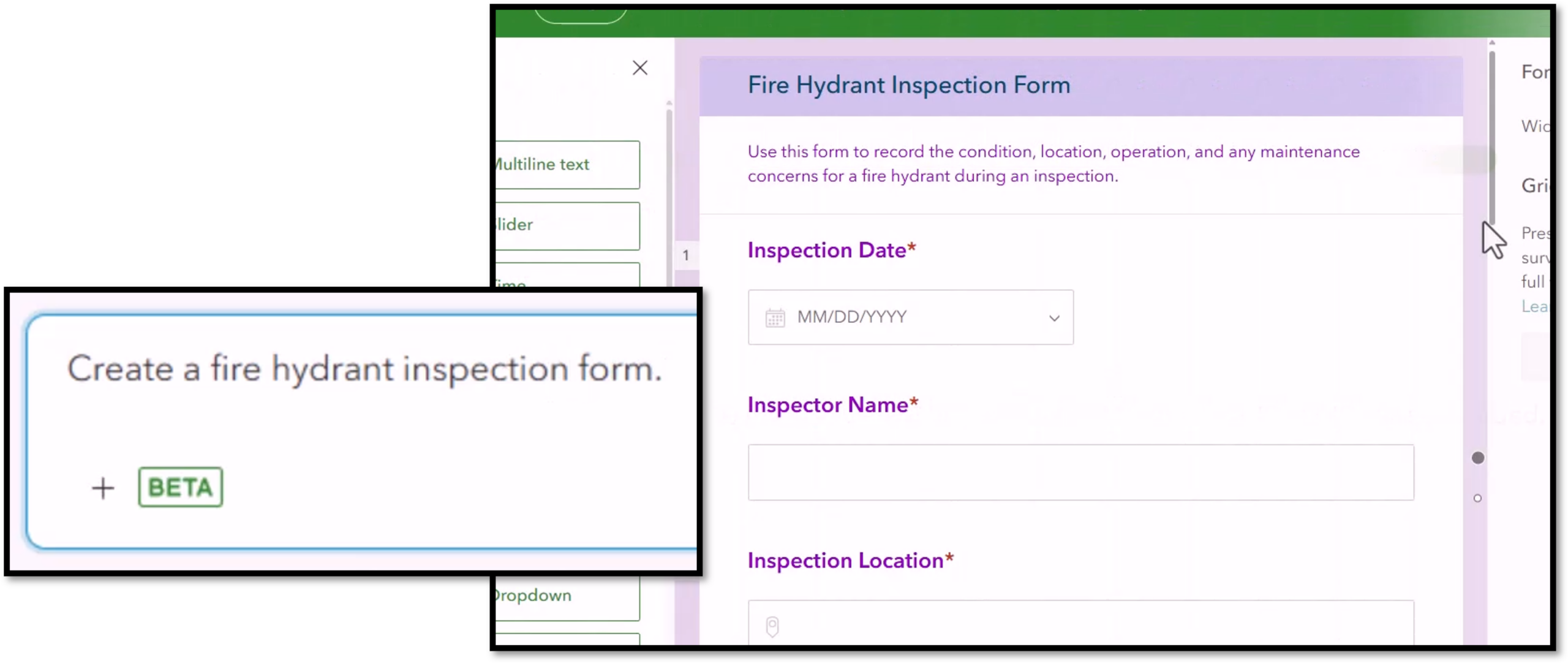
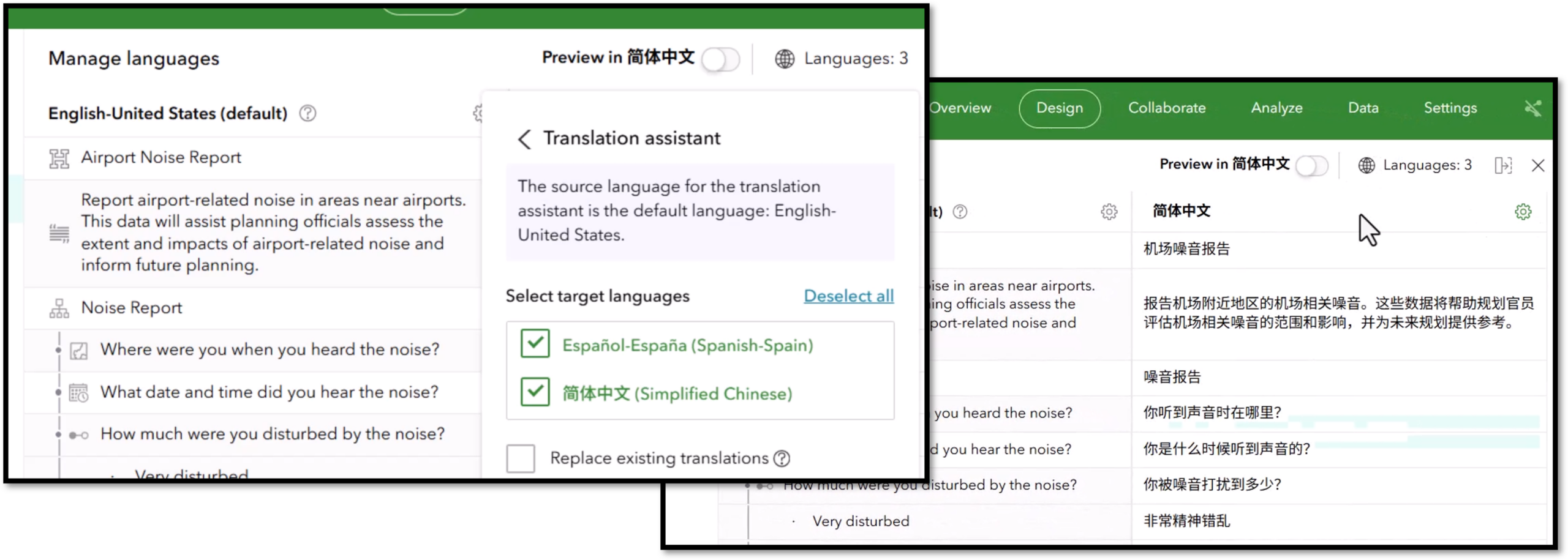
The new Survey123 assistant helps streamline survey creation through a conversational experience. Describe the form you want, let the assistant draft the design, make any changes as needed, then bring the result into the web designer to review and publish. Alongside it, the Translation assistant can translate a survey into multiple languages in just a few clicks. The translations are machine generated, so they should still be reviewed by a human, but they make multilingual workflows much easier to start.
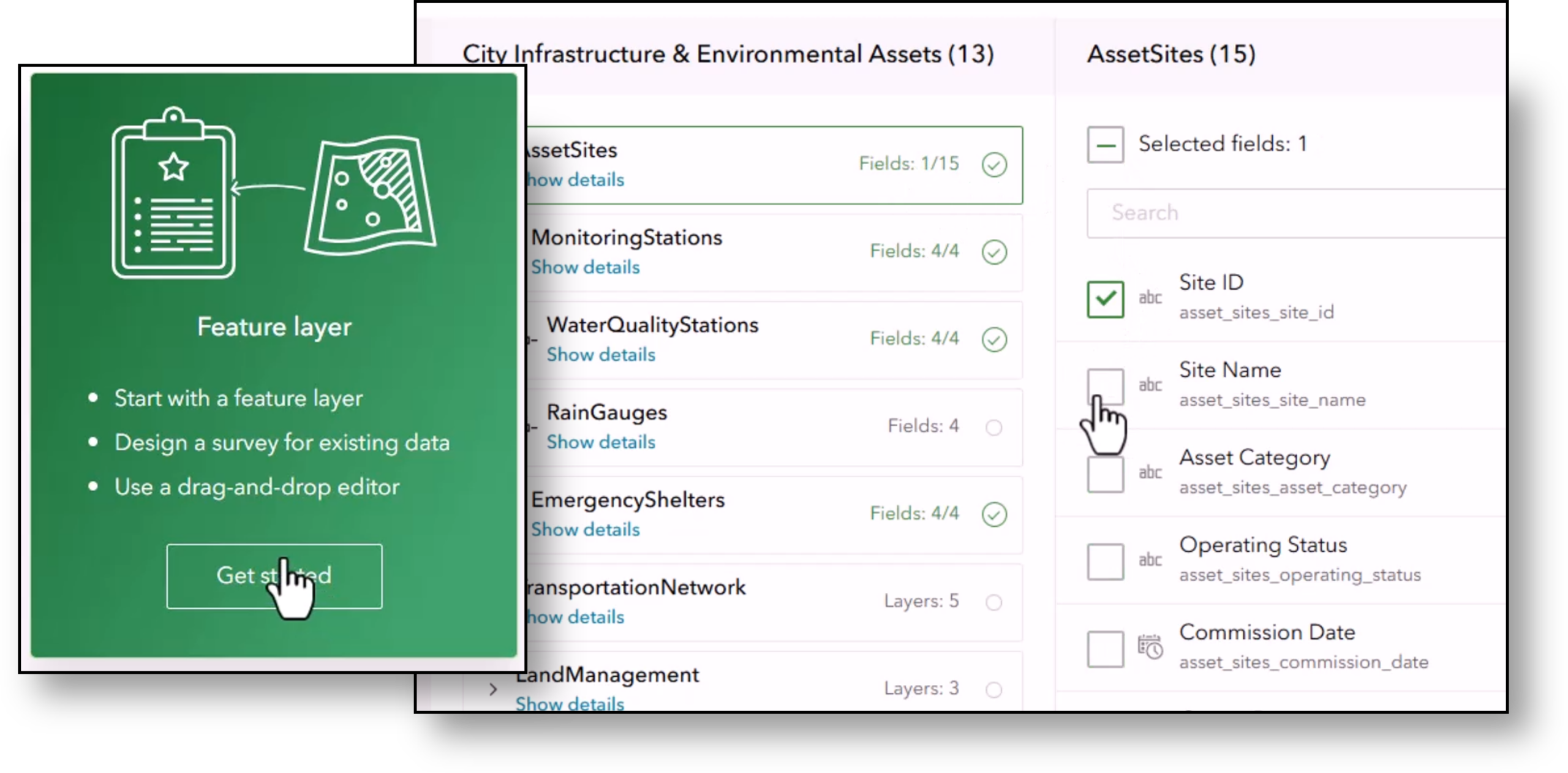
There is also an important enhancement for data-driven workflows: you can now include repeats when creating a survey from an existing feature layer. Start with a feature layer, choose which layers and tables to include, and continue refining the survey in the web designer. This makes it easier to connect Survey123 to existing enterprise data structures.
The web designer itself is more flexible in this release. It now supports undo and redo, making it easier to experiment without losing work, and it includes an improved tag editor so you can reuse organizational tags and reduce duplication.
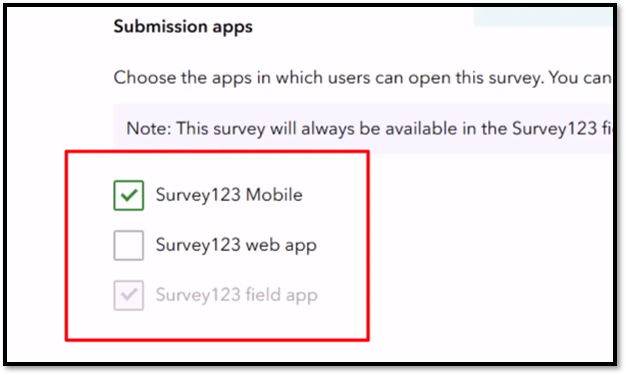
Finally, a new submission apps setting gives you more control over where a survey can be opened and submitted. You can choose whether a survey is available in the web app, in the next-generation field app, or both, helping match the right survey to the right task and reduce clutter for field users.
Meet the next generation of ArcGIS Survey123 apps
A new foundation for the next decade
This release marks the start of the transition. Survey123 Mobile and Survey123 Studio do not yet have full feature parity with the current Survey123 field app and Survey123 Connect, instead focusing on a core set of capabilities used in most workflows, with quarterly updates continuing to bring functionality forward over time. During this transition, Survey123 3.x (the field app and Survey123 Connect) remains supported by Esri and can be run side-by-side with the next-generation apps, allowing you to adopt the new experience when it meets your needs. These apps are built on a modern architecture designed for faster innovation and long-term evolution, while still delivering a familiar experience through the same XLSForm standard. The guidance is it to evaluate each release and adopt the next generation when it supports your needs.
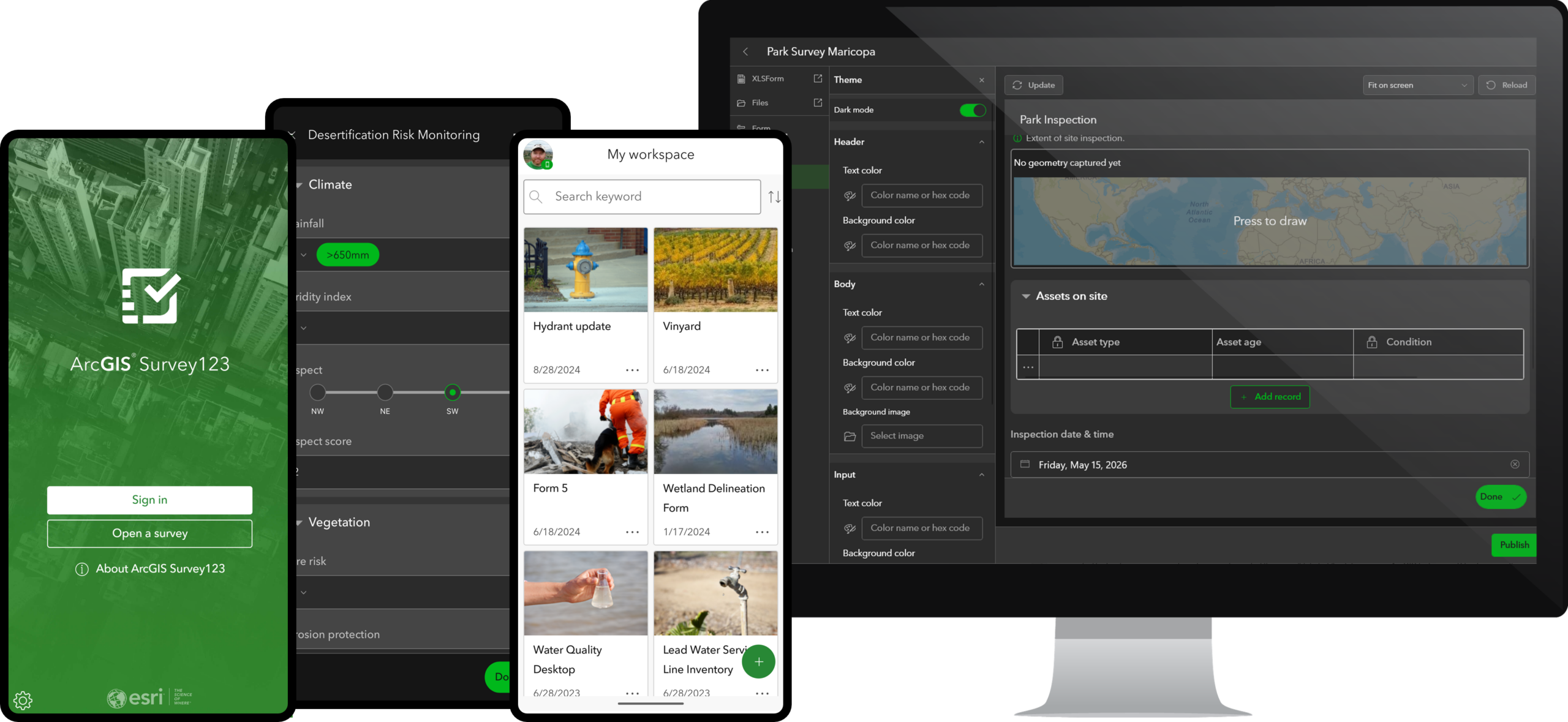
What began as a simple way to replace paper forms has evolved into a modern platform built for the next decade of field data collection.
Survey123 Mobile: the next-generation field app
Survey123 Mobile is the next-generation data collection app for iOS, Android, and Windows. It is the successor to the current Survey123 field app and brings a redesigned experience for completing forms in the field. It is a new but familiar user experience for capturing data, with an enhanced login experience for public users, improved accessibility support, and stronger mapping capabilities.
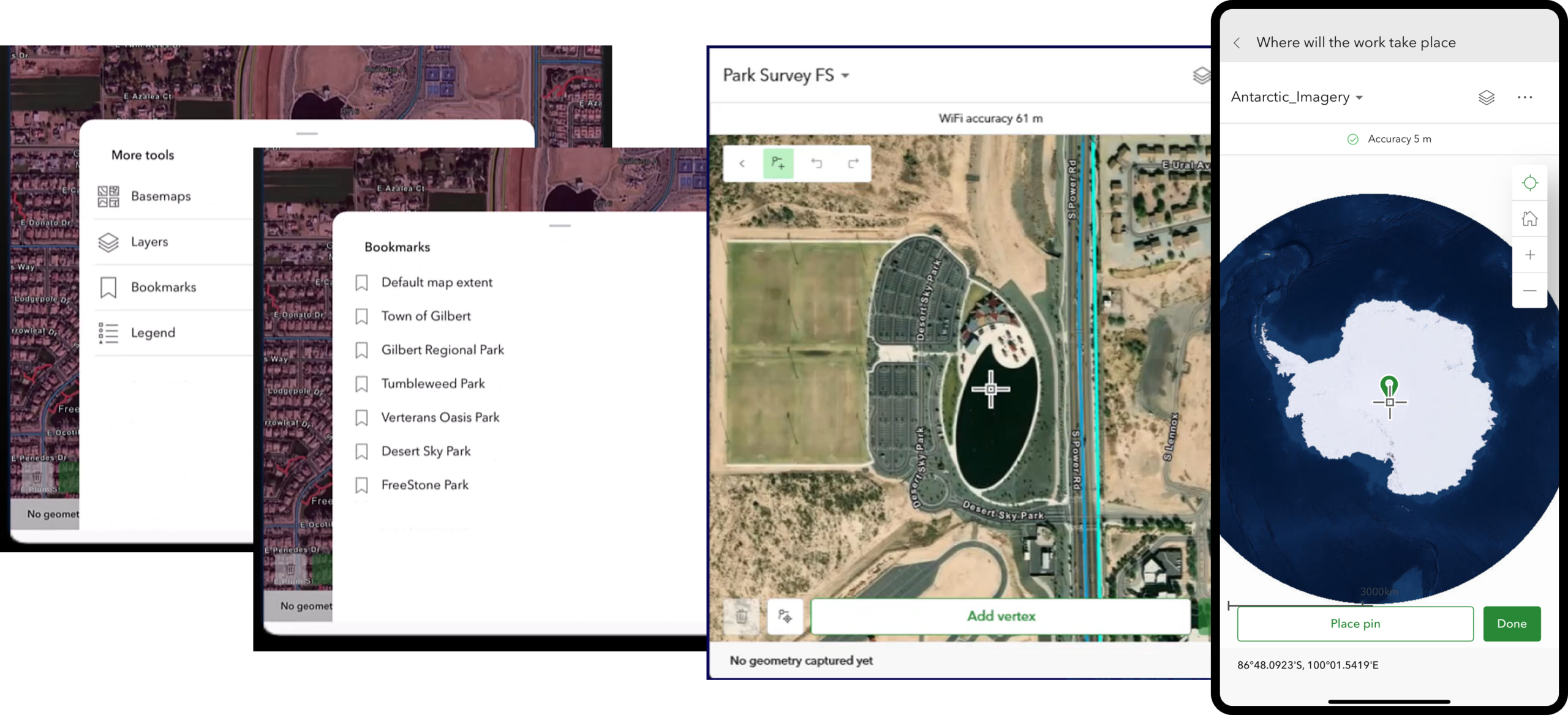
One of the biggest improvements is mapping. Survey123 Mobile supports web maps in Esri-supported projections and adds capabilities such as layer control and bookmarks. The result is a stronger location experience for field workers who rely on map context as part of their data collection workflow.
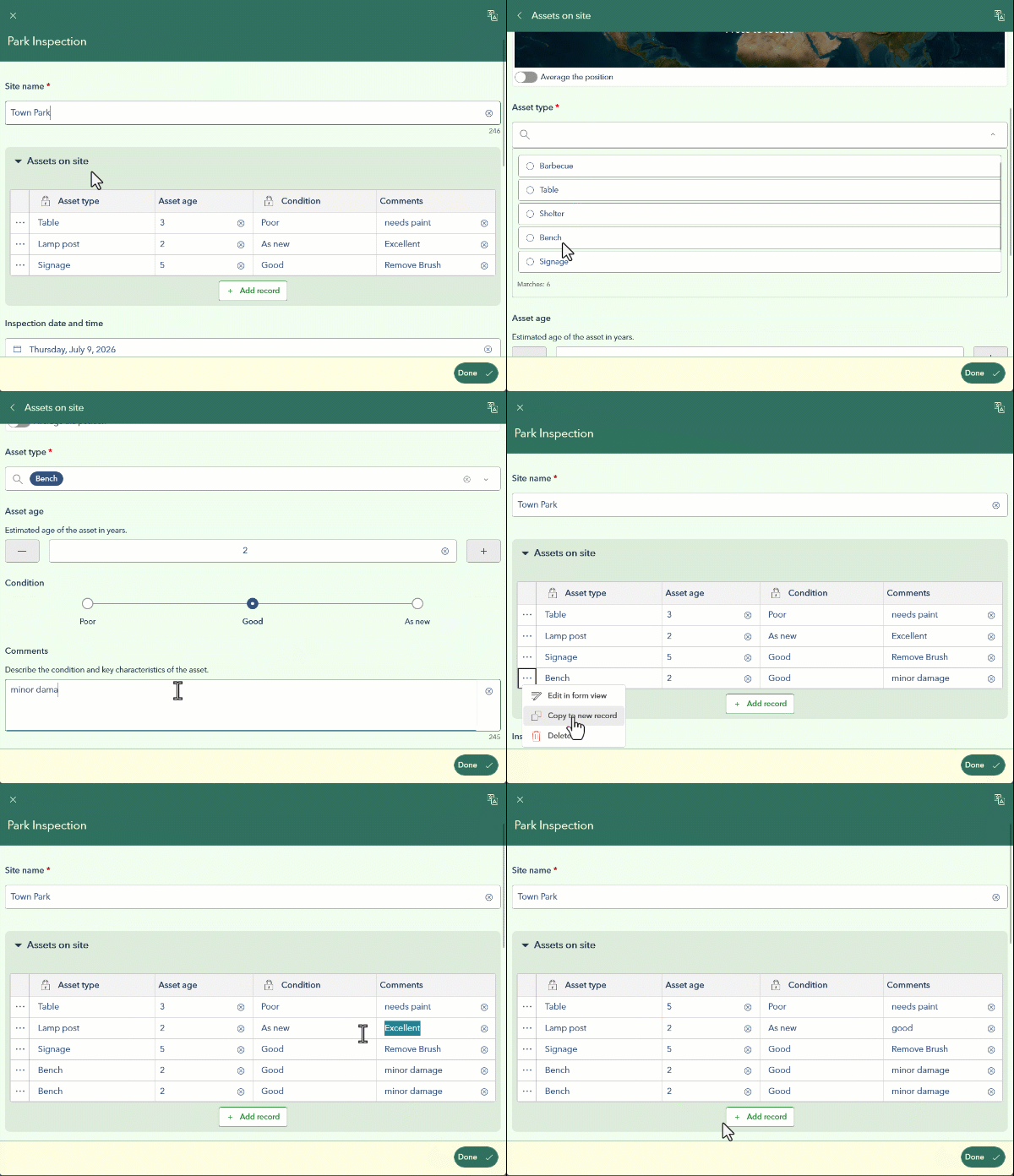
This release also delivers one of the most requested enhancements in Survey123: tabular repeats. With tabular repeats, related records can be viewed and edited in a spreadsheet-like table, making it faster to navigate and edit repeat data, review entries, and make updates. Users can still open individual records in the full form view when needed.
And for teams that combine detailed forms with rapid capture, Survey123 Mobile now supports ArcGIS QuickCapture projects, making it easier to move between both experiences in a single app. In this initial implementation, QuickCapture support is focused on point capture only, and not all attribute variables are supported yet. Additional capabilities will be added in future releases, you can review the QuickCapture capability in ArcGIS for details about what is included thin this release and planned for the future.

Survey123 Studio: the next-generation authoring experience
Survey123 Studio is the next-generation Windows authoring app and the successor to Survey123 Connect. It brings a refreshed form authoring experience, with a more modern interface and quicker access to design details, theme settings, and schema tools.
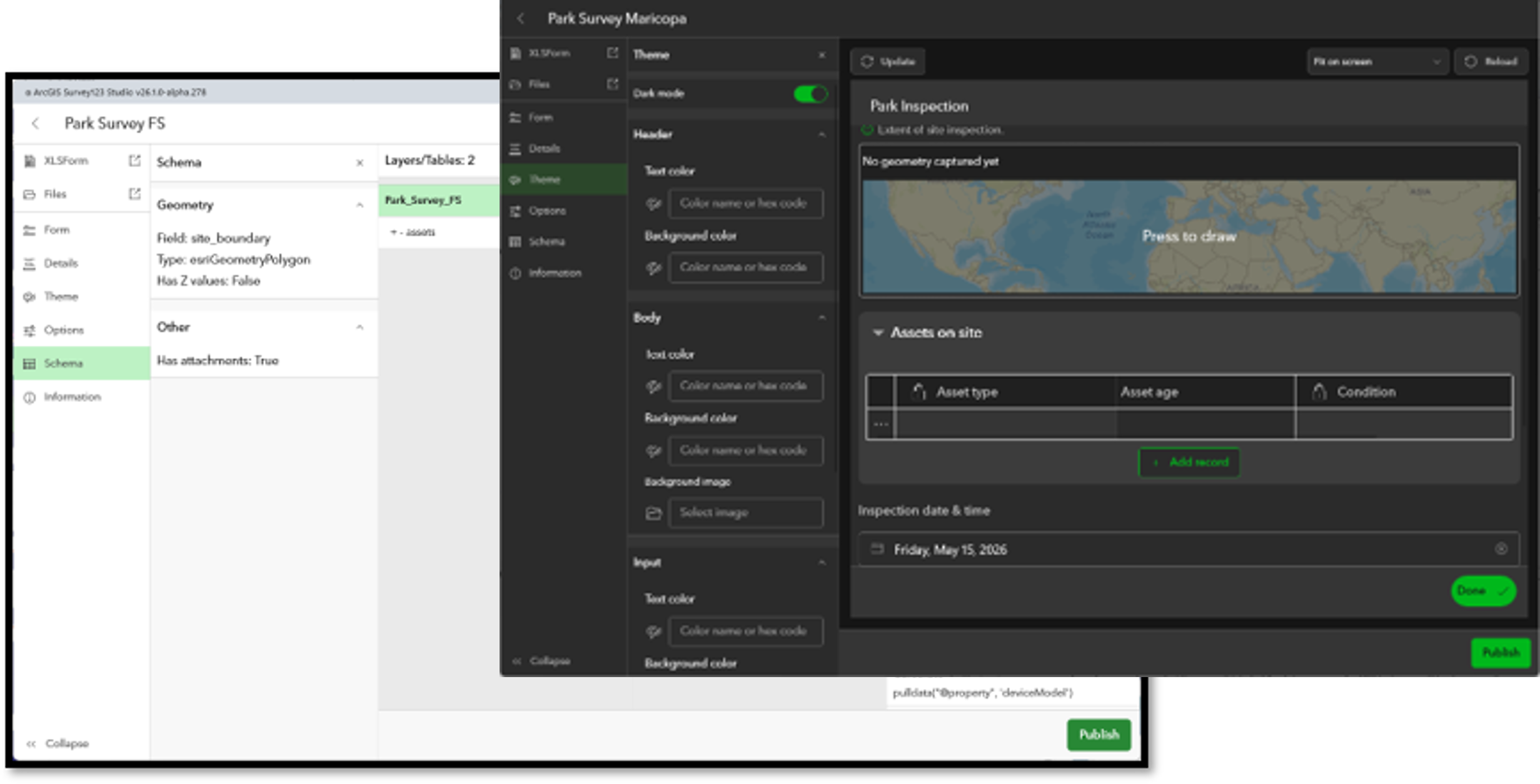
Like Survey123 Mobile, Survey123 Studio is part of an ongoing roadmap. The first release is intentionally focused on core workflows, with additional capabilities arriving through quarterly updates as parity progresses.
Download Today!!!
Survey123 Mobile and Survey123 Studio are available to download today. You can download Survey123 Mobile from the Microsoft Store (Win), App Store (Apple/iOS), or Google Play (Android). Survey123 Studio is available from the Microsoft Store (Win). Visit the central Survey123 Download Page or grab the app directly for your platform below:
-
Survey123 Mobile: Windows Store | App Store | Google Play
-
Survey123 Studio: Microsoft Store
ArcGIS Enterprise Users: As ArcGIS Survey123 Mobile & Studio are new applications, they must be registered with existing ArcGIS Enterprise deployments. The process is outlined here: Add Survey123 Mobile and Survey123 Studio as Registered Applications to ArcGIS Enterprise
Looking ahead
A practical migration path
Because functional equivalancy with the 3.x apps are being delivered over time, migration will not happen all at once—and it does not need to. The recommended approach is to review, open, evaluate, and publish. Start by checking feature compatibility, open your survey in Survey123 Studio, address any issues or wait for an upcoming release if needed, then publish and test in Survey123 Mobile. The Survey123 Studio and Mobile feature Functionality Matrix will let you know what’s available in the curent release, what’s in development, and what’s planned or not planned.
That flexibility is intentional. Some teams will be ready to adopt the next generation now, especially for new projects. Others may continue to use the current apps until the next-generation releases fully support their workflows. Both patterns are expected, and both are supported during the transition.
The path to future innovation
The July 2026 release is a major milestone, but it is best understood as the beginning of the next phase for ArcGIS Survey123. Survey123 Mobile and Survey123 Studio establish a modern foundation for future innovation, while the Survey123 Website continues to make authoring faster and more capable. From here, quarterly releases will keep expanding functionality, closing parity gaps, and introducing new capabilities that build on this new platform.
Key Resources
Here are some key resources to learn more about Survey123 Mobile and Survey123 Studio.
- Survey123 Mobile an Studio feature functionality matrix
- June Blog – Survey123 Mobile & Survey123 Studio – Experience the Next Generation
- January Blog – Survey123 Beta – Experience the Next Generation Today!
- Survey123 Documenation – What’s new in Survey123
- Survey123 EAC – Test the latest beta builds and discover what’s coming next

This all looks great and I am looking forward to some of the new abilities and designs for the app suite.
However, the white elephant in the room is what will happen with our webhook feature and how we can have the reliable, consistent, and instant webhooks moving forward that we currently have with the 3.x with this newer version? Knowing sooner rather than later will be extremely helpful going into the next field season of 2027 and being able to design, update, and prepare this winter thru the upcoming months of November through February. Any update would be greatly appreciated.