The latest ArcGIS Enterprise update delivers significant improvements to working with imagery and video, helping you be more productive and gain clear insights into areas of interest. You’ll enjoy a more consistent experience across ArcGIS deployments, with new features from ArcGIS Online now available in ArcGIS Enterprise, making it easier to switch between environments and stay focused on your work.
Introducing More Speed, Automation, and Access to the Data You Need
By improving the efficiency of working with imagery in the GIS workflow, you can get to – and deliver – answers faster. See how the latest features and enhancements can transform your imagery into a strategic asset, driving more confident decisions and impactful outcomes.
Image Analysis Simplified.
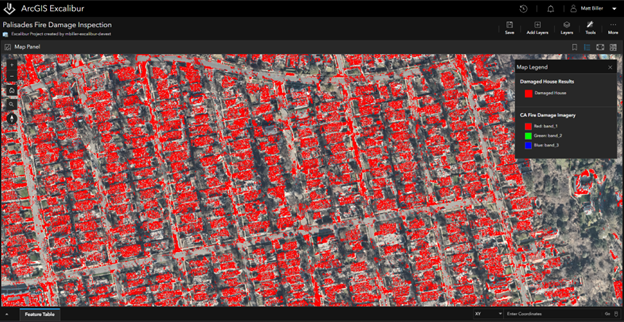
Removing the complexity from image analysis tasks is crucial for maximizing productivity, whether you’re new to using imagery with GIS or have years of experience. Raster Function Templates (RFTs) simplify complex image and raster analysis operations by chaining together processing steps. Previously available in ArcGIS Pro, ArcGIS Online, and ArcGIS Enterprise via Image Server, RFTs are now also available in ArcGIS Excalibur. This expansion promotes a consistent experience across ArcGIS environments, enabling users to leverage repeatable workflows and collaborate through shared templates.
Raster Analysis, Supercharged by Parallel Processing.
As deep learning becomes more integral to image analysis, processing power is crucial, especially for tasks like automated object detection and pixel classification. Previously limited by a single GPU’s processing power, these tasks can now be significantly sped up by utilizing multiple raster GPUs in ArcGIS Enterprise for Windows. This enhancement allows you to scale deep learning tasks, gain insights faster, and handle complex image analysis projects more efficiently.
Say Goodbye to Downtime with Live Imagery Layer Updates.
To make the most informed decisions, you need your analyses, maps, and applications to reflect the most current data. With ArcGIS API for Python, you can now automate the update of imagery layers without interrupting the services your users rely on. Previously, updating hosted imagery layers required taking the service offline, updating, and republishing – a manual process that caused workflow disruptions and was administratively complex. By automating imagery layer updates, you reduce the administrative burden and improve overall efficiency for both you and your end-users.
Deep Learning Gets an Efficiency Boost from AI.
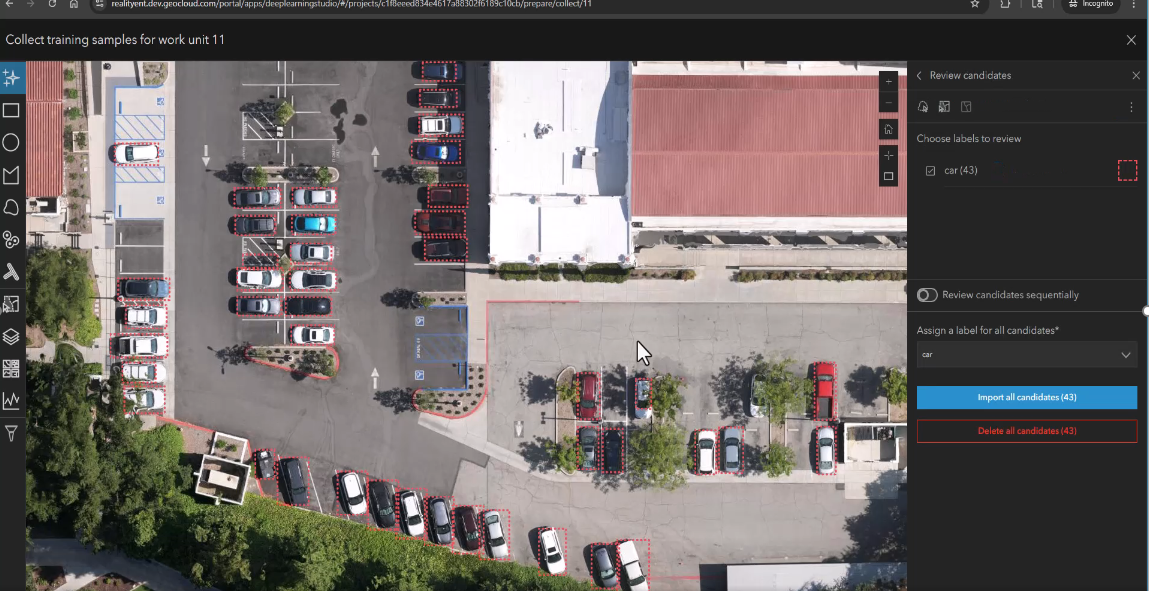
As ArcGIS expands its deep learning capabilities, you can now more easily uncover detailed information from your data. Deep Learning Studio, powered by ArcGIS Image Server, is a web-based application that applies deep learning to imagery by preparing and training models. Its latest update includes an AI labeling assistant that speeds up tasks like object detection and image classification. By labeling a specific object, the AI identifies similar objects, automating a previously manual process, and making it easier to integrate deep learning into your GIS workflows.
Access Commercial Imagery with Ease.
Accessing imagery is the first step in integrating it into your GIS. With Content Store for ArcGIS, you can find and purchase premium satellite and aerial imagery from multiple commercial providers. You can then publish it to your ArcGIS Online organizations or download it to your local machine. Now, the imagery can also be uploaded to your cloud storage, making it easily accessible within your ArcGIS Enterprise environment. From there, you can publish it as a dynamic imagery layer, create a mosaic dataset, or perform raster functions on-premises.
Learn more about Content Store for ArcGIS
Unlock Deeper Insights with Expanded Raster Support.
The more data types you can work with in your GIS, the more comprehensive your analysis can be. With ArcGIS Excalibur, you can now gain deeper insights into areas of interest thanks to expanded support for various raster and imagery types, including NITF, GeoEye-1, PlanetScope, Worldview-1, Worldview-2, and Worldview-3. This means you can analyze a broader range of geospatial data, from diverse satellite imagery sources, and extract more valuable insights for applications across industries and disciplines.
Seamlessly Integrate Video Data with Your GIS Workflows
As GIS continues to evolve, video data is becoming an essential component of spatial analysis and decision-making, right alongside traditional data types like imagery and feature data.
Video Data stored in the Cloud Meets GIS.
With ArcGIS Video Server, an optional server extension for ArcGIS Enterprise, you can index, search, publish, and stream videos with geographic and temporal information. The latest release brings added support for video stored in cloud environments, allowing you to maximize your existing cloud investments and collaborate across different cloud platforms. You can deploy ArcGIS Video Server in AWS or Azure, publish video layers directly from multiple cloud providers (including AWS, Azure, Google, and Alibaba), and simplify your video management workflow by eliminating the need to migrate data between cloud providers, saving you time and resources.
Create and Share Video Layers with Other ArcGIS Users.
You can now author video layers in ArcGIS Pro and ArcGIS AllSource and publish them directly to ArcGIS Video Server. With this new capability, you can expand the reach of video in your GIS workflows, creating and sharing video layers from both desktop and web clients. This enhancement broadens the use of video across ArcGIS environments, empowering you to leverage video content more effectively in your GIS and collaborate more easily with other video users.
Publish video layers from ArcGIS Pro and AllSource directly to your enterprise portal, enabling seamless organization-wide access and sharing
Automate Time-Consuming Video Processes.
The recent public release of the ArcGIS Video Server programming interface enables ArcGIS users to programmatically interact with the server using the REST API. If you’re a developer, this means you can build automation into your apps for tasks like starting and stopping livestreams and querying layers. This automation ultimately benefits end-users by providing more streamlined and efficient video experiences.
Use Imagery to Create a Lifelike GIS
Achieving a truly lifelike GIS hinges on advanced imagery visualization and interaction. These updates provide enhanced ways to explore, measure, and control how imagery is displayed, offering a more accurate and immersive understanding of your geographic data.
Explore Imagery with Smarter Navigation and Improved Measurements
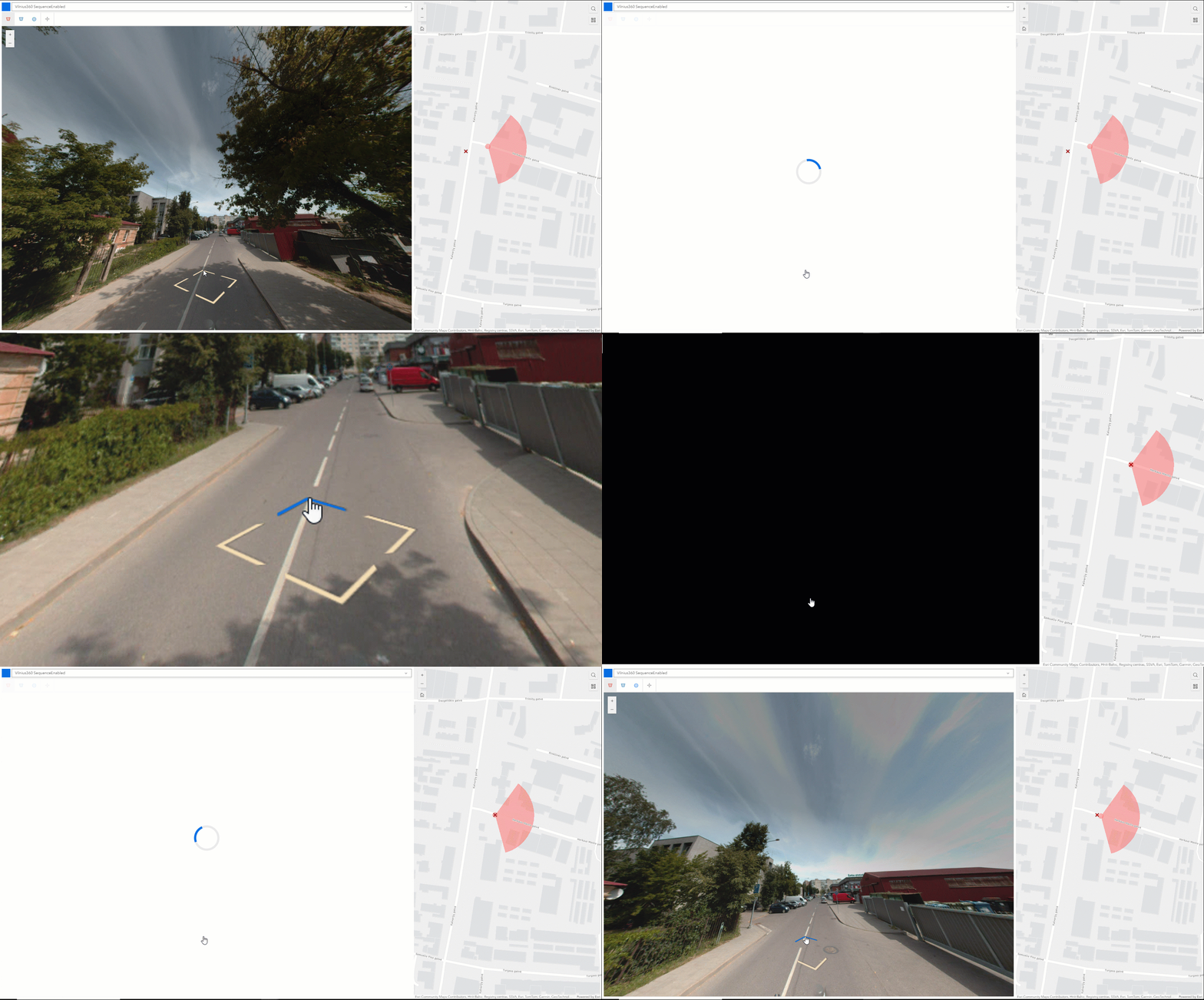
Oriented imagery is an ArcGIS-wide capability that enables users to work with oblique or street-level imagery from sources like drones, phones, tablets, and 360-degree cameras. This release introduces key enhancements to the oriented imagery viewer.
New navigation options are available, including navigating through images in a predefined sequence and using directional arrows within an image to move to the next available image on the map. These features allow for more systematic exploration and intuitive navigation through image collections.
Improved measurement accuracy is also available, enabling users to measure features like trees or buildings more accurately using two overlapping images. The triangulated measurement capability, along with the ground-based measurement introduced earlier, provides greater confidence in measurement results, making them more reliable for analysis and decision-making.
ArcGIS Reality Server (Beta): Introducing Self Hosted, Scalable Reality Mapping
ArcGIS Reality Server debuts as a public beta, offering a scalable, self-hosted solution for reality mapping within ArcGIS Enterprise. This capability enables organizations to generate high-accuracy, photo-realistic 2D and 3D content from drone, aerial, and satellite imagery, supporting large-volume processing across multiple machines. Reality Server integrates seamlessly with ArcGIS, providing secure, high-performance workflows for organizations that require self-hosted reality mapping to build digital twins, extract insights, and transform raw imagery into actionable intelligence.
Organizations using ArcGIS Enterprise can participate in the beta via the Early Adopter Community. ArcGIS Enterprise 12.0 is required to use ArcGIS Reality Server.
Take Control of How Images are Displayed.
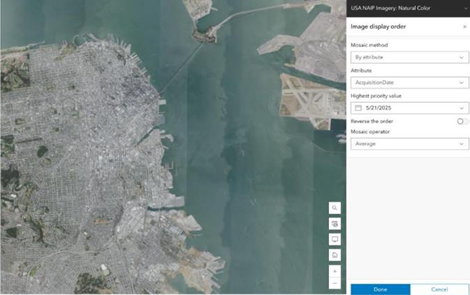
When using collections of imagery, it’s essential to be able to display them in different ways because diverse visual representations can enhance understanding and facilitate analysis. The new Image Display Order Widget in ArcGIS Experience Builder allows you to define specific rules for how overlapping images are mosaicked and displayed within a mosaic dataset. This means that when multiple images cover the same geographic area, the widget determines which image is displayed on top, based on your defined criteria
That’s a Wrap!
If you’d like to know more about the latest update to ArcGIS Enterprise, read What’s New in ArcGIS Enterprise.
For hands on experience with imagery tools in ArcGIS Enterprise, try out some of these step-by-step tutorials.

Article Discussion: