ArcGIS Hub revolutionizes how people work together geographically, making it easier for you to share trusted and curated content, collaborate, and engage with your community of practice. Hub continues to evolve. Keep reading to learn more about recently added features.
New & improved for end users
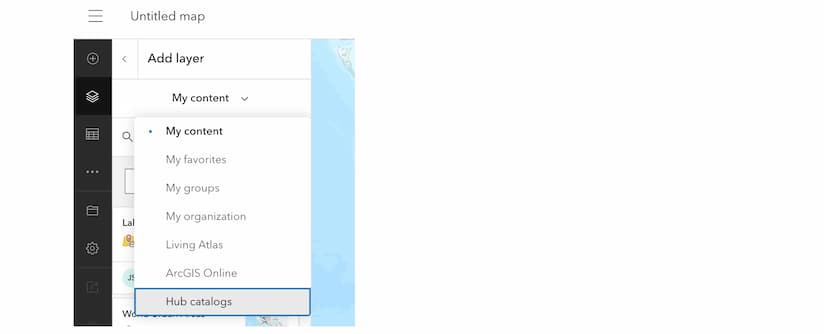
- Use Hub catalogs directly in ArcGIS Online Map Viewer: Site visitors can now browse and add content from curated Hub catalogs directly within Map Viewer. It’s a smoother, smarter way to map with trusted data. Learn more
- View layers with style: Hub now supports previewing layers with their configured styles, making it easier to visualize data. This is particularly useful for complex datasets. Setting data layer preview with style defaults is configured by item. Learn more
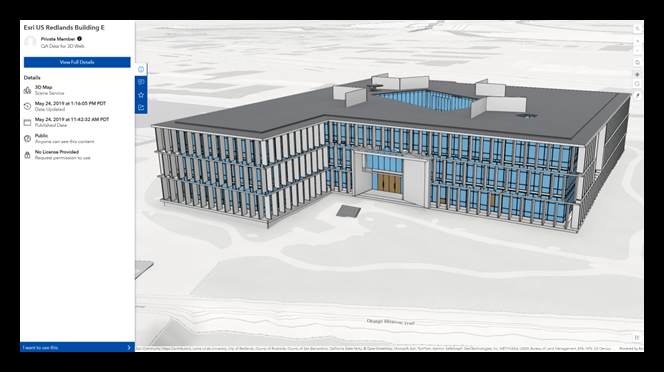
- Explore 3D content directly in Hub: You can now view 3D scene layers, elevation layers, and 3D tiles layers directly within Hub, enhancing the 3D content exploration experience. Learn more
New features & enhancements for site managers
- Workspaces: Workspaces is the default Hub management experience, replacing classic edit mode. Classic edit mode can still be accessed for a limited time. Learn more
Here are just a few benefits of workspaces:
-
- Flexible downloads – Control which formats are readily available to users and the order in which they are displayed.
- Page management – It’s now easier to manage who can edit a page. With workspaces, page items are managed just like other items in your organization.
- Create sites workflow – Creating a new site now offers more flexibility. Users can choose to start with a blank catalog, quickly create and apply a new group to the catalog, or select an existing group during site creation.
- Hub catalogs: The modern way to share trusted and curated content and to connect items, including pages, to your site. The catalog is configured during site creation or later by selecting one or more group(s). Learn more
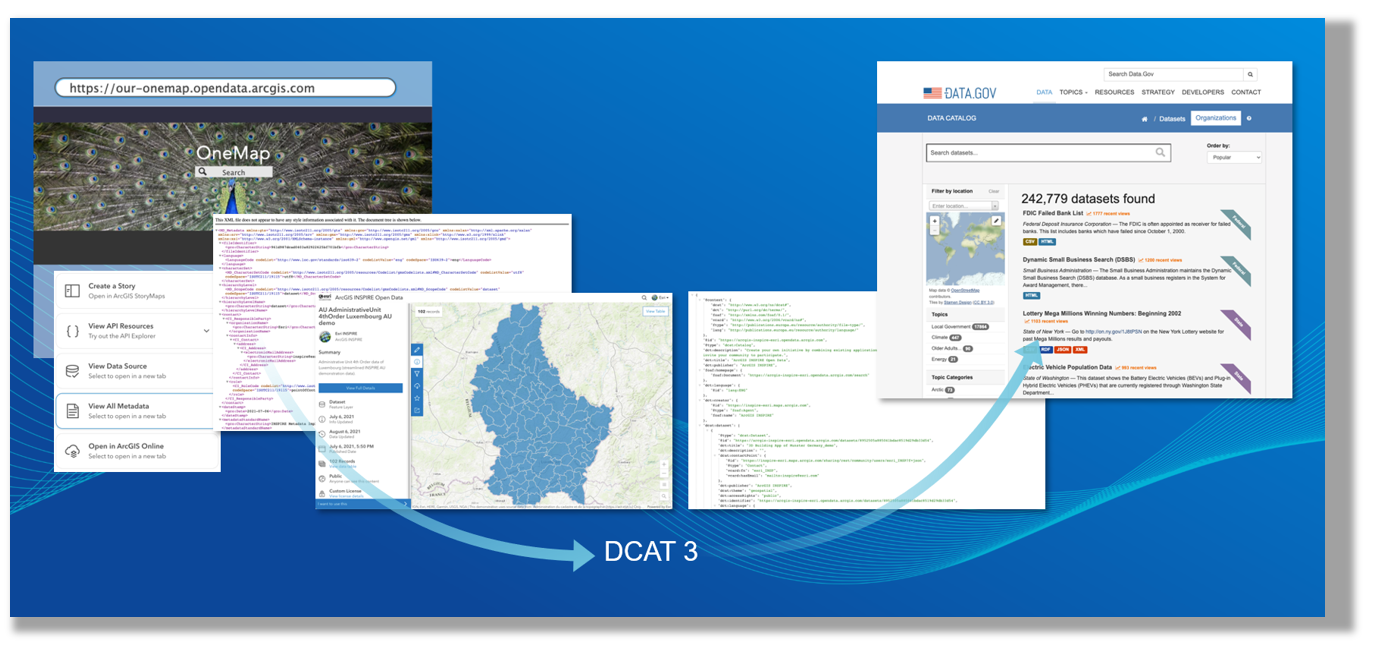
- Catalog federation with DCAT 3: Hub catalogs now support the DCAT3 data catalog vocabulary standard for interoperability, beginning with DCAT-AP 3 application profile for Europe. Learn more
And more…
- Improved map performance when exploring content.
- Geometry filtered KML downloads are supported from ArcGIS Online hosted services.
- Visit the ArcGIS Hub release notes to read what’s added, changed, and fixed at every release.
Enjoy these delicious tips and timesavers for ArcGIS Hub and Enterprise Sites.
Coming soon — Hub roadmap[1]
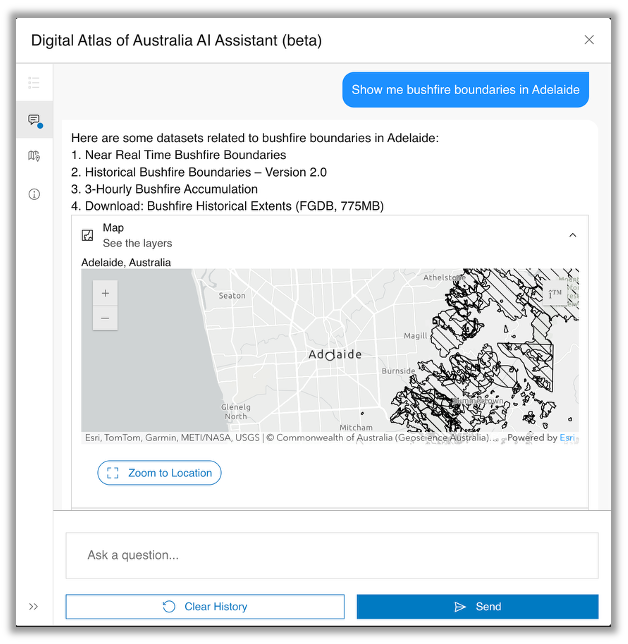
- Hub assistant: Stay tuned for the Hub assistant (beta) for Hub Premium to leverage generative artificial intelligence (AI) to make open data more accessible and actionable. It is designed to help site visitors find content and get answers using focused content scoped to your site catalog. Configuring a Hub assistant (beta) for your site requires an ArcGIS Hub Premium subscription and enabling AI Assistants for your organization.
- Workspaces: Workspaces continue to evolve. Look forward to workflow enhancements and advanced configurability options.
- Catalog feeds support DCAT 3-US: Anticipate further enhancements to Hub interoperability with DCAT-US 3, as the data catalog application profile for the United States of America progresses.
[1] Roadmap features are subject to change.
What’s next?
Stay abreast of what’s new and learn about recent changes, check out the ArcGIS Hub release notes and documentation. Connect with ArcGIS Hub through our resources:
- Explore ArcGIS Hub tutorials and tutorial series
- Get inspired by examples in the ArcGIS Hub Gallery
- Sign up for the ArcGIS Hub e-newsletter
- Follow us on “X” @ArcGISHub



Commenting is not enabled for this article.