There is a lot of excitement around AI and Deep Learning these days, and the world of GIS is no exception. Geospatial AI (GeoAI) can support planners, urban designers, and landscape architects with workflows such as tracing building footprints, identifying land use patterns, and understanding land cover change. GeoAI workflows are especially helpful when there is an absence of existing data for the site.
There are various deep learning models in Living Atlas for identifying and extracting information from data such as satellite imagery. These pre-trained models can be downloaded and used directly in ArcGIS Pro. They can also be further trained by the user.
Forest Loss Analysis with Pre-Trained Model
Let’s take for example a GeoAI workflow for identifying and extracting land cover data from satellite imagery. I used a deep learning model from Living Atlas to analyze forest changes from timber logging in Oregon. The land cover classification model comes with a step by step guide and works with Landsat 8 imagery.
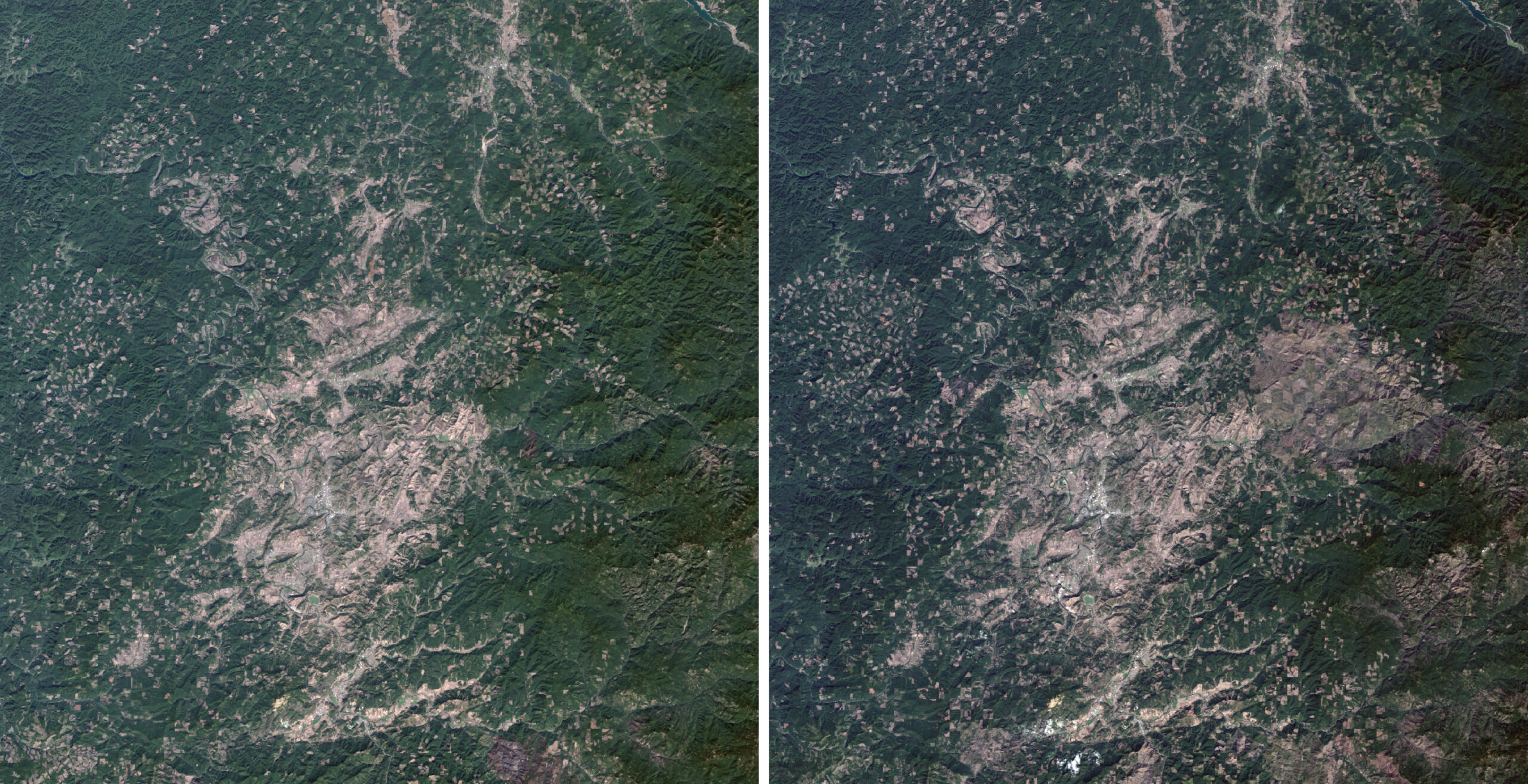
First, I download Landsat 8 imagery from USGS Earth Explorer near Eugene, OR for 2015 and 2025. I used the imagery to create two multiband (Bands 1 – 7) composite images in ArcGIS Pro. Next, I ran the Classify Pixels Using Deep Learning tool under Image Analysis Tools>Deep Learning for 2015 and for 2025. The tool extracted from the multiband images a classified land cover raster dataset for each year.
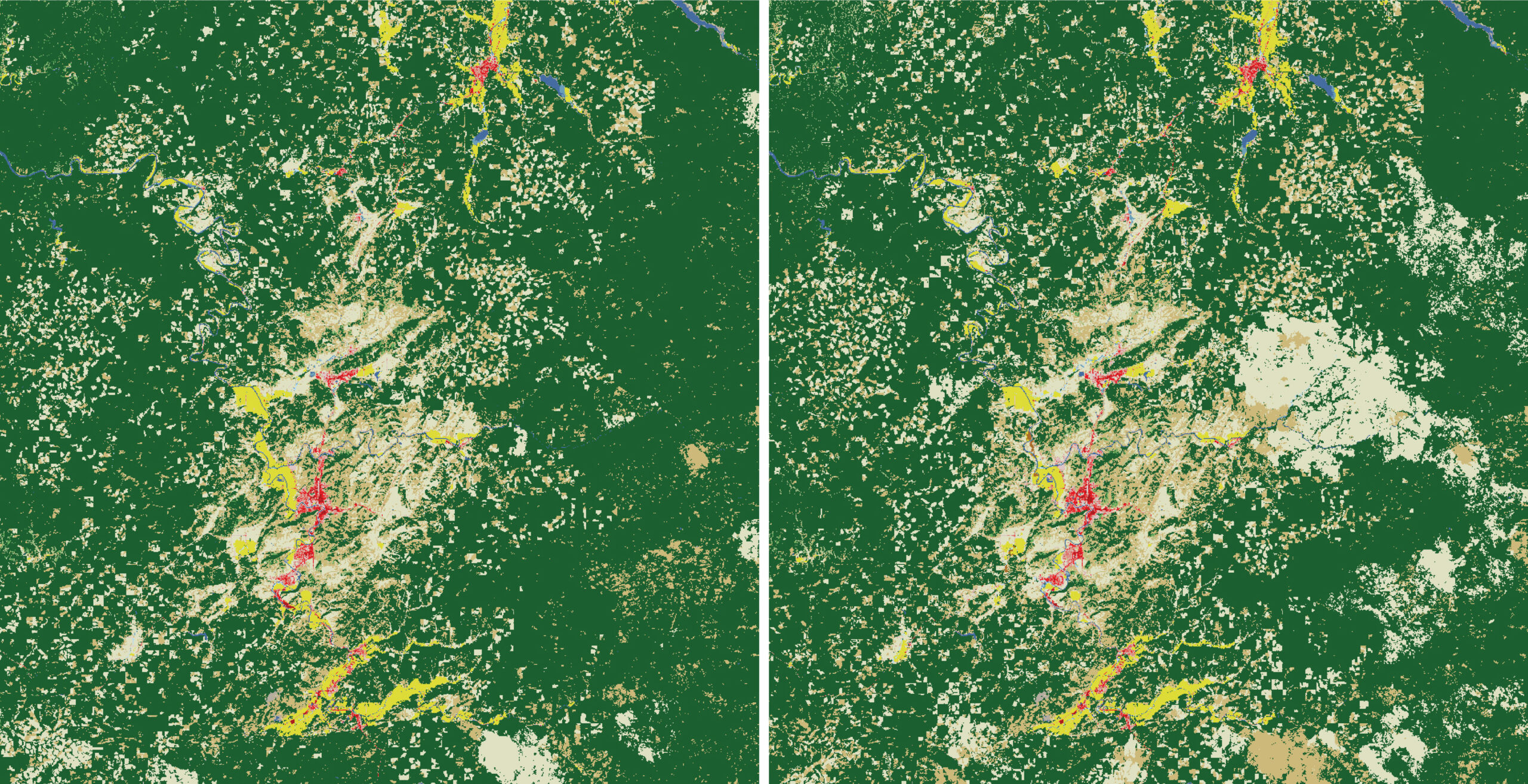
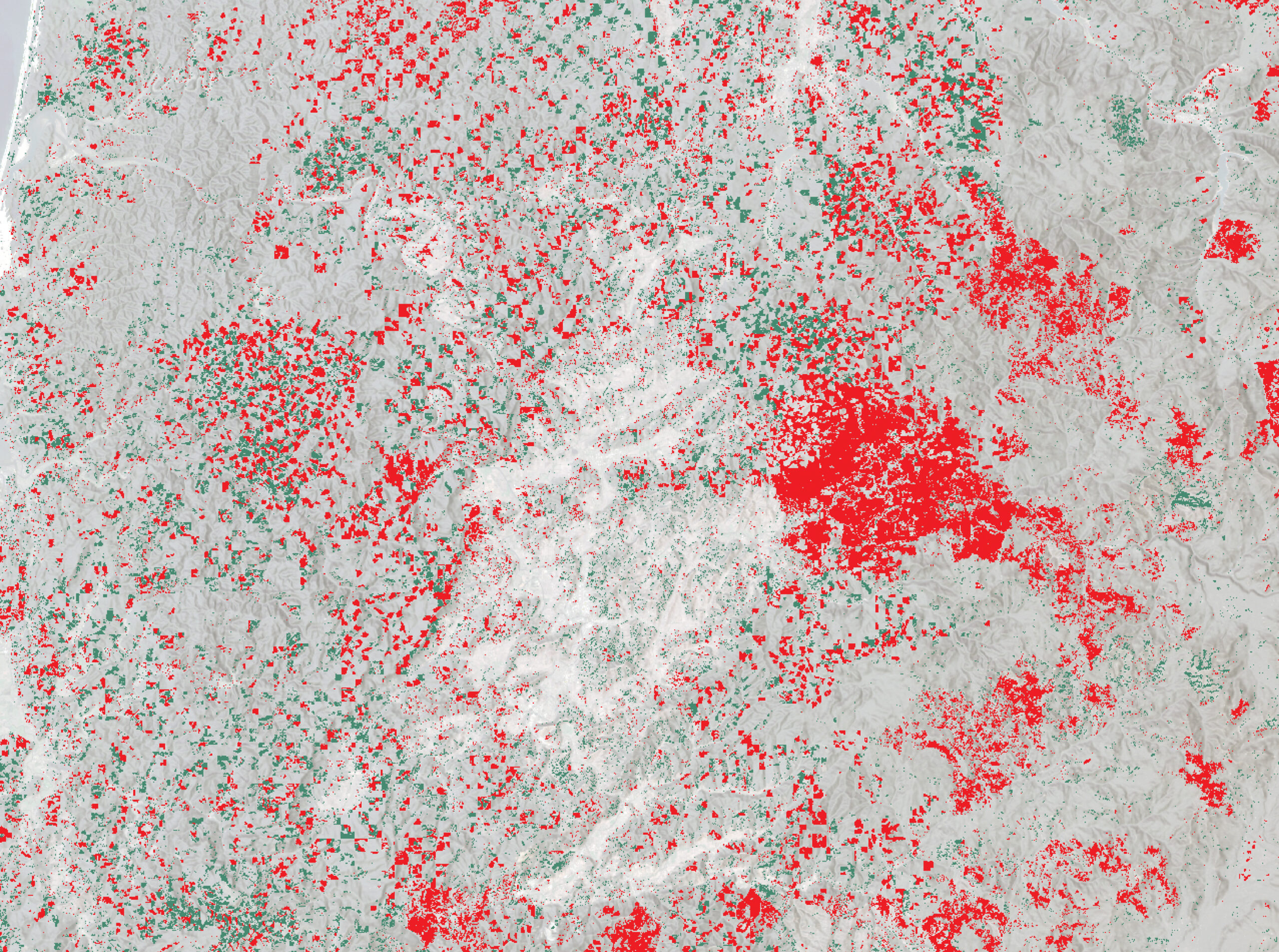
The land cover raster datasets were further processed to map and measure forest loss from 2015 to 2025. The methodology I followed started with reclassifying the land cover raster datasets. I assigned to forest land cover a value of “2”, and to everything else a value of “1”. To map forest change, I calculated the difference between the two raster datasets with the Raster Calculator, under Spatial Analyst Tools > Map Algebra . To measure forest loss, I converted the forest change raster to a polygon dataset. In the attribute table, I calculated the area of each shape in a new field and summarized the field’s statistics.
City Growth Analysis with Self-Trained Model
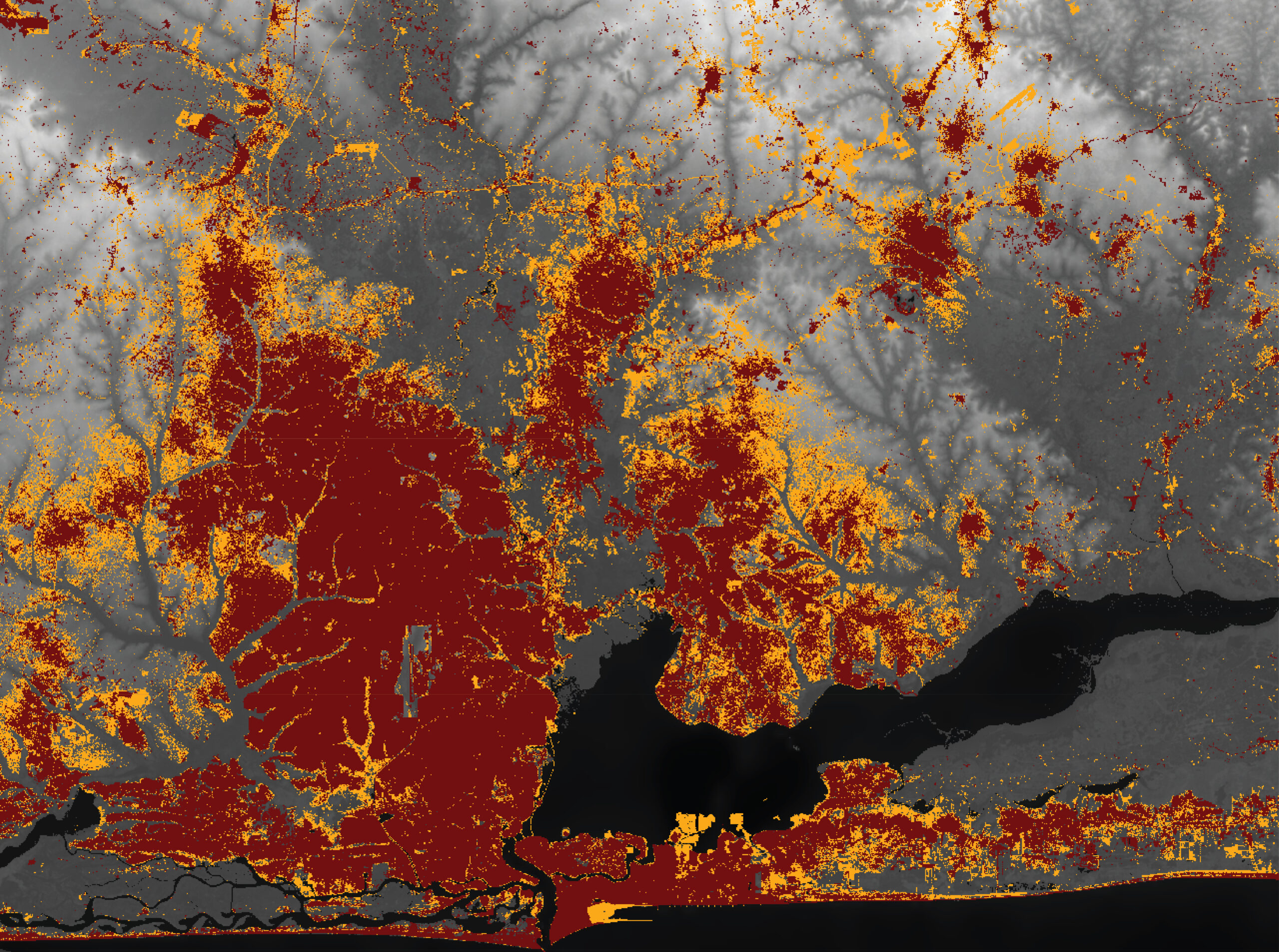
Similarly to tracking forest loss from logging, GeoAI workflows can be leveraged for analyzing how cities evolve. In this example, I used land cover classification on Landsat 8 imagery to analyze the growth of Lagos, Nigeria between 2013 and 2024.
For this workflow, instead of leveraging a Living Atlas deep learning model, I trained my own classification model in ArcGIS Pro. First, I created false color or color infrared composite images for each year, using Landsat 8 imagery from USGS Earth Explorer.
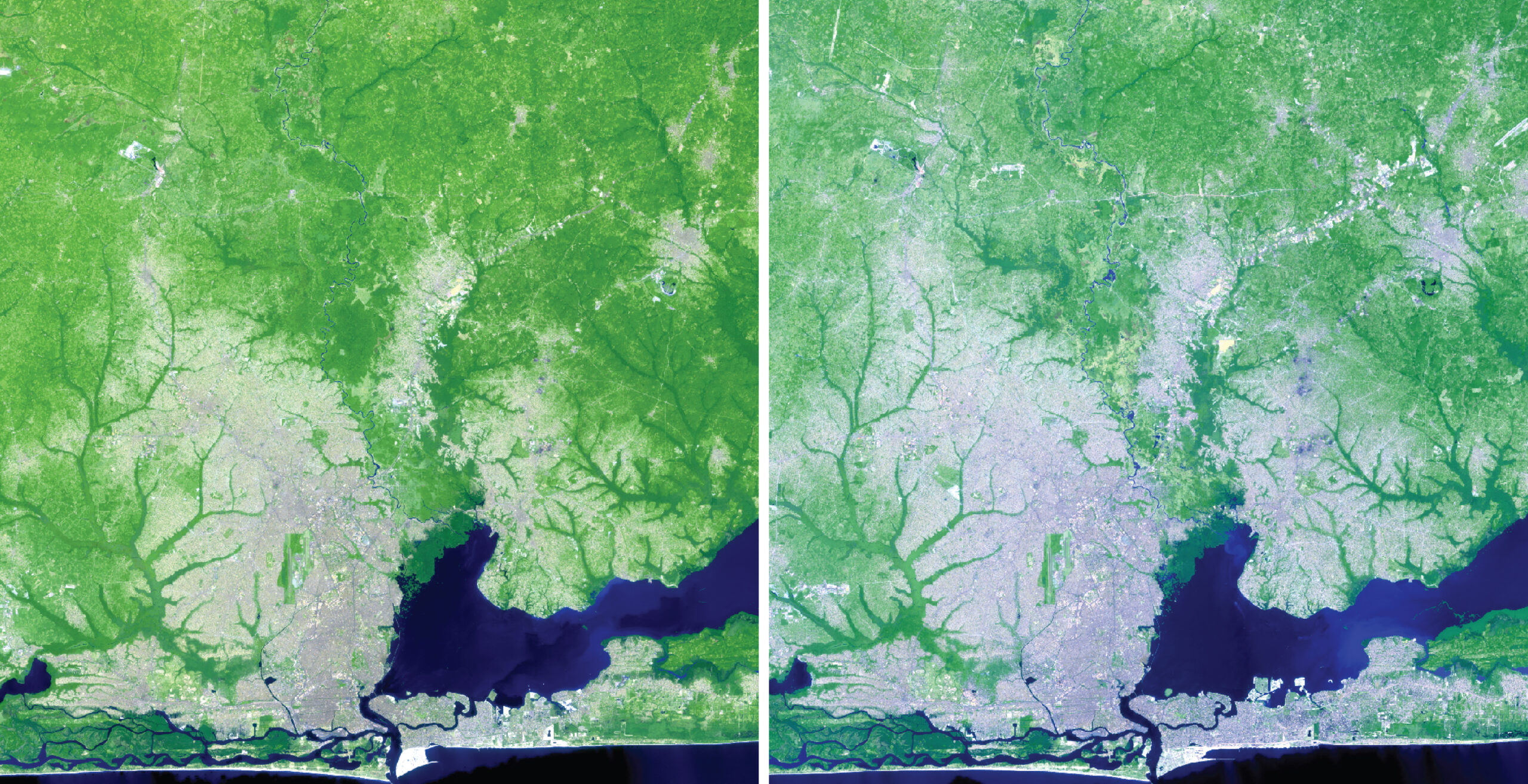
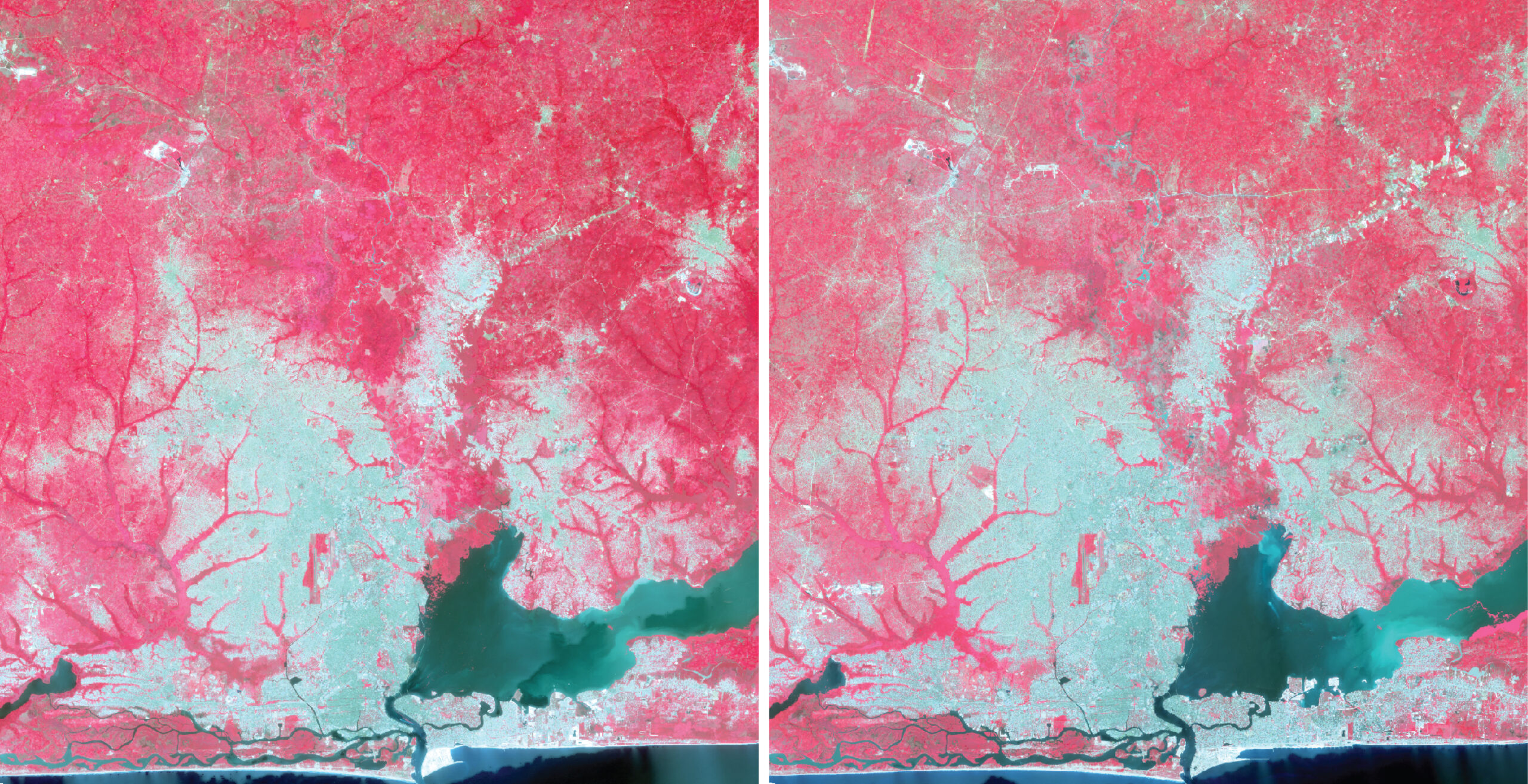
With either the false color or the color infrared composite images, I ran a supervised, pixel-based land cover classification, under Imagery> Classification Wizard. I manually trained the classification model on what pixels represent water, development, agriculture, etc.
Once I trained the model on a composite image, I ran the remaining steps of the Imagery Classification Wizard. The tool generated a classified land cover raster for each year.
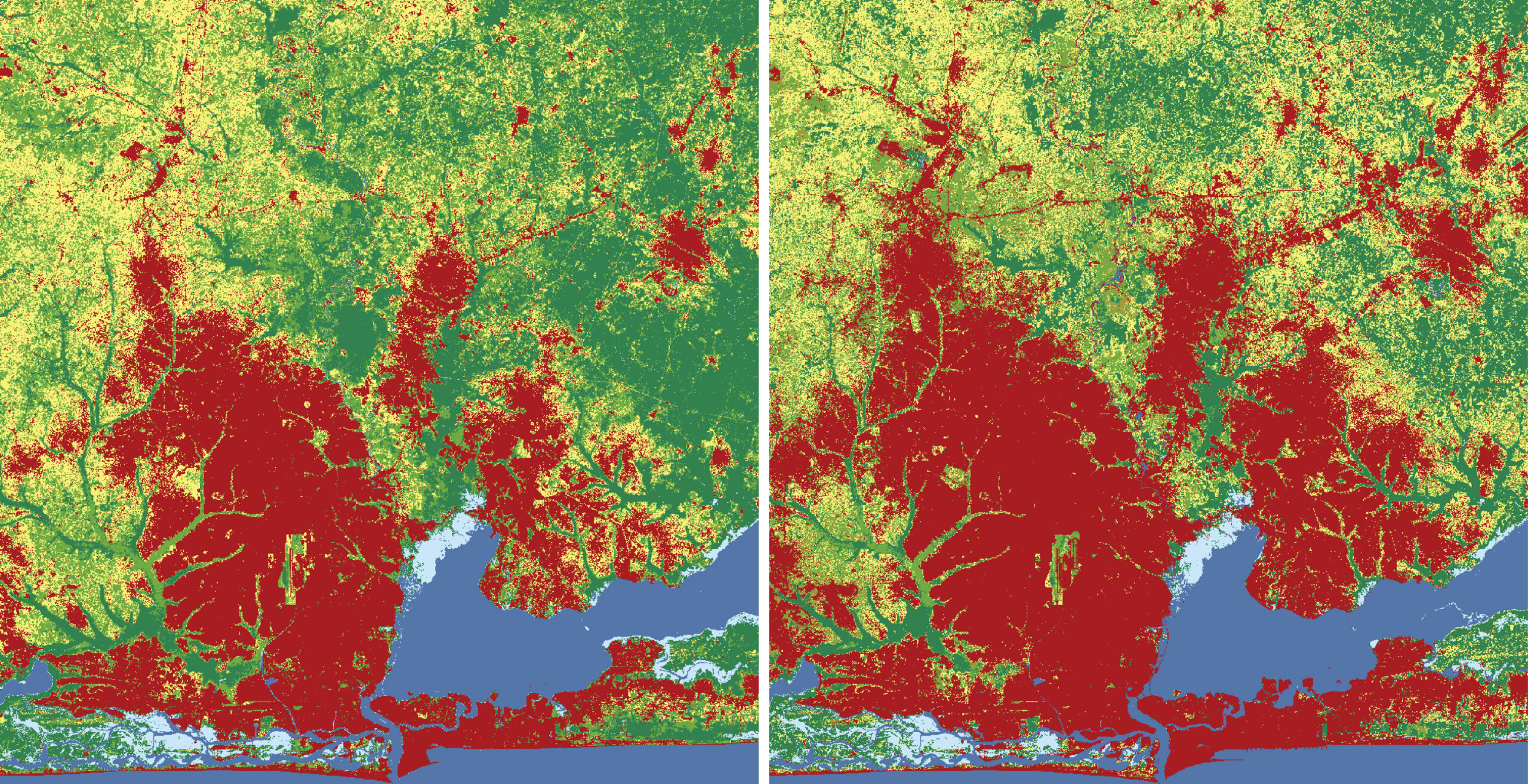
Following a similar methodology as in the example of forest logging, I used the two land cover raster datasets to map and measure Lago’s city growth.
These are just two examples of using GeoAI workflows for data extraction from imagery. Both of these examples focused on land cover changes. There are many other deep learning models in Living Atlas for identifying and extracting data such as building footprints, roads, and parcels. Have fun exploring them!
-Renia

Article Discussion: