One of the most common questions I get asked by urban designers, landscape architects, and planners is how to create 3D terrain for Rhino using GIS systems.
3D Terrain from Contours
The most basic method is to create contours in ArcGIS Pro using a Digital Elevation Model (DEM) and export the contours as a .dwg or .dxf file. Import the contours into Rhino to create a 3D terrain mesh. Esri’s Living Atlas has world DEM data that you can clip to the site’s extend.
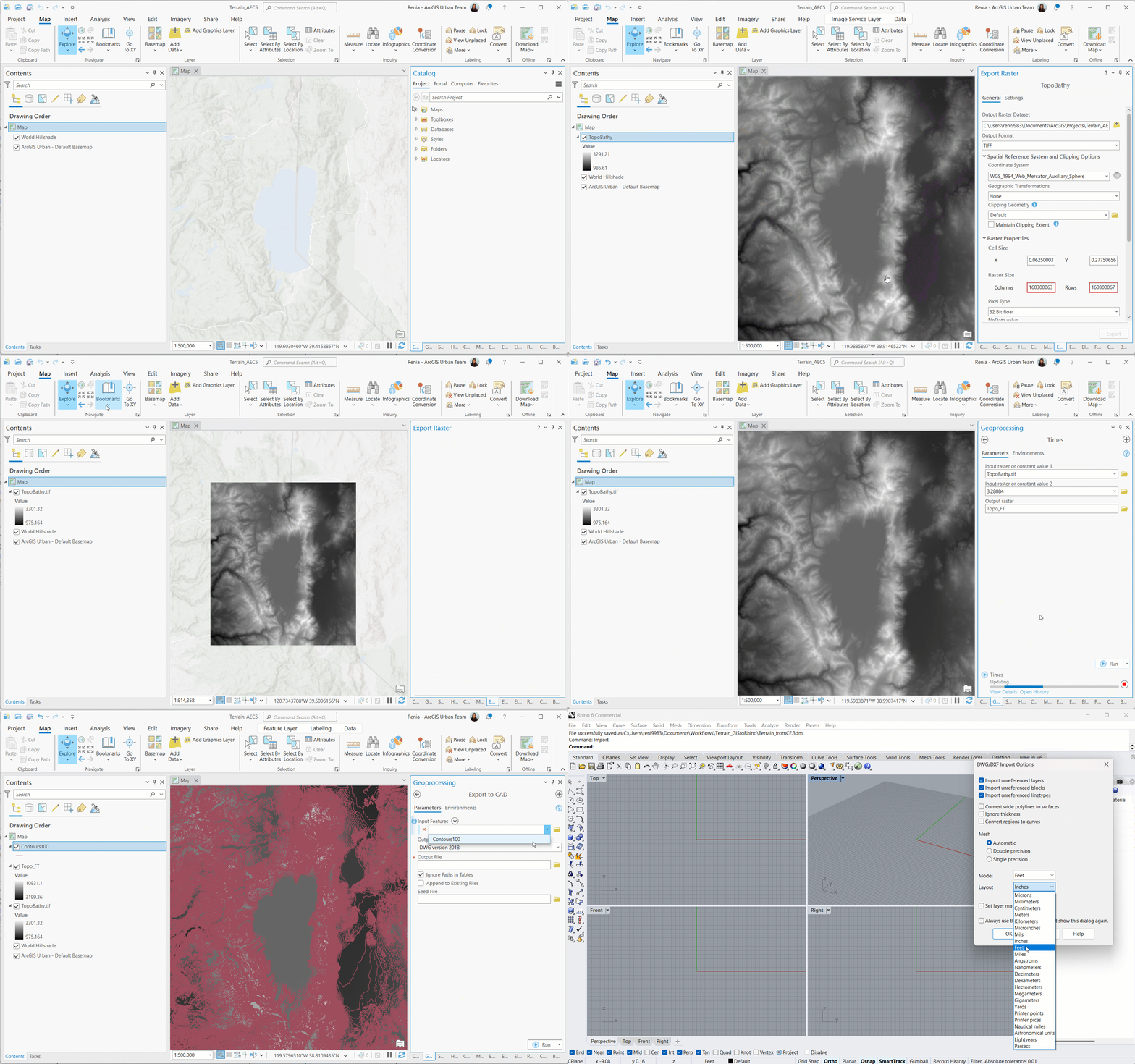
You might be familiar with the MeshPatch command in Rhino for creating a 3D terrain surface from contours. The command works great when the size of a site is relatively small (neighborhood scale). However, when the site becomes bigger you will need Grasshopper to process the contours. Alternatively, you can use a Grasshopper plug-in to generate 3D terrain using ArcGIS Pro data inputs such as contours or an ASCII grid.
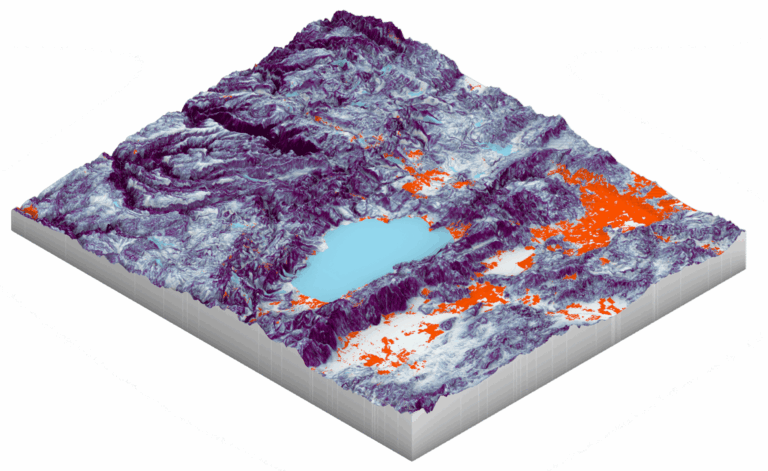
This is one way to create 3D terrain. What about workflows for creating a 3D terrain in Rhino using GIS that do not involve contours or Grasshopper?
3D Terrain from a DEM
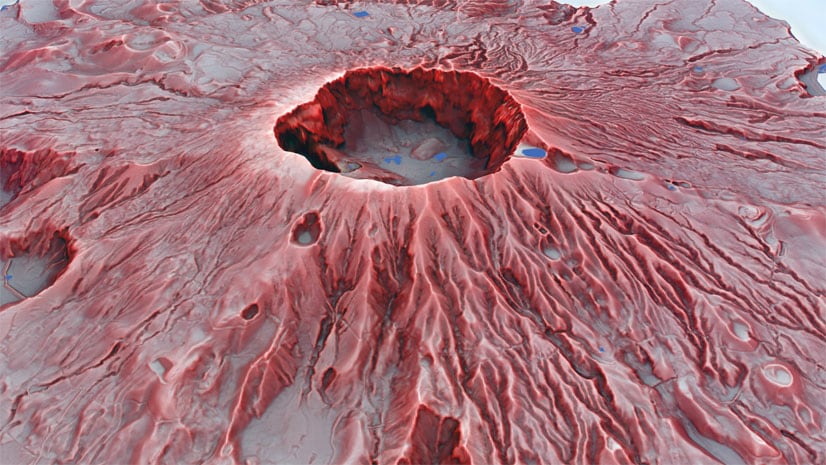
An easy workflow is to export from ArcGIS Pro an image of your DEM. The grayscale image will be used for the Heightfield command in Rhino to create a 3D terrain surface. Make sure to note the minimum and maximum height values of your DEM in ArcGIS Pro. In addition, create custom polygon of your DEM’s extend and export it as a .dwg from ArcGIS Pro. This will be your guidelines for the Heightfield image. You can also create any type of surface analysis in ArcGIS Pro and project it on the 3D terrain surface.
3D Terrain from CityEngine
If you have ArcGIS CityEngine things become even easier. Use the Get Map Data function in CityEngine to get 3D context for your site, including a terrain surface. Export the terrain as an .obj file and import it into Rhino. Here you have the option to project on the Rhino 3D mesh a satellite image as texture.
This is an overview of some quick and easy workflows for generating 3D terrain in Rhino using GIS solutions and data. Have fun exploring them!
-Renia


Article Discussion: