ArcGIS StoryMaps is the professional tool for harnessing the power of maps to communicate your work using geospatial storytelling. The easy-to-use builder enables you to combine maps, 3D scenes, embedded content, multimedia, and more to create an interactive narrative that can inspire interest — and action — from your readers.
Each month, our team uses community feedback to help inform new capabilities that can enhance your storytelling adventures. Check out what’s new this month!
Quick links
Timeline block in Frames
In November 2025, we introduced Frames, an ArcGIS StoryMaps format dedicated to mobile-first, short-form storytelling — and have now added Timeline to the Frames builder block palette.
To add a timeline block, select Single panel when adding a new slide and select Timeline from the block palette. You will then be able to add Time or date and Description elements to your timeline; a vertical scroll bar will activate if the added elements exceed the viewer boundary.
Note: Frames are in beta; your organization administrator must enable beta features in the organization settings. Several updates are planned over the next few months for this new output, including the ability to author frames on mobile devices and to embed them seamlessly, in full, on popular social platforms. In the meantime, please let us know on Esri Community or the ArcGIS StoryMaps Frames Feedback survey if you find any issues or have feedback.

Map tour enhancements
All tour layouts
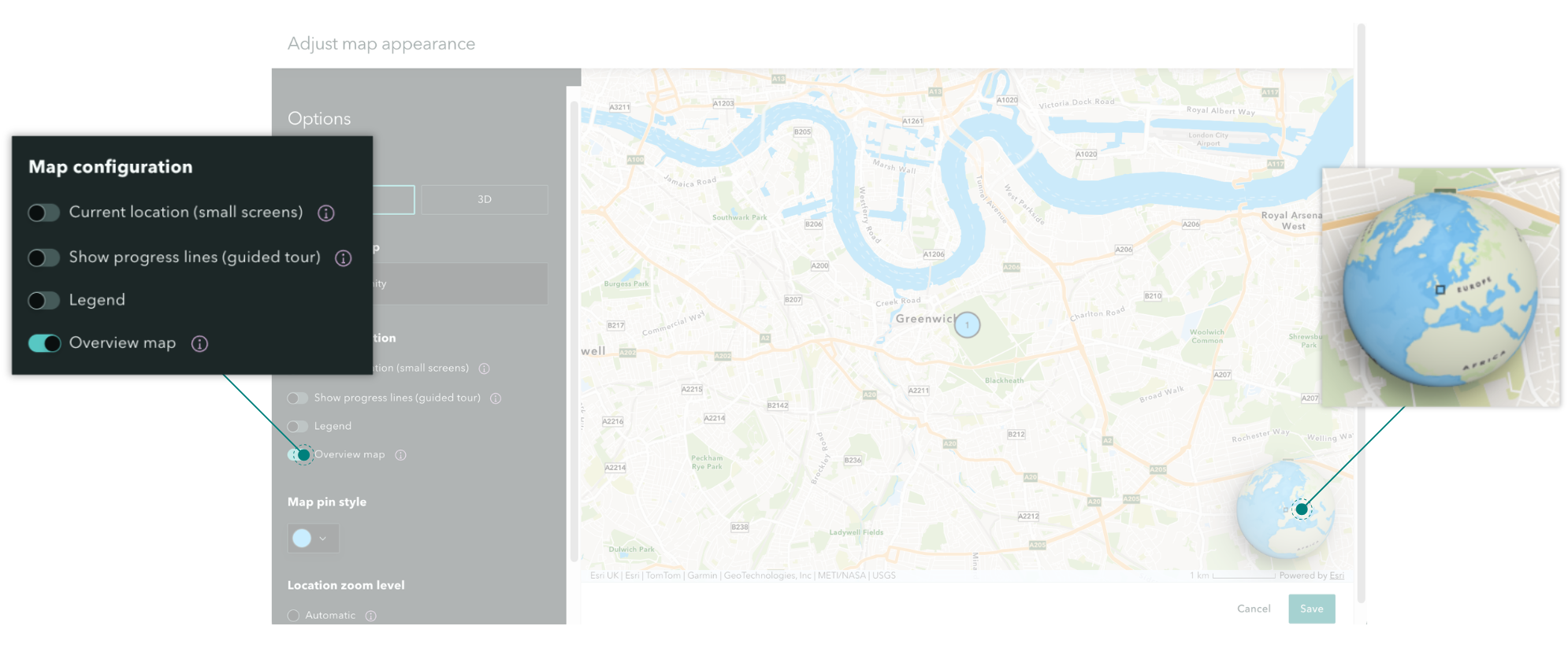
The option for an Overview map to provide geographic context to your readers as they interact with the main map is now available for all map tour layouts; toggle this option on or off in the Map configuration section of Adjust map appearance.
Categorized tour
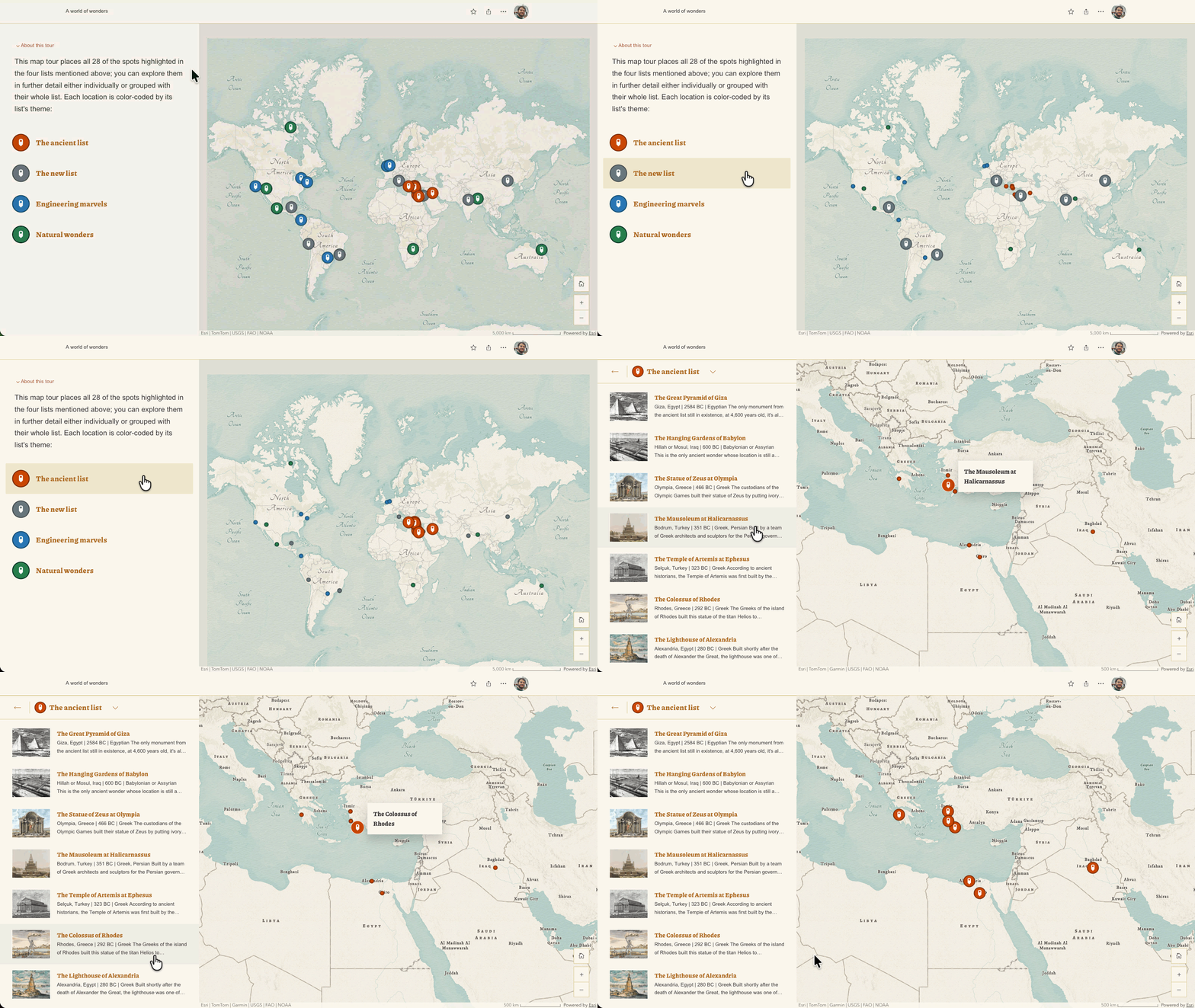
For visual clarity in categorized map tours, both when hovering over a particular category or a particular point within a category, the points not in focus will appear as smaller dots on the map.
Skip tour and point navigation
In explorer map tours, the options to Skip tour and navigate through tour points using previous and next arrow buttons have been added; these options appear when in the place details view.
In categorized map tours, the option to Skip tour appears when in the place details view; adding previous and next button navigation is on the development roadmap.
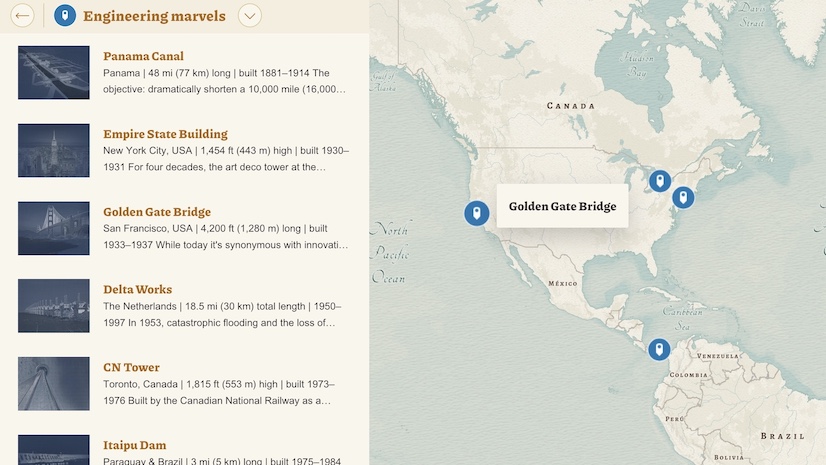
Check out this collection of Great examples: Map tour to browse stories that skillfully guide readers through their narratives using a map tour.
Documentation
In December 2025, we began significant updates to the ArcGIS StoryMaps Documentation page for more intuitive learning and navigation. This month we are pleased to introduce an enhanced Create page that provides updated guidance for a wider range of blocks and capabilities.
Thank you to Ashley Du and Will Hackney for their contributions to this post.
All Adobe Stock images are © 2026 Adobe Stock. All rights reserved.



Article Discussion: