ArcGIS Business Analyst Enterprise allows users to share spatial and business analytics, publish demographic and customer insight dashboards, apply location intelligence to decision-making, and develop repeatable workflows that link common tasks together. With ArcGIS Business Analyst Enterprise, users can enhance their on-premises infrastructure using Esri’s latest location-based analysis tool.
With the latest ArcGIS Business Analyst Enterprise release on May 21, 2026, we have delivered several exciting updates. ArcGIS Business Analyst Enterprise includes multiple software components, and this release primarily includes updates to the ArcGIS Business Analyst Web App.
Nearby analysis workflow – Turn proximity into opportunity
Nearby analysis, introduced in Business Analyst Web App in November 2025, allows users to visualize nearby points of interest in their defined area. The results include the total number of points, points per 1,000 households, and the distance from the nearest point to a site. Use the nearby analysis tool to optimize store locations and conduct targeted marketing, identify under-served areas for expansion, and explore competition.

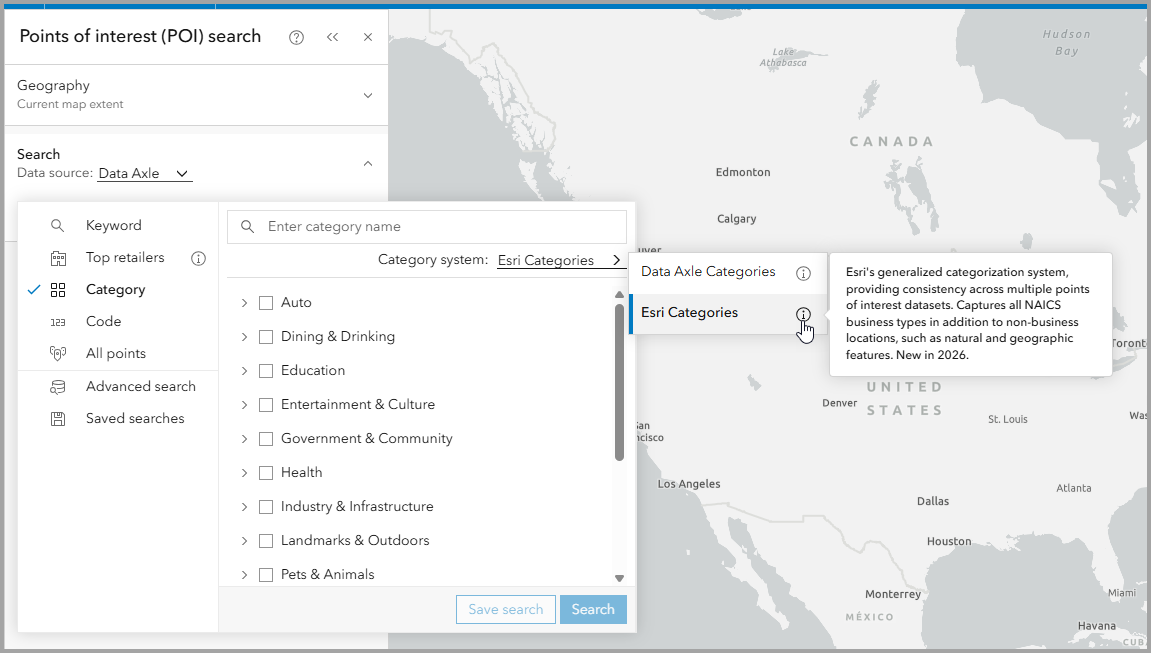
Esri Categories – Unified POI categories across all data sources
Esri Categories is a points of interest (POI) classification system introduced in the February 2026 release of ArcGIS Business Analyst Web App. This proprietary classification system standardizes POI category searches across the Data Axle, SafeGraph, and Foursquare data sources. The new workflow enables you to use the same POI categories and saved searches across the three different data sources, allowing you to find relevant businesses, facilities, and services with precision. Esri Categories will become available in Business Analyst Enterprise 12.1 with the new 2026 data package coming this summer.
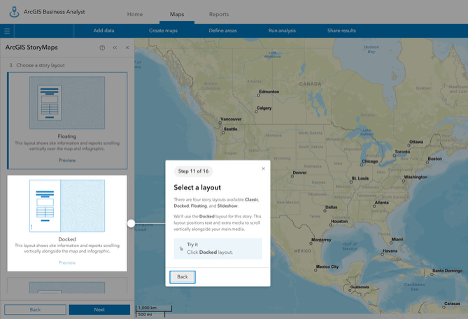
New layout options – Share to a story workflow
A third step has been added for selecting the layout when sharing Business Analyst sites, maps, reports, and infographics in an ArcGIS StoryMaps story. In addition to the classic layout option, you can now also select from floating, docked, or slideshow layout options to represent your story. Easily preview new layouts before selecting the layout option. An updated guided tour step has been added to highlight the new layout step for easy on-boarding walkthroughs.
Custom benchmarks in benchmark comparisons – Set your own standards
Benchmark comparisons now support custom benchmark values for smarter site comparisons. Previously, you were only able to benchmark against the mean, median, or a site. Now, you can define a customized benchmark by setting values for each variable, tailoring comparisons to your goals for more relevant and actionable insights.

Search Improvements
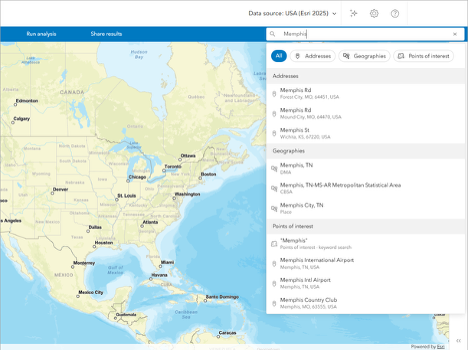
Redesigned search experience – Streamlined searches
Now users can search for addresses, standard geographies, and points of interest in one streamlined search. Enter your search terms, use your current location, or select a recently searched location.
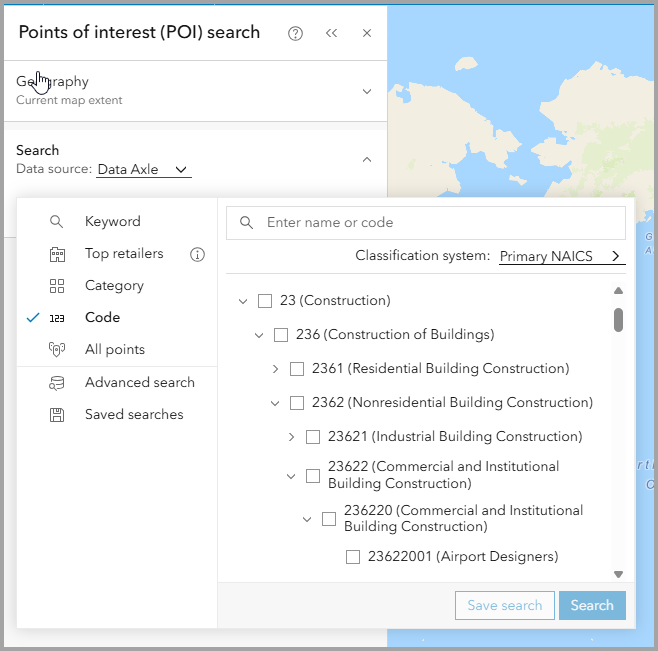
Improved code search structure – drill down with precision
In the POI search pane, an expandable code hierarchy has been added for industry codes. Easily expand and collapse check boxes in your search and drill down into subcategories for improved results.
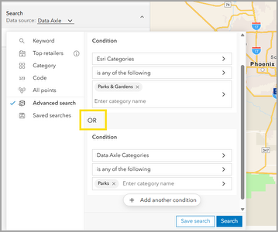
Advanced search – unrestricted OR expressions
In points of interest search, conditions based on categories have been updated to no longer restrict “or” expressions, making it possible to combine categories using the OR operator. Simply start with a condition using categories and then add a second condition.
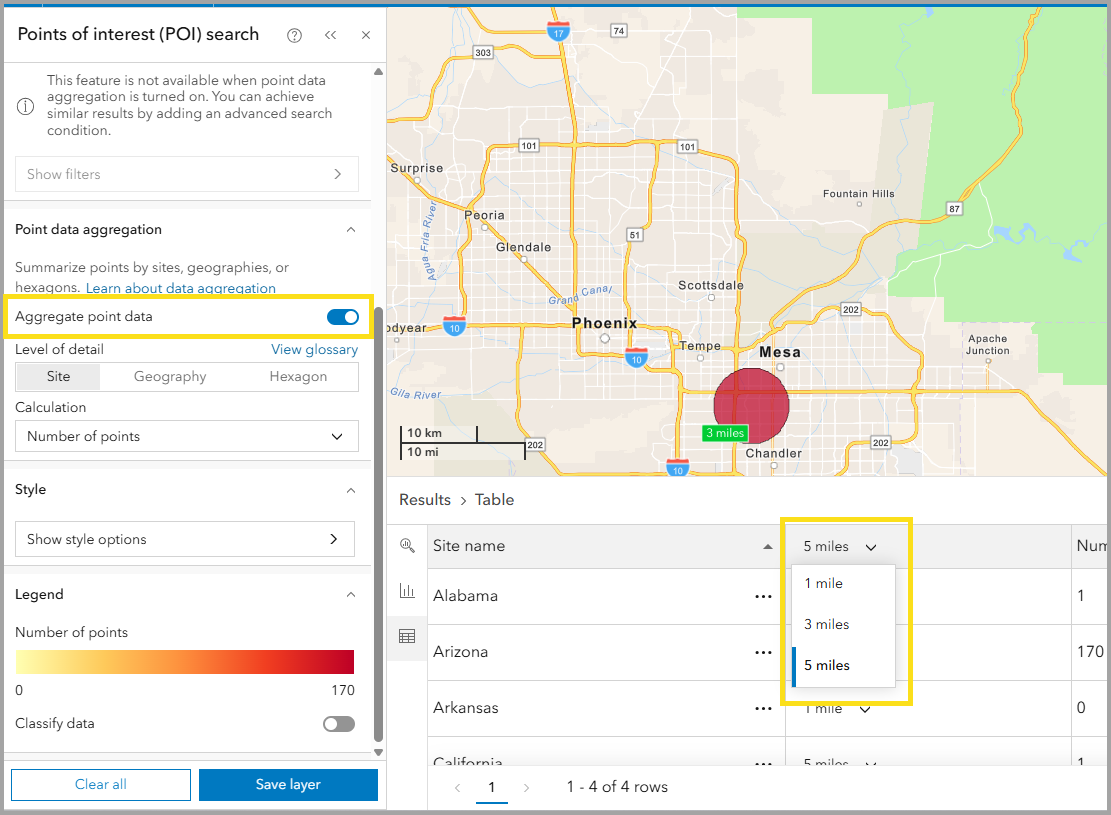
Buffer selector options in the Results pane – full control of your buffers
When working with multi-buffer sites in aggregated point data or the nearby analysis workflow, you will now see a switcher column added to the results table. Setting custom buffers will override individually set buffers in nearby analysis.
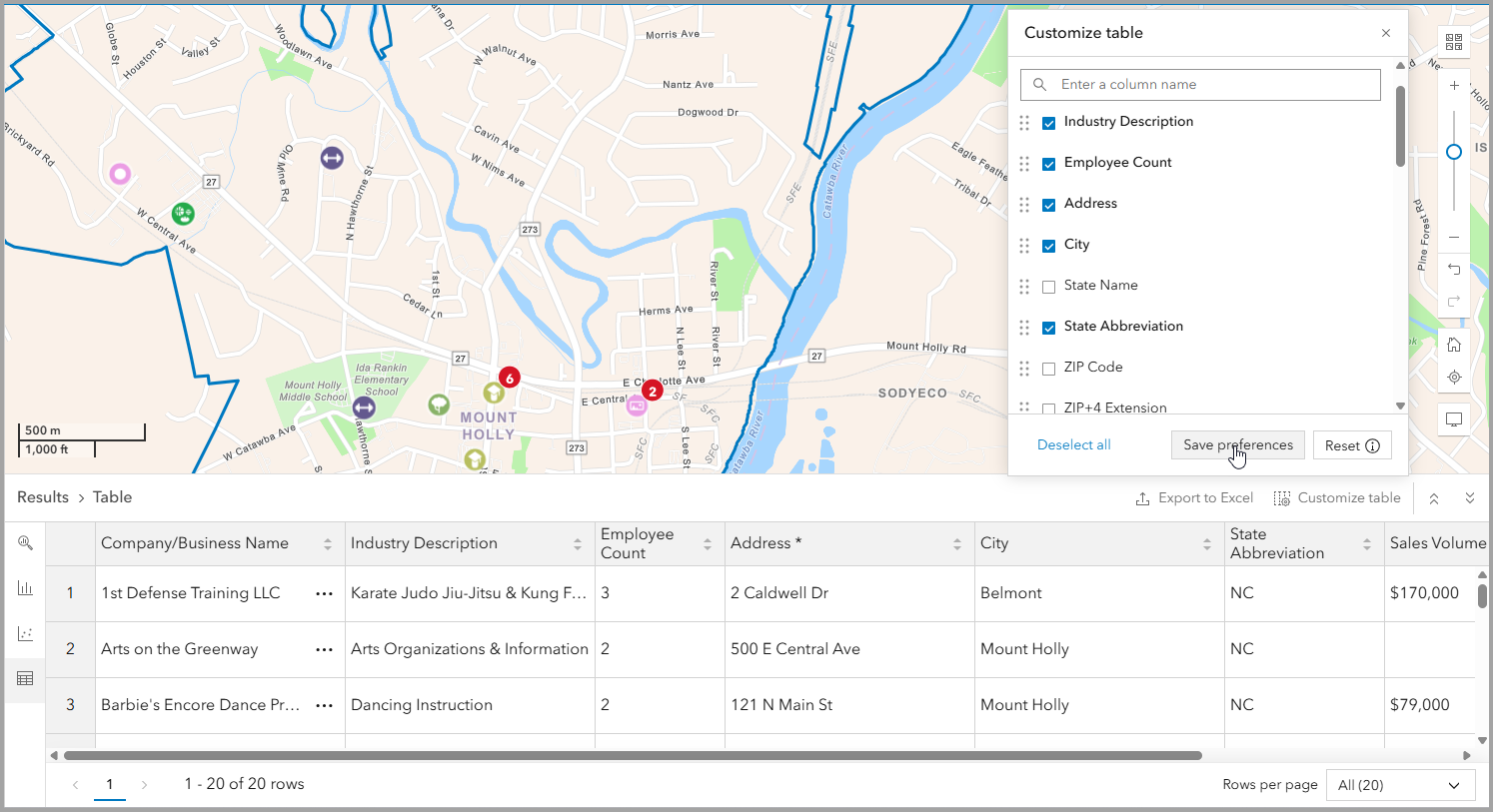
Results Pane – customizable table options
In the Results pane, fields are now customizable for each data source using the Customize table option. Table preferences can be configured during the POI search workflow and then saved back to preferences.
Additional Resources
We’re so happy to share the latest 2026 release updates of ArcGIS Business Analyst Enterprise with you! Below, we’ve added resources to help you with your ArcGIS Business Analyst journey:
- Business Analyst product overview page
- Review pricing and purchase Business Analyst
- Join our LinkedIn Business Analyst User Group
- Join our Business Analyst Esri Community
- Follow @ArcGISApps on X
- Read more Business Analyst blog articleson ArcGIS Blog
- Watch Business Analyst Web App videos
- Watch Business Analyst Mobile App videos
- Watch Business Analyst Pro videos
- Visit the Business Analyst Resources page

Article Discussion: