The November 2026 release of ArcGIS Location Platform is here, bringing Model Context Protocol (MCP) support to general availability with new capabilities since its beta release and an ArcGIS agentic developer toolkit for faster, more informed development.
Jump to what interests you:
- Power Agentic AI Workflows with Trusted Location Services
- Speed Up Development with Skills and Accurate, Authoritative Implementation Guidance
Power Agentic AI Workflows with Trusted Location Services
MCP for ArcGIS Location Services is now in general availability with new capabilities. Build powerful, informed agentic solutions or provide end users with a conversational experience by connecting AI agents to Esri’s market-leading location services, accessible through ArcGIS Location Platform.
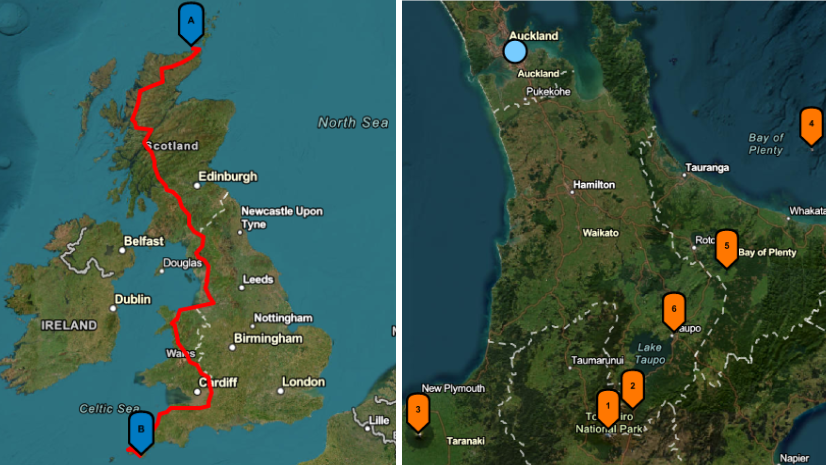
See it in action as a product engineer from the ArcGIS Location Platform team demonstrates how an AI agent leverages location services to locate a wildfire, the nearest hospital, and the best route to get there. All with simple, natural language questions to get critical analysis when it is needed most.
What spatial insight does ArcGIS Location Platform bring to AI agents?
MCP for ArcGIS Location Services gives AI agents access to precise, authoritative location services. By connecting these services through MCP, AI agents can answer location-based questions, generate map images, enrich data with demographic context, and solve multi-step spatial problems or questions, all through natural language prompts. Starting with just a simple address, users can tap into powerful location intelligence
What ArcGIS Location Services are available via MCP?
Now in general availability, the MCP supports the following location-based capabilities:
- Geocoding
- Routing
- Data enrichment
- Static maps
- Elevation
You can check which capabilities are available on the pricing page. Those supported will have an “MCP” indicator under the capability name as seen below.

Additional capabilities from ArcGIS Location Services are on the roadmap for MCP support. Although the beta period has ended, the product team is still eager to hear your feedback! Share what capabilities you want to see next by posting in Esri Community.
Can AI agents use multiple location services from a single prompt?
Yes. By leveraging MCP, AI agents can chain together multiple services within a single prompt. This means your application can handle complex, multi-step location queries seamlessly.
What kinds of prompts will MCP enable AI agents to answer?
Leveraging MCP support for ArcGIS Location Platform, your end user might ask:
- “What is the median age and household income in a 3-mile radius of the property I’m considering for my next business location?”
- “Route me to the next location in my delivery log. What’s the name associated with the order?”
- “Show me a map of the area within a 10-minute drive of my new home.”
- “What’s the elevation along this hiking trail?”
How does pricing for MCP in ArcGIS Location Platform work?
Now in general availability, there are no additional charges for using location services through MCP. Standard service consumption charges will apply based on service usage, just as they do today.
Learn more about our consumption-based pricing.
How do I get started with MCP for ArcGIS Location Platform?
Access the comprehensive documentation for step-by-step instructions on how to get started, examples and more. Start leveraging the MCP today!
Speed Up Development with Accurate and Authoritative Implementation Guidance
The ArcGIS Developer toolkit is now available. Developers can connect AI coding agents such as Cursor, Claude Code, Kiro and more directly to ArcGIS documentation, SDK knowledge, product-selection guidance, authentication guidance, and recommended implementation patterns.
Through MCP for Esri Developers and agent skills, the toolkit empowers AI agents with authoritative tools and resources for quicker and more informed development. For a deeper look at everything the toolkit offers, read “Improving AI-assisted workflows with the ArcGIS agentic developer toolkit.”
Get Started
This release makes it easier than ever to bring trusted, authoritative location services into your AI-powered workflows. For a broader look at how geospatial AI is evolving in ArcGIS, check out our roundup of the latest geospatial AI updates.
Haven’t started your ArcGIS Location Platform journey? Create your free account today!
Interested in staying current with ArcGIS Location Platform? Sign up for the Esri Developer Newsletter and follow Esri Developers on LinkedIn to get the latest.

Commenting is not enabled for this article.