This is the second of our two-part blog on ArcGIS AllSource and ArcGIS Knowledge, and how they can be used to support criminal investigations. In part one, we discussed ArcGIS AllSource and some of the investigative tools available to analysts to aid in their work. In part two, we will extend our investigation using ArcGIS Knowledge.
To recap, AllSource provides a tailored experience for intel analysts with a layout configured for intelligence and investigative workflows. ArcGIS Knowledge brings graph analytics to AllSource or ArcGIS Pro and can be useful in understanding very large datasets—including spatial and nonspatial, structured and unstructured data types. With ArcGIS Knowledge, you can discover hidden relationships in your data, including connections between persons, places, and events of interest in an investigation.
ArcGIS Knowledge
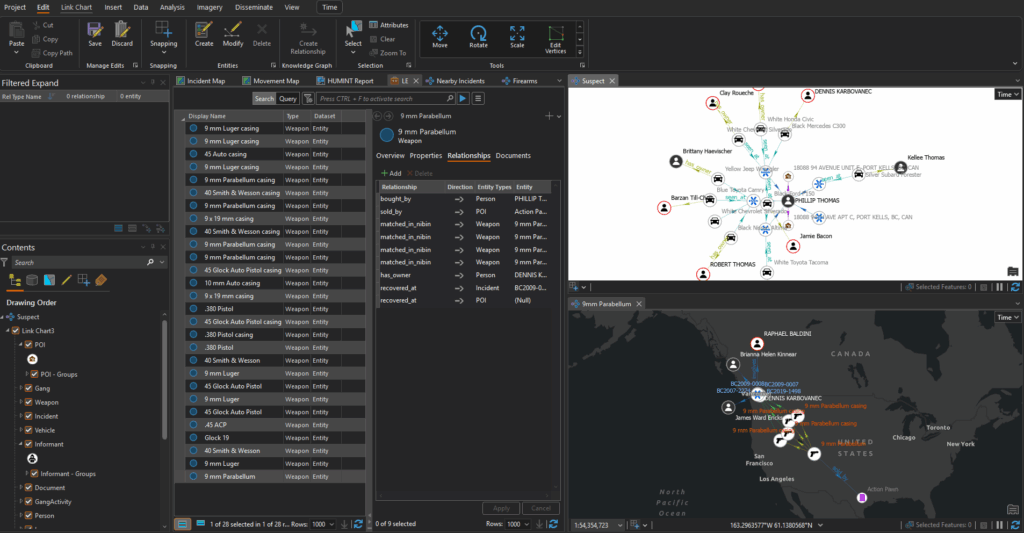
ArcGIS Knowledge brings enterprise graph analytics to ArcGIS. It integrates large, complex structured or unstructured datasets. ArcGIS Knowledge uses link analysis powered by graph analytics to discover hidden patterns, identify key people and relationships, and to make connections between entities, including persons of interest, important locations, and significant events. Data can be visualized through interactive maps and link charts that can be shared with other analysts and agency personnel in real time.
In part one of this blog, Ryan Lindemann showed us how to use AllSource to manage confidential informants and investigative tips and leads. Now, we will bring that data into ArcGIS Knowledge to continue our investigation. He will show us how to bring disparate data sources into a knowledge graph and using these features within AllSource, we can query incidents, suspects, and locations to connect the dots and uncover patterns as well as relationships in the data. After the analysis is complete, we can share the results with stakeholders using interactive information products.
Watch the video
Additional Resources
Thanks for joining us for this ArcGIS blog series. To learn more about how GIS supports intelligence analysis and investigations, visit our website.