Authored by: Ramon Gallegos, GIS Manager, East Orange County Water District
The tech industry can be volatile, driven by constant innovation, shifting business models, and frequent mergers and acquisitions. Acquisitions can particularly impact water utility agencies, leading to discontinuation of solutions, which results in disrupted critical workflows. This was precisely the challenge faced by the East Orange County Water District (District).
The Sunset: Contingency Plan to the Rescue
The District’s maintenance management system (MMS), used for managing its retail water, wholesale water, and wastewater collection infrastructure, was built on apps developed by a software company that was acquired by a larger corporation. Following the acquisition and changes to the MMS staff that were supporting the District, it decided to create a contingency plan in case the larger corporation decided to no longer support the MMS solution. Two years later, the corporation announced the discontinuation of the MMS platform, and the District would ultimately have three months to migrate to a new system.
Faced with the realization of losing a core operational system it had been using for the past 10 years, the District referred to their contingency plan, which established a set of strict criteria for any replacement solution, requiring it to be based on geographic information system (GIS) technology and compatible with Esri. The solution also needed to be supportive of mobile data acquisition, compatible with Apple mobile devices, and equipped with work order management. The District did not want to rely on an implementation partner for updates to the new MMS. This would require the solution to be capable of customer-side report development, supportive of customer-side workflow and form creation/editing, capable of customer-side user account management, and customizable with customer-side dashboards. Finally, the new system would need to be capable of supporting DigTicket with positive response.
The discontinuation notice arrived 10 months before the scheduled sunset of the legacy MMS. The District moved quickly to secure a new server and install ArcGIS Enterprise. However, an unexpected firewall configuration issue prevented ArcGIS Enterprise from operating as intended. Resolving the problem took several months, cutting deeply into the original migration timeline. What began as a 10-month runway was reduced to just three months of active implementation—compressing the entire rebuild and transition into an accelerated, high-stakes schedule.
The Scramble: Identifying a Path Forward
As challenging as the situation was, the District had several key advantages that helped ease the transition.
- Data Architecture: The existing MMS stored all data, including work orders and asset condition assessments, in an Esri geodatabase. This meant the District could implement any Esri-compatible system without needing to migrate data from a third-party or proprietary database.
- Institutional Knowledge: With over a decade of experience using a digital, GIS-centric MMS, the District had a clear understanding of its operational needs and expectations.
- In-House Expertise: The GIS professional who originally built and implemented the MMS while on staff with the legacy MMS company was now on staff full-time at the District. This continuity ensured that the new system would match or exceed the previous system in terms of functionality, reliability, user interface, ease of use, and reporting capabilities. Having someone intimately familiar with the legacy system helped minimize disruption for field crews, office staff, and supervisors alike.
After evaluating numerous CMMS and asset management platforms based on the needs and criteria developed in the contingency plan, the District ultimately chose to replace its MMS with Esri products. The decision was based on several strategic considerations. Esri solutions met all the District’s strict replacement criteria, particularly the need to be able to create and manage the MMS directly and not rely on an implementation third party. The District has an in-house Esri expert (GIS manager). Esri’s stability reduced the risk of future product discontinuation. The District did not want to invest its time and resources in an app that could be discontinued. Esri offered a comprehensive, integrated platform—a “one-stop shop.” Staff training could be streamlined by avoiding multiple app environments. License management would be simplified, avoiding overlap between GIS and MMS tools. Time was a critical factor—the District had only three months to fully transition off the discontinued MMS. Esri provides timely, well-documented, and organized technical support.
The next step was to determine which Esri products could serve as a complete replacement for the well-established MMS that had been deeply integrated into nearly every aspect of the District’s operations. The legacy system supported reports and maps for work performance, asset conditions, special projects, customer outreach, regulatory compliance, and board presentations. It included dashboards displaying key performance indicators, work order tracking, and compliance metrics. It provided asset and work order management across three distinct water systems: retail water, wholesale water, and wastewater collections. Finally, it managed 110 field operations workflows spanning 23 asset types; 56,714 operational assets; 215 miles of underground pipe infrastructure; and DigAlert ticket management and electronic positive response.
The new system needed to accommodate all the tools and outputs the legacy MMS provided.
The Solution: Implementing Esri Technology
The District’s GIS was previously hosted on the MMS company’s server. Given the experience of losing their previous MMS and access to the server, the District decided to host their GIS data on-site rather than rely on a third-party cloud. After researching some Esri partners, the District contracted with Draw Tap GIS to support specifying a suitable server and to install and configure ArcGIS Enterprise. The District then secured a server and licensed ArcGIS Enterprise. With Draw Tap’s support, they were up and running!
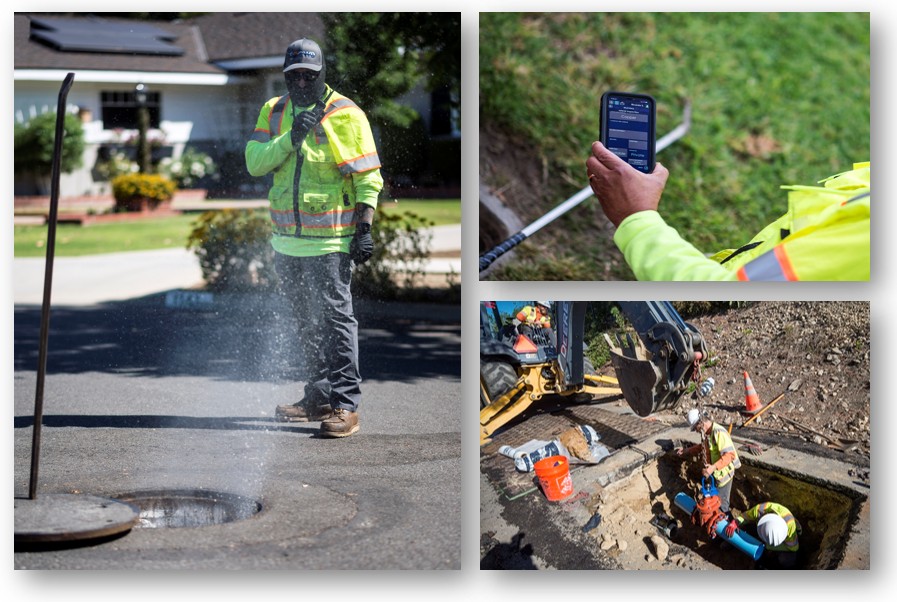
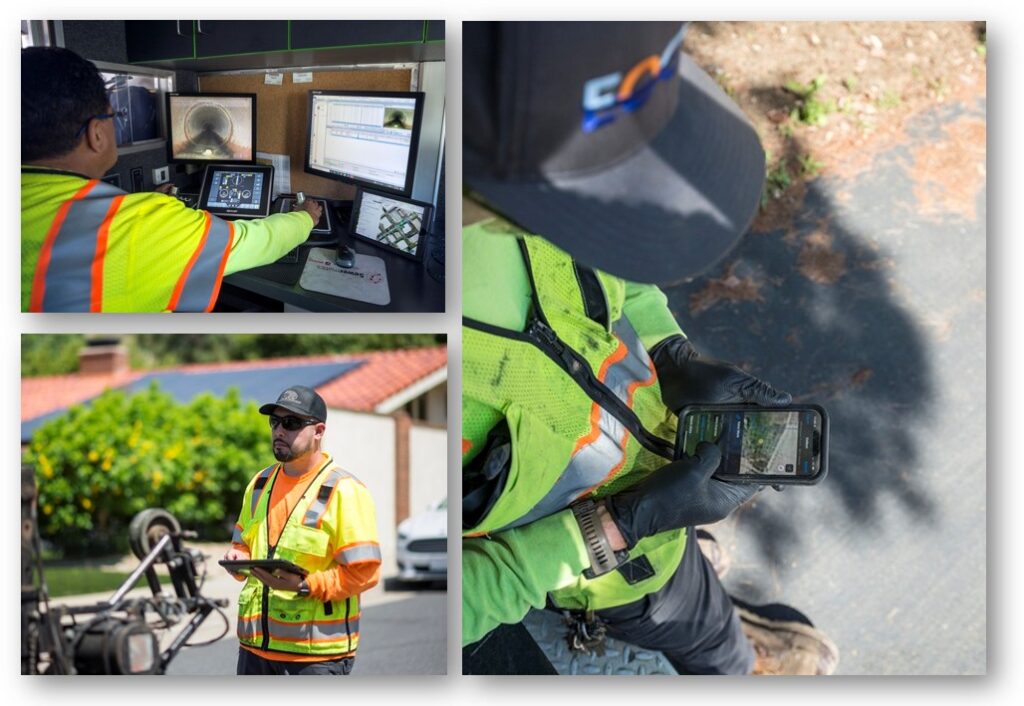
Another key consideration was simplicity in the field. The District wanted to minimize the number of apps field staff had to use. Operators already had enough to manage, and safety was a top priority. The District also wanted to avoid multiple interfaces and login credentials. As a result, they standardized four Esri apps for all users beyond the GIS manager: ArcGIS Field Maps, the Portal Gallery, Map Viewer, and ArcGIS Dashboards. The GIS manager used ArcGIS Pro and other tools as needed to support and maintain the system.
With ArcGIS Enterprise up and running and a three-month deadline looming, the District began rebuilding its MMS. First, they migrated a copy of the geodatabase from the legacy MMS into ArcGIS Enterprise. Using this copy, they re-created all maps, field data acquisition forms, and pop-ups needed to support field operations. The legacy MMS managed the relationships between feature classes and work history tables within the app, so the District had to create relationship classes for all the feature classes and their respective work history tables. There were other major differences between the legacy system and ArcGIS Enterprise, but the District was able to address these with dynamic forms, ArcGIS Arcade scripts, attribute rules, and “layer slayer” wizardry. Thanks to institutional knowledge and in-house expertise, implementation was painless and streamlined.
Next, the District developed a work order management system within ArcGIS Enterprise. To avoid requiring two apps in the field (e.g., Field Maps and ArcGIS Workforce), the District opted not to use Workforce, using instead feature class attributes to manage work orders. When a work order is opened on an asset, it is identified on the map with a yellow halo. This limited the system to one work order on an asset at a time. For example, if a sewer main had an open work order for cleaning, the District could not also create an additional work order for an inspection.
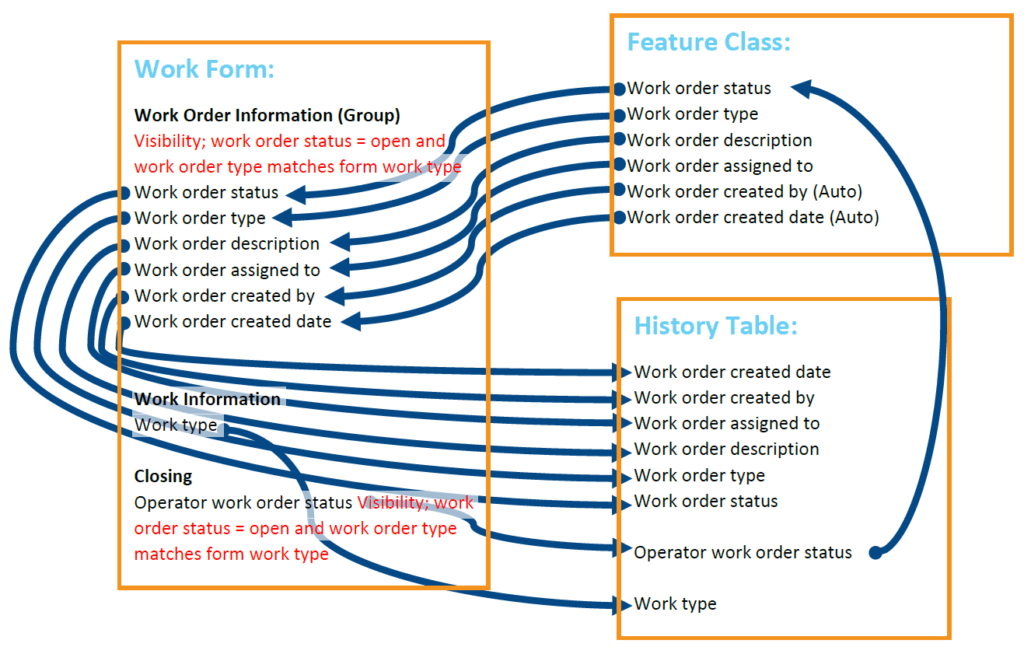
Using attribute rules and dynamic forms in Field Maps, operators can close work orders directly in the form. The form captures all relevant work order information, notes, creator, and creation date, and writes it to the work history table. Closing a work order removes the halo from the map.
Once the work order system was in place, the District updated the ArcGIS Enterprise geodatabase with a fresh copy from the still-active legacy system and officially transitioned to Field Maps. Training the team on the new interface and login process took less than an hour.
The District also had to replace the legacy MMS’s solution for DigAlert ticket management and electronic positive response. Draw Tap GIS was contracted for the 811 Ticket Processing Solution that would be deployed through Field Maps and ArcGIS Online. This ensured the field team would not have to learn more than one app interface. In Draw Tap’s solution, the team sees new tickets as they come in and can respond to or close the ticket, satisfying the positive response requirement, right from within Field Maps.
Finally, with 10 years of historical data in the geodatabase, the District had data available to build and test dashboards and reports. With direct access to the back end of the GIS and to the tools necessary to build dashboards and reports in-house, the District was able to deliver these items to supervisors and office staff relatively quickly and without interrupting operations.
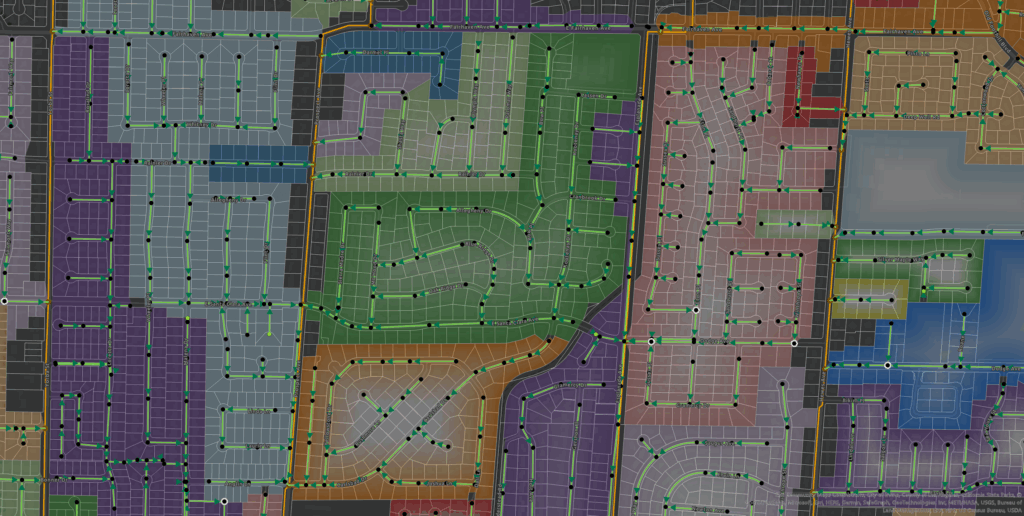
Solution-a-Go-Go: Maps and Apps
The District successfully replaced all the functionality of its legacy MMS using ArcGIS Enterprise, and a year after the migration, the momentum has not slowed. The new MMS now includes:
- Two District field staff maps, which maintains simplicity for the field team
- One for the water systems
- One for wastewater collections
- Two contractor field maps
- One for FOG inspections
- One for sewer system root foaming
- Sixteen dashboards, 24 Map Viewer maps, and a web app for District contractors to view assets and pictures for current projects
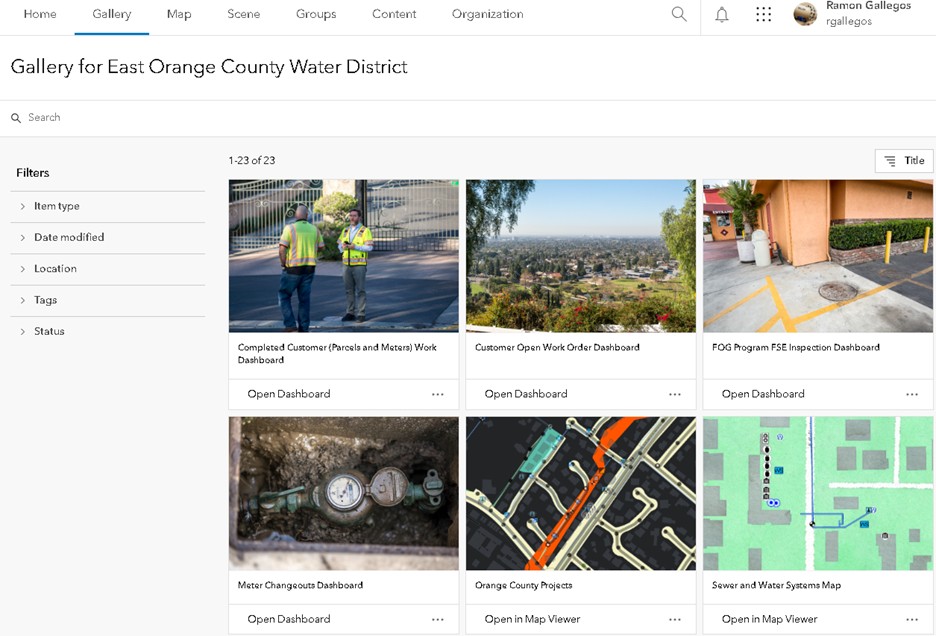
All final products, web maps, and dashboards are accessible to users through the Portal Gallery, a centralized one-stop shop for users. From this gallery, staff can easily access tools and insights to support daily operations and strategic decision-making. Team members can perform key tasks to create work orders on any asset, run reports such as meter changeouts completed in the month, and review water quality sampling results for the week. Staff can monitor metrics such as seeing work completed for the day, seeing the status of open work orders, or finding out how many food-service establishments are currently out of compliance with the Fats, Oils and Grease Management & Control Program. Staff can also reference maps that include neighboring agency information such as the county’s scheduled road work in the District’s service area. Additionally, the District can determine if they are on schedule to meet their sewer cleaning targets and access maps that have population data, soil corrosiveness data, and swimming pools in the District’s service areas.
Turning Disruption into an Opportunity for Innovation
The East Orange County Water District’s experience highlights the importance of adaptability, foresight, and in-house expertise when navigating the volatility of the tech landscape. Faced with the sudden loss of a critical maintenance management system, the District leveraged its GIS foundation to not only recover, but to evolve.
By choosing ArcGIS Enterprise and building a streamlined, GIS-centric MMS, the District ensured continuity, improved operational efficiency, and empowered staff with intuitive, centralized tools. The Portal Gallery now serves as a hub for daily operations, compliance tracking, and strategic planning, demonstrating how GIS can be the backbone of modern utility management.
A year after the migration, the District continues to expand and refine its system, proving that with the right tools and talent, even disruptive change can become an opportunity for innovation.
“Using ESRI Maps and Dashboards has been beneficial in carrying out day-to-day tasks. It is a great resource for storing, tracking and updating various type of information such as ownership, usage, condition, unique identifiers, geolocation, and historical data, all very valuable. Overall, using ESRI products has been a good experience.”

Stay Connected with Esri’s Water Team
ArcGIS is an extensive information system that enables modernization of workflows with easy-to-use applications for the field and office. Strengthen your organization with smart water solutions that will increase efficiency and provide insight for decision-makers.
Visit the Esri Water Utilities web site for more information.
Join the Water Utilities Community
Follow #EsriWater on social media: X| LinkedIn
Subscribe to the Water Industry newsletter “Esri News for Water Utilities and Water Resources“