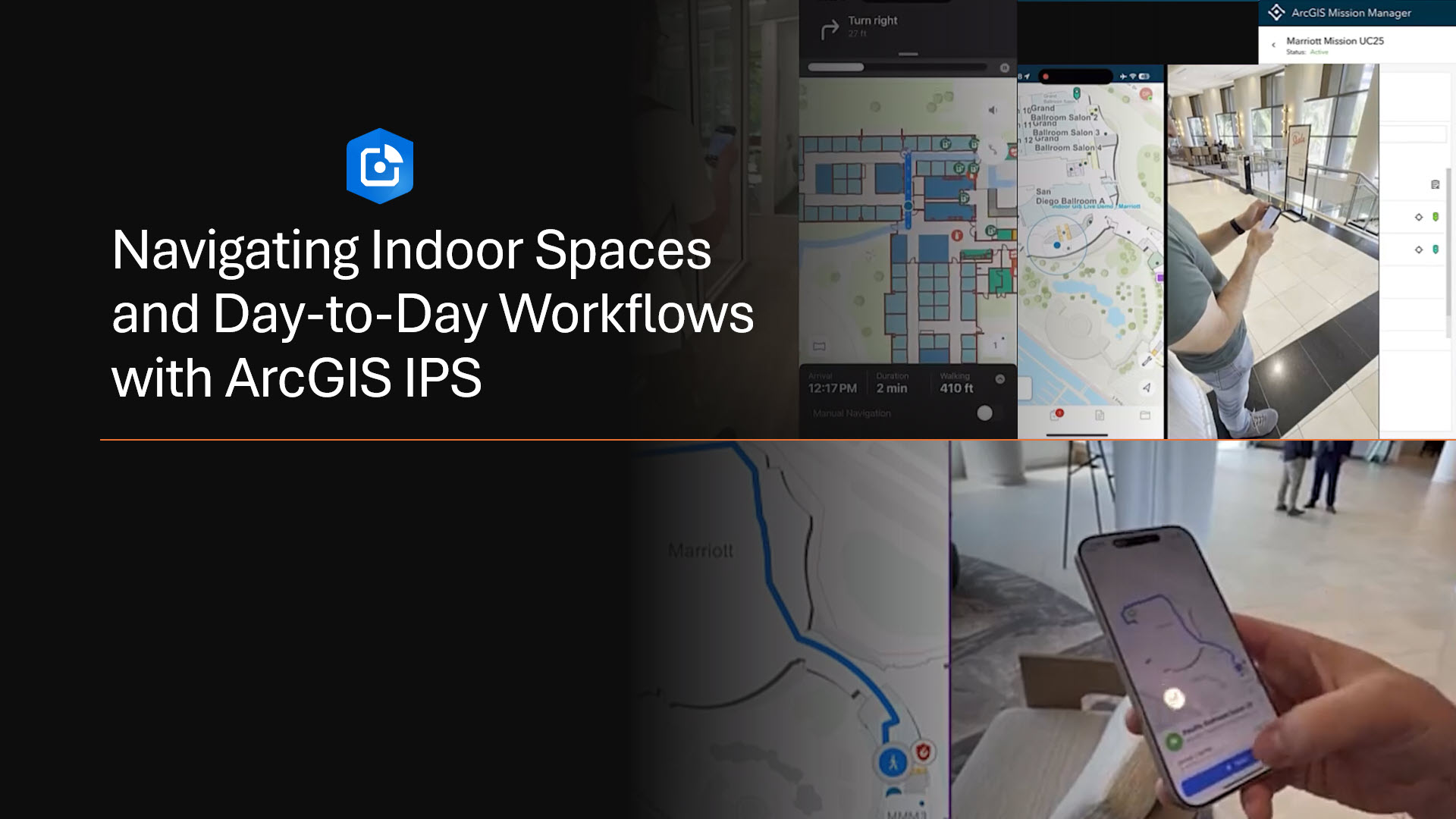
Indoor positioning is becoming an essential part of navigating complex indoor spaces. With ArcGIS IPS, live location data is overlaid on floor-aware indoor maps within ArcGIS apps such as ArcGIS Indoors, ArcGIS Field Maps, and ArcGIS Mission. This combination of indoor maps and positioning supports mobile workers and facility teams in navigating buildings, locating assets, and executing tasks efficiently. In this blog, you will discover how indoor positioning contributes to everyday workflows, from routine inspections and maintenance to navigation, and how it complements the broader indoor GIS capability.
Why Indoor Positioning?
In a world where digital maps guide us through cities, roads, and even remote landscapes, the ability to navigate indoors is becoming just as essential. Facilities – whether corporate offices, hospitals, airports, or university campuses – are vast, complex, and constantly evolving. Employees, visitors, and facility managers face challenges in finding smarter ways to move through and manage their spaces. Indoor positioning is no longer just about finding the nearest conference room – it’s about improving mobile facility workers’ maintenance and inspection workflows, enhancing safety, and creating indoor experiences for everyone who interacts with a facility.
ArcGIS IPS, Esri’s indoor positioning system, is designed to meet these needs. It combines powerful mapping and live location technology to transform how people navigate, how assets are maintained, and how organizations address daily challenges such as locating assets, supporting mobile workers, and improving safety. From enabling intuitive navigation to strengthening location awareness, ArcGIS IPS helps businesses reimagine the way they understand and navigate their indoor spaces.
Bringing the Blue Dot Indoors
When we think about location services, most of us picture the familiar blue do guiding us along roads and trails with GPS. Once we step inside a facility, however, GPS accuracy degrades, creating the need for a blue dot experience indoors. Indoor positioning technologies address this gap by enabling location-awareness inside buildings. This is where ArcGIS IPS steps in.
ArcGIS IPS brings the blue dot indoors, allowing users to see their live position on a floor-aware indoor map, like they would with outdoor navigation. Employees can quickly find meeting rooms, visitors can easily locate points of interest, and facility managers can better coordinate resources across large or complex campuses.
In the following sections, we will explore how ArcGIS IPS can support a variety of real-world use cases. From indoor navigation to maintaining critical assets, and from enhancing safety to improving overall location awareness, we will look at how indoor positioning is reshaping the way organizations understand and interact with their indoor spaces.
Indoor Wayfinding
Whether you are a resident occupant, staff visiting from another office, or a visitor such as maintenance contractor, the Indoors Mobile transforms the way you navigate complex indoor spaces. With live location-awareness provided by ArcGIS IPS, you can easily find your way around large buildings or campuses. The app offers the ability to:
- Search for a location or an asset that needs inspection, maintenance, or replacement.
- Locate destinations across floors, such as meeting rooms, cafes, or specific departments, and navigate using turn-by-turn directions, including ADA-accessible routing.
- Display a indicating your current live position.
Indoor positioning overlays live location from ArcGIS IPS on floor-aware indoor maps to help users find their way within complex buildings or campuses. Mobile workers, responders, residents, or visitors can locate assets, rooms, or points of interest across multiple floors and follow paths that guide them to their destination. The live position indicator (“blue dot”) provides context on the user’s location within the indoor map, supporting efficient movement and improved situational awareness during tasks or visits.
Locating Critical Assets Within Your Facility
For facility teams, day-to-day work often involves locating assets, performing routine maintenance, and completing inspections efficiently across complex indoor environments. Having indoor location awareness helps technicians verify tasks on-site and move through facilities with confidence. In more time-critical situations, such as receiving an alert about a water leak in the east wing on the fifth floor, indoor positioning further supports faster response and informed decision-making. ArcGIS IPS empowers facility operations by bringing reliable location context to both everyday workflows and urgent scenarios.
The process begins in ArcGIS Field Maps, where the notification prompts you to take action. Right from the start, you can see your live position within the building thanks to ArcGIS IPS, giving you location awareness even before you start navigating. From the perspective of indoor GIS, assets are accurately placed on floor-aware indoor maps, so mobile workers immediately see the correct floor and asset location, providing clear context for inspections and task execution. ArcGIS Field Maps allows you to review the asset’s details, check its inspection history, and gather relevant information about the task. The inspection form is customizable, so depending on the asset or user requirements, you can add photos, measurements, attachments, and update the status of the assigned task. Every entry is automatically synchronized across the ArcGIS system, providing your team with visibility and a reliable audit trail.
Once you know which assets need attention, you smart-launch the ArcGIS Indoors Mobile app directly from Field Maps. Indoors generates a path directly to the asset while ArcGIS IPS continues to show your live location on the indoor map. A 360-degree view of the surroundings within Indoors Mobile helps you quickly understand the work environment and conditions even before physically showing up to address the work order, and along the way, so you can navigate complex facilities with confidence.
As you inspect the asset, you can report issues immediately, create follow-up tasks for other team members – like replacing a lightbulb or refilling supplies – and ensure nothing is overlooked. Once an assigned task is completed, a technician can review pending inspections, receive additional geofenced notifications about nearby events or hazards, and stay ahead of maintenance needs.
With ArcGIS IPS and the indoor GIS capabilities of ArcGIS, asset inspection and maintenance workflows become more than just locating equipment – it becomes a data-driven process powered by accurate indoor location information. Facility crews and mobile workers can quickly find assets, log inspections at the correct locations, and maintain an up-to-date view of all critical equipment. This helps improve safety by ensuring essential assets are where they need to be and enables compliance through accurate, verifiable inspection records.
Improved Situational Awareness
In critical situations, having accurate indoor maps and location information can help responders understand where people and assets are inside a building and support improved situational awareness. Security personnel, firefighters, and police officers can leverage indoor GIS to see floor plans, key features, and relevant spatial context, which can be valuable when planning a response or making critical decisions. With ArcGIS IPS and ArcGIS Mission, responders can access live indoor location information and shared maps that support situational awareness and coordination inside facilities.
The workflow starts in the Mission Responder mobile app, where IPS-enabled, floor-aware maps show responders their live indoor location as soon as a mission begins.. When a mission is assigned to a responder staff, notification (e.g. a safety hazard) appears on their device’s screen. Switching to Indoors Mobile, when used in tandem with ArcGIS IPS, can allow turn-by-turn navigation to the incident location. If available, 360-degree images of indoor spaces can provide additional visual context, enabling action/response planning.
On the command side, Mission Manager empowers coordinators, admins, or team leads to monitor responders in real-time using floor-aware mission maps – assign tasks, view status, and stay synced without switching between platforms. Enhanced task capabilities let managers upload and edit mission tasks in bulk or individually, while enriched messaging tools – such as broadcasts with geo-sketches or images – provide critical context with every alert.
Once assignments or missions begin, responders can have the confidence to navigate indoor spaces. Managers maintain visibility and control through the mission dashboard, which displays real-time activity across facilities. Whether routing personnel to investigate a hazard or adjusting assignments on the fly, this level of coordination keeps everyone informed and responsive.
At the end of the mission, everything – location tracks, chats, shared media, and task completion logs – is available for review. Teams can analyze movement patterns, resource coverage, and communication effectiveness to optimize safety protocols for future operations.
Whether coordinating a routine patrol, preparing for a VIP visit, or handling a real-time incident, ArcGIS Mission combined with ArcGIS IPS delivers the visibility, control, and secure communication you need – all indoors, all in real time, and fully integrated with your ArcGIS environment. This is modern security coordination, powered by indoor spatial intelligence.
Summary
Indoor positioning is transforming how organizations manage, navigate, and secure their indoor spaces. With ArcGIS IPS, live location data seamlessly integrates with floor-aware indoor maps, empowering mobile workers, facility teams, and first responders to operate more efficiently and safely. From intuitive wayfinding and asset management to enhanced situational awareness during critical events, ArcGIS IPS brings the power of the “blue dot” indoors, making indoor spaces more connected. As indoor GIS continues to evolve, ArcGIS IPS will play a pivotal role in shaping the future of facility management and indoor navigation.
Discover additional indoor GIS resources.
Article Discussion: