We’re always working on ways to ease your editing workload in ArcGIS Online. With the latest update, shared editing templates are taking center stage. Now you can explore and update shared templates directly in Map Viewer, without hopping between apps. In this article, we’ll show you how.
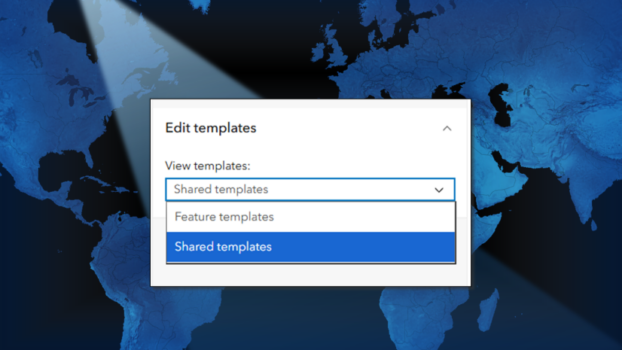
Editing Templates
Feature templates have long been the go-to for web editing. They’re stored with the layer, and can easily be created or managed in Field Maps Designer, Map Viewer, or ArcGIS Pro.
Shared templates, on the other hand, are gaining traction. Until now, these highly configurable templates could only be authored in ArcGIS Pro and use was limited to ArcGIS Enterprise. As of 2025, they can be stored to your ArcGIS Online organization, where they can be used in apps like Map Viewer and Web Editor.
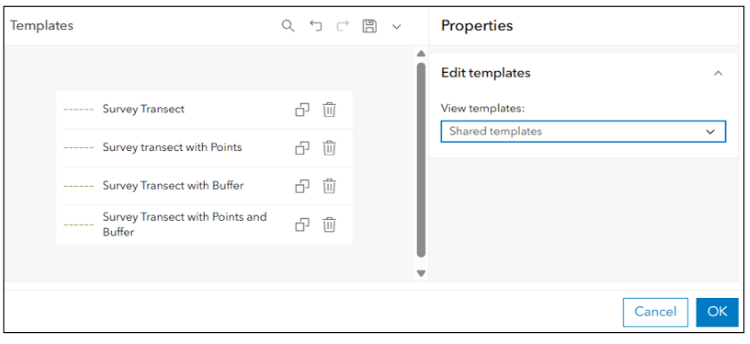
Shared templates are stored with the service, and offer more flexibility than traditional feature templates. In ArcGIS Pro, you can set default construction tools, default values, and author specialized templates to create multiple features at once, including:
-
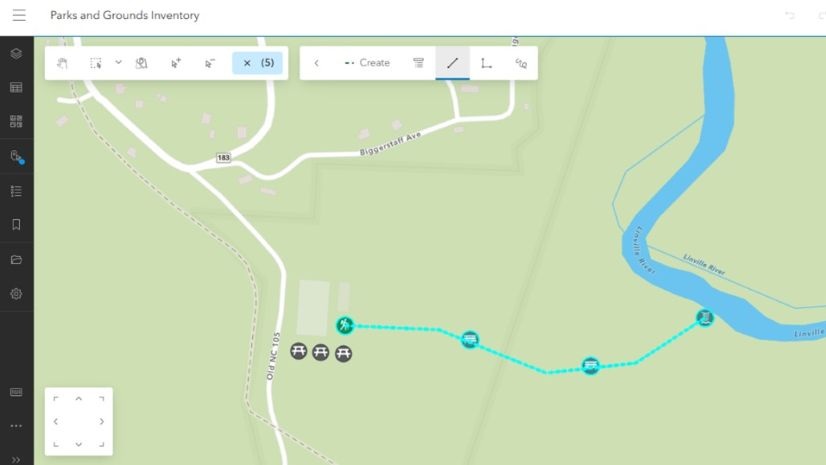
- Group templates- generate multiple features at the same time based on rules you configure. For example, a group template can be used to place a point every 100 meters along a survey transect while you digitize the line.
- Preset templates- create a predefined set of features in one action, such as placing points, lines, and polygons that represent a standard layout. Think of it like a stamp.

Shared Templates in Map Viewer
Before this update, creating or even making small changes to shared templates— like adjusting a default value — required using ArcGIS Pro. Now, you can create and update certain types of shared templates directly in Map Viewer, making quick edits in your browser. Group and preset templates are still created in ArcGIS Pro for now, but more options are coming soon. In the mean time, let’s explore what’s possible today.
Real World Example
Picture this: Data editors start work in a new Project Area and need default values updated- so fields like Project Area fill in automatically. Now, you can make that change in Map Viewer, and your team sees it instantly. They choose the template, draw the feature, and key fields fill in automagically.

How to Configure Shared Templates in Map Viewer
- Open your web map in Map Viewer.
- Select your layer, click Configure editing on the Settings (light) toolbar, then click Templates.
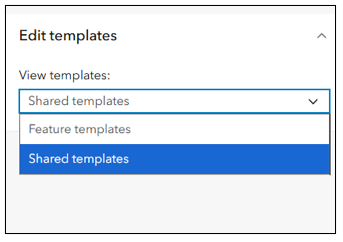
- In the Templates window, select Shared templates from the drop-down menu.
Note: The layer owner or an administrator can manage templates. Others can view templates in read-only mode.
Creating Shared Templates
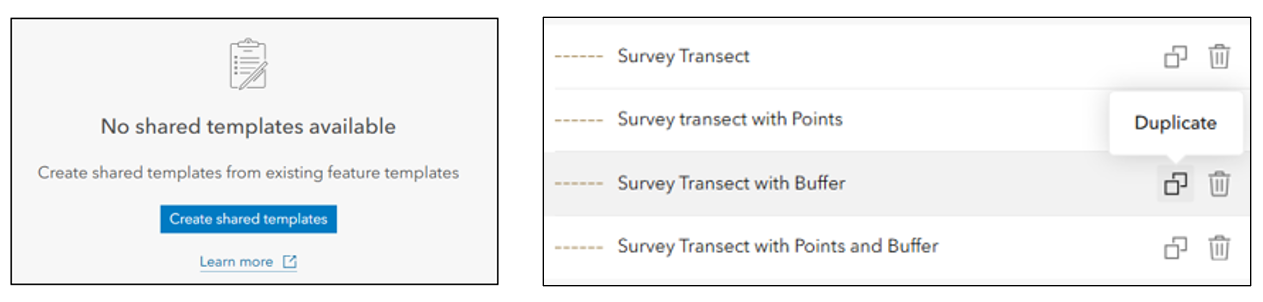
- If there are no shared templates available, click Create shared templates to generate them from existing feature templates.
- Already have shared templates? Click Duplicate to make a copy and customize it for your project.
Note: Group and preset templates still need to be created in ArcGIS Pro.
Updating Shared Templates
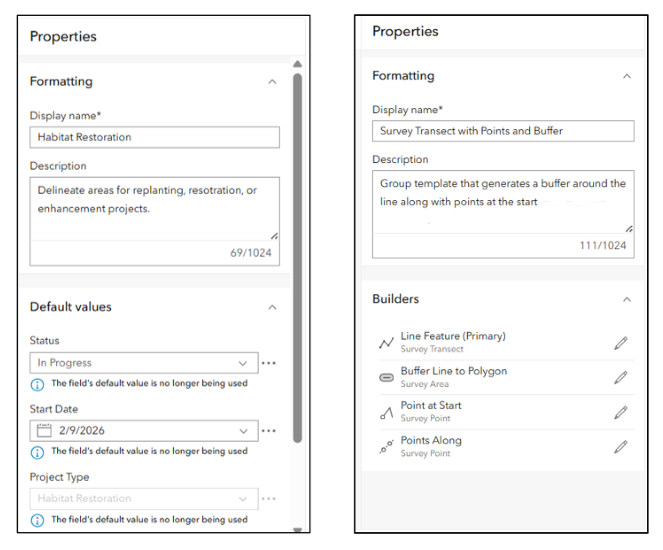
You can review and update properties like Display name, Description, and Default values. For group templates, you can also view a list of Builders — the behind-the-scenes rules that drive what features get created and where. For example, a builder can generate a point at the beginning of a line. In the future we’ll add support for modifying or adding builders here.
Using Shared Templates
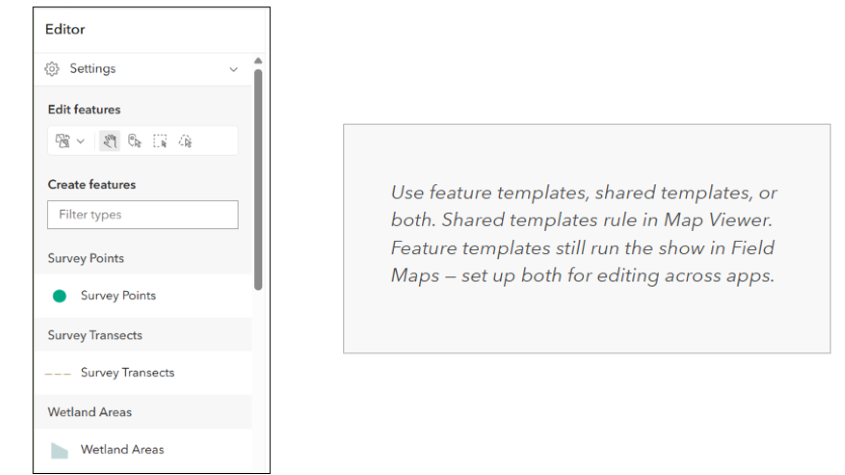
In the Editor pane, you’ll either see feature templates or shared templates depending on what you’ve configured:
- If a hosted feature layer has shared templates, Map Viewer shows them by default.
- If not, Map Viewer displays feature templates.
- Other apps like Field Maps still rely on feature templates, so for cross-platform editing, its best to configure both.
What’s Next
In the future, we’re planning to:
- Add more configuration options
- Add support creating and updating specialized templates
- Broaden support for shared templates across the platform
- Streamline publishing shared templates to ArcGIS Online with your hosted feature layers
The Bottom Line
Shared template management has officially landed ArcGIS Online, letting you make quick updates on the fly. And we’re just getting started. In the future, expect expanded support for group and preset templates, more formatting options, and improved cross-platform compatibility so you can keep building maps and apps that shine.

Commenting is not enabled for this article.