
Marcy Silverman, a senior software development engineer, is part of an incredible Developer Experience team at Esri that empowers users with all the information they need to get started. The team recently launched the new Ask AI feature — a powerful addition to Esri’s developer documentation that makes it easier than ever for developers to quickly find the information they need to get their work done.
In this edition of the Developer’s Lounge series, Marcy highlights the critical role documentation plays in the developer experience and offers a behind-the-scenes look into the nearly two-year journey of bringing the feature to life. Additionally, she shares steps the team is taking to continuously improve the Ask AI feature, and why they believe it will fundamentally transform the ways developers build applications.
"With the recent advances and rise of foundation model LLMS we knew that our users could particularly benefit from a feature that incorporated an AI enhancement. Instead of requiring developers to search by product names or specific keywords like in a traditional keyword search. Ask AI allows them to ask questions in natural language and receive contextual, human-readable answers that are sourced from the Esri Developer documentation." - Marcy Silverman
1. Hello, Marcy! What’s the story behind your first line of code, and how did it lead you to where you are today?
I first came to Esri in 2019 as a very green engineer after just graduating from school. In fact, Esri is the only company where I’ve worked as a software engineer. I entered the field after realizing that becoming a lawyer wasn’t the right path for me. I knew I wanted a career that would let me build things—even if they were virtual.
Nearly eight years later, my journey from Software Engineer I to Senior Software Engineer has been one of the most rewarding chapters of my life. Along the way, I’ve had the opportunity to grow alongside incredibly talented engineers, contribute to products used by developers around the world, and help shape experiences that make the ArcGIS platform more accessible.
2. What major benefits would you say Esri users, particularly developers, gain from using Esri Developer documentation guides and resources?
I think one of the biggest benefits our developer documentation provides is the breadth and depth of resources available to help developers get started quickly. We offer comprehensive quick-start guides, tutorials, and low-code workflows for many of the ArcGIS SDKs and APIs, allowing developers to build functional applications with minimal setup while following recommended best practices.
Beyond our own SDKs, we also provide extensive documentation that helps developers integrate ArcGIS capabilities with widely used open-source mapping libraries such as Leaflet, MapLibre GL JS, OpenLayers, and CesiumJS. This enables developers to incorporate Esri’s geospatial services and data into the mapping technologies they already use, making it easier to adopt ArcGIS within existing applications and workflows. Our documentation is shaped by decades of institutional knowledge from Esri’s technical writers and engineers.
3. You and other colleagues on the developer experience team have been working on the Ask AI feature, which is now in beta. Could you share details about the feature and how its creation came about?
The goal of Ask AI was simple: make Esri’s developer documentation easier to discover, understand, and use.
Esri’s developer platform offers a wide range of powerful geospatial capabilities, APIs, SDKs, and services. While this breadth gives developers tremendous flexibility, it can also make it difficult to know where to start or which resources best answer for a user’s need. Traditional keyword search often requires developers to know the correct product names or terminology before they can find what they’re looking for.
With the recent advances and rise of foundation model LLMS we knew that our users could particularly benefit from a feature that incorporated an AI enhancement. Instead of requiring developers to search by product names or specific keywords like in a traditional keyword search. Ask AI allows them to ask questions in natural language and receive contextual, human-readable answers that are sourced from the Esri Developer documentation.
Unlike a general-purpose AI chatbot from a foundation model, Ask AI is purpose-built for the Esri developer ecosystem. Behind the scenes, more than 100,000 pages of developer documentation are processed through a retrieval-augmented generation (RAG) pipeline. Documentation is parsed, chunked, indexed, and retrieved before relevant context is provided to the language model. By ensuring that all responses were grounded using our documentation specifically, the system produces answers that are significantly more accurate, relevant, and actionable than a standalone foundation model without access to Esri-specific knowledge.
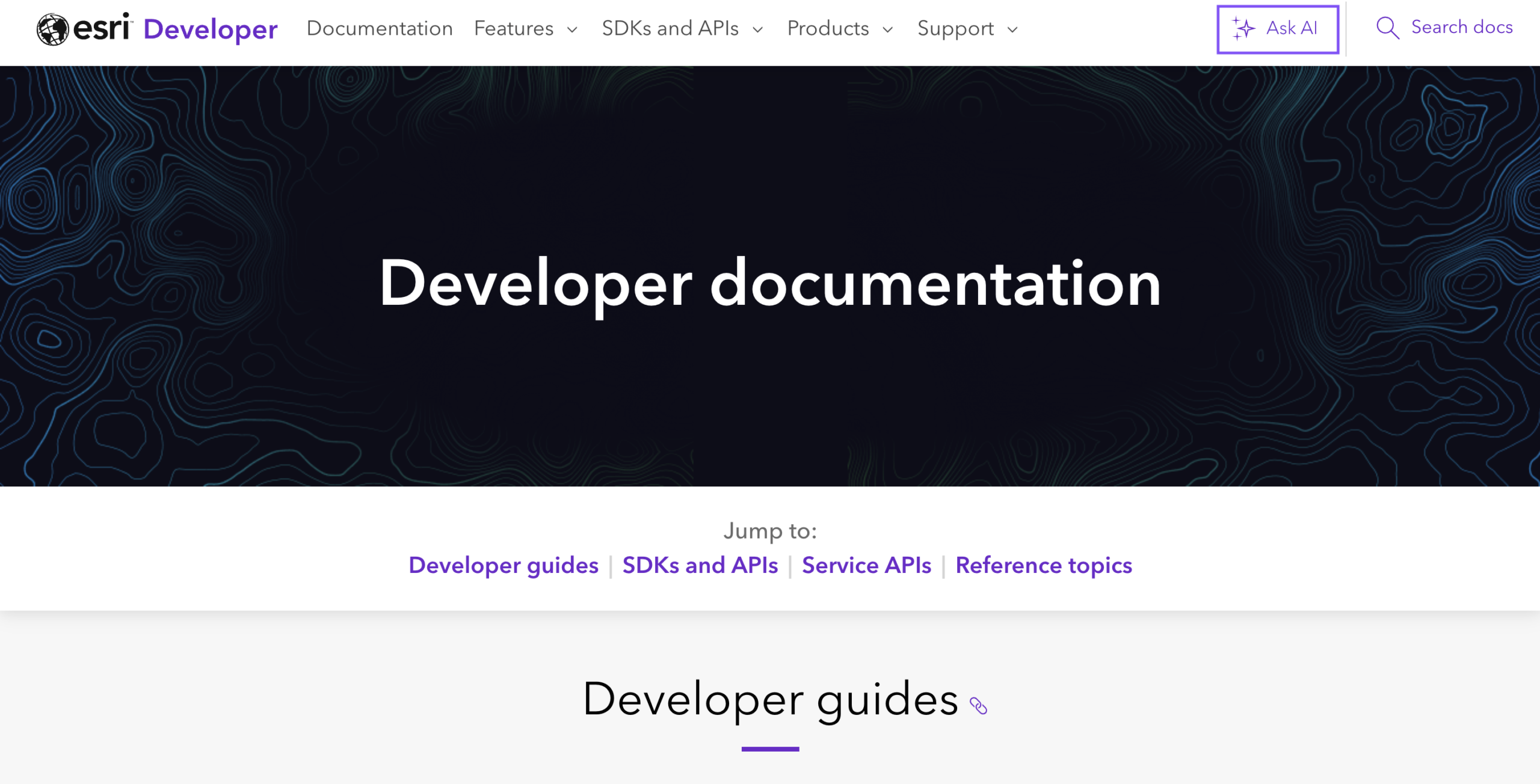
Building Ask AI was a collaborative effort across multiple engineering teams. We partnered with the Esri AI Skills Framework team, which provides the underlying AI infrastructure, and the Documentation Framework team, which maintains the shared skills and retrieval systems that power documentation experiences across Esri. We also worked closely with a backend engineer who integrated the Esri Developers content into the existing RAG architecture, enabling our documentation to be retrieved seamlessly alongside other supported sources.
Our team focused on the developer experience itself—identifying high-value documentation sources, improving content quality for retrieval, optimizing AI responses through evaluation and prompt engineering, and ensuring developers received accurate, useful answers that reflected the intent of their questions.
From the initial concept to public release, Ask AI was nearly two years in the making. We’re excited to see how it helps developers spend less time searching for information and more time building applications with the ArcGIS platform. We also see it as an important step toward a more intelligent and conversational developer experience, where documentation becomes more accessible, discoverable, and useful for both new and experienced developers.
4. What types of queries does the Ask AI feature support? Is there a limit to how broad or narrow they can be?
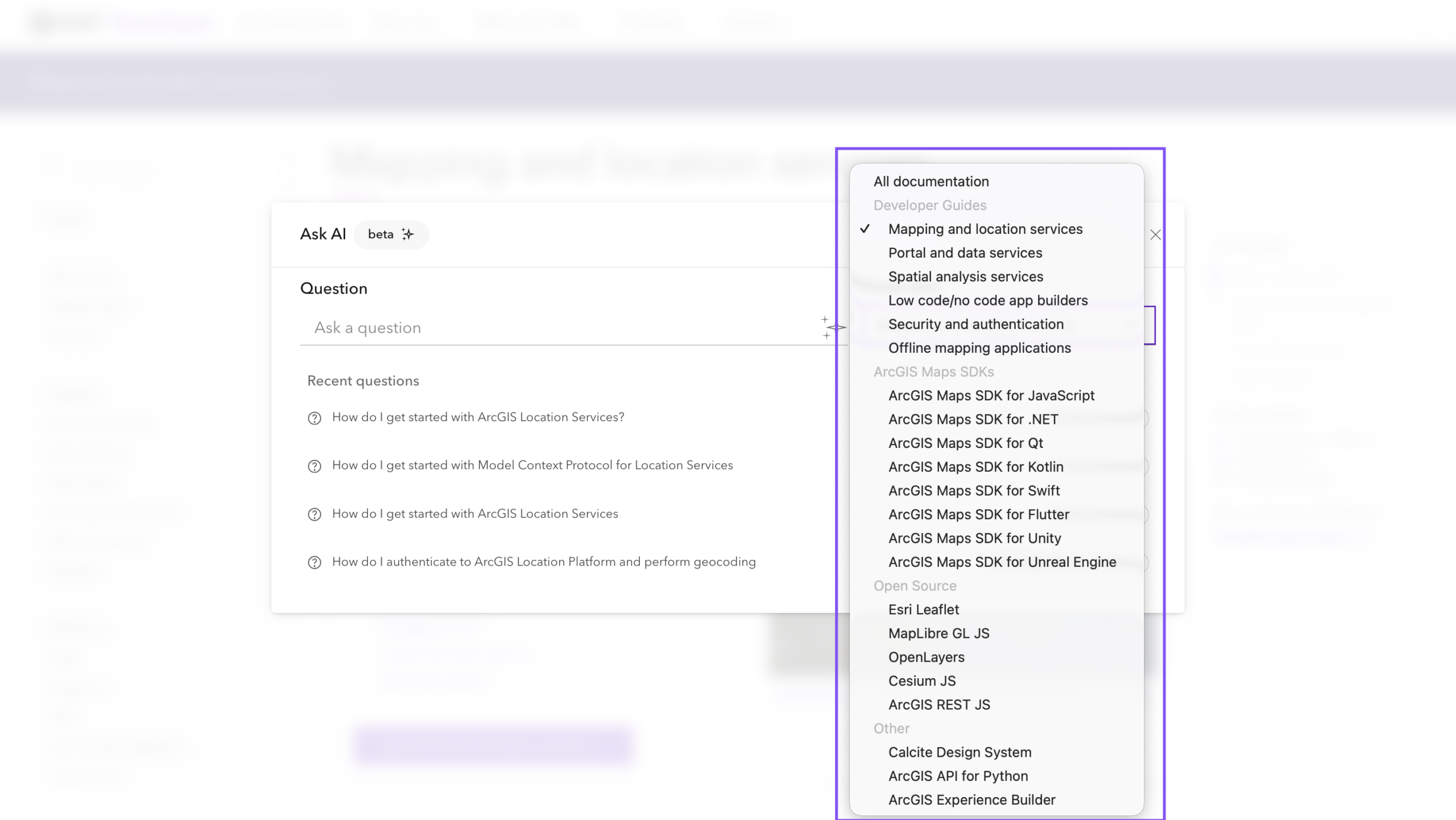
Ask AI supports natural language queries, allowing developers to ask questions the same way they would another engineer. If they want to narrow the scope to a specific SDK or product, they can either include it in their prompt or select it from the Focus Area dropdown.
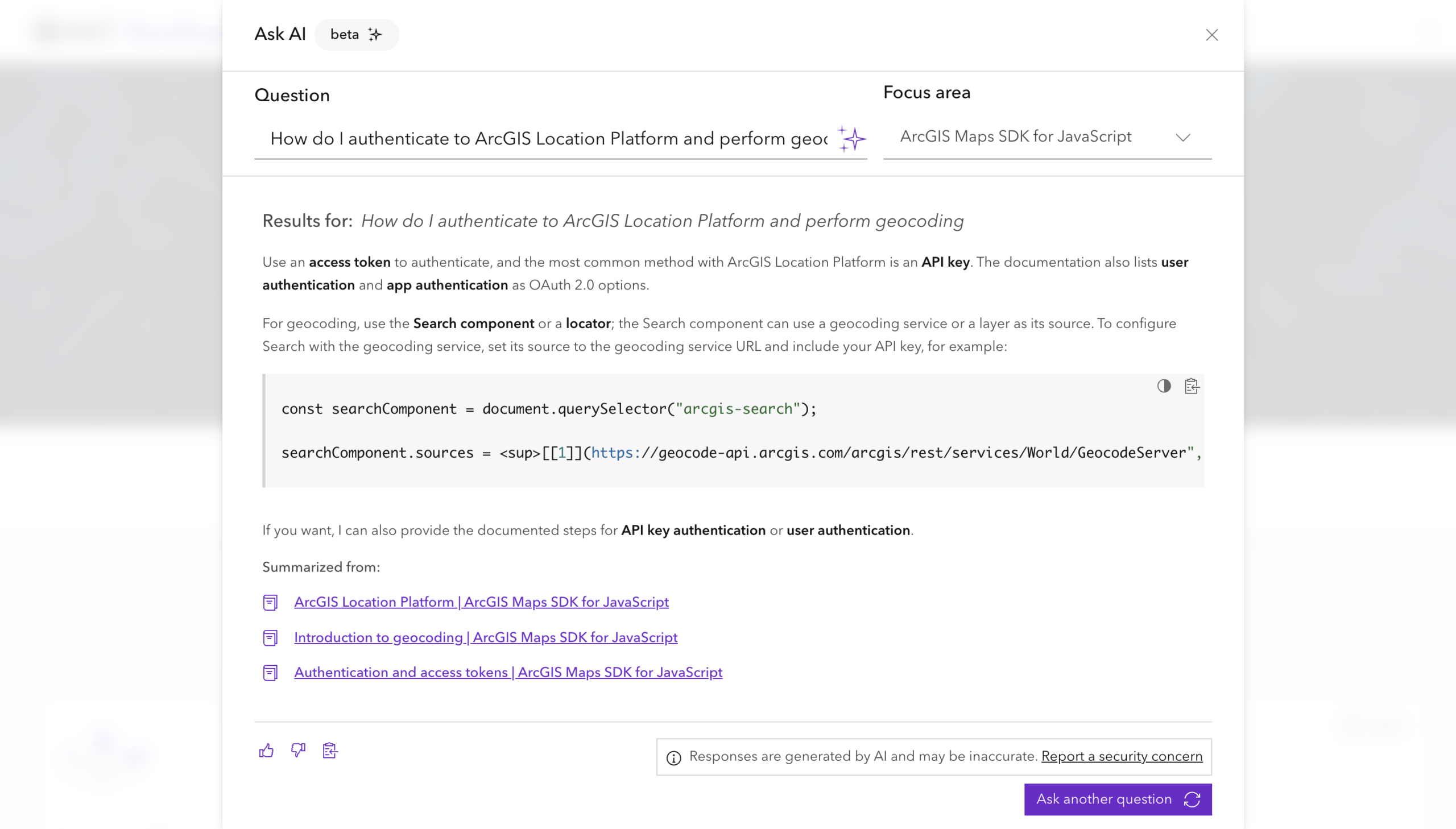
For example, a developer might ask:
“How do I authenticate to ArcGIS Location Platform and perform geocoding?”
while selecting ArcGIS Maps SDK for JavaScript as the Focus Area.
Ask AI would return an explanation of the recommended authentication methods, such as using an API key or access token, along with a code example demonstrating how to authenticate and send a request to the geocoding service. Every response also includes links to the documentation sources used to generate the answer, allowing developers to verify the information and explore the original documentation in more detail.
5. How will this new feature improve search and discoverability for users of the Esri Developer documentation?
Ask AI improves both search and discoverability by allowing developers to ask questions in natural language instead of relying on exact keywords or product names. Rather than searching through multiple pages of documentation, developers can describe the problem they’re trying to solve and receive a relevant response that is tailored to their question.
The feature also makes it easier to discover capabilities that developers may not have known existed. By grounding responses in the broader Esri Developer documentation, Ask AI can surface relevant SDKs, APIs, guides, tutorials, and best practices that a traditional keyword search might not return. This helps developers spend less time searching for information and more time building applications.
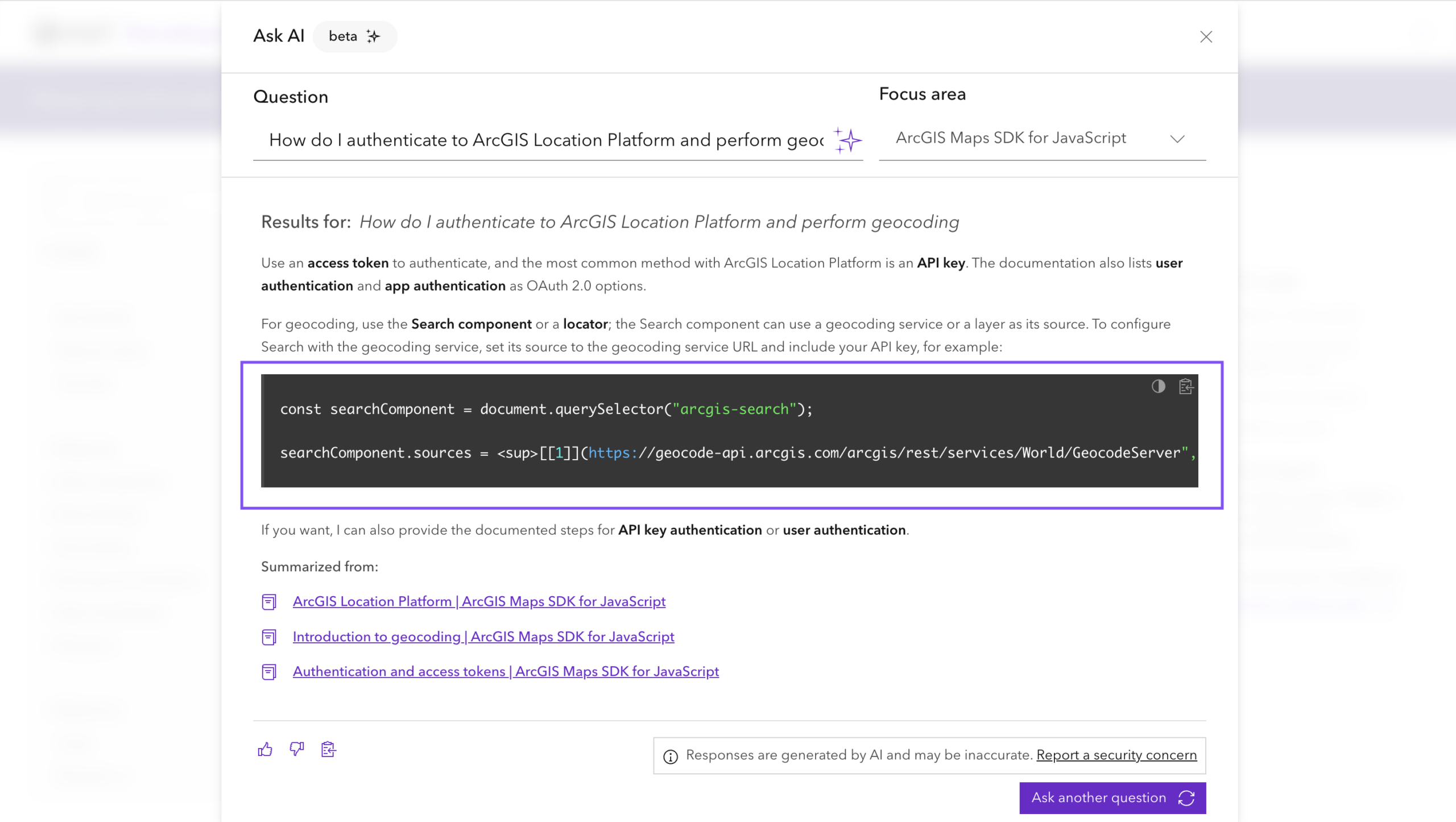
6. The Ask AI feature generates code blocks; how can developers take advantage of this?
One of the most valuable aspects of Ask AI is its ability to generate contextual code examples alongside its explanations. Rather than simply describing how a capability works, Ask AI can provide developers with code snippets they can use as a starting point in their own applications. These examples are grounded in the Esri Developer documentation and are designed to demonstrate recommended patterns and best practices. This combination of instruction with explanation alongside code allows developers to move from learning a concept to implementing it without having to piece together information from multiple documentation pages.
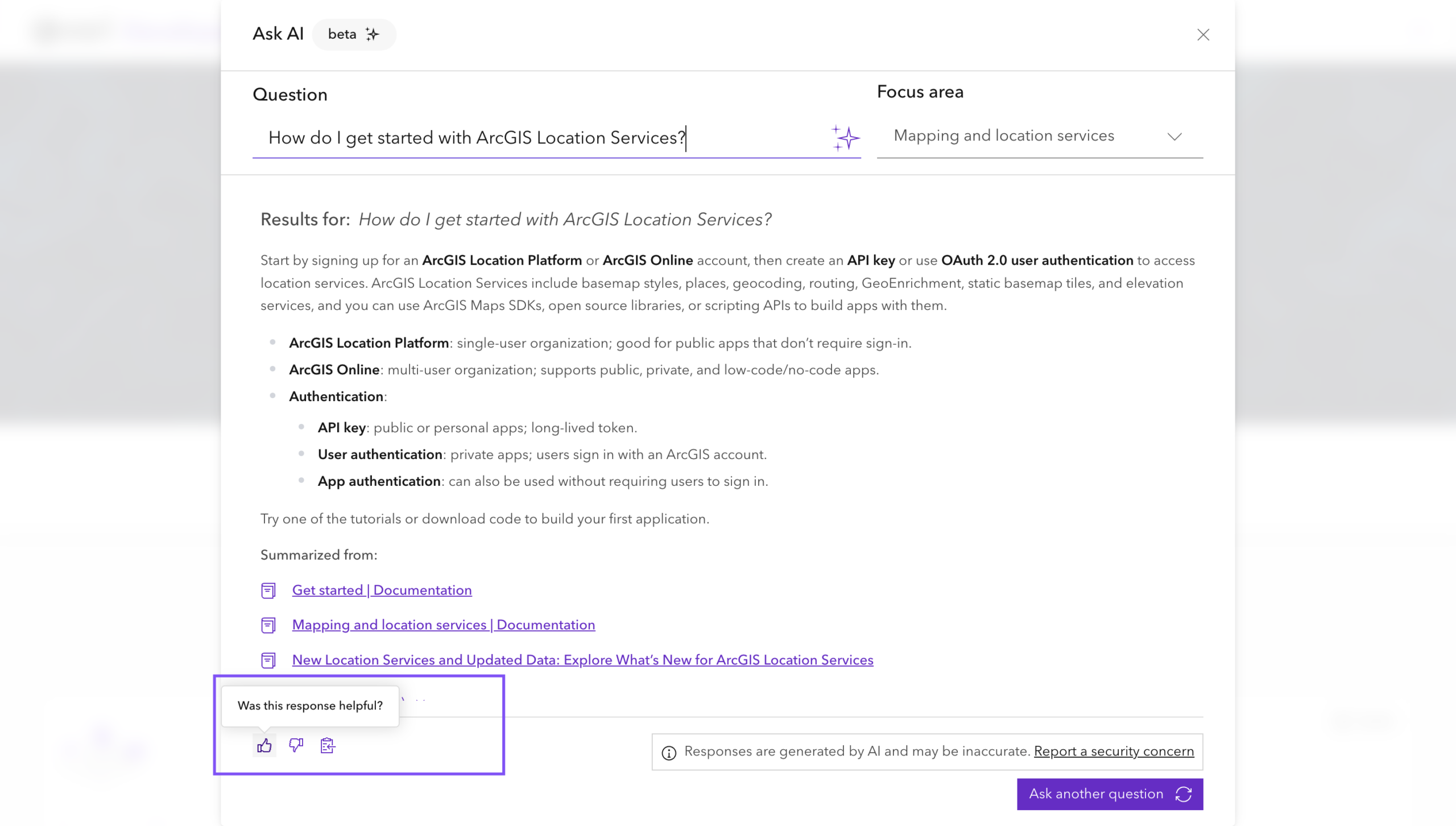
7. Since the feature is still in beta, is there an opportunity for documentation users to share their feedback on how it’s impacting their workflows or what could be improved?
Yes. At the bottom of every Ask AI response is a feedback section where developers are encouraged to share both positive and negative feedback. Feedback may identify inaccurate or incomplete responses—often referred to as hallucinations—which is critical to helping us improve the reliability and accuracy of the system.
We also encourage positive feedback. If a developer found a response especially helpful or appreciated a returned code example, that feedback helps us identify successful response patterns. Over time, those insights can be used to improve the quality and consistency of responses for similar queries.
8. What are the next steps for the Ask AI feature, and how are you and your team looking to improve it?
We’re continuing to invest in Ask AI and see it as an evolving part of the Esri Developer experience. One of our primary goals is to expand the user experience by connecting developers to the full capabilities of the Documentation Framework team’s AI assistant, allowing them to take advantage of a broader set of AI-powered skills beyond documentation search.
In addition, we plan to expand the Focus Area feature to support even more ArcGIS products, SDKs, and APIs. As the feature grows, developers will be able to narrow responses to increasingly specific technologies, resulting in more relevant and targeted answers.
As Ask AI continues to mature, our team will keep improving the experience through user feedback, ongoing evaluation, and new capabilities that help developers discover, learn, and build more effectively with the ArcGIS platform.
9. Is there anything else about the Ask AI feature that you would like to share with our audience?
As powerful as Ask AI is, it is still a beta feature, and we’re continuing to improve it based on feedback from the developer community. Every piece of feedback—whether it’s reporting an inaccurate response, suggesting an improvement, or highlighting a particularly helpful answer—helps us make the experience better.
It’s also important to understand what Ask AI is designed to do. Rather than generating entire applications or large blocks of production-ready code, Ask AI serves as a context-rich guide to the Esri Developer documentation. Its goal is to help developers better understand ArcGIS capabilities, discover the right resources, and learn recommended implementation patterns through concise explanations, examples, and documentation references.
As we continue to evolve the feature, we’re excited to learn from our users and make Ask AI an even more valuable companion for developers building with the ArcGIS platform.
As we release new versions of Ask AI, we encourage developers to stay up to date by following our latest announcements and blog posts. To learn more about the feature and future enhancements, check out the ArcGIS Blog post: “Try Out the Esri Developer Ask AI Beta Today.“
Look out for more interviews in our Developer’s Lounge series!

Don’t forget to subscribe to the Esri Developer Newsletter and follow Esri Developers on LinkedIn to discover more developer offerings and updates.





Article Discussion: