ArcGIS Reality continues to redefine photorealistic 3D mapping and geospatial intelligence. The November 2025 releases introduce groundbreaking innovations across the entire ArcGIS Reality suite—including ArcGIS Reality Studio, ArcGIS Reality for ArcGIS Pro, Site Scan for ArcGIS, ArcGIS Drone2Map, and ArcGIS Reality Server, now in beta. These updates deliver immersive visualizations, smarter workflows, and expanded integrations to help organizations unlock the full potential of their imagery and spatial data.
Key Highlights Across ArcGIS Reality
Gaussian splats unlock new high-fidelity 3D visualizations
The introduction of Gaussian splats marks a major leap forward in 3D visualization. Gaussian Splats expand the existing ArcGIS Reality outputs—such as True Orthos, 3D meshes and point clouds—offering an additional layer of realism and flexibility. This new 3D layer captures fine details of infrastructure, vegetation, and urban environments with exceptional clarity, enabling organizations to create lifelike representations of the world. Gaussian splats can be created in ArcGIS Drone2Map, ArcGIS Reality for ArcGIS Pro, and ArcGIS Reality Studio, with support coming soon to Site Scan for ArcGIS in 2026. They are viewable in ArcGIS Pro 3.6 and later, and future releases will expand integration and analysis capabilities across the ArcGIS ecosystem. To learn more about this new reality mapping layer we have two new blogs that dive deeper into this topic.
3 Key Benefits of Gaussian Splat Layers
How to Create the Best Gaussian Splats in ArcGIS Reality
Delivering visually complete True Orthos of critical areas—even in vegetated areas
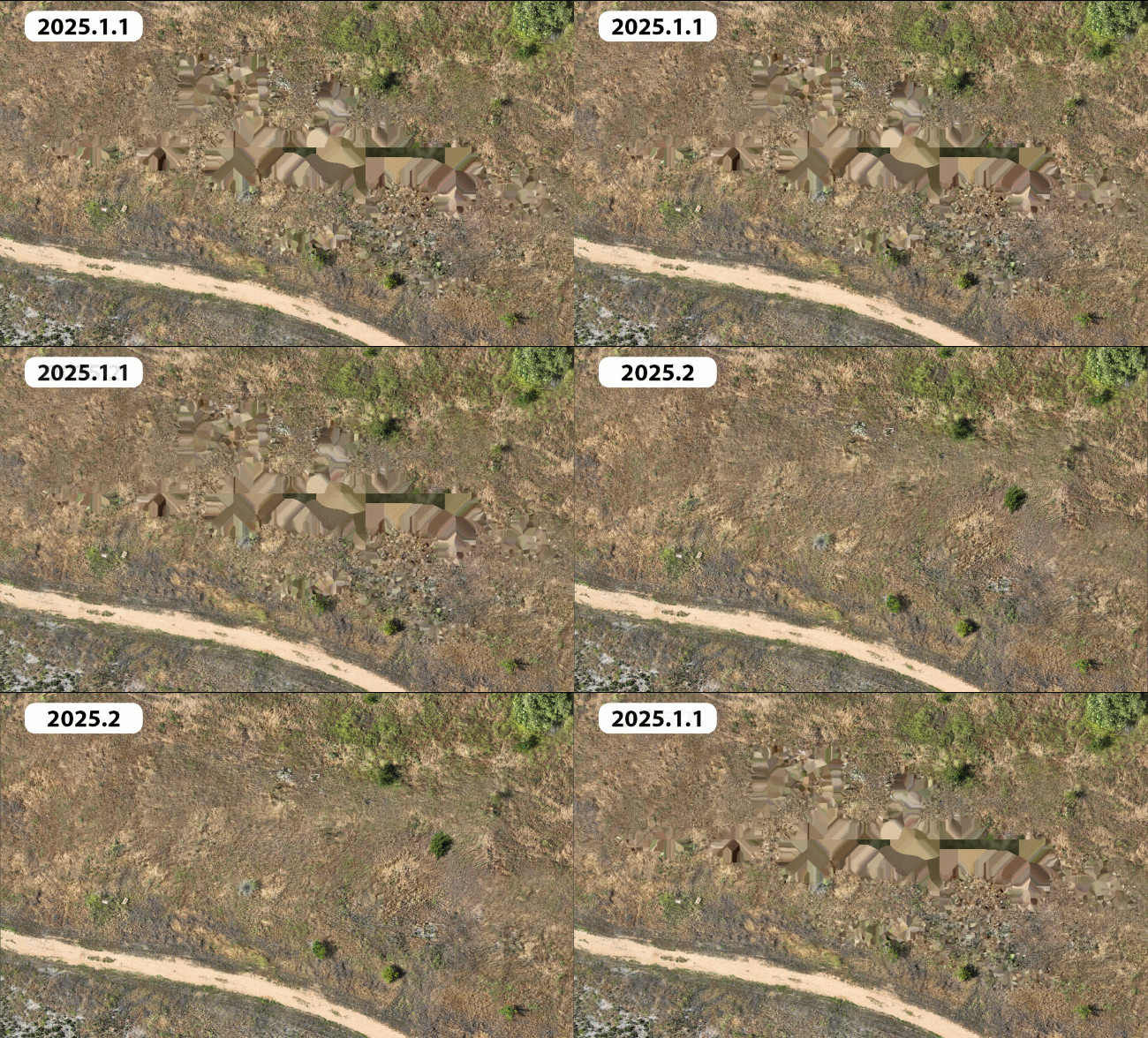
Whether monitoring environmental change or planning community development, the latest enhancements to True Ortho generation in ArcGIS Reality generate more complete results over challenging areas such as tree canopy or featureless portions of a site. These enhancements reduce gaps and artifacts, ensuring uninterrupted workflows and reliable analysis. Seamless integration across ArcGIS Drone2Map, ArcGIS Reality Studio, ArcGIS Reality for ArcGIS Pro, and Site Scan for ArcGIS ensure the production of dependable, high-quality True Orthos optimized for immediate analysis and maximum imagery value.
Save time with selective tile reprocessing for geospatial refinement
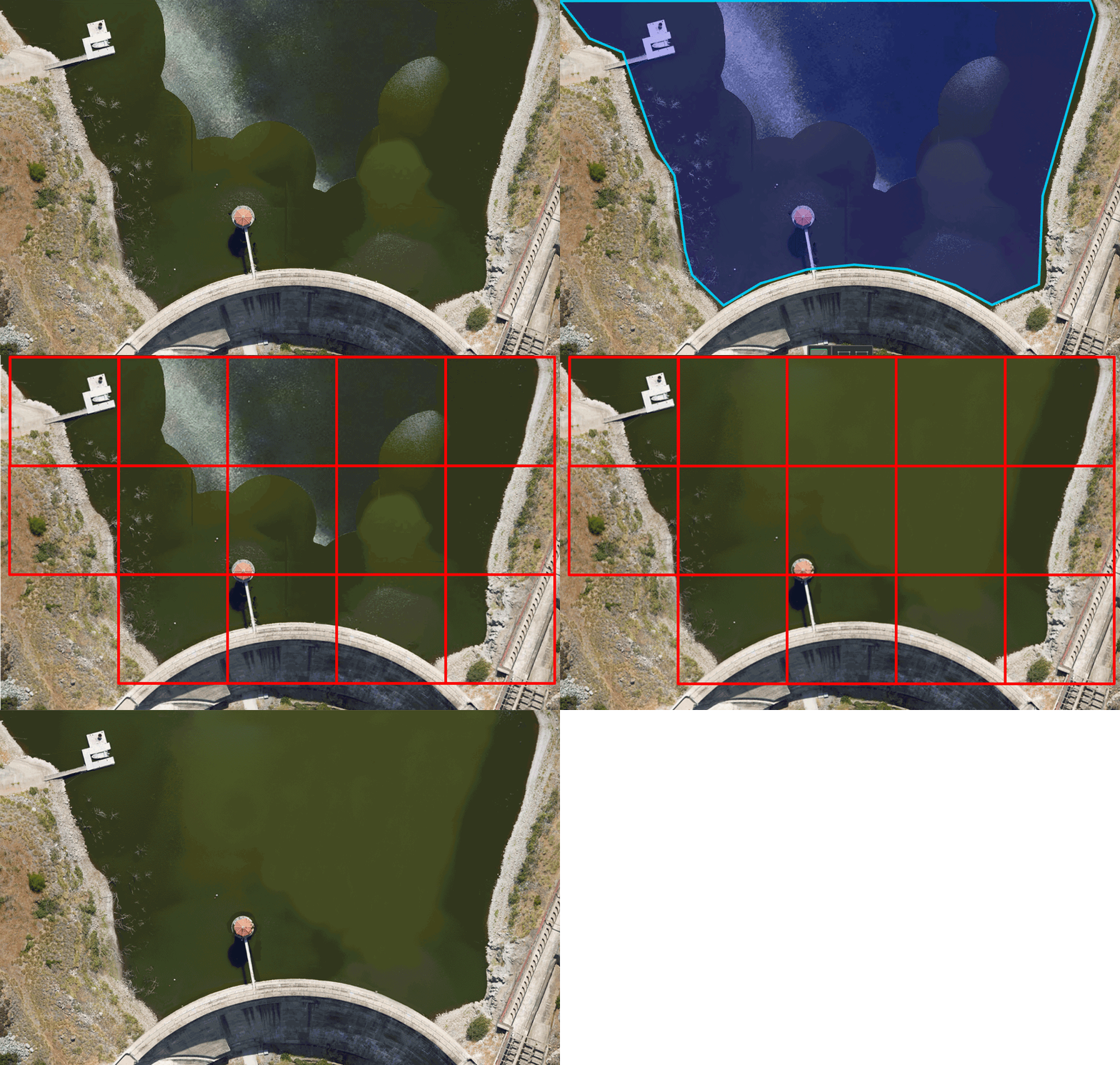
Selective tile reprocessing introduces a faster and more efficient way to refine geospatial outputs, such as True Orthos, DSMs, and point clouds. Instead of reprocessing an entire project, users can now update only the affected tiles when applying corrections like waterbody masks. This capability significantly reduces processing time and disk usage, making it ideal for large-area projects and workflows that require quick iteration. Previously, this was released in the ArcGIS Reality Studio May 2025 update, and is now available in ArcGIS Drone2Map and ArcGIS Reality for ArcGIS Pro.
Refine your 3D mesh results with ease
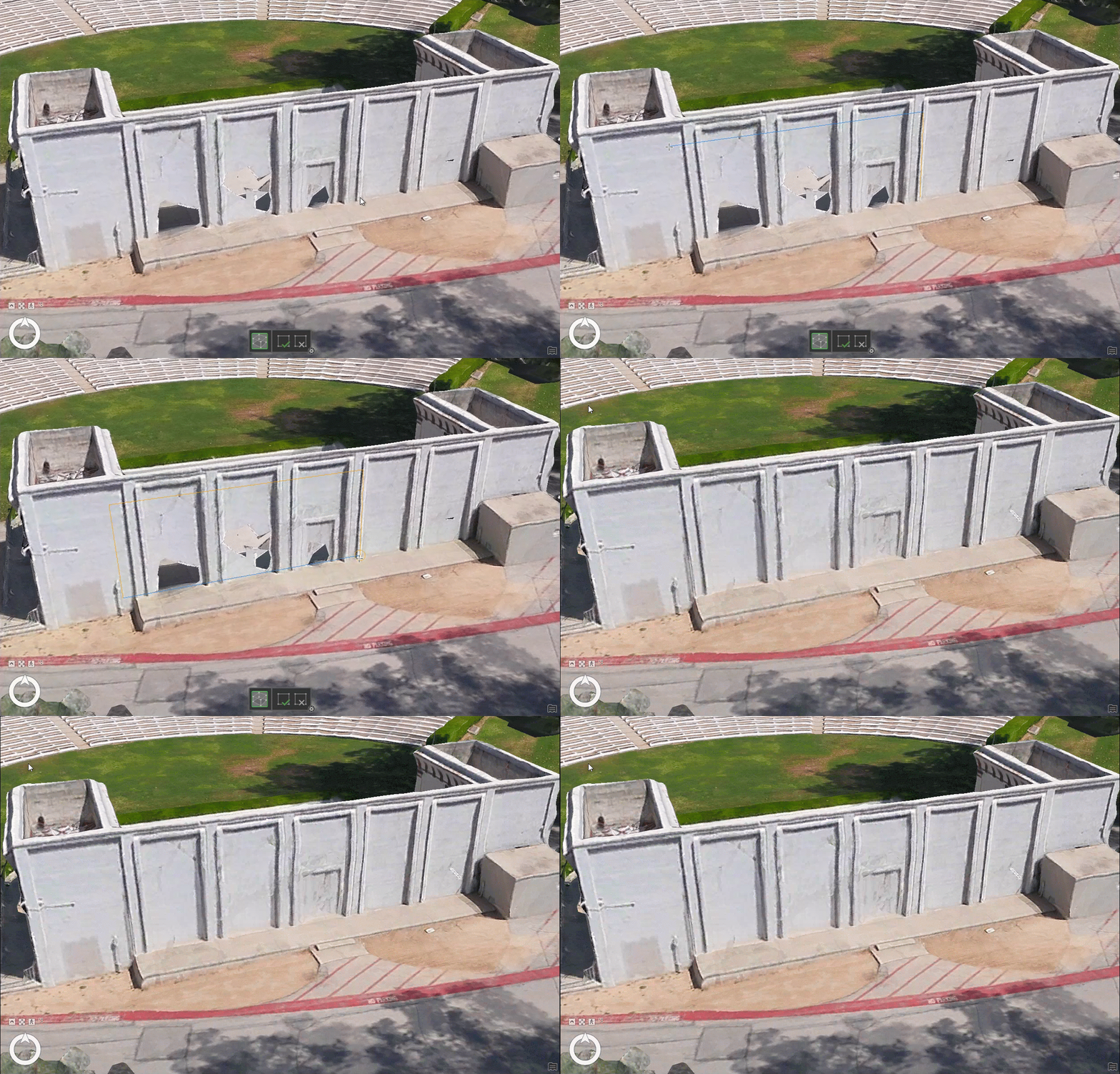
Mesh editing capabilities have been expanded to allow users to refine 3D models directly within the application. Integrated multipatch geometry tools make it easy to correct vertical mesh faces and resolve anomalies without relying on external post-processing. This enhancement improves the overall quality and realism of 3D models, particularly for projects involving reflective surfaces or complex urban environments. Previously, this was released in the ArcGIS Reality Studio May 2025 update, and is now available in ArcGIS Drone2Map and ArcGIS Reality for ArcGIS Pro.
Site Scan for ArcGIS
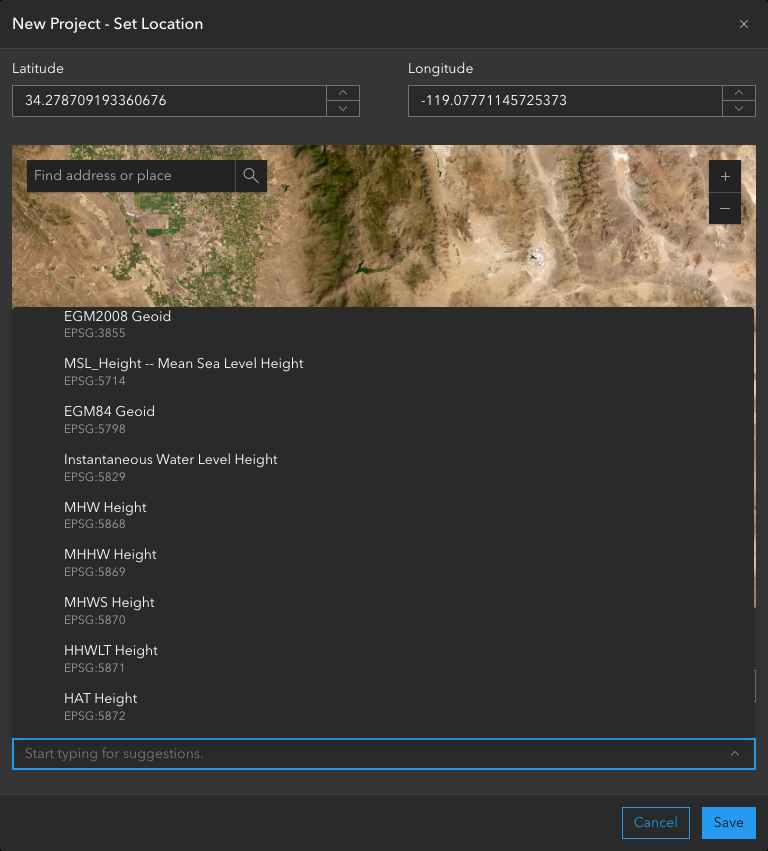
The latest release streamlines project workflows by supporting all vertical coordinate systems and provides seamless integration with Skydio Cloud, reducing the time and effort required from data capture to processing.
Adhere to regional standards and specific spatial references
Site Scan now supports all vertical coordinate systems available in the Esri projection engine. This allows users to align their projects with regional standards and accurate spatial references without the need for manual transformations. The result is a streamlined workflow with vertically precise outputs that are immediately ready for use.
New Integration with Skydio Drones for Fully Autonomous Workflow
A new integration with Skydio Cloud enables a fully autonomous drone mapping workflow within Site Scan by importing and processing imagery from automated drone flights or dock missions, thus eliminating manual steps and significantly reducing turnaround time from data capture to actionable insights.
Smarter change tracking across missions with Copy Measurements
The introduction of the Copy Measurements feature makes it easier to track changes over time. Users can now duplicate existing measurements for modified evaluations, improving efficiency and accuracy when monitoring project updates or site modifications.
Connector tool now available
The updated publishing tool features a redesigned interface and expanded automation options. In addition to publishing your standard outputs as Tile Layers, you can now publish your True Ortho, DSM, and DTM as Tiled and Dynamic Imagery to enable further analysis capabilities. Oriented Imagery Layers can now be published from Site Scan to ArcGIS Online, allowing members of your organization to conduct inspections using original drone images in an immersive experience.
To learn about these feature highlights and more read the Site Scan for ArcGIS 2025 Wrap-Up blog.
ArcGIS Reality for ArcGIS Pro
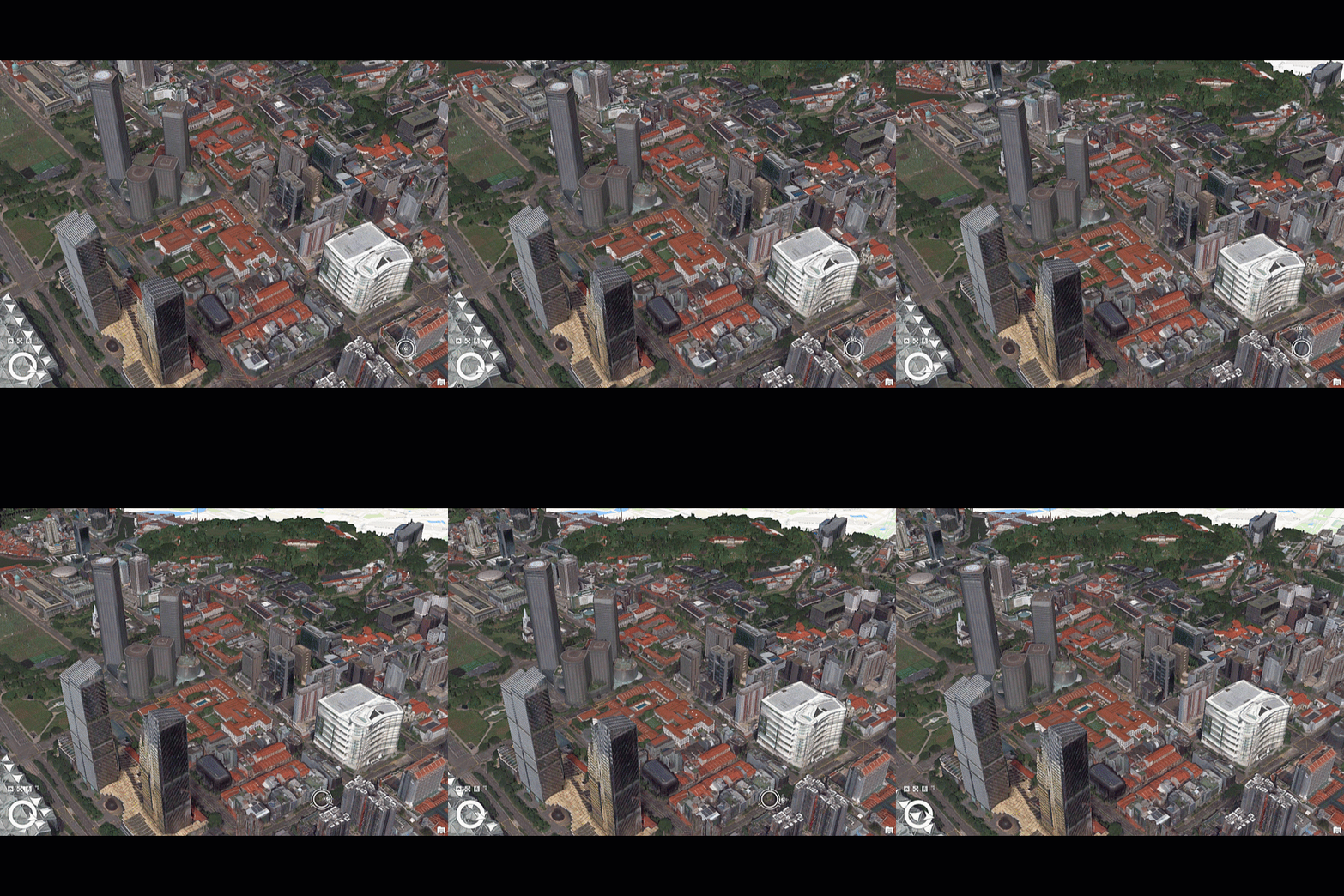
Frequent and high-resolution updates to 2D and 3D satellite basemaps are now easier to generate with support for the full Vantor (formerly Maxar Intelligence) WorldView Legion satellite constellation, ensuring users always have access to the most current and accurate geospatial information to monitor global situations. Users can also leverage lidar as a supplemental input to their images to deliver more detailed results in challenging urban areas.
Vantor WorldView Legion Satellite Constellation Support
Reality for Pro now supports the full Vantor (formerly Maxar Intelligence) WorldView Legion satellite constellation, dramatically increasing capture frequency at high resolution with up to 15 daily revisits and enabling organizations to access timely, high-resolution imagery for enhanced 2D and 3D basemaps.
Manual Ground Control Point Tagging and Quality Based Sorting
The ground control point (GCP) tagging and sorting update gives users more control and efficiency by allowing them to select and tag custom ground control points for improved accuracy, especially in overlapping image blocks. Sorting tagged GCPs by quality score helps quickly identify and fix errors, streamlining quality assurance and producing better alignment results.
Enhance 3D reconstructions with supplemental lidar
Lidar integration has been added as a supplemental input to enhance the quality and detail of DSMs, 3D mesh and True Ortho generation from drone and aerial imagery, particularly in urban areas or environments with reflective surfaces.
To learn more about these features and more read the What’s New in ArcGIS Reality for ArcGIS Pro blog
ArcGIS Drone2Map
Accelerate project delivery by enabling one-click publishing of 3D web scenes and automating key steps such as RTK metadata and ground control point detection—helping users focus more on decision-making and less on manual work.
Efficient tile-based output with virtual raster tile (VRT) support
Drone2Map now creates virtual raster tiles, allowing efficient tile-based products for large projects and enabling seamless mosaic viewing without creating massive files.
Automatically apply real-time kinematic (RTK) settings and work with image accuracy values
Drone2Map has enhancements for images from RTK enabled drones, automating process settings and enabling improved quality control.
Streamlined use of ground control points
Deep learning technology streamlines workflows by automatically detecting and linking ground control points, reducing manual effort.
Publish 3D scenes in one step
Users can now publish complete 3D web scenes—with point clouds, meshes, flight data, and more—directly to ArcGIS Online or Enterprise with a single click for easy sharing and integration.
To learn about all the exciting updates and enhancements in the latest release for ArcGIS Drone2Map, read the What’s New in ArcGIS Drone2Map blog.
ArcGIS Reality Studio
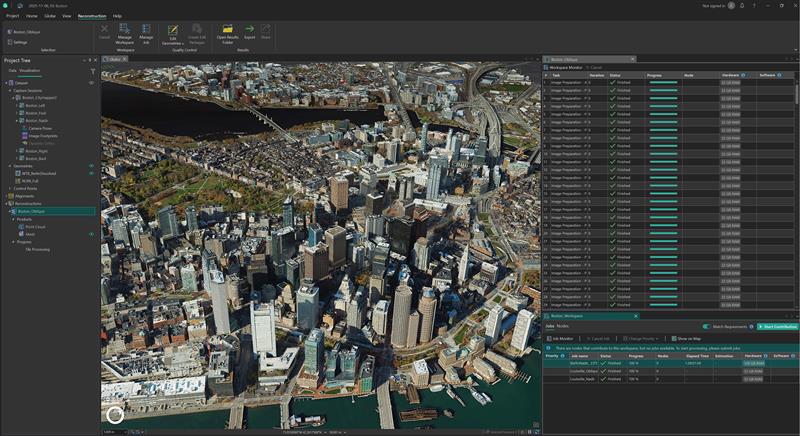
Handle larger and more diverse datasets with minimal effort and with increased efficiency for distributed processing and support for drone input data.
Faster, scalable image alignment
Distribute large imagery alignment jobs across multiple machines, allowing you to significantly improve scalability and processing speed of your projects.
Adapt to schedule changes with project priorities
Manage job priorities, you can move a single project to the top of the queue to handle urgent customer requests, or group projects with similar delivery timelines together. This way, you avoid having to create multiple workspaces just to manage computer allocation.
Deploy large processing clusters with the new Reality Studio node
Save time when working with large computer clusters by automating the deployment of ArcGIS Reality Studio across multiple computers in a single script.
Ensure optimal hardware utilization with smart node assignment
Ensure high productivity and stability when working with machines with different hardware configurations by instructing them to perform the tasks most compatible with their hardware configuration.
Reduce configuration errors using processing templates
Avoid errors when setting up many projects with the same configuration by creating templates for alignments and reconstructions and increase productivity by reusing the templates across multiple computers.
Expanded city and countrywide mapping capabilities with drone imagery
In addition to processing imagery captured using crewed aircraft, users will now have the option to input nadir and low oblique drone imagery to support scenarios requiring high resolutions over large areas.
To learn more about these enhancements read the What’s New in ArcGIS Reality Studio blog.
ArcGIS Reality Server (Beta)
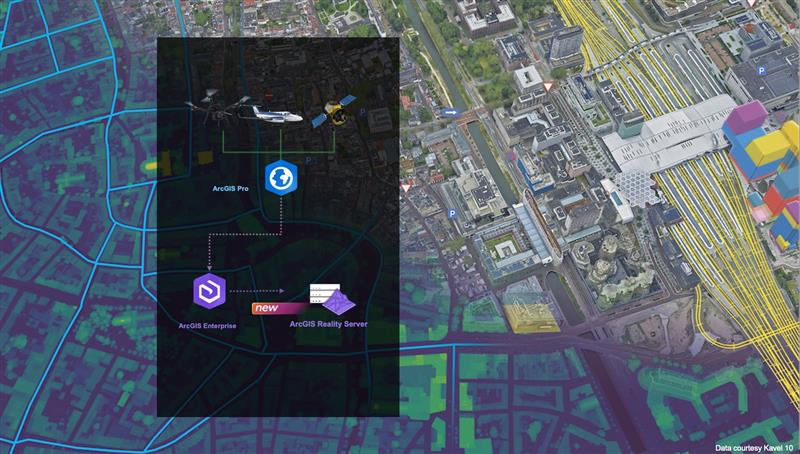
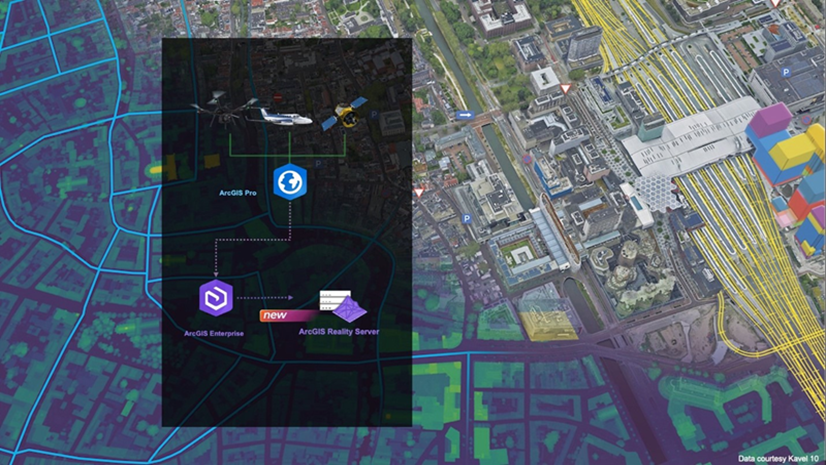
ArcGIS Reality Server debuts as a public beta, offering a scalable, self-hosted solution for reality mapping within ArcGIS Enterprise. This capability enables organizations to generate high-accuracy, photo-realistic 2D and 3D content from drone, aerial, and satellite imagery, supporting large-volume processing across multiple machines. Reality Server integrates seamlessly with ArcGIS, providing secure, high-performance workflows for organizations that require self-hosted reality mapping to build digital twins, extract insights, and transform raw imagery into actionable intelligence.
Organizations using ArcGIS Enterprise can participate in the beta via the Early Adopter Community. ArcGIS Enterprise 12.0 is required to use ArcGIS Reality Server.
To read more on how to get started with ArcGIS Reality Server you can read this introductory blog.
ArcGIS Flight
Earlier this year, we added full support for DJI M3E and M4E drones—two of the most popular drones for mapping and inspection. Check out more by reading this blog. In addition, a new application—ArcGIS Flight (US Government edition)—has been introduced to meet the unique requirements of government customers, ensuring secure and compliant drone operations.
Stay Connected
If you have any questions or ideas, we’d love to hear from you! Visit the Esri Community page and let us know what you think. You can also subscribe to our new Drone Mapping Newsletter to stay in-the-know for all things drone mapping at Esri, sign up today!



Article Discussion: