ArcGIS Business Analyst Enterprise is a self-hosted solution that brings demographic, lifestyle, behavioral, and spending data together with location-driven analytic capabilities, all behind your firewall, so your data stays secure and under your control. It combines the power of ArcGIS Business Analyst Web App Advanced, Business Analyst Mobile App, Business Analyst Pro, and ArcGIS GeoEnrichment Server into one integrated platform, so your organization can run market planning, site selection, and customer targeting analysis at scale.
With this November release of ArcGIS Business Analyst Enterprise, we’re bringing AI-powered assistance that recommends the right workflows and data from a simple prompt, more control to spotlight the results that matter most, and a faster, more intuitive way to turn your analysis into compelling stories. Whether you’re evaluating a single site or analyzing markets at scale, this release helps you make impactful location decisions and share them faster.
Here’s whats new:
- Business Analyst assistant (beta): AI meets your analysis
- Results pane improvements: Spotlight the results that matter most
- Turn your analysis into a compelling story by sharing your results with ArcGIS StoryMaps
Business Analyst assistant (beta): AI meets your analysis
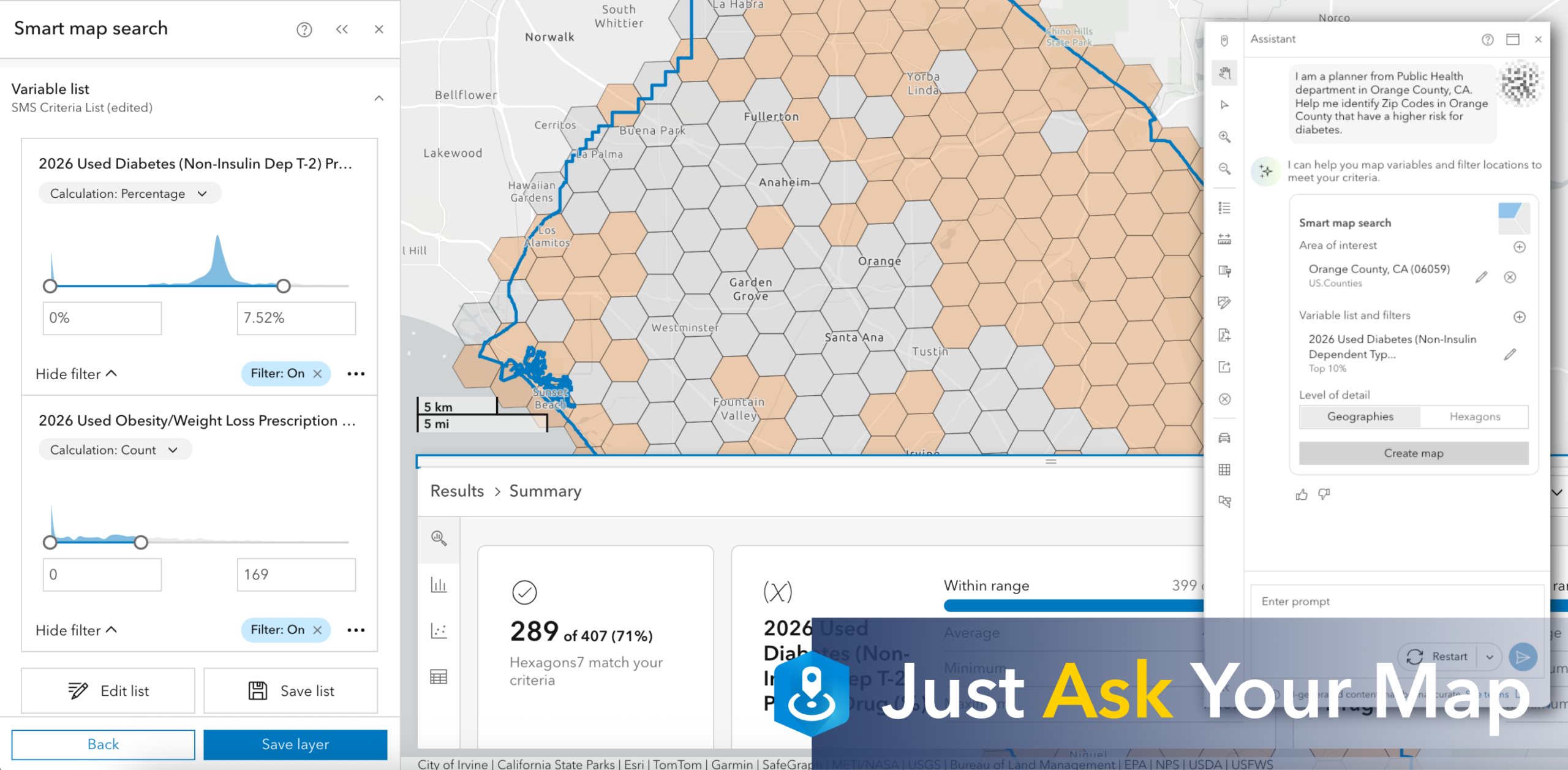
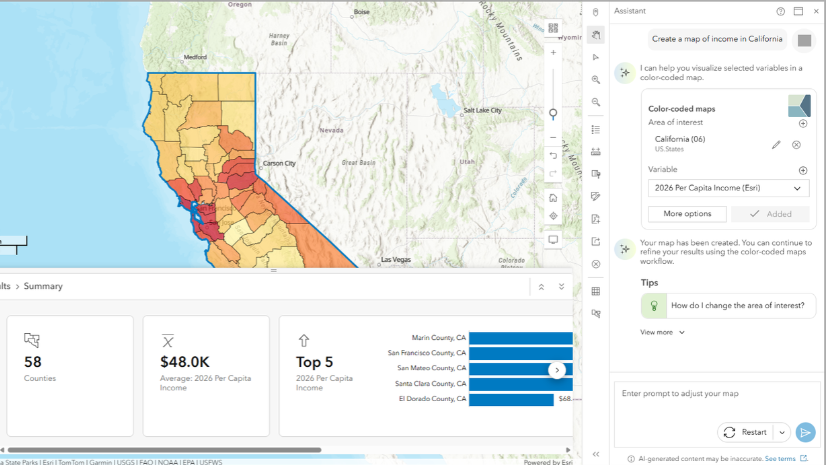
Artificial intelligence (AI) is transforming how we work! Now, it’s built right into ArcGIS Business Analyst Enterprise. Business Analyst assistant (beta) is an AI powered in-app companion that understands your geographic context. It recommends the right workflows, data, infographic reports and tips from a simple prompt or search. Just ask a question in plain language, review the suggestion, and run it with a click. Think of it as a knowledgeable colleague who helps point you in the right direction. Then, you decide what to do from there.
With Business Analyst assistant (beta), you can ask prompts such as:
- Create a map of income in California
- Find the fire stations within 5 miles around 380 New York St, Redlands, CA.
- What is the difference between retail demand and consumer spending?
- Create a report that shows demographic data for adults 55 yrs old and older within 3 mile radius of 961 Panorama Trail South, Rochester NY 14625. Based off this, also find locations of doctor offices within that radius.
Business Analyst assistant is available in beta in this release and requires ArcGIS Enterprise administrator setup and enablement.
Note: Beta features are are not supported by Esri Technical Support.
Results pane improvements: Spotlight the results that matter most
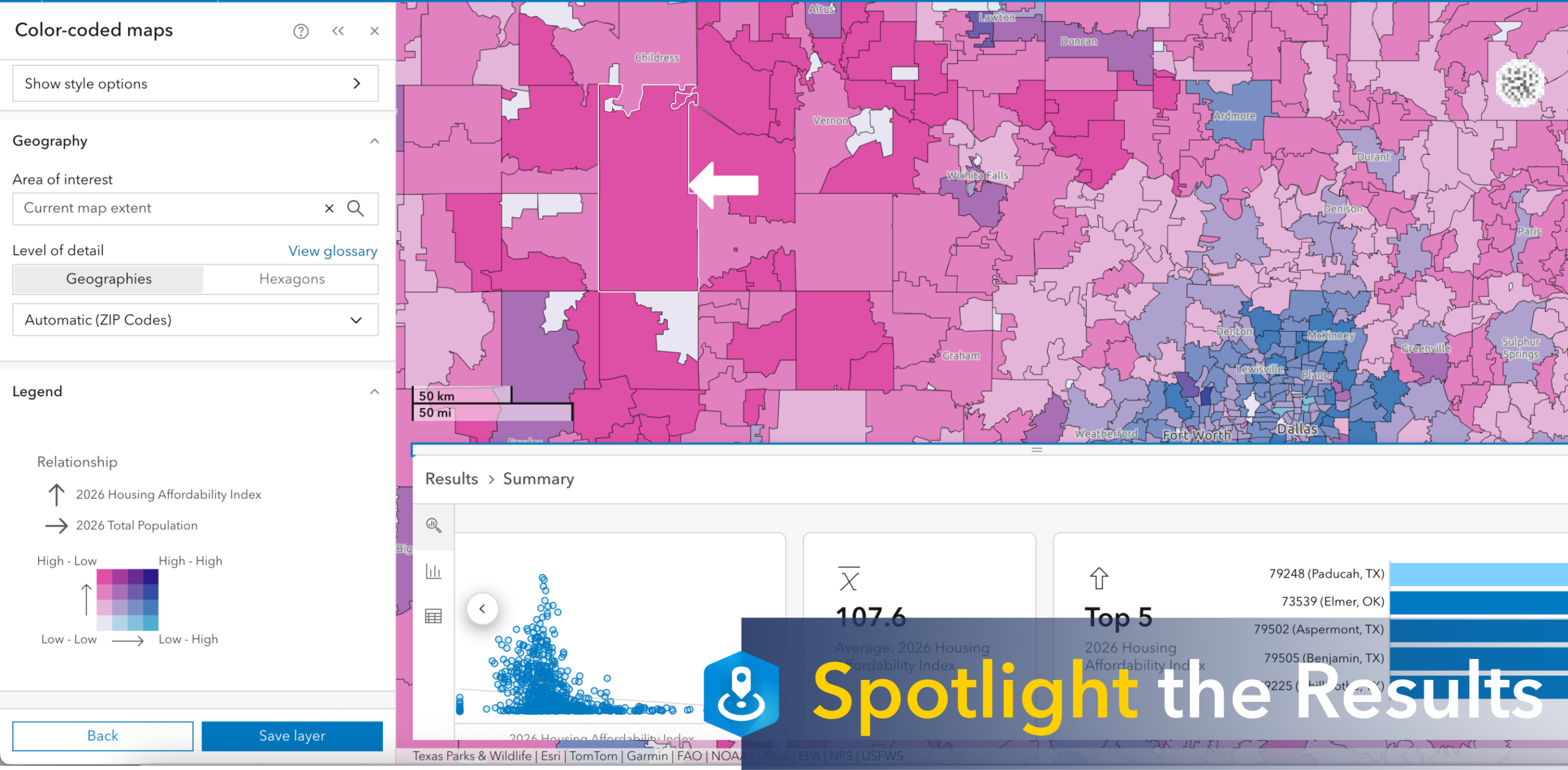
Not every summary in your analysis matters equally. Now, you can show or hide individual summary cards to highlight only the results most relevant to your task or audience. The Results pane also resizes smoothly as you expand, collapse, or toggle cards. Additionally, the map stays fully visible while you work, so your site never disappears behind the workflow pane.
Use case: A real estate analyst performing a suitability analysis across a dozen candidate sites hides the cards for the lower-ranked locations and keeps only the top three visible: population, drive-time, and suitability score. With the map no longer hidden behind the pane, she walks the investment committee through each site on the map while the focused summarize stay right beside it. A cleaner view, a faster decision, and no one asking, “which one are we looking at again?”.
Turn your analysis into a compelling story by sharing your results with ArcGIS StoryMaps
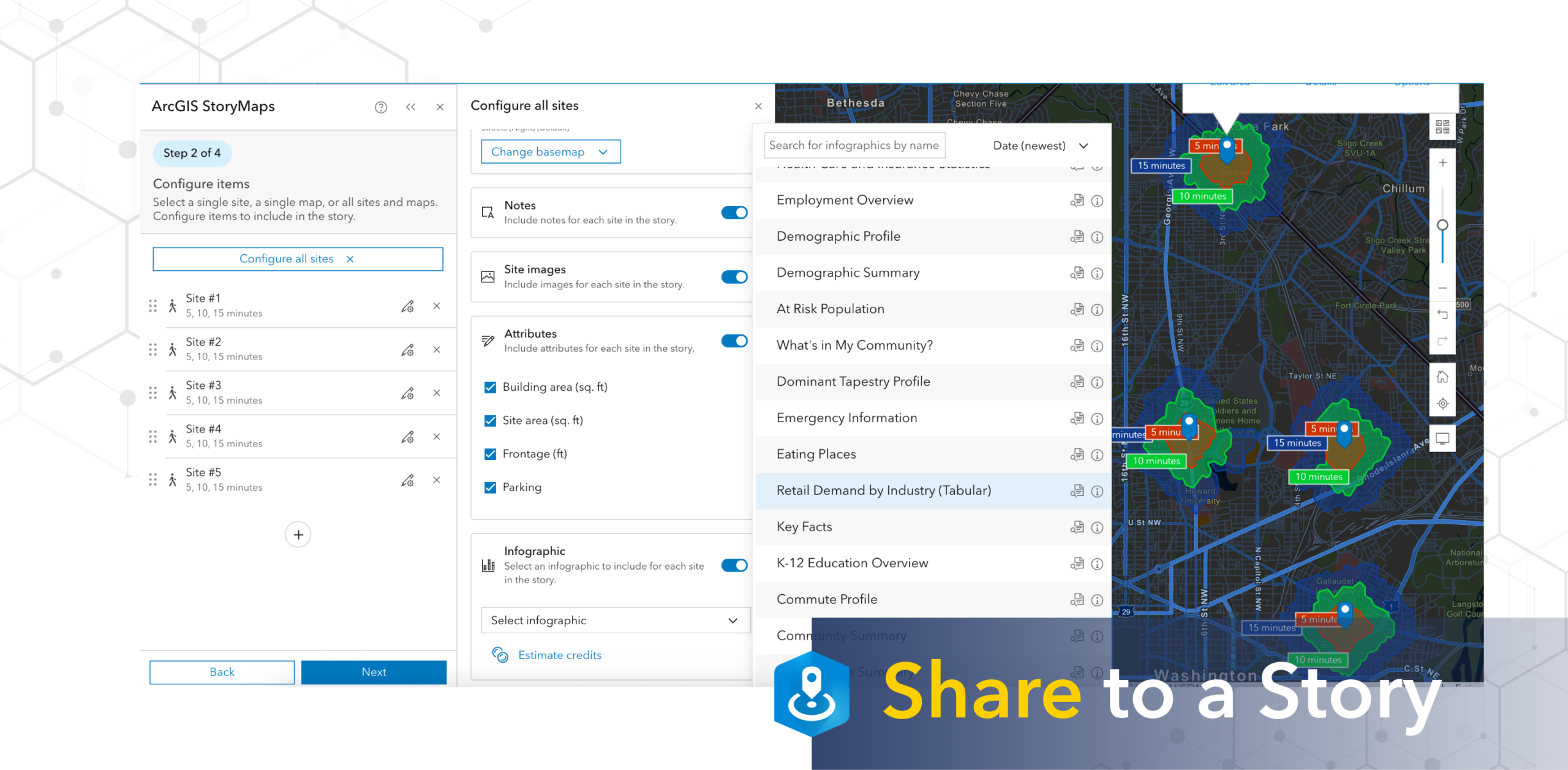
Sharing your analysis with stakeholders is now faster and more intuitive. The share to a story workflow has been streamlined so that common tasks require fewer steps, site attributes can be edited directly in the workflow, and you can add a cover photo to give your story a polished look. Furthermore, sites shown on the map are automatically added to your story, and you can make edits to a single site or update all sites at once. As a result, you’re not manually recreating work. The result is a smoother journey from analysis to a polished story your stakeholders can act on.
Use case: A market research analyst evaluating five candidate locations for a retail expansion adds all five sites to his map. Automatically, they’re pulled into his story draft, no manual re-entry required. When one sites infographic updates, he applies the change to all five at once and shares the finished story with leadership before the meeting even starts. Less time formatting, more time telling the story behind your analysis.
Additional resources to keep up with what’s coming next!
ArcGIS Business Analyst is Esri’s location-based community and market intelligence application designed to help you make smarter decisions for market planning, site selection, and customer segmentation.
Interested in staying current with ArcGIS Business Analyst? Sign up for the Business Analyst Newsletter and join our LinkedIn User Group to get the latest.
- Read more Business Analyst blog articles on ArcGIS Blog
- Watch Business Analyst Web App videos
- Watch Business Analyst Mobile App videos
- Watch Business Analyst Pro videos
- Visit the Business Analyst Resources page

Article Discussion: