We are excited to announce the final ArcGIS Business Analyst Pro release of 2025! ArcGIS Business Analyst Pro 3.6 brings new features and enhancements designed to elevate your market intelligence and decision-making processes.
ArcGIS Business Analyst Pro is an extension for ArcGIS Pro that allows you to perform sophisticated spatial analysis and modeling, including customer and competitor analysis, territory design, target marketing, and site selection.
The November 2025 release of ArcGIS Business Analyst Pro delivers improved performance, increased productivity, and a higher quality user experience. Keep reading to explore new workflows and enhancements that improve your analysis.
- Add Business Analyst data utility
- Data use guidelines documentation
- Updates to territory design
- Improvements to benchmark comparisons
- Improvements to points of interest (POI) place icons
- Accessibility improvements
Add Business Analyst Data
Add Business Analyst Data is a brand-new utility that allows users to build datasets for a single level of geography by enriching standard geographies or hexagons with demographic data.
These datasets will be useful in ArcGIS Pro projects and analysis, as they provide users with the seamless ability to set up project data. Note that, to use this utility, you must be connected to a locally stored Business Analyst dataset.
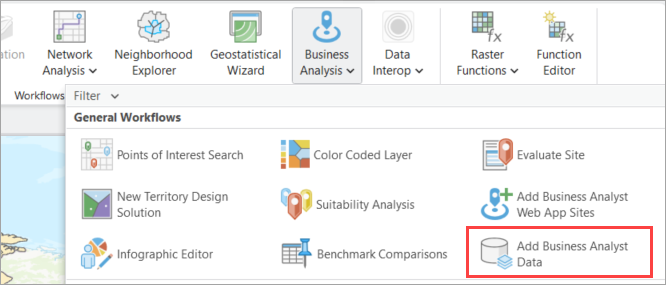
Simply search for your area of interest, select your boundary mode (geographies or hexagons) and level of detail from the Business Analyst dataset, and add your variable lists. This utility combines several workflows and geoprocessing tools like searching the data browser, generating standard geography trade areas, and enriching layers, making it easier to generate a market area with your chosen variables
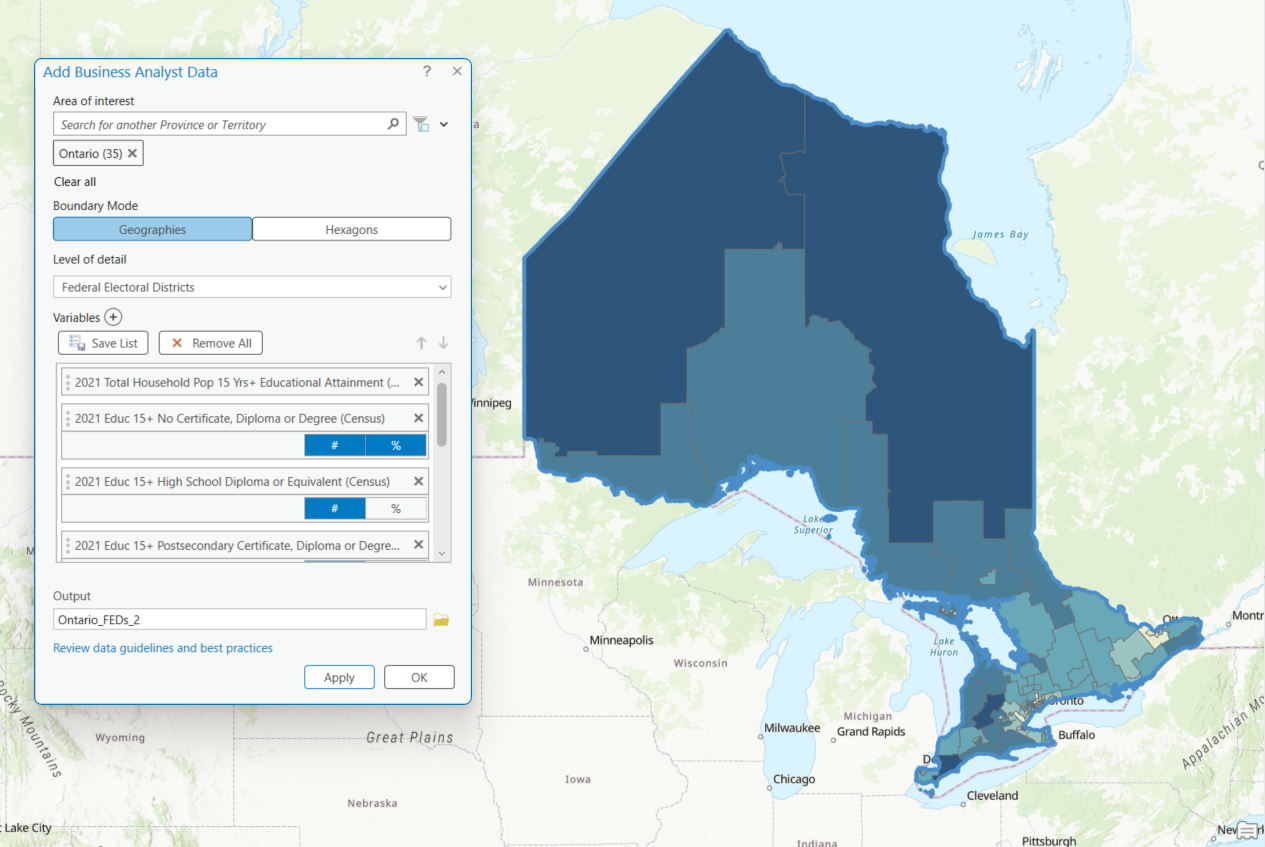
This new Add Business Analyst Data utility builds project data that can then be used in territory design, data engineering, and more workflows in ArcGIS Pro.
For more details on how to use the new utility, refer to the accompanying blog article: A new way to add Business Analyst data in ArcGIS Pro.
Improvements to data documentation
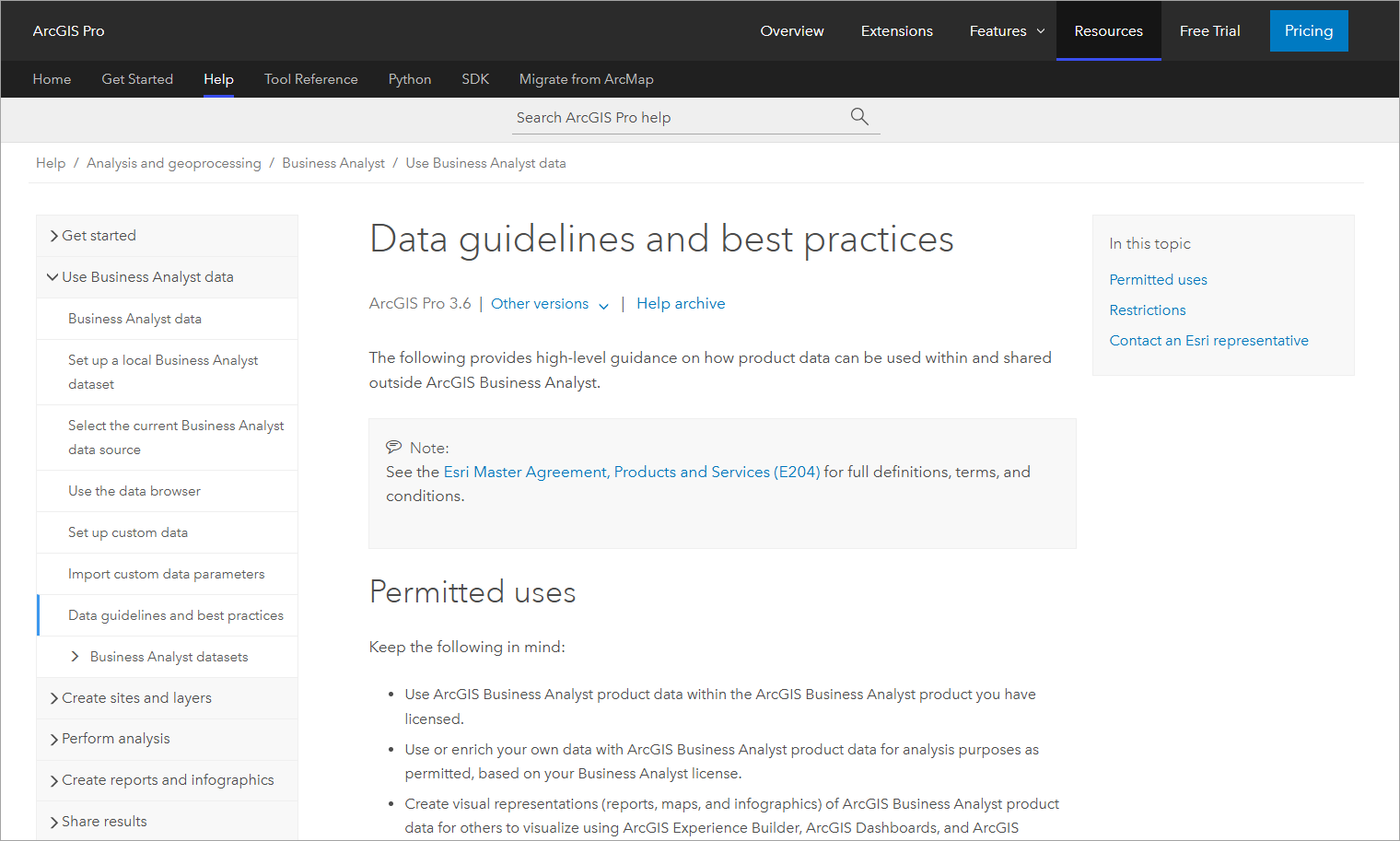
Business Analyst products leverage data from various sources and vintages, and we are constantly updating our content to provide the most accurate data and analysis. To help users better understand Business Analyst data, in this release we have added an in-application link to ArcGIS documentation that will provide users with details on data guidelines and best practices, permitted uses, and restrictions.
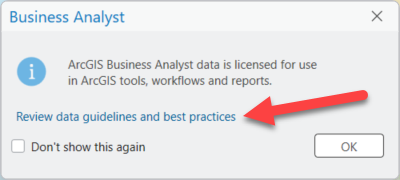
Simply click Review data guidelines and best practices to access this documentation as reference. You can also go straight to the help documentation at Data guidelines and best practices.
While on the topic of data, we know that when working with large geodatabases, creating statistical data collections (SDCX), and generating analysis can be time intensive. Learn how to optimize performance and streamline workflows in the new ArcGIS Blog article: Best practices for custom data creation and performance in ArcGIS Business Analyst Pro.
Updates to territory design workflow
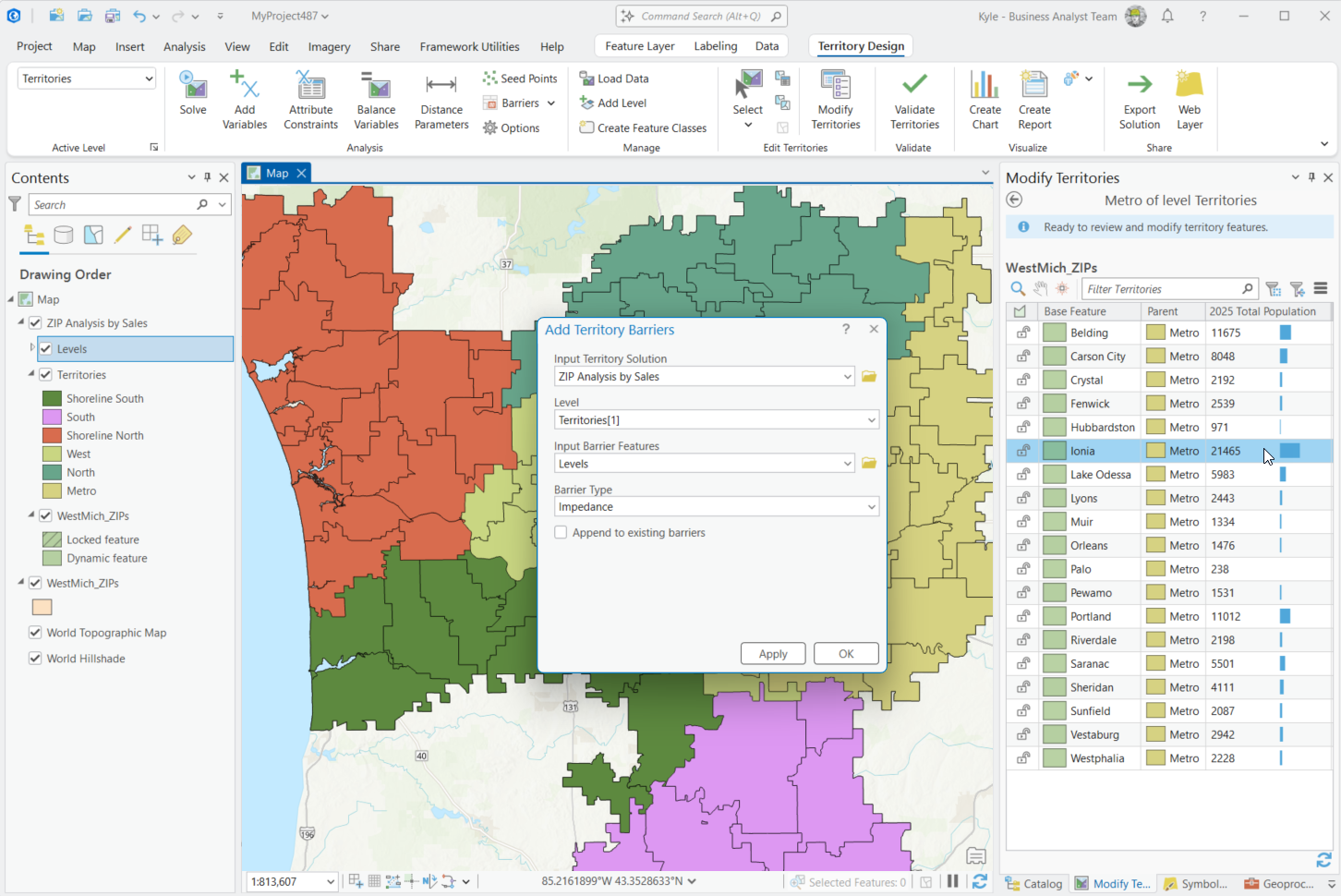
One of the performance and productivity improvements in this release is the addition of new floating windows in the territory design workflow. Previously, working with geoprocessing tools in territory design would open the tools in a docked pane, which covered and obstructed the Modify Territories pane, making it difficult to modify your parameters.
With this update, the tools will open in a floating window instead. This update affords users more flexibility to keep working with other areas in their analysis as they can move the pane around for better visibility.
Improvements to benchmark comparisons
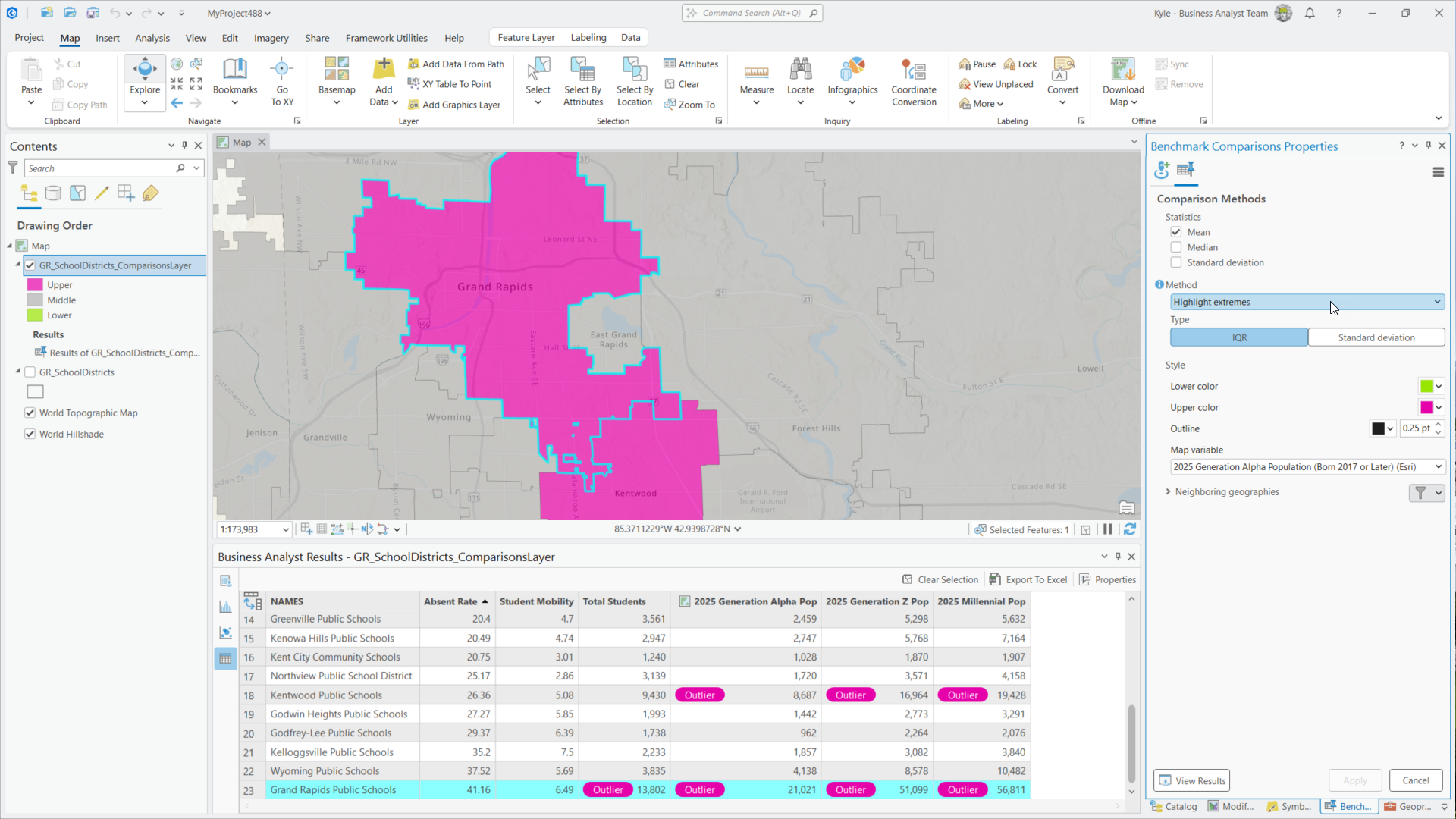
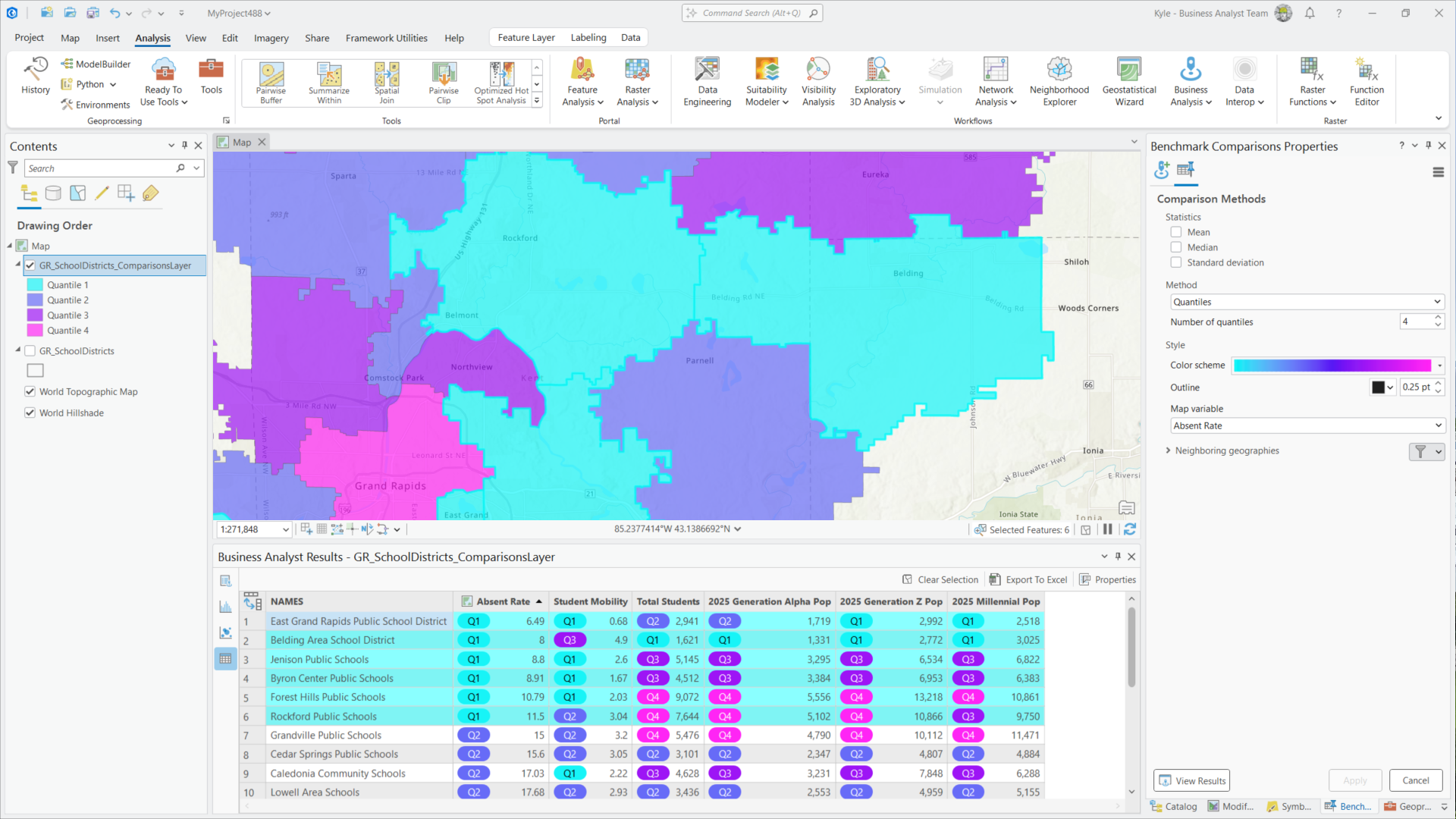
There are two new comparison methods for benchmark comparisons in this update: Quantiles and Highlight extremes. These additions are brought over from the previous release of ArcGIS Business Analyst Web App, meaning the two applications now have the same comparison method capabilities.
Use the Highlight extremes comparison method to identify outliers easily. Extremes are visualized with a color-coded indicator denoting that it is an outlier.
Use the Quantiles method to classify and separate subsets of data. Select a number of quantiles in the properties pane and easily visualize these categories in the results table.
This update also delivers several enhancements to the Results pane. Now, closing the Benchmark Comparisons Properties pane does not lose progress in the Resultspane. Users can easily double-click or right-click the results shelf layer in theContentspane and all the previous components a user was working with are reopened in the Resultspane right where they left off.
A new View Results button allows you to open the Results pane,displaying the attribute table, summary, scatterplot, and histogram views of your analysis.
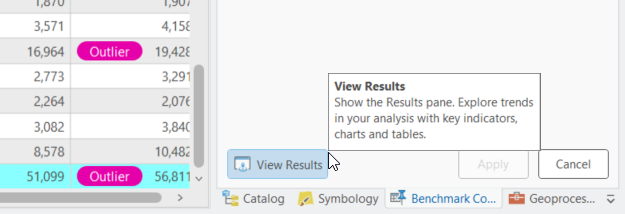
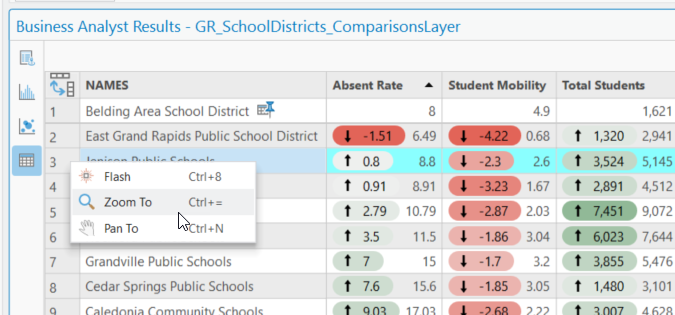
Table views in the results pane now include commands for Flash, Zoom to, and Pan to for easy visualization of attributes on the map. There are also indicators for sorted fields.
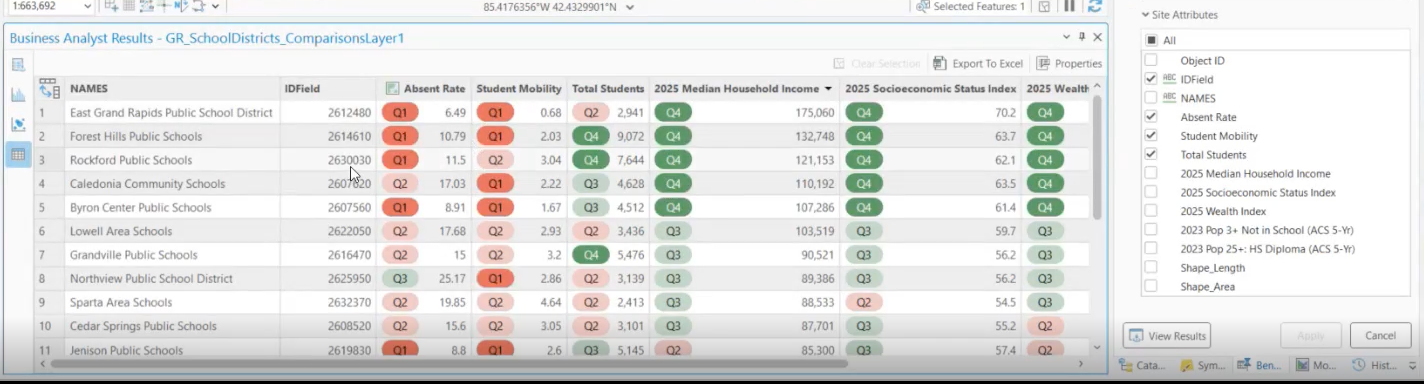
We know that sophisticated analysis often means working with many site attributes, and some of these attributes are text-based, so they won’t be included in the analysis. In this update, when working with site attributes, text-based attributes are now marked with an icon and ID field to signify that the attributes are not included in the analysis but are still maintained in the table as part of the story.
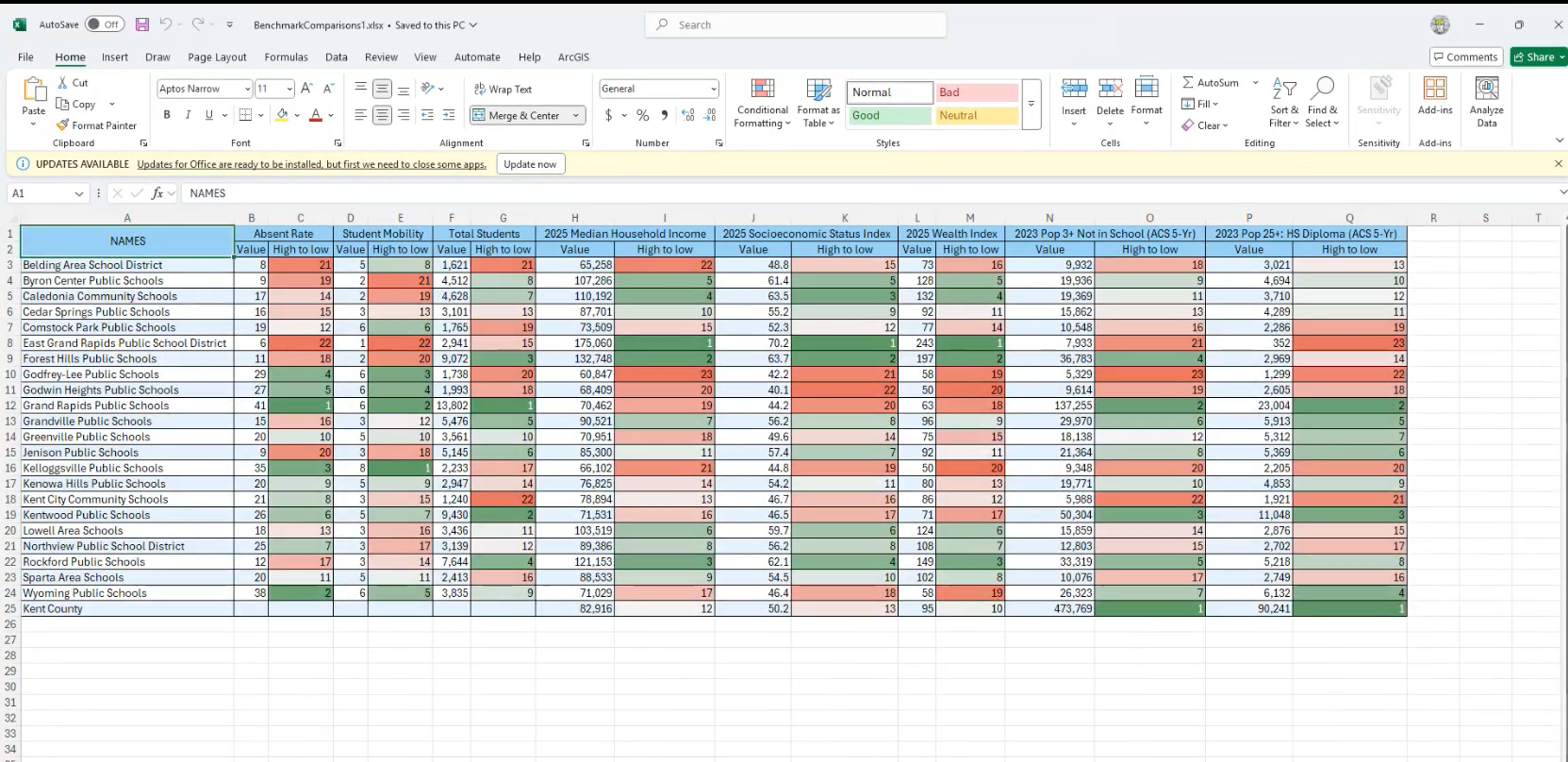
The Export to Excel button has been updated to display analysis attributes in color to easily visualize the comparison methods in the table. This update delivers the same experience released in the June 2025 update of ArcGIS Business Analyst Web App.
Improvements to points of interest (POI) Place icons
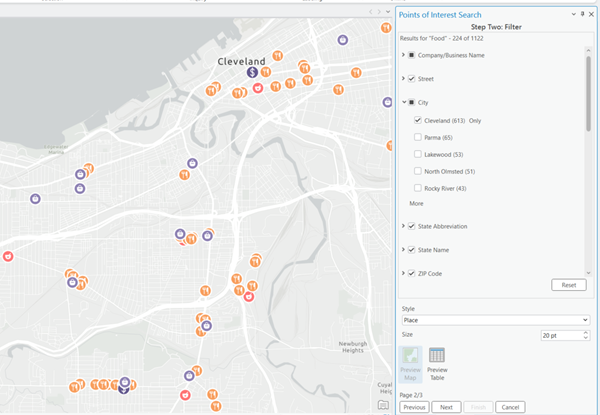
Place icons use intuitive iconography that visually identifies what kinds of places the points of interest represent. Updates to the POI search workflow make it easier than ever to enhance your map visuals when connected to a local dataset that contains place icons. Now the style dropdown has been moved to the second step of the workflow, so users can select Place icons and preview them on the map. Users can interact with the points on the map, apply filter, and adjust icon sizes. This dynamic experience allows you to see changes in real-time, ensuring your final output is just right before you create your feature class.
Accessibility improvements
Improvements to screen reader announcements
Accessibility is a key focus in our latest update, and we are excited to announce significant enhancements to screen reader announcements in frequently used Business Analyst workflows. Screen readers play a vital role in assisting users by vocalizing various visual elements on the screen. In the latest release of ArcGIS Business Analyst Pro, we have improved the announcement capabilities to facilitate smoother navigation. Now, users will receive detailed audio cues, including folder paths, which will enhance their ability to navigate through the application with greater ease and confidence. These improvements aim to create a more inclusive experience for all users.
Keyboard accessibility
Keyboard navigation has been improved for a better user experience. Now, all expected tab stops are in place ensuring that the navigation pattern is logical and predictable. These enhancements make it so users with mobility impairments can navigate the interface more efficiently.
Reminder: SIC codes transition in Business Analyst
In 2026, Business Analyst will transition to North American Industry Classification System (NAICS) codes as a replacement for the legacy Standard Industrial Classification (SIC) code system. NAICS and SIC codes are used in our business points of interest (POI) provided by Data Axle. For more details on how the SIC code transition may impact your workflows in Business Analyst Pro, read the blog article SIC Code transition in Business Analyst.
Additional resources
We’re so happy to share this latest release of ArcGIS Business Analyst Pro with you and we can’t wait to see how you use these updates and enhancements to make smarter, data-driven decisions. Below, we’ve added resources to help you with your ArcGIS Business Analyst journey:
- Business Analyst product overview page
- Review pricing and purchase Business Analyst
- Join our LinkedIn Business Analyst User Group
- Join our Business Analyst Esri Community
- Follow our weekly #BATipsandTricks posts on social media
- Read more Business Analyst blog articles on ArcGIS Blog
- Watch Business Analyst Web App videos
- Watch Business Analyst Mobile App videos
- Visit the Business Analyst Resources page
- Visit the Community Analyst Resources page

Article Discussion: