3D GIS works best when it adapts to what you need. Sometimes that’s lightweight context. Sometimes it’s rich, photorealistic detail. Scene Viewer is the window into that spectrum. It makes powerful 3D content across ArcGIS easy to view, share, and understand, right in the browser.
These updates make 3D GIS easier to explore, explain, and share. They deliver everything from hyper‑realistic 3D detail to faster ways to enrich sites with limited data and reuse 3D layers.
The Google Photorealistic 3D Basemap (beta)
The Google Photorealistic 3D Basemap (beta) brings high‑fidelity, global 3D cityscapes directly into Scene Viewer, making it easier than ever to create realistic, context‑rich 3D scenes. With streaming access to more than 2,500 cities across 49 countries, teams can ground their GIS and digital twin experiences in true‑to‑life environments, without the overhead of sourcing, processing, or hosting massive 3D datasets.
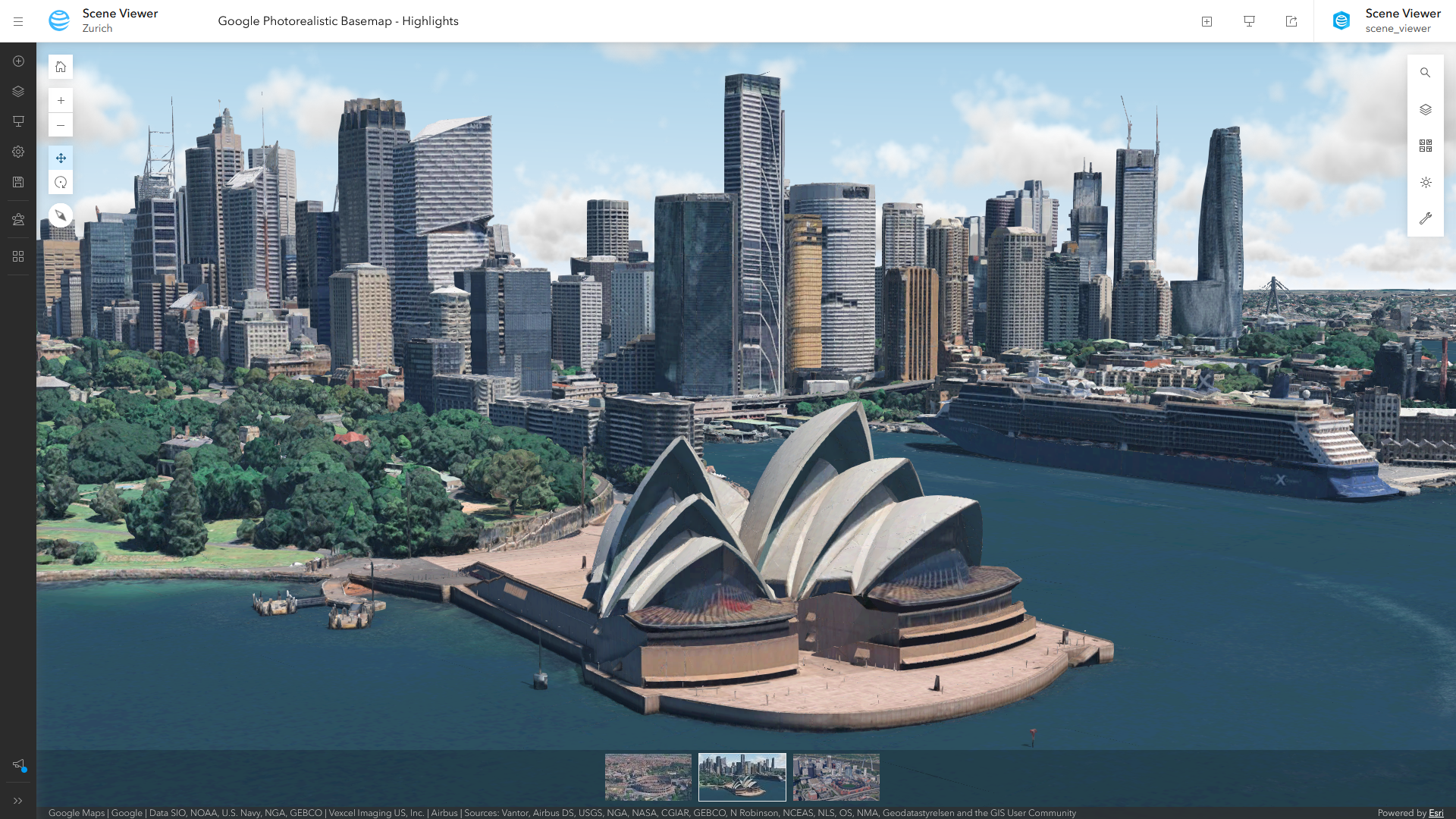
Available as a ready‑to‑use basemap, this integration supports a wide range of workflows, from spatial analysis and urban planning to AEC design visualization. It delivers smooth performance, compatibility with existing ArcGIS layers, and accurate coverage based on Google’s published 3D Tiles dataset.
The Google Photorealistic 3D Basemap (beta) is available to all Scene Viewer users once enabled by an ArcGIS Online organization administrator. For step‑by‑step enablement instructions and usage details, see Experience the Google Photorealistic 3D Basemap in ArcGIS Online.
Explore Gaussian splats
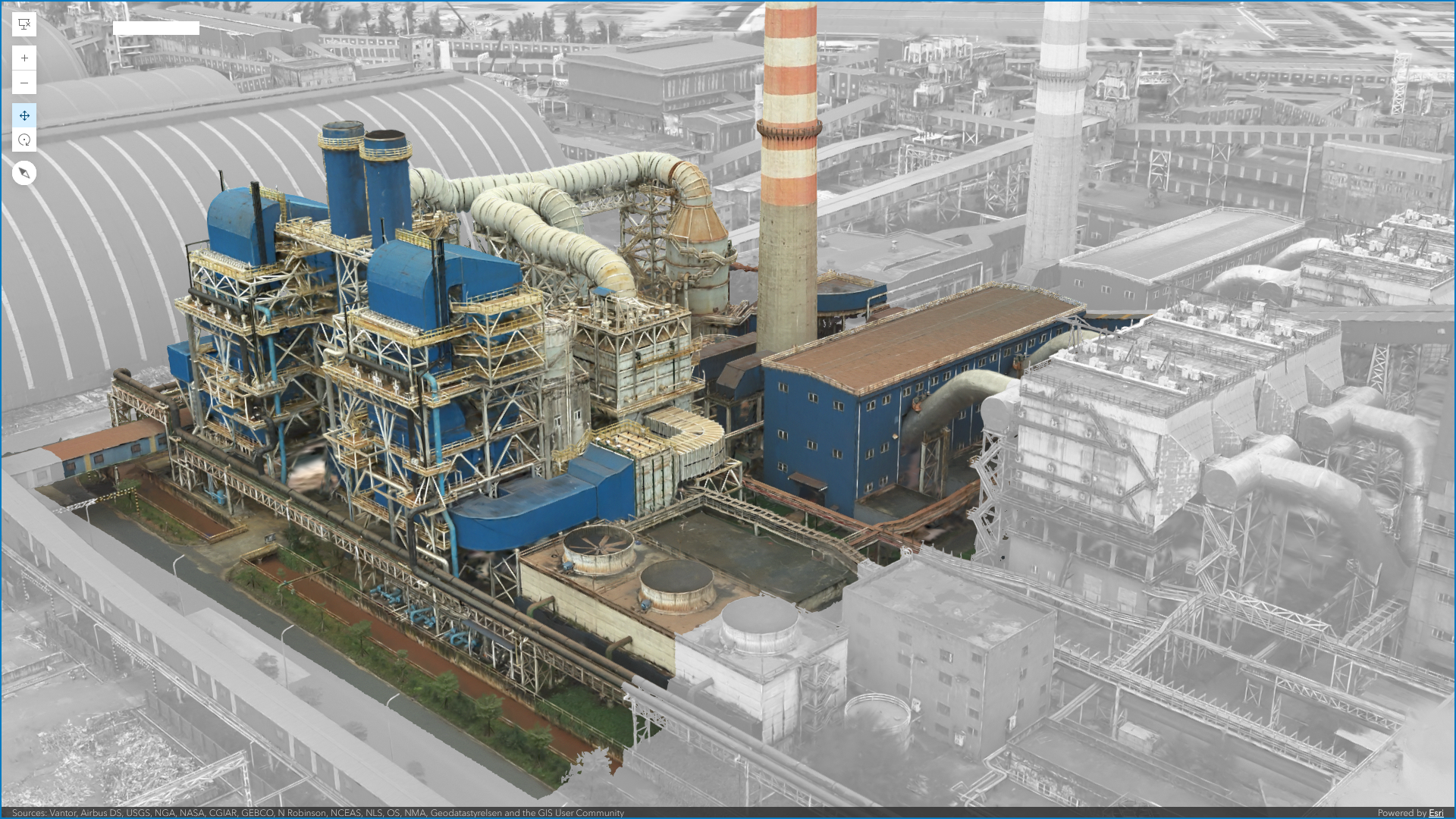
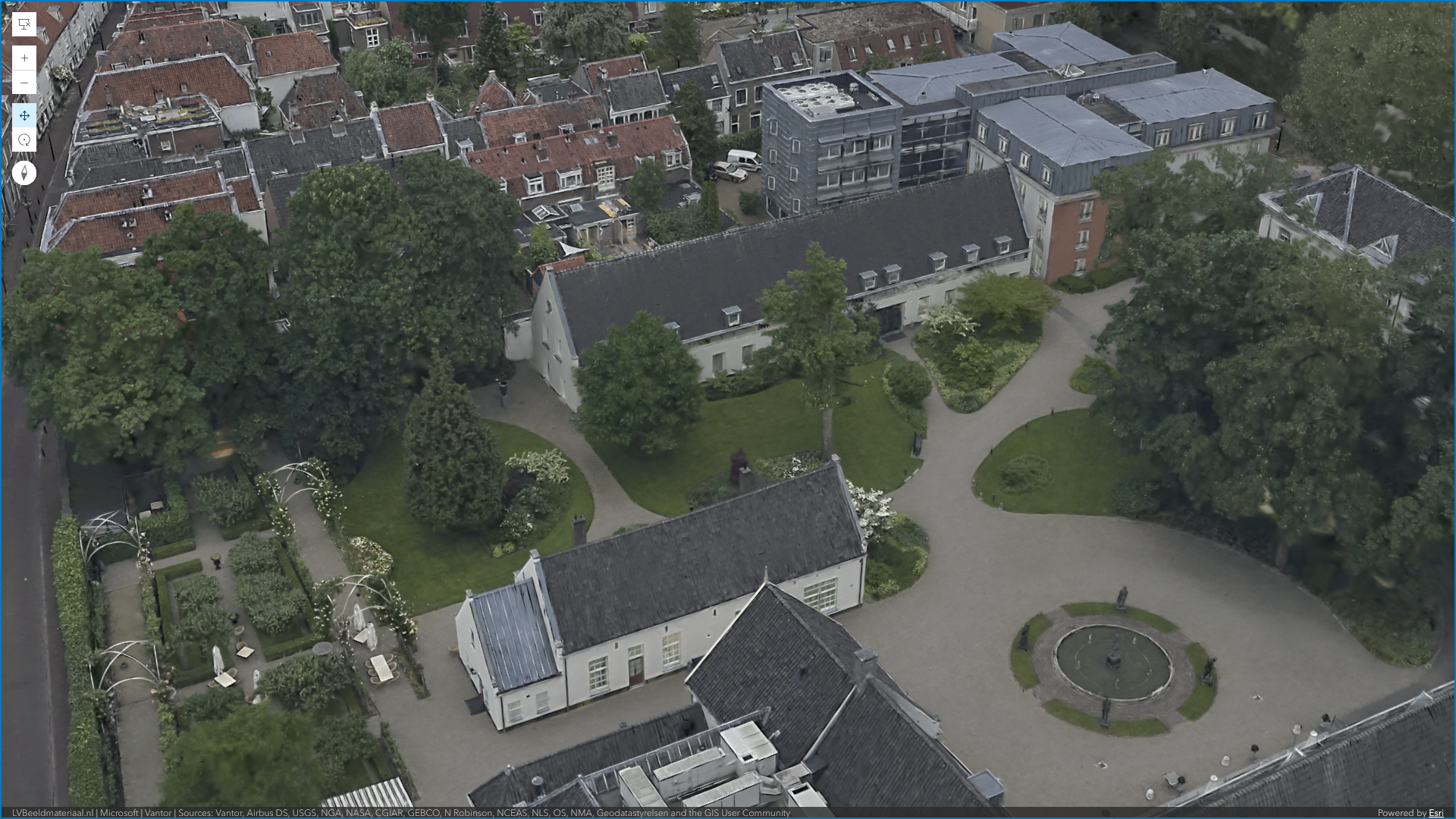
For environments captured with drones or aerial imagery, Gaussian splats bring a new level of realism, capturing fine detail with enough clarity to pick out individual trees, plant species, and even interior features through windows. Created in ArcGIS Reality and ArcGIS Pro, Gaussian splats can now be explored and shared directly in Scene Viewer, making high‑fidelity 3D easier to access on the web.
Industrial sites
Share realistic context with teams and stakeholders when looking at factory and industrial sites. Take measurements to understand not just where things are positioned, but their true scale and distance.
Natural & built environments
See the difference in the details. Canopy structure, vegetation patterns, and subtle terrain changes stay intact, making natural and built landscapes easier to explore and explain.
If you’re new to Gaussian splats, learn more about their benefits—or if you’re ready, see how to get started.
Add missing context to your data with Arcade
Great 3D visualization isn’t just about how data looks, it’s about how quickly people understand it. But data is rarely great right out of the box. Arcade makes it easy to fill in the gaps by applying simple calculations to shape how current data is shown, without changing the underlying source.
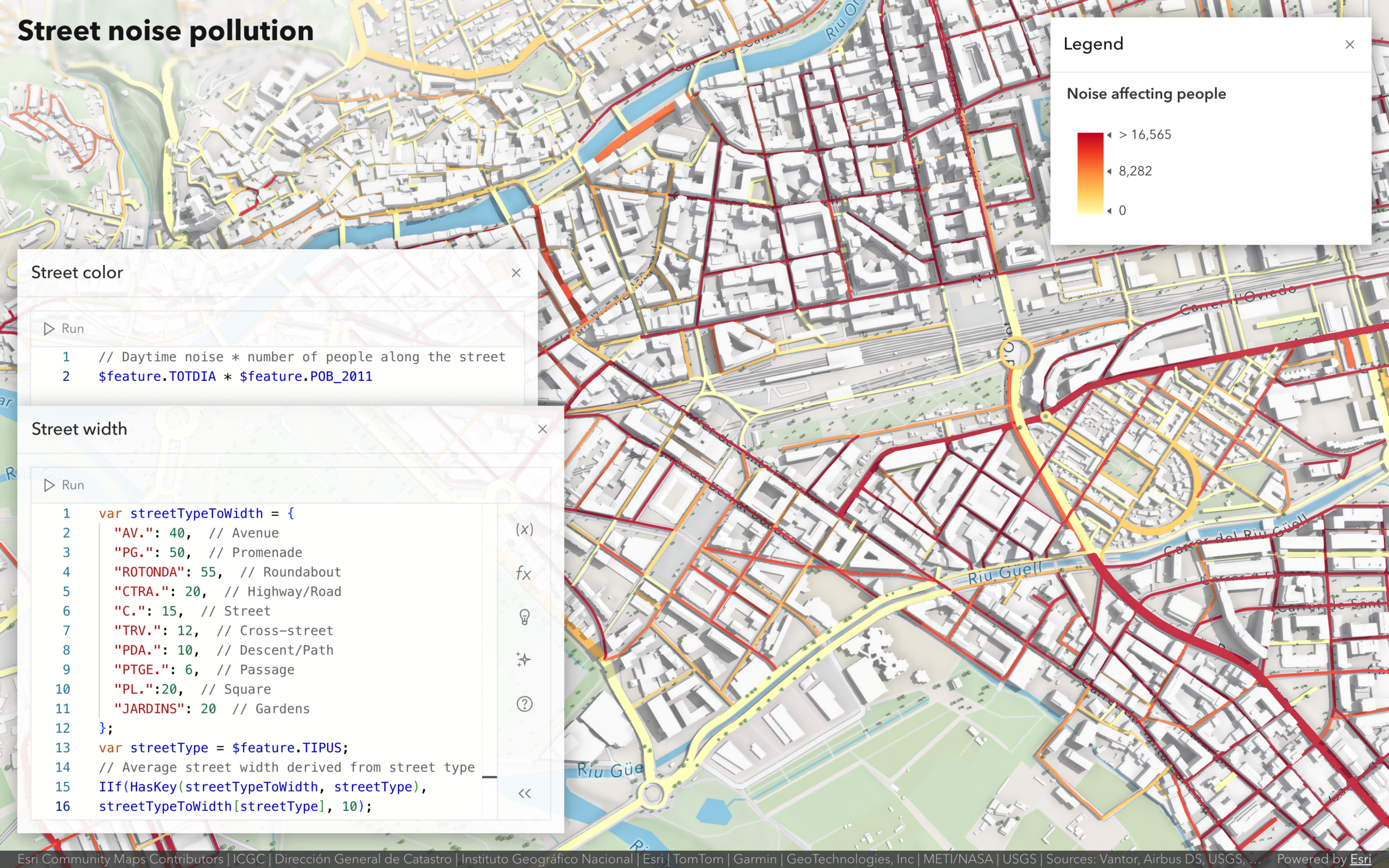
Arcade expressions aren’t new to Scene Viewer. They’ve been supported for some time in popups and for positioning your data with the right elevation. In this release, what’s new is the ability to create expressions directly while styling and symbolizing a layer. For example, you can define building heights and colors, street widths, or symbol sizes for both 2D and 3D data using logic that reflects real-world conditions, even when those values don’t exist explicitly in the data.
Add trusted data directly with Hub Catalogs
Finding the right data often takes more time than the analysis itself. Hub Catalogs help organizations flip that equation by enabling teams to organize and curate data into trusted catalogs, making it easier to find, access, and use the right data, so more time is spent analyzing and less time searching.
You can now add data layers directly from Hub Catalogs when adding layers in Scene Viewer, making it faster to find, add, and visualize the right data for your 3D workflows.
More ways to visualize movement, from wind to floods
Originally introduced to visualize wind patterns, the flow renderer has evolved to support a wider range of dynamic phenomena, including flood modeling, making it easier to see how movement and intensity change across space.
For a real-world example of flood modeling, see Visualizing Flood Simulations: from ArcGIS Pro to the Web with Flow Rendering.
See what else is new in ArcGIS Online
Scene Viewer is just one part of a broader set of updates to ArcGIS Online that are designed to make GIS more accessible, visual, and easier to share. See What’s New in ArcGIS Online (February 2026) and the release video below.
We hope this release brings you exciting new ways to explore and share your 3D GIS. Learn more about Scene Viewer, and let us know if you have any feedback or questions.


Article Discussion: