Yesterday I received a holiday card in the mail. It read—fa la la la… late! It was perfect, brightening up an otherwise dreary January day.
And in that better late than never spirit, here’s our slightly-belated-but-worth-the-wait Metadata Year in Review for 2025!
In 2025 we observed metadata become more relevant than ever. Metadata, the information about your data, is magic! For those who understand its power know that metadata is fundamental to search and content discovery, the reuse of geospatial data, AI readiness, and ultimately supporting the vision of the geospatial nervous system.
Esri has been making strides in simplifying metadata with a unified, well-integrated experience across ArcGIS to empower more users to experience the metadata magic. Below are our metadata highlights from 2025 to help you keep discovering and connecting metadata workflows as you look ahead to spark some meatdata magic in 2026.
Metadata overwrite
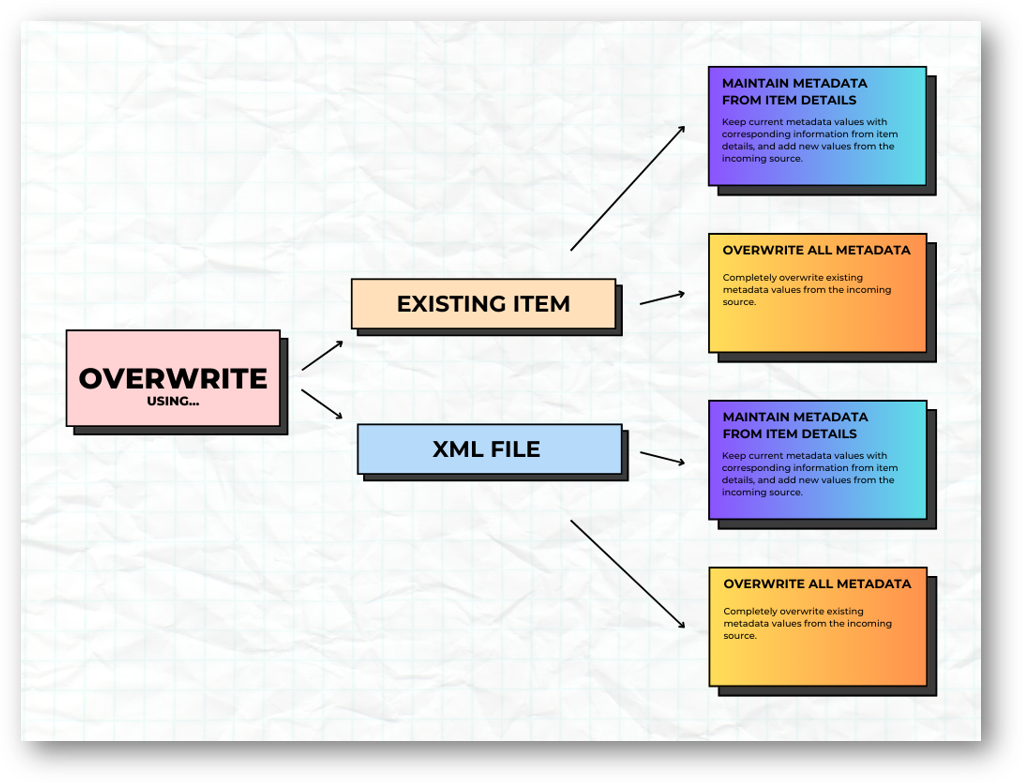
Let’s start with improvements to metadata overwrite in ArcGIS Online and ArcGIS Enterprise (starting at 11.5). Transfer metadata from one item to another using the metadata editor.
But the best part? Save time when you’re just getting started with metadata by creating templates, and then OVERWRITE! If you have common metadata elements—such as contact information or standard tags—across multiple datasets, you can create a template and use the overwrite functionality to apply it to your items. This keeps everything consistent and reduces manual input. Although not new, you should know that you can also apply templates in ArcGIS Pro. It’s a great way to simplify metadata creation, minimize errors, and speed up your workflows. Plus, the updated design gives you more control over what gets overwritten.
Want to learn more? Check out the blog Overwrite Your Metadata with Ease—it even includes a sample script to help you hit the ground running!
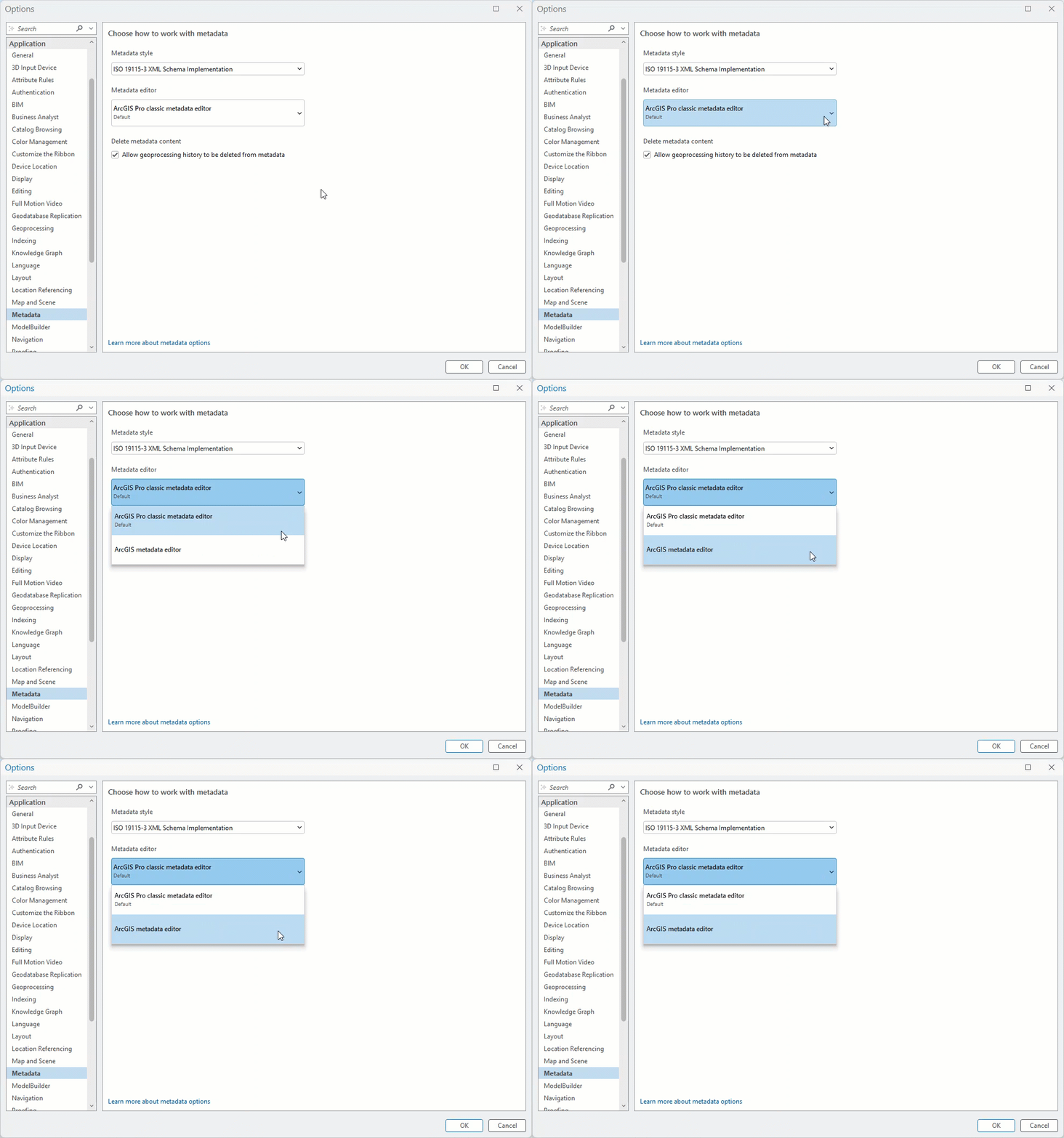
Metadata editor is now available across all foundational products!
The metadata editor is now available in ArcGIS Pro (starting at 3.5), ArcGIS Online, and ArcGIS Enterprise (starting at 11.3), unifying the metadata editing experience across the platform that makes maintaining metadata easier than ever.
- Don’t know which metadata elements to fill out? → The Essential Metadata tab will focus the metadata editor to only present required and suggested metadata elements for the metadata style selected. No guessing which metadata elements are required to adhere to a specific metadata standard. The metadata editor gives you the full list.
- Can’t find a specific metadata element in the editor? → Use the search to locate the metadata element in the editor.
- Need guidance on how to populate the metadata element? → Helper text helps guide users with best practices to populate accurate and higher quality metadata.
- How to know when you’re done? → The completeness score shows how many required metadata elements you’ve already filled in and how many are still missing.
Ready to start? Learn more in the blog Metadata Editor is now available in ArcGIS Pro 3.5.
New default metadata style —Dublin Core+
Dublin Core+ is the newest and now default metadata style in ArcGIS. Built on the widely used Dublin Core standard, Dublin Core+ is created by Esri—providing a metadata style for organizations that do not require the complexity of more advanced metadata standards.
The National Geospatial Advisory Council published a paper in 2025 Advancing the Nation’s Geospatial Ecosystem: Guidance and Best Practices for Sharing Priority National Data with key metadata elements needed to optimize data for discovery, reuse, and AI readiness. All these priority elements are included in Dublin Core+.
Bringing these best practices together, Dublin Core+ helps prepare content for reuse, effective search, and AI integration across ArcGIS. It is available in ArcGIS Online and ArcGIS Enterprise (starting at 12.0), and will soon become available in ArcGIS Pro.
Is Dublin Core+ your organization’s default metadata style? Read more in the blog, Simplifying metadata: Introducing a new style, Dublin Core+ .
Standard-based metadata for all items
Standard‑based metadata is now available for all items in ArcGIS Online and ArcGIS Enterprise (starting at 12.0). What does that mean? Previously, an item only had standard‑based metadata if you opened the metadata editor and created it manually. Now, standard‑based metadata generates automatically—even if you never open the metadata editor.
Any metadata entered on the item page, commonly known as item information, is automatically included in the standard-based metadata determined by the metadata style selected by your organization. And if you need to go beyond what’s available on the item page, you can still open the metadata editor to document additional metadata.
Item Details assistant (beta)
Creating metadata—especially descriptive elements like summaries and descriptions—can be challenging to get started. It can also be time consuming, especially when documenting attribute field metadata such as friendly field display names (aliases) or field descriptions. The Item Details assistant (beta) made its debut in 2025 and it would be an understatement to say we are STOKED.
The Item Details assistant uses generative AI to help make your metadata more complete and ready to use. Right on the item page, it provides smart suggestions to enhance your item’s title, summary, description, tags, and attribute field details.
This assistant is available as a public beta feature in ArcGIS Enterprise 12.0 and is planned to become a public beta feature in ArcGIS Online in early 2026.
Get more details in the blog, Introducing the Item Details assistant (beta) – helping you create and enhance information about your content and join the Early Adopter Community!
Synchronize field metadata
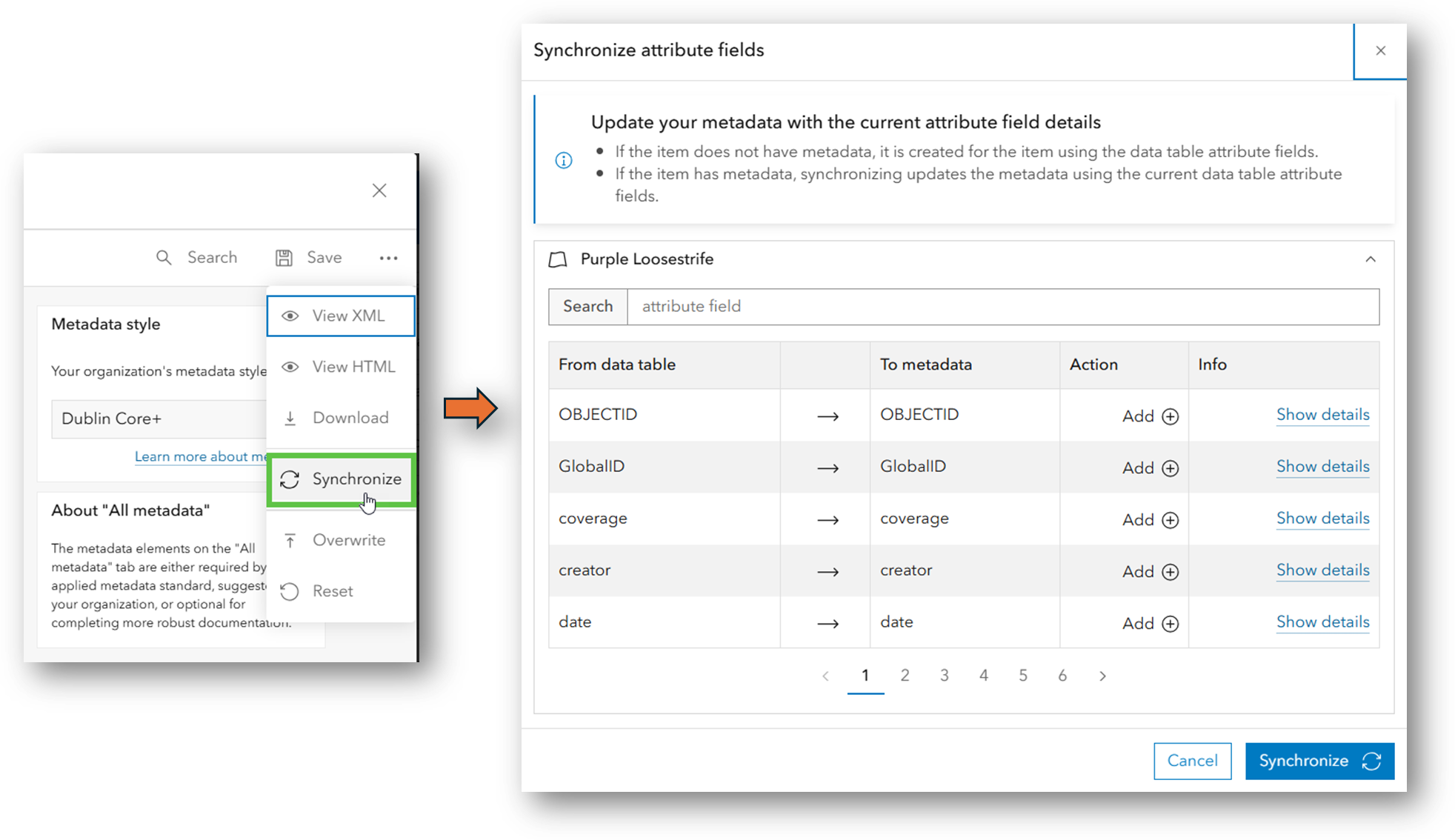
After using the Item Details assistant (beta) to help complete metadata for your fields, be sure to update your standards‑based metadata as well!
Esri added new functionality to make maintaining field metadata easier with the Synchronize option in the metadata editor. If you make changes to your fields—or to their metadata—simply run Synchronize when those changes occur. This ensures your standards‑based metadata stays accurate and consistent. Read more in the blog, Sync Attribute Fields Using the Metadata Editor.
Living Atlas of the World Evaluate and Nominate App
Last year, Living Atlas of the World released a new app that helps you review your metadata and gives you suggestions to make it ready to share—and even check to see if it is eligible for inclusion in the curated Living Atlas collection of high‑quality, ready‑to‑use layers, maps, and apps. Even if you don’t plan to nominate an item, the evaluation provides free, practical guidance to help you improve how you share content with the GIS community.
Need a new year’s resolution? Consider nominating a layer, map, or app to be included with Living Atlas of the World!
Get more details in the blog, Living Atlas “Evaluate and Nominate” App Released.
Catalog feeds -introducing DCAT 3
Quality metadata is critical for quality catalog feeds, such as DCAT. Wait, what’s a catalog feed?
Watch this video to find out and dig deeper in the blog, ArcGIS Hub catalog feeds enhance data sharing and discoverability—announcing DCAT 3.
…and in 2026
Looking ahead to 2026, there’s even more to be excited about. Dublin Core+ coming to ArcGIS Pro. ISO 19115‑3 (including 19110) support is also on the way, which means the ISO metadata standard will soon support attribute fields—an important improvement for organizations using ISO. The Item Details assistant (beta) planned for ArcGIS Online, bringing AI‑powered metadata suggestions to even more users.
Metadata element of 2026? -Extents
It is difficult to pick just one, but we’re going with extents—specifically, geographic extents. You can set an item’s extent in the metadata editor, or—if you’re using ArcGIS Online or ArcGIS Enterprise—directly on the item page under Settings.
Extents are essential for successful spatial search. They help ensure your content appears when users search within a geographic area. And they aren’t just for spatial datasets—non‑spatial items can (and often should) include extents so they are discovered appropriately in spatial searches.
There’s growing enthusiasm for the impact of better metadata—what it unlocks for search in ArcGIS and for Esri’s continued development of AI assistants. High‑quality metadata is becoming more essential than ever, and we’re excited to see the benefits as these capabilities expand.
We encourage you to stay connected with us throughout the year—we have a lot to share, and even more we’re eager to learn from you!
Happy 2026 and let us know how we can help with your metadata new years resolutions!






Commenting is not enabled for this article.