ArcGIS Business Analyst software offers many powerful tools to help you better understand spatial patterns in your data. This article is part of the blog series Got five minutes? Get to know… that focuses on getting you up and running quickly with tools and data available in Business Analyst. For this installment, we will be discussing business trade areas.
What is a trade area?
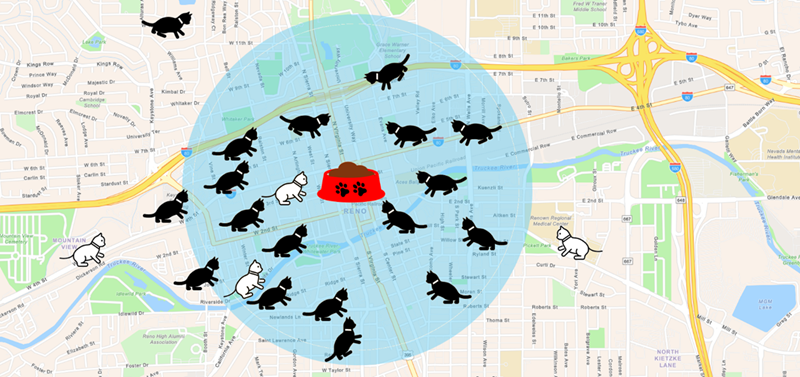
Generally speaking, a trade area is the region surrounding a business or service where most of the customers or constituents come from. Trade areas can be any size. They may be small, like a walking distance around a store, or massive, like a tri-state area around an amusement park. A trade area’s size usually reflects how far customers are willing to go to get to a business.
Why would I make trade areas?
So why would we make a trade area? What can we learn from them? For our boutique cat retail business, let’s say we know that most of our customers live within one mile of the store. Here are a few things we can now examine:
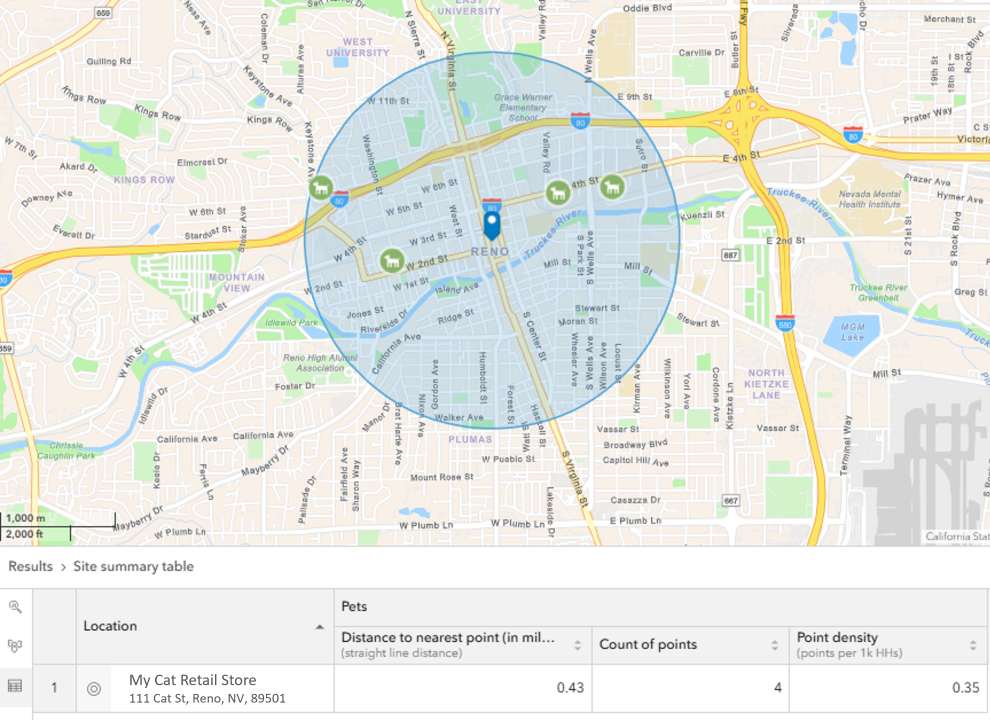
Look at the local competition
A business location nearby analysis for pet retail within the 1-mile radius shows the number and location of competitors. This information can be used to create heat maps or calculate metrics like pet stores per 1,000 households to understand market saturation.
Assess customer patterns
If customers are plotted on the map, is there a pattern to their origin locations? And more specifically, where do the customers who spend the most live? These could be areas to target for marketing outreach or buying advertising space.
Evaluate demographic and socioeconomic characteristics in the trade area
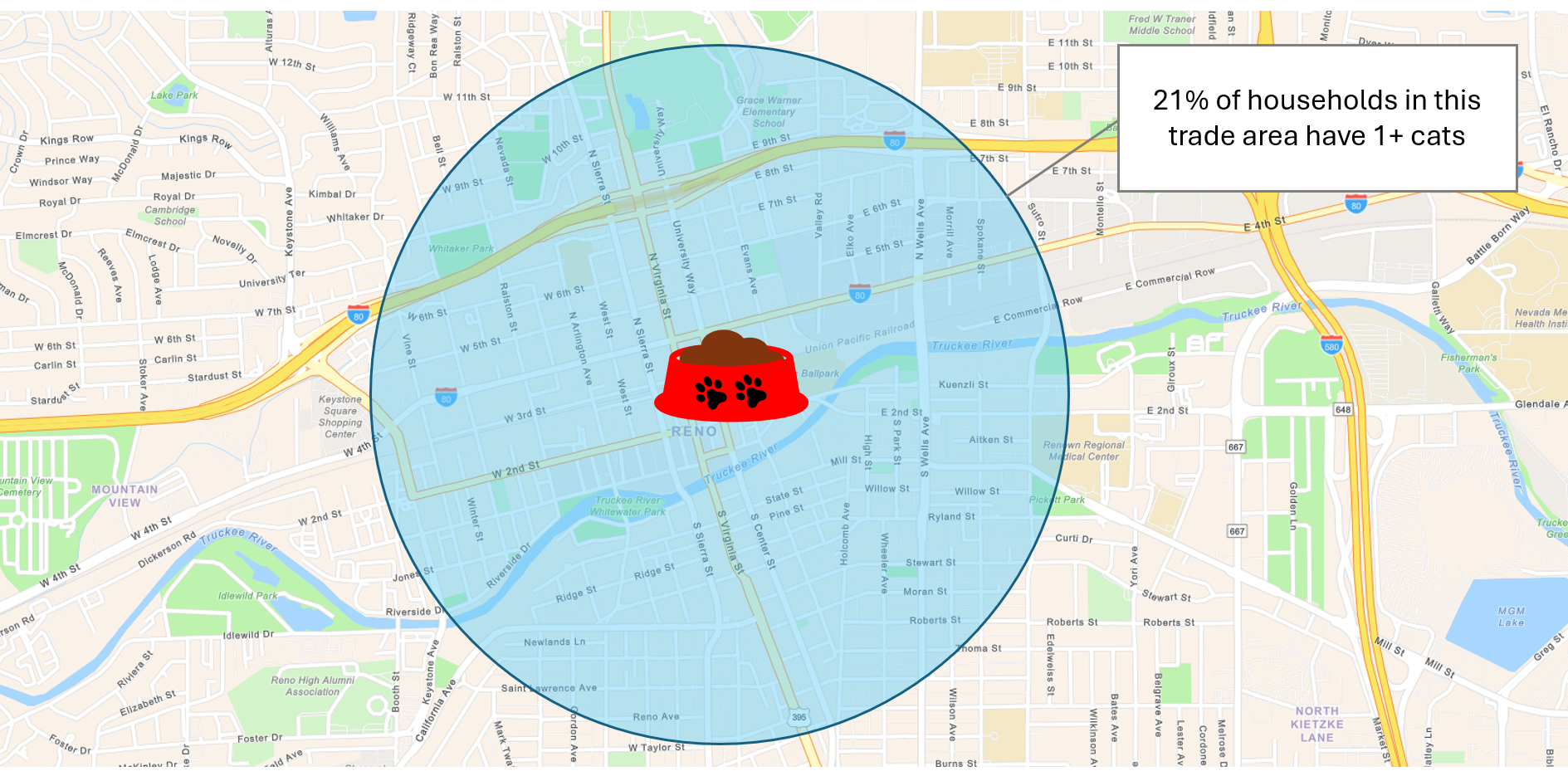
What is the median age and net worth in the trade area? How many people in the area own cats? Assessing such factors allows you to target other areas with similar characteristics for expansion.
What size should a trade area be?
In our boutique cat retail store example, we created a 1-mile ring trade area based on knowledge of our customer base. However, trade areas can be defined in different ways; for example, as a drive time (a 10-minute drive to my store), a walking distance, a standard geography like a ZIP code, or by drawing a polygon around where customers actually live. Business Analyst supports all these options.
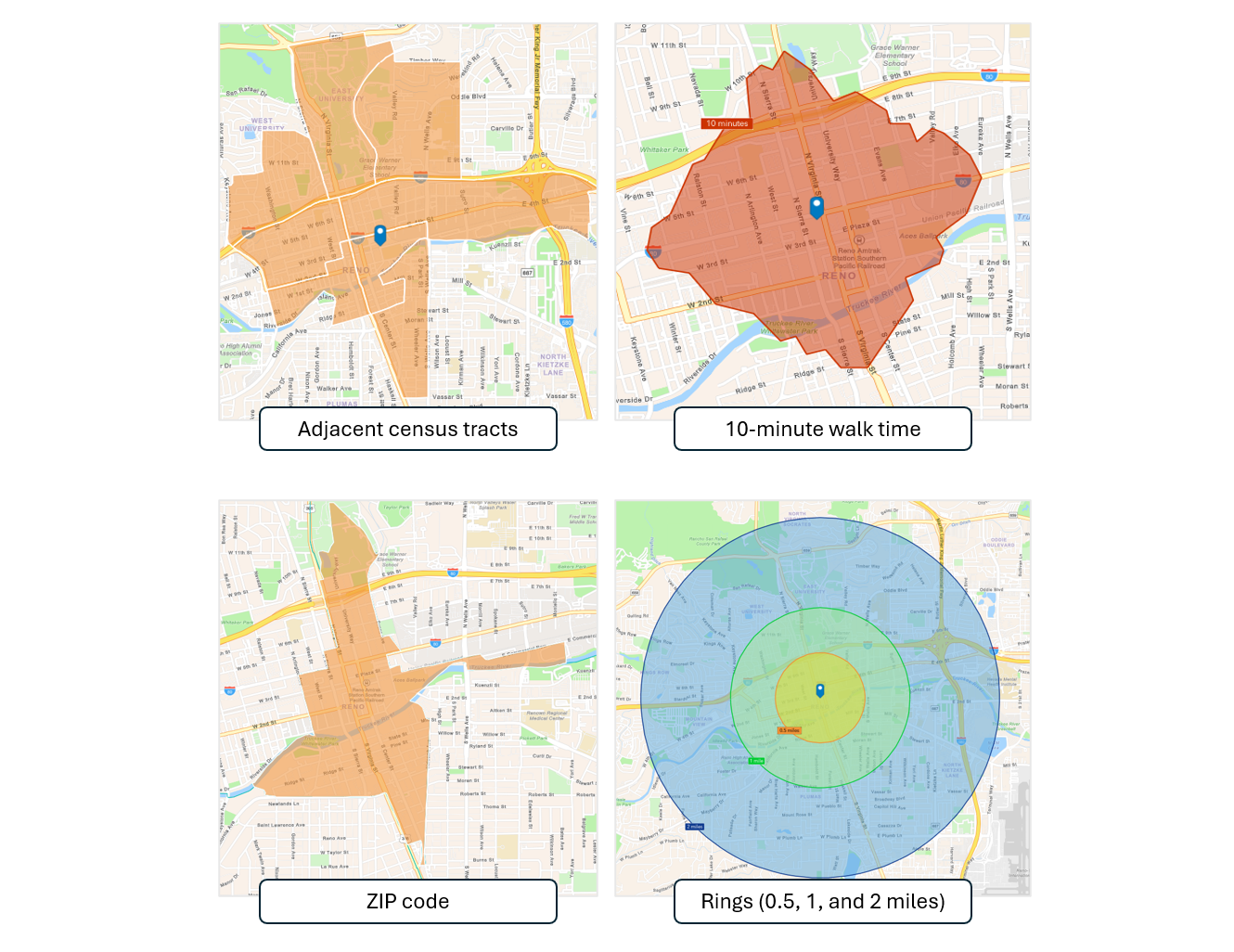
There are no “one size fits all” guidelines for trade areas; the size can vary depending on the nature of your business, the geography, and the data you have available. But here are a few considerations:
Does the business sell expensive items or more everyday fare?
The pricier the merchandise (like cars or household appliances), the farther a customer may be willing to travel.
For instance, a customer might drive an hour to a car dealership to buy the vehicle they want every few years. However, for items needed more regularly like a gallon of milk, they will typically want something much closer, like a 5-minute drive time.
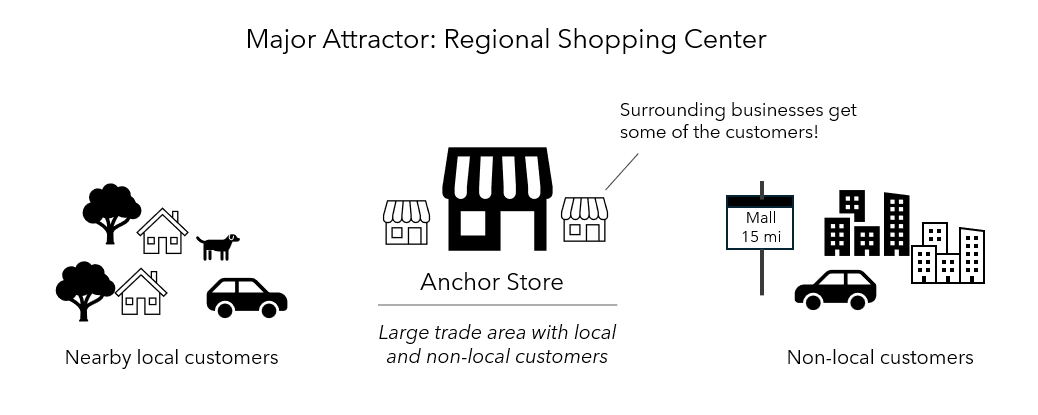
Is the business a regional destination, like a major shopping center or stadium? Or near one?
“Attractor” locations like shopping malls and stadiums can draw customers from significant distances, so will have large trade areas. This can even impact smaller adjacent businesses. For example, a nail salon located next to an anchor store at a large mall may have customers coming from much further distances than a typical neighborhood location.
Is there enough population in an area to support the business?
In a lower-density or rural location, trade areas will likely need to be larger to reflect the greater dispersion of population and longer driving distances. For example, the 5-minute drive time to get a gallon of milk in the suburbs might be a 20-minute drive time in a rural area. In contrast, within a dense urban city a trade area may only be a short walking distance to the business location.
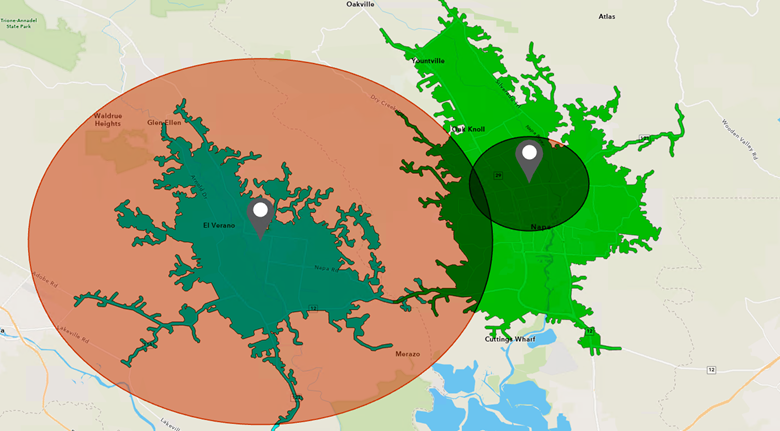
Where are the closest, or most devoted, customers?
If you have access to customer locations, you could draw a boundary around those points to create your trade area, similar to our earlier example for My Cat Retail. It might make practical sense to eliminate far-away outliers, keeping only the closer ones.
Or, the trade area could be defined by customers representing a certain percentage of sales rather than every single customer that visits the store, and many other variations of this idea. We will explore sales-based trade areas a bit more in the next section.
How do I make trade areas?
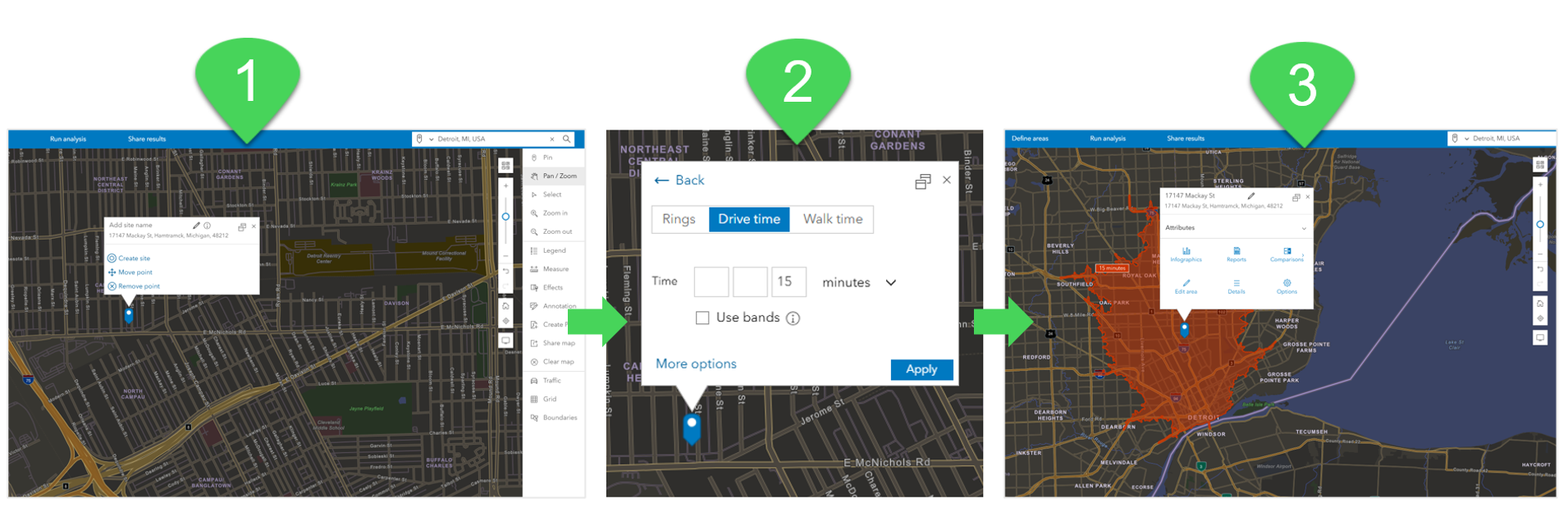
Trade area capabilities are supported in all versions Business Analyst. For reference, in Business Analyst Web App (including enterprise deployments), a trade area is called a site. To learn about sites in Business Analyst Web App, see Create sites.
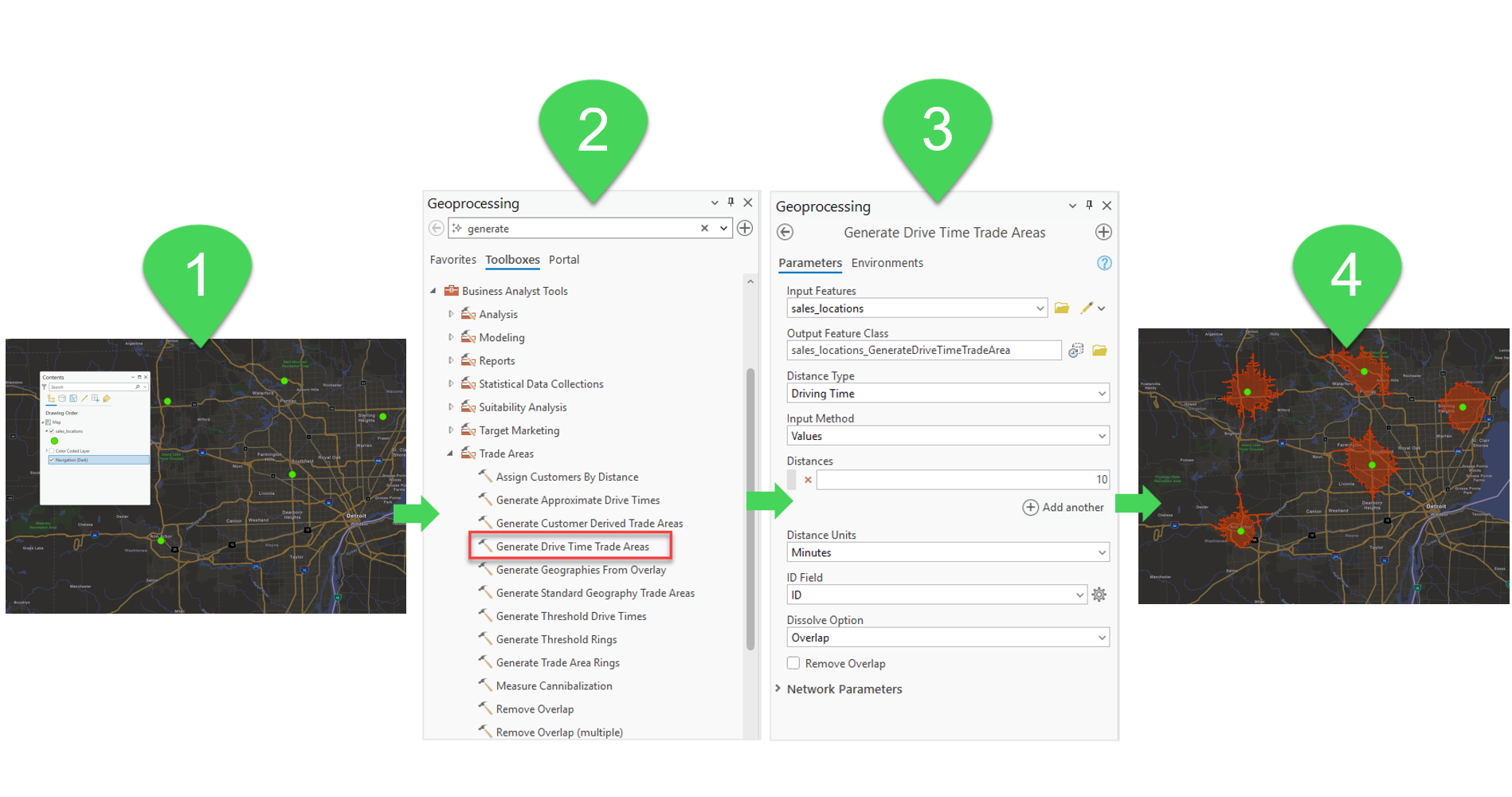
In Business Analyst Pro, trade area tools are even more powerful; in fact there is an entire Trade Areas toolset available. For example, the image below shows the process of using a point layer as the input for the Generate Drive Time Trade Areas tool, creating drive times around a number of store locations all at once.
In addition to creating rings, drive or walk times, and threshold areas, you can base trade areas on your own customer or constituent data. In the example below, we’re examining two stores and their customers, shown as points around the stores. We use the Generate Customer Derived Trade Areas tool to create these red trade areas showing 80% of each store’s customers:
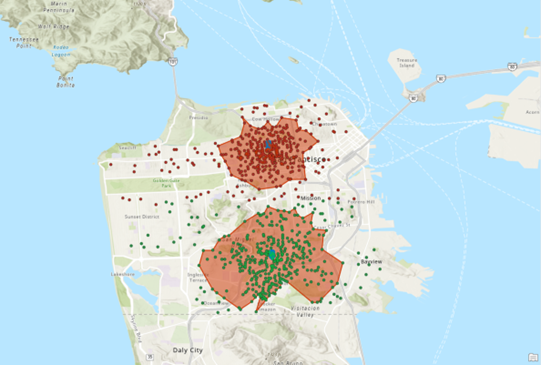
But wait, what if we also have sales information in our customer dataset? In the image below, we’ve run the same GP tool again, to add green trade areas drawn around 80% of each stores’ sales. You’ll notice that the trade area based on actual sales is a little different than the trade area based on customers:
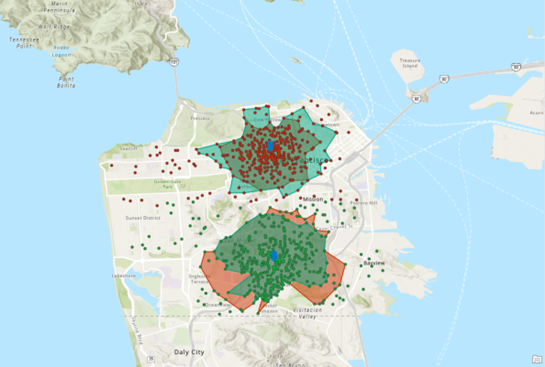
The map shows that for the store to the north, the trade area has to be extended a bit to capture 80% of the sales. The opposite is true for the store to the south—more of the sales are captured closer to the store location. How does this information help refine our business strategy?
Information like this can assist businesses in refining outreach and messaging, for example. The northern store might decide to expand marketing efforts to a larger geographic area because the sales-based trade area shows the customers spending the most money are actually located further away. Or maybe the southern store could target close-in “loyal customer” communications based on the smaller sales trade area, focusing on the customers who make up the bulk of their revenue.
Conclusion
There are many different approaches you could take to defining your trade areas – we’ve presented just a few to get you started. We encourage you to explore Business Analyst trade areas tools—you’ll be amazed at the range of things you can do with them! Keep an eye out for more articles in the Got five minutes? Get to know… blog series.
This article uses the local and online Esri Updated Demographics dataset from Esri.
This article uses ArcGIS Business Analyst Pro 3.6 and ArcGIS Business Analyst Web App Standard.
Resources
Now that you’ve learned about trade areas, we hope you’ll explore more capabilities in Business Analyst. To continue your Business Analyst journey, visit the following resources:
- Business Analyst product overview page
- Review pricing and purchase Business Analyst
- Business Analyst resources page
- LinkedIn user group
- Business Analyst Web App video channel
- Business Analyst Pro video channel
- Business Analyst on Esri Community
- Business Analyst Web App login page
- Email the team: businessanalyst@esri.com


Article Discussion: