One of the interesting and challenging tasks in this role is to not only stay on top of ongoing trends in planning, housing, and economic development, but also the software that Esri creates. If you’re using ArcGIS as a planning system, you have multiple apps to track the updates for.
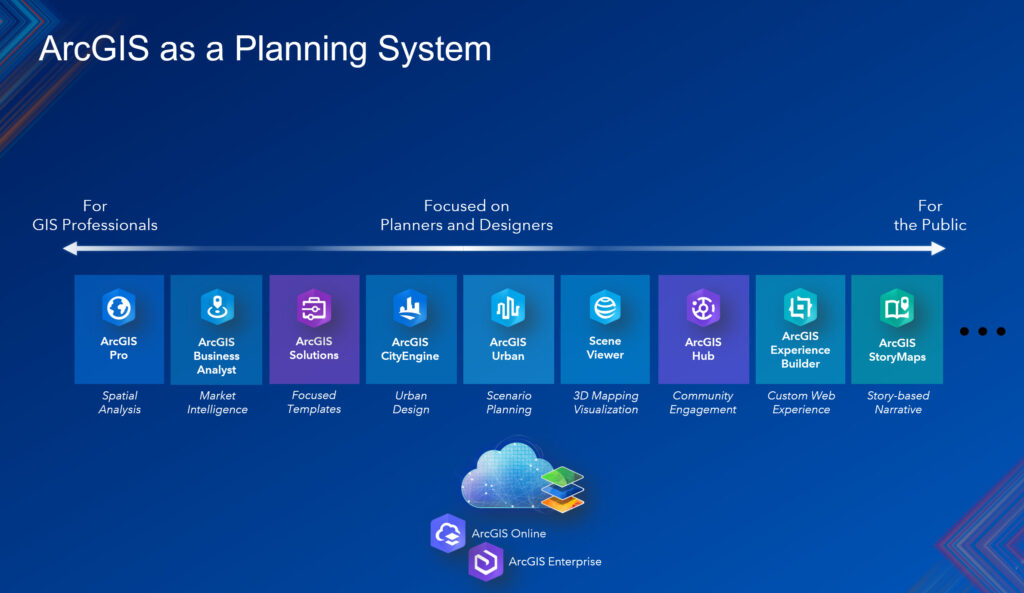
With the constant changes going in all of the ArcGIS apps and products, I thought it would be useful to summarize the updates across all apps as they relate to planning professionals. That said, for the first quarter of 2026, here is what’s new in ArcGIS as a planning system.
1. ArcGIS Urban
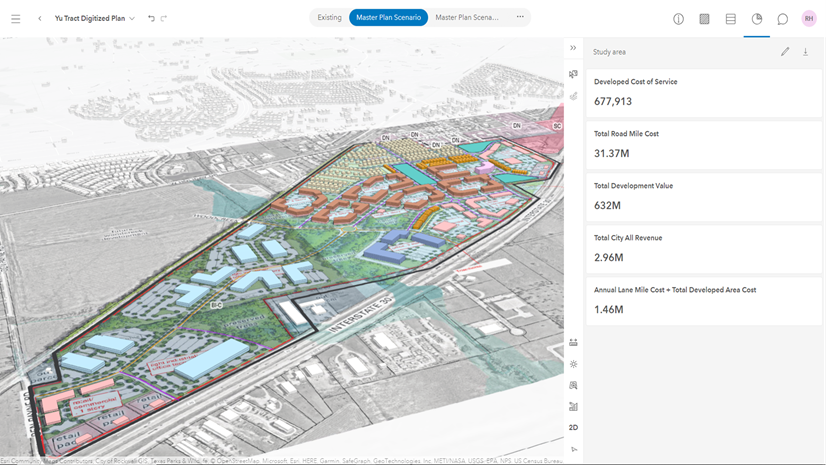
- Evaluate projects against zoning. ArcGIS Urban’s November 2025 release makes this process more intuitive by bringing envelopes to projects as well. Envelopes represent the maximum buildable volume on a given parcel in 3D. The shape of the envelope is determined by zoning constraints such as height limits, setbacks, and skyplane rules.
- Bring parcel-level data into your metrics. This release introduces the new “Parcel parameters” metric type. It allows planners to import parcel-specific data, such as land value, population, or public transit accessibility scores, and use it in their metric calculations. This opens the door to more nuanced, data-driven analysis of existing conditions and development impacts.
- Analyze parcel suitability. Urban introduces a redesigned suitability analysis experience, integrated into the plan editor’s analysis mode. Creating, editing, managing, and running suitability models is now more intuitive. Full undo & redo support lets you experiment with suitability model configurations without the fear of losing progress.
- Users without editing permission can access analysis modes in plans and projects.
- Watch this video for a broad overview.
2. ArcGIS CityEngine
- Manipulate specific Computer Generated Architecture (CGA) modifications. CGA, CityEngine’s rule-based scripting language, tells the software how to automatically turn parcel footprints and other GIS features into detailed 3D buildings and streetscapes. Now planners, architects, and developers can rapidly visualize and compare different policy or redevelopment options in 3D. In this latest release, the new modify operation allows you to manipulate selected parts of the geometry and then reconnect them with the original mesh topology.
- Apply no-code building facades. CityEngine allows usersy to apply facades to buildings without having to write a line of code. This enables planners and developers to apply their expertise without being programmers. The new recompose strategy for inline can be used to directly reconnect subdivided shapes. For example, split a surface into a connected grid and then apply modifications to move the new vertices into a parametric surface.
- Improvements in Street Designer differentiate sidewalks and road. To enhance the distinction between the roadbed lanes and the sidewalk shapes, the following adjustments have been made:
- Sidewalk shapes are now displayed in a slightly darker shade,
- The separator lines between the sidewalk shapes and roadbed lanes are highlighted when the Street Designer tools are active.
- There are sorting options for street configurations and improved performance with street geometry.
- Introduction of Python 3 API. Python 3 transforms our Python integration from a closed automation tool into an open platform for developers. This allows developers to build custom solutions and applications using the CityEngine API. Now you can integrate CityEngine with other Esri APIs, such as ArcPy and the ArcGIS API for Python, as well as thousands of third-party libraries.
- Check out this video for a more comprehensive overview of new ArcGIS CityEngine functionality.
3. ArcGIS Solutions
- Introducing the new app: Recreational Advisories. Recreation advisories greatly affect daily routines and recreational activities. Unexpected advisories of parks and trails lead to inconveniences and threaten the safety of recreationalists when alternate plans cannot be made. Jurisdictional discrepancies and challenges reaching the public make it difficult to share this vital information with the public. If you are a park agency that wants to promote responsible use of recreation resources and minimize inconveniences, we believe the Recreation Advisories solution will help.
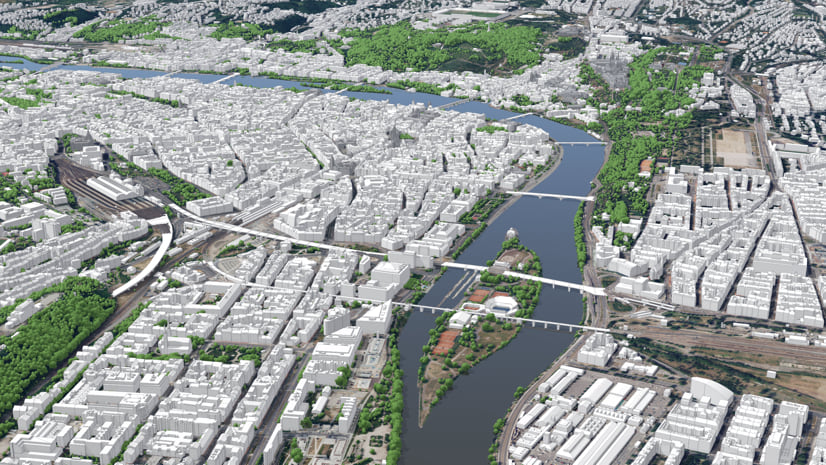
- 3D Buildings has feature enhancements. 3D Buildings provides a series of workflows that streamline the creation and maintenance of 3D buildings and content. This optimized approach allows organizations to leverage existing data (for example, lidar, building footprints, integrated meshes) and generate 3D visualizations that increase understanding and community engagement. In the latest release, the Extract LOD2 Buildings tool streamlines the creation of 3D buildings.
- Business Resilience has been moved to Mature lifecycle phase.
4. ArcGIS Business Analyst Web App
- Run nearby analysis. Nearby analysis is designed to help users understand the places and points of interest (POIs) within walking or driving distance of their sites. These are used to refine results by featured layers, custom lists, or imported web layers with points.
- Improved discovery of Living Atlas layers. This enhancement highlights some of the most-requested layers, streamlining the browsing and discovery experience and making it easier for users to locate authoritative content for mapping, analysis, and reporting.
- Introducing new data sources. Business Summary updates for the U.S. from Data Axle and USA Traffic Data updates from Kalibrate are now in BA Web App.
- New Infographics:
- Business Key Facts
- Population Summary
- Demographic Overview
- Housing Market Summary
- ArcGIS Community Analyst will be retired on March 1, 2026.
5. ArcGIS StoryMaps
- ArcGIS Apps block simplifies integration with ArcGIS Apps. Whether you’re crowdsourcing field data using ArcGIS Survey123, presenting location-based analytics with ArcGIS Dashboards, sharing interactive maps using ArcGIS Instant Apps, or immersing your readers in a scene with ArcGIS Experience Builder, it’s now easier than ever with the ArcGIS Apps block.
6. ArcGIS for Microsoft Fabric
- Create maps in Microsoft Fabric. ArcGIS Maps for Microsoft Fabric empowers you to derive location insights from your data using a mapping workload built directly into Microsoft Fabric. Create maps directly where your data lives, uncover patterns, relationships and trends in your data, enrich data from multiple sources, all to turn complex permitting data into a clear story.
7. ArcGIS Hub
- Explore 3D content directly in Hub. You can now view 3D scene layers, elevation layers, and 3D tiles layers directly within Hub, enhancing the 3D content exploration experience.
- Organize content in Hub catalogs. Hub catalogs help you organize and share trusted content that is easily discoverable. While the classic content library has limited customization options, the new configurable Hub catalogs provide greater flexibility and ease of customization for data sharing.
These are some of the key highlights for updates to ArcGIS that support a planning system. ArcGIS provides planners with the tools they need to design thriving, sustainable communities through a data-driven approach that optimizes common workflows, answers questions about development scenarios and impacts, and effectively engages stakeholders. To learn more about how this system works in planning departments, download our latest e-book here.