As discussed in the Q1 update, ArcGIS functions as a planning system built on multiple applications and data products. These tools support scenario planning, housing policy analysis, public engagement, compliance, and economic development workflows.
With ongoing product releases across the ArcGIS system, periodic summaries of key functionality changes help planning departments improve decision-making and day-to-day workflows. For the second quarter of 2026, the following updates stand out.
1. ArcGIS Urban
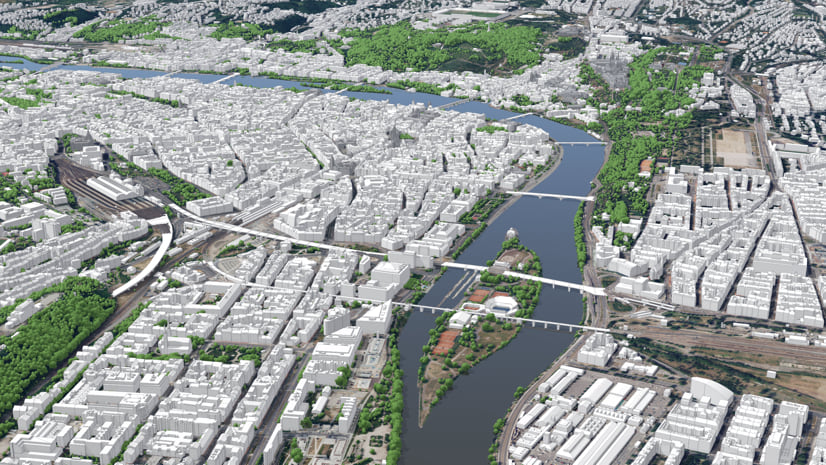
- More realistic 3D context for scenario review. ArcGIS Urban now uses the Google photorealistic 3D basemap (beta) as the default realistic visualization for global Urban models. This gives planners a clearer view of how proposed development relates to surrounding infrastructure, vegetation, and mobility nodes.
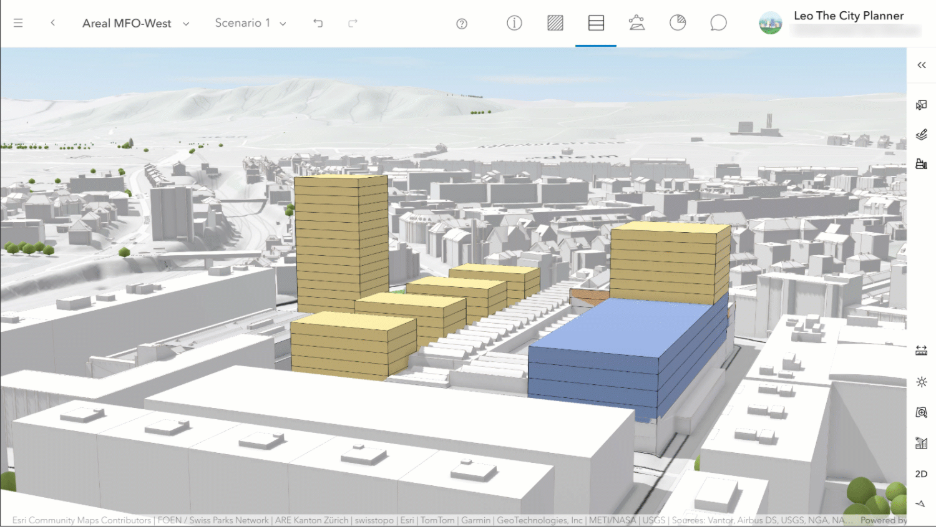
- Densification workflows for existing buildings. This release introduces the first set of densification workflows. Users can now capture existing buildings more accurately and evaluate infill, reuse, repurposing, and vertical extension scenarios in the same planning context. These workflows are especially useful for communities developing alternative scenarios for underutilized buildings.
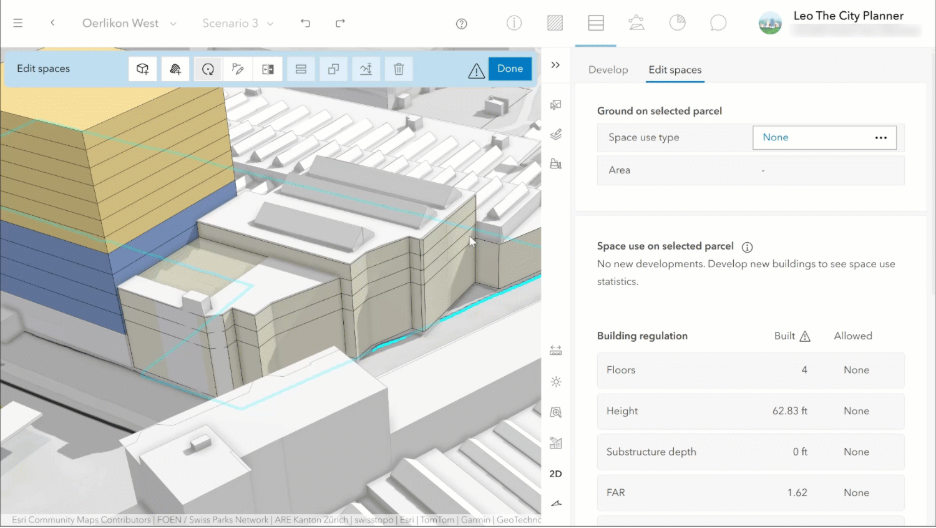
- Track existing, repurposed, and new space. Building spaces can now be marked as Unchanged, Repurposed, or New. These distinctions flow into metrics, exported spreadsheets, and web scenes, making redevelopment analysis more useful for housing and infill planning.
- More flexible metric modeling. Urban now supports zoning and overlay parameters for parcel-based metrics. This expands the ability to model spatial variables—such as modal split, tax rates, or regulatory conditions—alongside previously introduced parcel parameters.
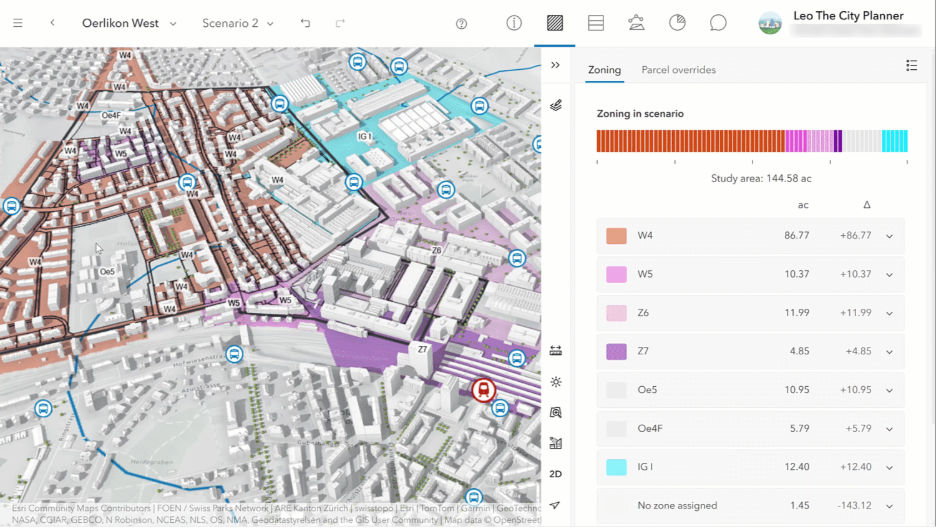
- Improved analysis and navigation. This release adds a clearer overview layout, redesigned Layers and Daylight tabs, scene-based thumbnails in analysis mode, and manual sorting for analyses. These improvements help teams organize scenario review more efficiently.
2. ArcGIS City Engine
- Urban–CityEngine integration for master planning. Esri continues to position ArcGIS Urban and ArcGIS CityEngine together as a complete master-planning platform. CityEngine supports detailed procedural design, while Urban supports scenario evaluation and review.
3. ArcGIS Solutions
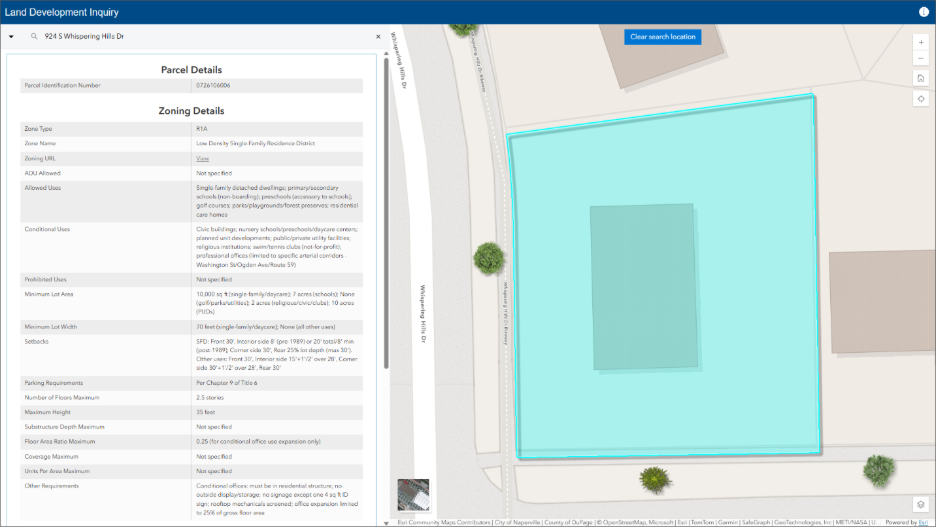
- Land Development Outreach. Planning authorities rely on zoning ordinances and related regulations to share requirements with the community and regulate land development. Complex or fragmented land use regulations introduce uncertainty and increase the time needed to develop or improve a property. The Land Development Outreach app provides a location-enabled destination that simplifies regulatory access and reduces confusion.
- Plans and Drawings indexes record documents and delivers a map-based catalog accessible in the office and the field. Indexing documents by geographic extent makes it easier to discover relevant information, improves coordination between teams, and supports more efficient decision-making.
4. ArcGIS Business Analyst Web App
- Flexible Results Pane. The results pane now offers a more flexible viewing experience for exploring summarized results. It floats on top of the map, clarifying that areas beneath the pane are still included when analyzing the current map extent. When expanded, summary cards resize responsively to use available space. This reduces unnecessary scrolling and unused white space, so you can review more summaries at once. You can also show or hide summary cards to focus on the results most relevant to your task or audience—whether reviewing findings internally or presenting insights to stakeholders.
- New AI Assistant. The AI assistant is now out of beta and into general availability, with a refreshed interface. It is smarter, helping you move from a question to real insights with less effort. With improved reasoning, the assistant better understands your intent—even for complex, real-world questions—and can guide you through the right tools and workflows without requiring step-by-step instructions. For more casual Business Analyst users, this is an extremely valuable tool for getting more out of the app.
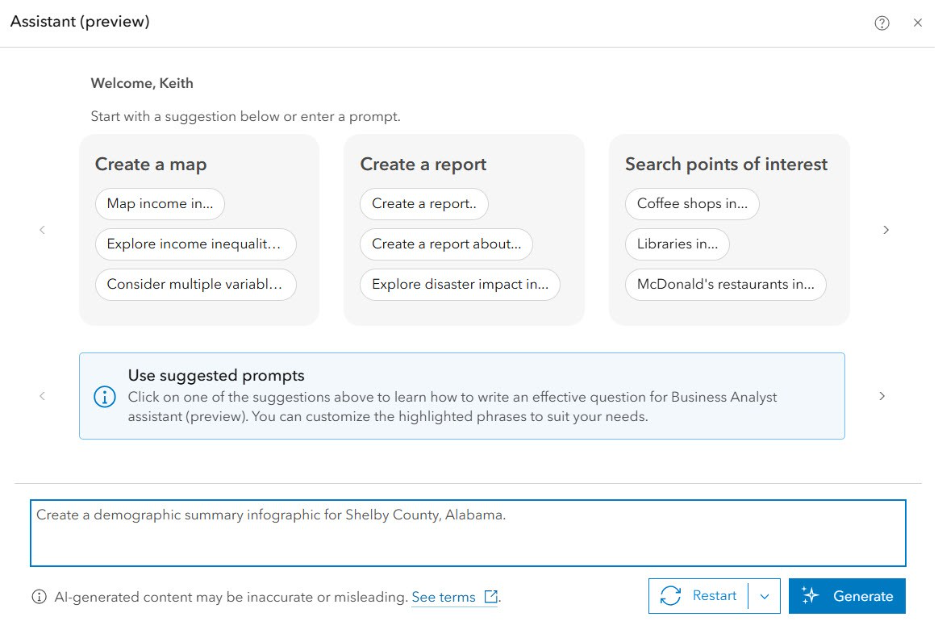
- Improved Infographic Builder. Esri report templates will move to the infographic builder, where you can customize and manage them alongside infographic templates. The infographic builder now includes additional advanced text and table capabilities. These include the ability to reference the first or last buffer in multi-feature reports, along with new dynamic fields: My Subtitle, Latitude, and Longitude. Other data sources will move to the new report style over time as data are updated.
5. ArcGIS StoryMaps
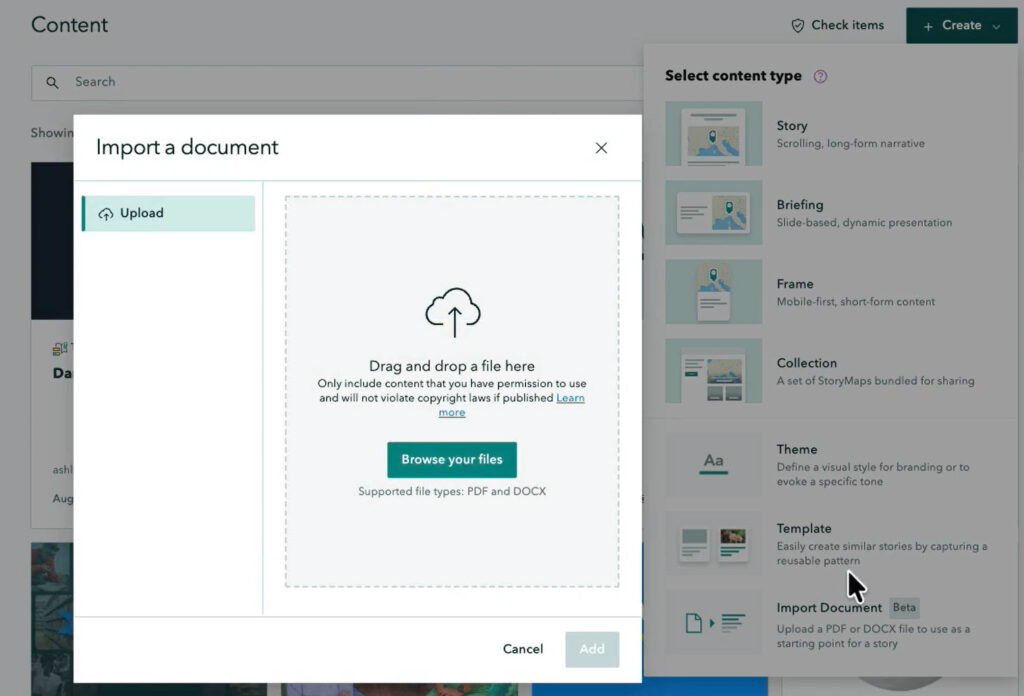
- Document-to-Story Conversion. Many organizations want to transform their reports—from annual summaries to impact narratives—into geospatial stories. ArcGIS StoryMaps now lets you convert a document (PDF or DOCX) directly into a story. To start, click + Create from the StoryMaps content page, then select Import Document. After conversion, your document content appears in the builder, with its basic structure—headings, paragraphs, lists, and images—carried over into your story. Some refinement may still be needed, but this is a powerful way to build a narrative around a comprehensive plan, an area plan, or an upcoming planning commission meeting agenda.
- ArcGIS Apps integration remains important. The ArcGIS Apps block continues to strengthen StoryMaps as a planning communication tool. It makes it easier to embed dashboards, surveys, apps, and other interactive GIS resources within a narrative experience.
7. ArcGIS Hub
- New Subscription Functionality. Hub users can now subscribe to discussions to receive weekly emails about thread activity, such as new posts and replies. Common applications include fostering public engagement during a comprehensive plan update or maintaining regular correspondence for monthly planning commission meetings. Support for more detailed event locations—including room, floor, and building—is also now available, making event details more precise for attendees.
These highlights show that ArcGIS as a Planning System continues to develop as a coordinated set of tools for scenario planning, impact analysis, communication, and more. Bigger changes are on the horizon for Q3. For more information, reach out to your Esri account team or visit us at the Community Development island in the Expo at the Esri UC.