ArcGIS is an enterprise-ready platform. As outlined in the ArcGIS Architecture Center, one of the key best practice pillars for enabling an enterprise GIS is observability: a commonly used IT term to describe the availability of information about the internal workings of a system. Examples include the compute usage of a database cluster, or the number of requests and activities across different apps or services.
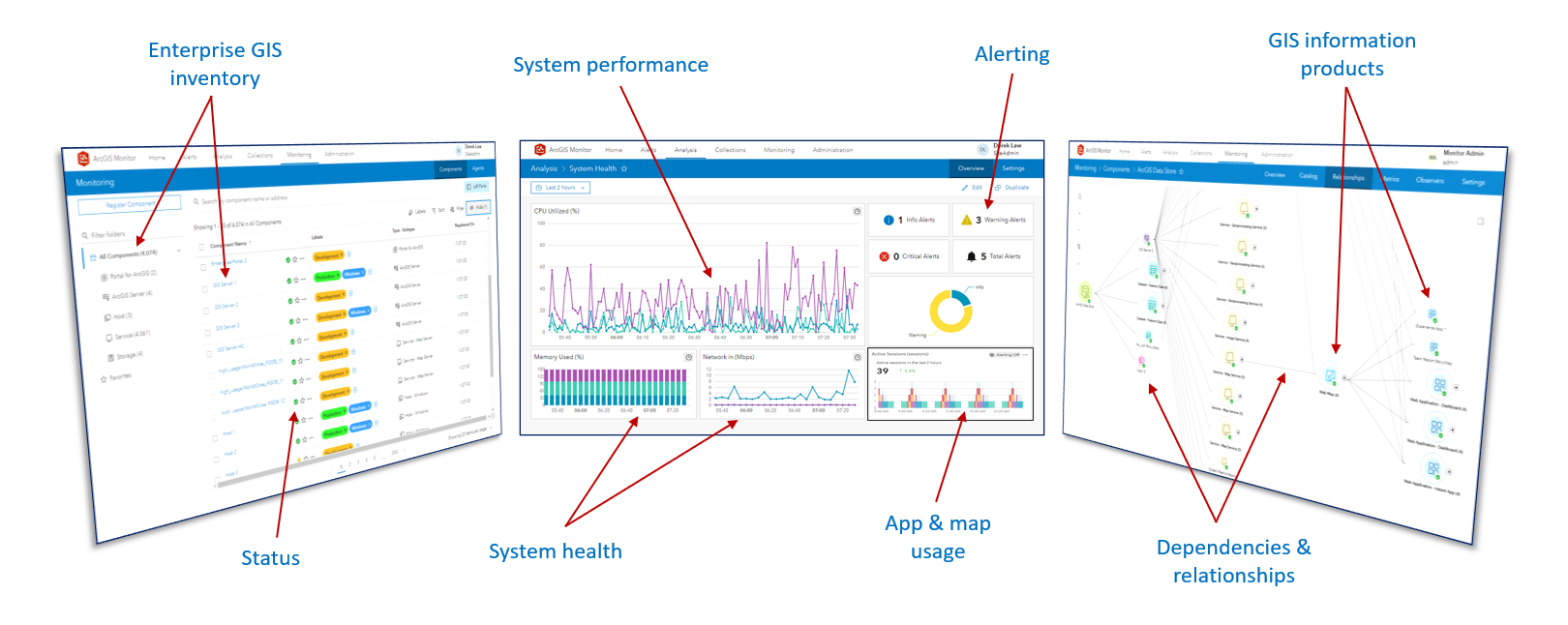
ArcGIS Monitor provides observability for your ArcGIS Enterprise deployments by collecting metrics on the health, performance, and usage of your enterprise GIS. It is designed to help IT administrators and GIS managers ensure their ArcGIS Enterprise deployments are working efficiently by enabling proactive management to reduce and prevent system downtime, resulting in operational cost savings.
Monitor provides a single console that displays key performance indicators (KPIs) for your entire enterprise GIS and its underlying infrastructure. It enables observability for multiple ArcGIS Enterprise deployments and different release versions. Checkout the numerous customer success stories available here.
The Esri 2026 International User Conference returns to San Diego, CA next month. Register and learn more about the world’s largest GIS event here.
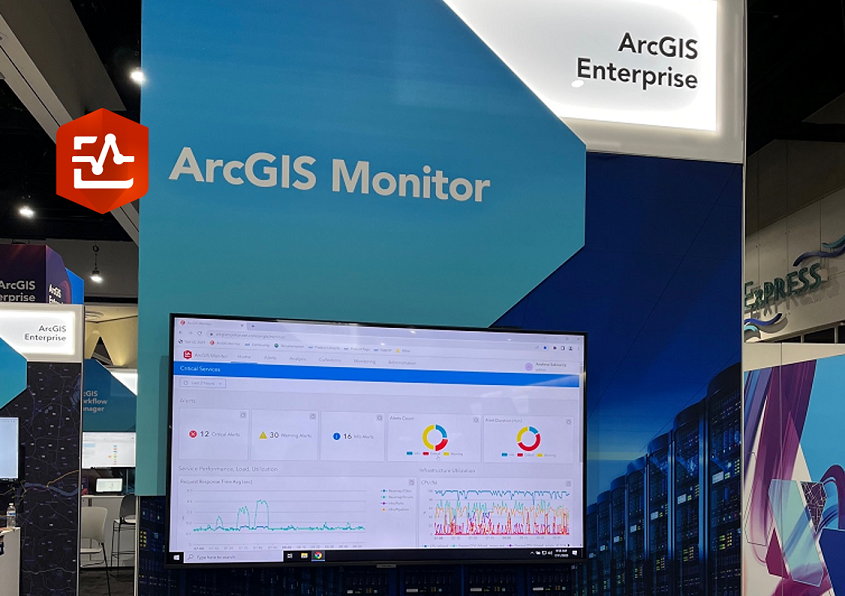
The ArcGIS Monitor team will be at Esri UC to support you, answer questions, and listen to your feedback. We’ll be presenting several technical sessions and will also be available at the ArcGIS Monitor kiosk in the ArcGIS Enterprise showcase area of the UC expo.
Technical Sessions:
There will be two technical sessions presented by the ArcGIS Monitor team.
ArcGIS Monitor: An Overview
Thursday, July 16 | 8:30 – 9:30 AM PDT | Room 17A | SDCC
Level: Beginner
Join us for an overview of ArcGIS Monitor, which complements ArcGIS Enterprise by providing tools that monitor the health, performance, and usage of your enterprise GIS implementations. Learn how to set up and configure ArcGIS Monitor, configure alerts and notifications, and create analysis views. Familiarity with ArcGIS Enterprise is recommended.
ArcGIS Monitor: Enabling Observability in ArcGIS Systems
Thursday, July 16 | 1:00 – 2:00 pm PDT | Room 17A | SDCC
Level: Intermediate
ArcGIS Monitor provides observability for ArcGIS systems through holistic monitoring of ArcGIS Enterprise, its infrastructure, and web services from ArcGIS Online and third-party enterprise sites. In this technical session, explore techniques and strategies with analysis views and component relationship graphs that enable observability across multiple enterprise GIS deployments. We’ll also preview the ArcGIS Monitor MCP Server.
UC Expo:
Meet with members of the ArcGIS Monitor team in the ArcGIS Enterprise area within the Esri UC showcase. Please come by to ask your questions, watch demonstrations, and learn about the latest ArcGIS Monitor capabilities. We’re interested in learning about your workflows and hearing your feedback about the product. The expo is open between the following dates and times:
- Tuesday July 14 9 – 5:30 pm PST Halls A-D, SDCC
- Wednesday July 15 9 – 5:30 pm PST Halls A-D, SDCC
- Thursday July 16 9 – 4 pm PST Halls A-D, SDCC
A common question that’s been recently asked by users,
Q) What’s the difference between the ArcGIS Enterprise Metrics API and ArcGIS Monitor?
In the ArcGIS Enterprise 12.0 release, a metrics API was added that captures information about the components of ArcGIS Enterprise and the host machines where those components are running. This functionality enables observability for a single ArcGIS Enterprise deployment. You can learn more about the metrics API by attending this UC technical session.
ArcGIS Monitor augments the functionality of the ArcGIS Enterprise metrics API by providing alerts, notifications, metrics on databases and geodatabases, status of services from ArcGIS Online and 3rd party ArcGIS Server sites, web app and web map usage metrics, and component relationship graphs. Monitor enables observability for multiple ArcGIS Enterprise deployments and different release versions within a single console for KPIs.
We’re always excited to talk to our users and had a great time meeting many of you at UC 2025.
Some other resources to help you learn more about ArcGIS Monitor:
- Product page
- Customer success stories
- ArcGIS Monitor essential resources blog
- ArcGIS Monitor videos playlist
- ArcGIS Monitor help documentation
- ArcGIS Monitor on Esri Community
We look forward to seeing you in sunny San Diego at the Esri UC 2026 and safe travels!
The ArcGIS Monitor team


Article Discussion: