
Image featuring a predominantly black background with a thin horizontal red line along the top edge.

Air and landside operations

Connect airport operations with enterprise GIS

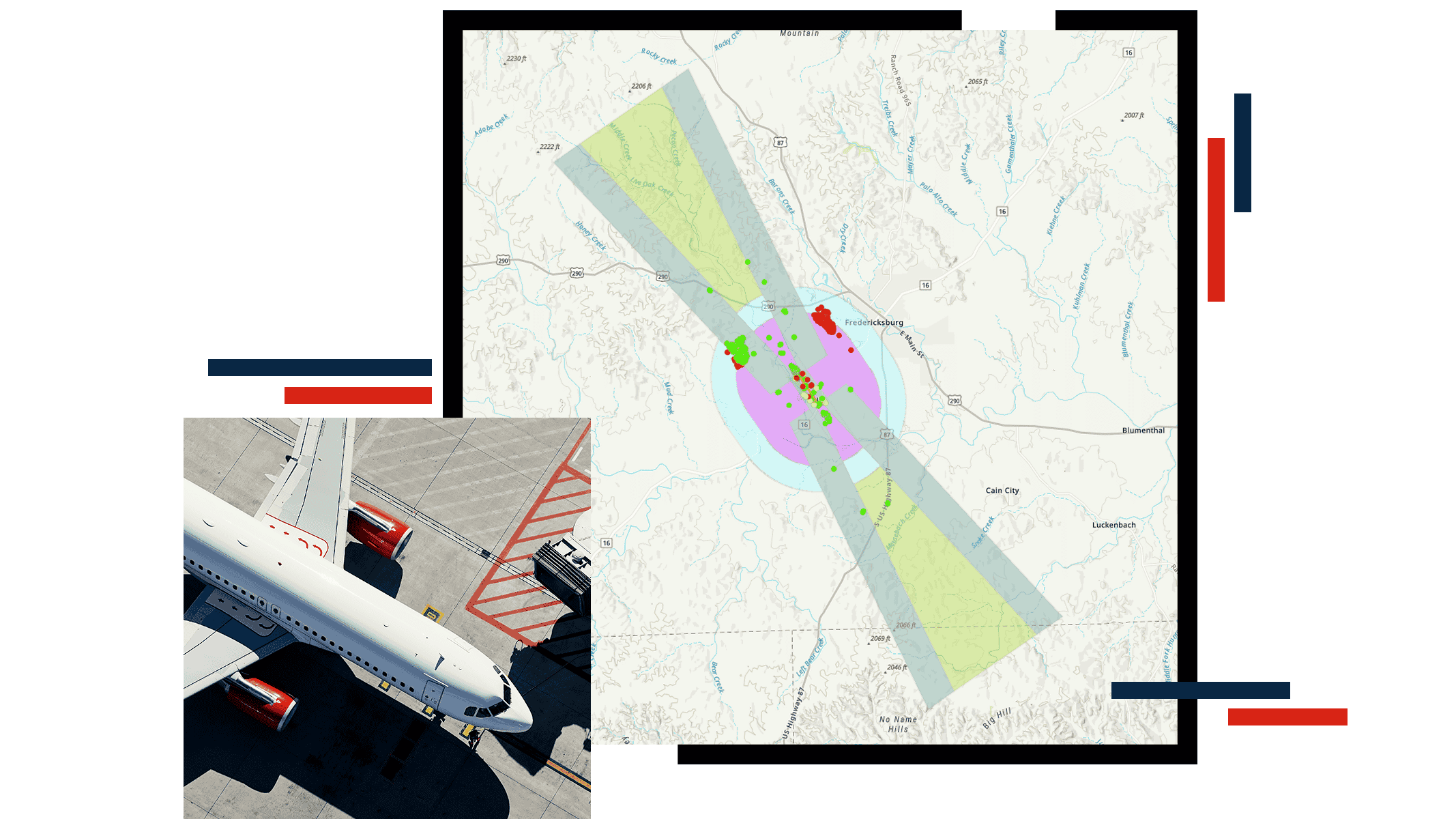
Map showing air space and safety buffers and approach and departure surfaces, and a photo of a passenger jet on the tarmac

Map airside, airspace, and landside assets

ArcGIS airport operations software enables smart airport management through maps and dashboards that show facilities, assets, and work activity in one shared view. Maps provide a clear picture of where assets are located and work is happening, while dashboards highlight real-time status, issues, and priorities.

From a dashboard, teams can use spatial analysis to identify risks, coordinate crews, and perform airport FAA Part 77 obstacle analysis—helping maintain safe, efficient airport operations. Geographic information system (GIS) tools empower workers in the field to conduct airport airside inspections, efficiently collect data on the location of assets, monitor their conditions as they change, and track events and ongoing activities that occur—feeding essential information to reports and dashboards.

GIS powers smart airport operations

ArcGIS airport operations software brings airport data together in one system, supporting airside and landside operations and enabling teams to share and act on trusted information.

Build foundational data and information

Use regulatory-compliant data models to create and maintain authoritative information of airside, airspace, and landside infrastructure and assets. This becomes the system of record that supports data integrity, reduces manual updates, and is geographically comprehensive. ArcGIS establishes this foundation through:

  • Consistent, regulatory compliant data models that allow teams to map assets and infrastructure across the airport.
  • Information products that provide authoritative data across all business units for better decision-making.
  • Integration with other enterprise business systems, offering a single source of truth.

Map of airfield taxiways and a legend indicating taxiway Centreline Light

Reduce risk with regulatory‑ready airport obstacle analysis

Use ArcGIS to create and analyze obstruction identification surfaces using authoritative airport data. Track and manage airside inspections, assets, and work orders for safe operations.

  • Connect obstacle analysis directly to airfield operations and planning workflows.
  • Generate compliance ready outputs that support regulatory reporting–including 14 CFR Part 139–and informed operational decisions.
  • Integrate work orders to manage and track airside assets and maintenance in one system.

A 3D visualization shows an airfield landscape with a runway extending into the distance and a nearby golf course in the foreground.

Plan and manage landside operations

ArcGIS supports landside operations by bringing location, asset, and activity data into a shared operational view of terminals and the airport campus.

Airport management teams use ArcGIS to:

  • Link lease space, concessions, and assets to location.
  • Connect maintenance schedules and work orders to the physical environment.
  • Create indoor maps and apps to support wayfinding and monitor passenger flow.
  • Assess space, parking, and construction impacts together.
  • Optimize concession performance, space utilization, resource allocation, and parking operations that drive airport revenue.

A digital analytics dashboard displays an aerial view of an airport gate with a parked airplane and surrounding service vehicles.

Real-word stories of innovation powered by ArcGIS

Products for airport operations

Use airport operations software to unify siloed systems and create a shared, holistic view for both landside and airside activities.

Previous
Next

Frequently asked questions

Find answers to common questions about using ArcGIS airport management software.

Geographic information system (GIS) technology supports both airside and landside operations as the comprehensive source of airside and landside data. On the airside, GIS allows you to collect all the locations and attributes of all airside features (domestically, this includes the Federal Aviation Administration (FAA) 18-B). On the landside, GIS maps all of your facilities, interior spaces, and indoor assets. This data serves as the foundation to ensure compliance, improve safety and security, run obstacle analysis, monitor and optimize flight operations, and enhance the passenger experience.

Airport operations software improves coordination mainly by giving every department a shared operational picture (common data, same map/dashboard view, consistent status). It provides a single source of truth, real-time situational awareness, location-based context for faster decisions, and cross-departmental collaboration.

As part of the ArcGIS Aviation Airports extension, Esri includes the Evaluate Obstacle tool, which allows you to analyze input features and determine whether they present a flight hazard to aircraft in and around an airport.

This tool compares the input features and obstruction identification surfaces (OIS) to determine whether the obstacle introduces a flight hazard for aircraft, and if so, by how much the features/obstacle extend into those surfaces.

The obstacle analysis tool allows you to determine potential risk and meet FAA requirements to guarantee protected airspace.

Contact sales

Please share your information and our sales team will contact you soon. We look forward to communicating with you.