Part 1: The Decision to Deploy ArcGIS Enterprise
Welcome to a three-part blog series on ArcGIS Enterprise for AEC. The three-part series consists of:
- Part 1: The Decision to Deploy ArcGIS Enterprise
- Part 2: Preparing for an ArcGIS Enterprise Deployment
- Part 3: Managing & Maintaining ArcGIS Enterprise
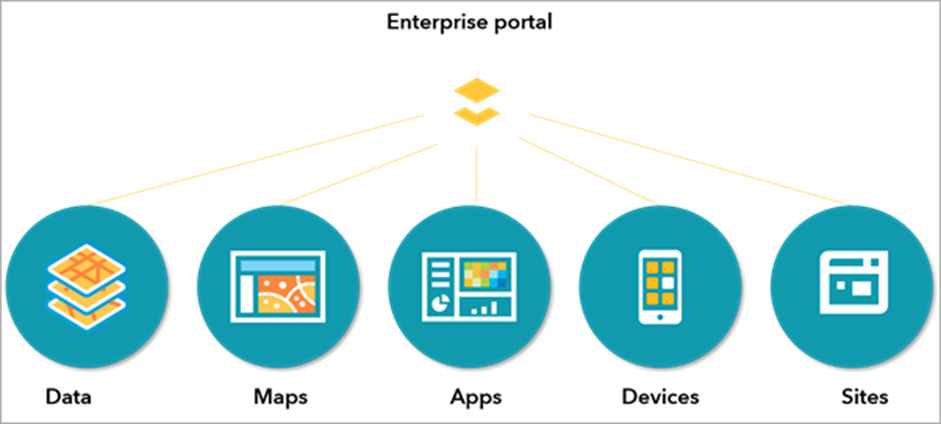
Key Takeaways You’ll Get from Reading Part 1 of This Blog Series:
- From a technical perspective, how to determine if ArcGIS Enterprise is right for my AEC (Architecture, Engineering, Construction, and Environmental Consulting) organization.
- How ArcGIS Enterprise and ArcGIS Online work strongly together in a hybrid environment.
Introduction
ArcGIS Enterprise is one of the foundational platforms for running Esri’s suite of applications. In the Architecture, Engineering, Construction, and Environmental Consulting (AEC) Industry, deciding whether to implement ArcGIS Enterprise is an exciting and pivotal milestone for an organization, but not one to be taken lightly. Enterprise can be the right solution for organizations with specific needs around custom workflows, systems integration, infrastructure requirements, and project requirements, but it also comes with significant responsibilities for deployment, maintenance and upgrades. This three-part guide will help you understand the key considerations, costs, and benefits to making an informed decision that aligns with your organization’s goals and resources, ultimately setting you up for success in your geospatial journey!
Is ArcGIS Enterprise Right for my Organization?
As you consider ArcGIS Enterprise, it’s essential to evaluate whether its capabilities align with your organization’s business needs and whether you’re prepared for the associated costs and responsibilities. This blog series focuses on the technical aspects of ArcGIS Enterprise and allows GIS leads, IT system administrators, and c-suite executives (CTO, CIO, CDO, CAO, GIO) to gauge their readiness for adoption and deployment. The business case is equally important when considering ArcGIS Enterprise. ArcGIS Online and ArcGIS Enterprise are both foundational platform options that provide secure, scalable, and governed location‑intelligence. One is SaaS, managed and hosted by Esri, and one is software, managed and hosted by your organization, offering different capabilities as it pertains to functionalities, integrations and security.
Do I understand what ArcGIS Enterprise is?
Check out the following resources for a baseline understanding of the differences between ArcGIS Enterprise and ArcGIS Online, as well as how they work together:
- The Differences Between ArcGIS Online and ArcGIS Enterprise
- ArcGIS Online or ArcGIS Enterprise? You Don’t Have to Choose
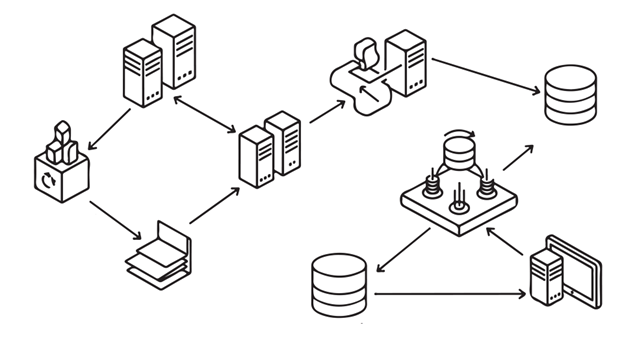
In the following section, we will walk through some common questions to ask yourself before deciding to deploy ArcGIS Enterprise.
What are my current or desired workflows and what applications do I use?
Start by examining your daily workflows and identifying any functionality gaps in your current platform.

Applications:
Certain applications and tools are restricted to specific platforms, which may drive your decision. For example, ArcGIS Hub requires ArcGIS Online, whereas ArcGIS Utility Network, ArcGIS Trace Network and ArcGIS Parcel Fabric require ArcGIS Enterprise.
Important note: The availability of certain features across platforms may change over time as Esri continues to develop both ArcGIS Online and ArcGIS Enterprise. Always check current documentation for the latest capabilities.
Custom Geoprocessing Services:
ArcGIS Online offers lightweight alternatives such as ArcGIS Notebooks as web tools and ModelBuilder as web tools, supporting many common spatial analysis needs, as well as scheduling and automation needs.
In comparison, ArcGIS Enterprise enables organizations to run custom, scalable, and compute-intensive geoprocessing services on dedicated server infrastructure, supporting long-running tasks, simultaneous multi-user execution and integration into automated workflows. Because processing is offloaded to robust server machines, ArcGIS Enterprise enables powerful, repeatable spatial analyses without credit consumption and with full control over security, data governance, and system configuration.
Enterprise Geodatabase:
ArcGIS Enterprise provides robust enterprise geodatabase functionality, allowing you to leverage your organization’s existing database infrastructure (SQL Server, Oracle, PostgreSQL) for storing and managing geospatial data. Below are a few advantages to enterprise geodatabases:
- Multi-user editing and concurrent workflows
- Scalability for large, complex, or growing datasets
- Advanced capabilities such as Utility Network, Parcel Fabric, Topology, and Attribute Rules
- Versioning (traditional and branch) and historical archiving
- Integration with enterprise IT systems

With powerful functionality, enterprise geodatabases also bring complexities and cost. Enterprise geodatabases require a full relational database management system (RDBMS) which requires database server infrastructure, administration of that system, ongoing IT maintenance, backup/restore strategy, and security hardening and monitoring.
Reporting and Print Services:
ArcGIS Enterprise provides dedicated print and reporting services that can be customized to your organization’s branding and requirements. While Notebooks, feature reports in ArcGIS Experience Builder, and the beta print layout templates in ArcGIS Online can handle some reporting needs, ArcGIS Enterprise offers more control, customization, and eliminates concerns about credit consumption for high-volume operations.
Integrations with Business Systems:
ArcGIS Enterprise excels at integrating with on-premises business systems like Enterprise Resource Planning systems (ERPs) and Computerized Maintenance Management System (CMMS). The ability to deploy ArcGIS Enterprise within your network infrastructure supports custom server-side logic and direct database connections. ArcGIS Online is also capable of integrating with other business systems through methods like API’s, Notebooks, Data Pipelines and ETLs (Extract, Transform, and Load), and webhooks. Always begin by thoroughly assessing the business purpose for the integration, identify the systems that need to be connected, and then choose the most appropriate architecture based on technical considerations and business impacts. Check out this resource from the Architecture Center on “Integration approaches and methods” for more information.
Do I have strict security requirements?
ArcGIS Online is a highly secure, Esri managed SaaS environment built on industry leading commercial cloud infrastructure. Esri is responsible for deployment, patching, monitoring, and updates, ensuring that the platform is continuously hardened against emerging threats and always kept current without requiring customer intervention. The ArcGIS Trust Center can provide more information.

For organizations and projects with stringent security requirements, ArcGIS Enterprise enables organizations to have direct control over security, to work in disconnected environments, and host everything on their own infrastructure.
Do I have the right resources, infrastructure, and personnel to deploy and maintain ArcGIS Enterprise?
ArcGIS Enterprise is deployed by your organization, maintained by your organization, and updated by your organization. This requires dedicated IT infrastructure and resources, staff or partners with GIS administration expertise, ongoing maintenance windows and update planning, disaster recovery and backup strategies, and performance monitoring and optimization.
Managing and architecting an Enterprise environment is not something every GIS professional is typically equipped to do and often not in their day-to-day job description. Ensuring the GIS professional in your organization is set up for success involves training and support. This support can come from Esri’s instructor-led training, learning plans, partners, and Professional Services.
If your organization lacks these resources, ArcGIS Online’s managed service model may be more appropriate.
Hello ArcGIS Enterprise…and Hello ArcGIS Online!
A common misconception is that once you deploy ArcGIS Enterprise, you no longer need ArcGIS Online. In reality, most organizations benefit from a hybrid approach that leverages the strengths of both platforms.
Understanding the Hybrid Model
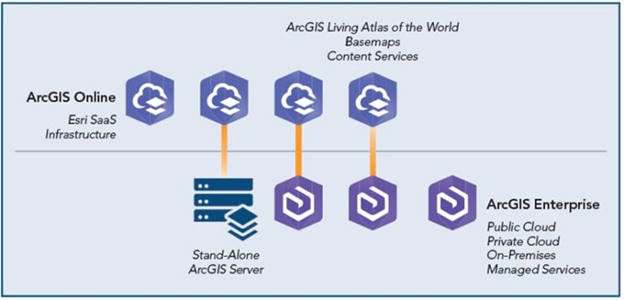
The most successful geospatial systems take advantage of both ArcGIS Online and ArcGIS Enterprise environments strategically to meet their business needs. Each organization will be different, as there is a spectrum of options for implementing a hybrid approach. One of the many examples of what this approach could look like is:
Use ArcGIS Enterprise for: Internal data management, custom workflows, integration with business systems, and sensitive operations
Use ArcGIS Online for: Public-facing applications, field data collection, ready-to-use apps, and consuming Esri’s online utility services.
Upgrade Patterns
ArcGIS Online and ArcGIS Enterprise follow different upgrade patterns. ArcGIS Online upgrades are more frequent, three times a year, and automatic, new capabilities appear on a regular cadence with no infrastructure planning, downtime coordination, or version management required by the customer. In contrast, ArcGIS Enterprise upgrades come out twice a year, typically 6 months after an ArcGIS Online update. These upgrades are customer-controlled, typically planned around IT change windows, compatibility testing, and validation of integrations, custom apps, and extensions. A hybrid model allows organizations to take advantage of ArcGIS Online to adopt new web capabilities, apps, and services as they are released, and ArcGIS Enterprise for controlled and deliberate upgrades.
Collaboration Strategies
In a hybrid ArcGIS environment, collaboration defines how content moves between systems and who it can be shared with. Most AEC organizations use collaboration to connect their internal ArcGIS Enterprise deployment with ArcGIS Online, while still supporting collaboration with external partners and clients.
Internal Hybrid Collaboration (ArcGIS Enterprise and ArcGIS Online)
For internal hybrid deployments, ArcGIS Enterprise and ArcGIS Online are connected using a distributed collaboration. This establishes a trusted relationship between the two environments and allows selected content (such as maps, layers, and apps) to be shared between them.
This pattern supports common AEC needs such as:
- Managing authoritative or sensitive data in ArcGIS Enterprise
- Sharing approved content to ArcGIS Online for web apps, mobile use, and broader consumption
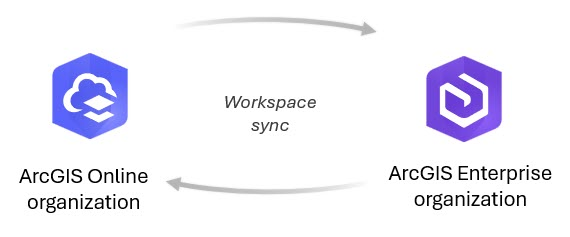
Important consideration: An ArcGIS Enterprise deployment can participate in a distributed collaboration with only one ArcGIS Online organization. For most AEC firms, this aligns well with a single internal ArcGIS Online organization supporting company-wide collaboration.
Collaboration with Clients and External Partners
A hybrid approach does not limit collaboration with external organizations. Different collaboration patterns are used depending on the platforms involved:
- ArcGIS Enterprise to ArcGIS Enterprise collaboration is supported through distributed collaboration
- ArcGIS Online to ArcGIS Online collaboration with external organizations is supported through partnered collaboration
These patterns allow organizations to maintain internal governance and security while still collaborating effectively with clients, contractors, and stakeholders using the environments that best fit each relationship.
Leveraging ArcGIS Online Utility Services
Even with ArcGIS Enterprise deployed, most organizations continue to use ArcGIS Online’s managed utility services, including:
- Geoenrichment for demographic and business data
- Routing and directions for network analysis
- Geocoding for address matching and locating
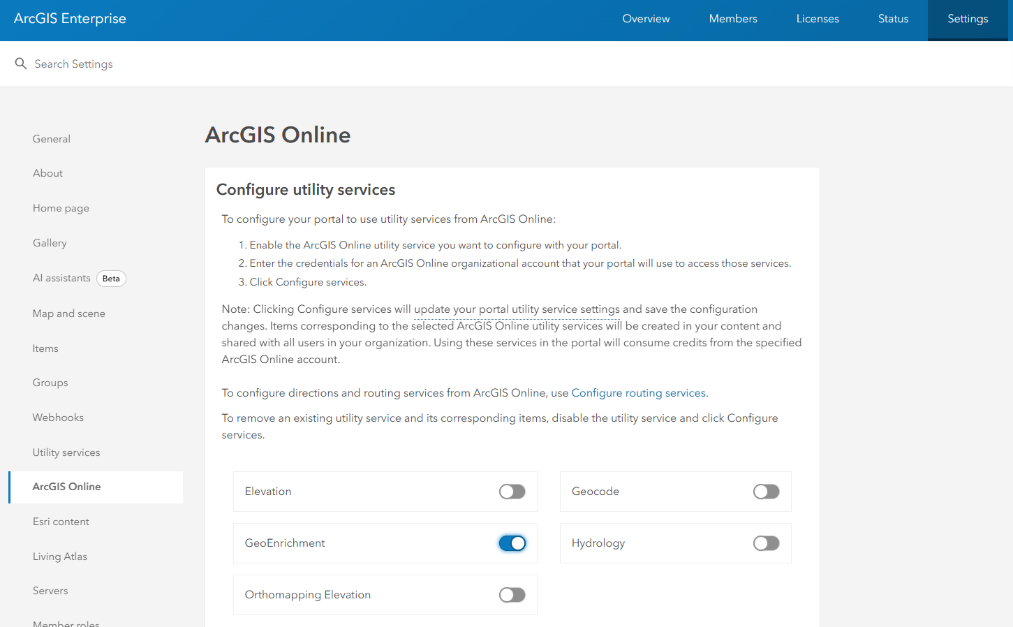
These services are continuously updated by Esri and available via credit consumption, eliminating the need to maintain these complex services yourself.
Getting Started
Now that you’ve established an introductory understanding of the use cases for and capabilities of both ArcGIS Enterprise and ArcGIS Online, here are some recommended next steps:
- Get started with ArcGIS Enterprise Fundamentals learning plan
- Determine the resources and staff that will deploy, maintain, and update ArcGIS Enterprise.
- Identify any applications that specifically require either ArcGIS Enterprise or ArcGIS Online.
- Assess your key workflows – ask yourself, would any of these key workflows benefit from custom geoprocessing services, or can ArcGIS Online tools support them?
- If an enterprise geodatabase is identified as a need, outline the business case for an enterprise geodatabase.
- Confirm if your workflows integrate with other business systems that can only be accessed inside your IT environment.
- Identify your security requirements. Research the ArcGIS Trust Center to see if ArcGIS Online meets those security requirements.
- Consider the role ArcGIS Online will play in terms of workflows and functionalities to compliment ArcGIS Enterprise. Set up collaborations and licensing to support the hybrid approach.
In Summary
For many AEC firms, implementing ArcGIS Enterprise feels like the natural next step in the evolution of their geospatial capabilities. But enterprise GIS maturity is not defined by where the software is deployed, it’s defined by how well the system supports real business needs, workflows, and teams. The decision should be grounded in real business needs, clear technical requirements, and an honest understanding of your resources and readiness. By taking the time to evaluate where you are today and where you want to go, you can choose the platform, or combination of platforms, that truly empowers your geospatial vision. Whether that’s ArcGIS Online, ArcGIS Enterprise, or both working together, the goal is the same: a GIS foundation that helps your organization move faster, work smarter, and turn spatial insight into impact.
Stay tuned for Part 2 of this blog series: Preparing for an ArcGIS Enterprise Deployment.