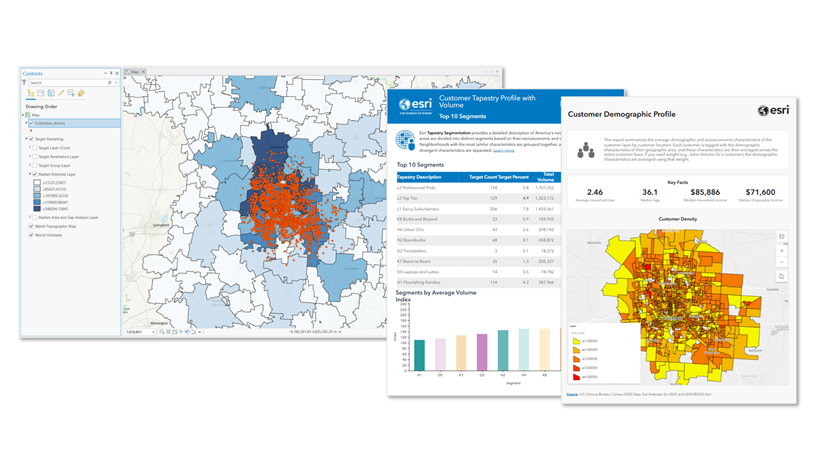
The first ArcGIS Business Analyst Pro release of the year is here! This release brings a new way to visualize and understand your customer demographics, alongside significant product enhancements to the workflows you already rely on for spatial and market analysis.
ArcGIS Business Analyst Pro is an extension for ArcGIS Pro that allows you to perform sophisticated spatial analytics and modeling, including customer and competitor analysis, territory design, target marketing, and site selection.
Here’s what’s new this release:
- New Generate Customer Demographic Profile Report Tool: Understand who your customers are instantly
- Updated target marketing workflow: Access actionable insights for customer outreach and marketing strategy
- Redesigned points of interest search workflow: Now more powerful than ever
- Updated infographics: Bring your local datasets into the picture
New Generate Customer Demographic Profile Report Tool: Understand who your customers are instantly
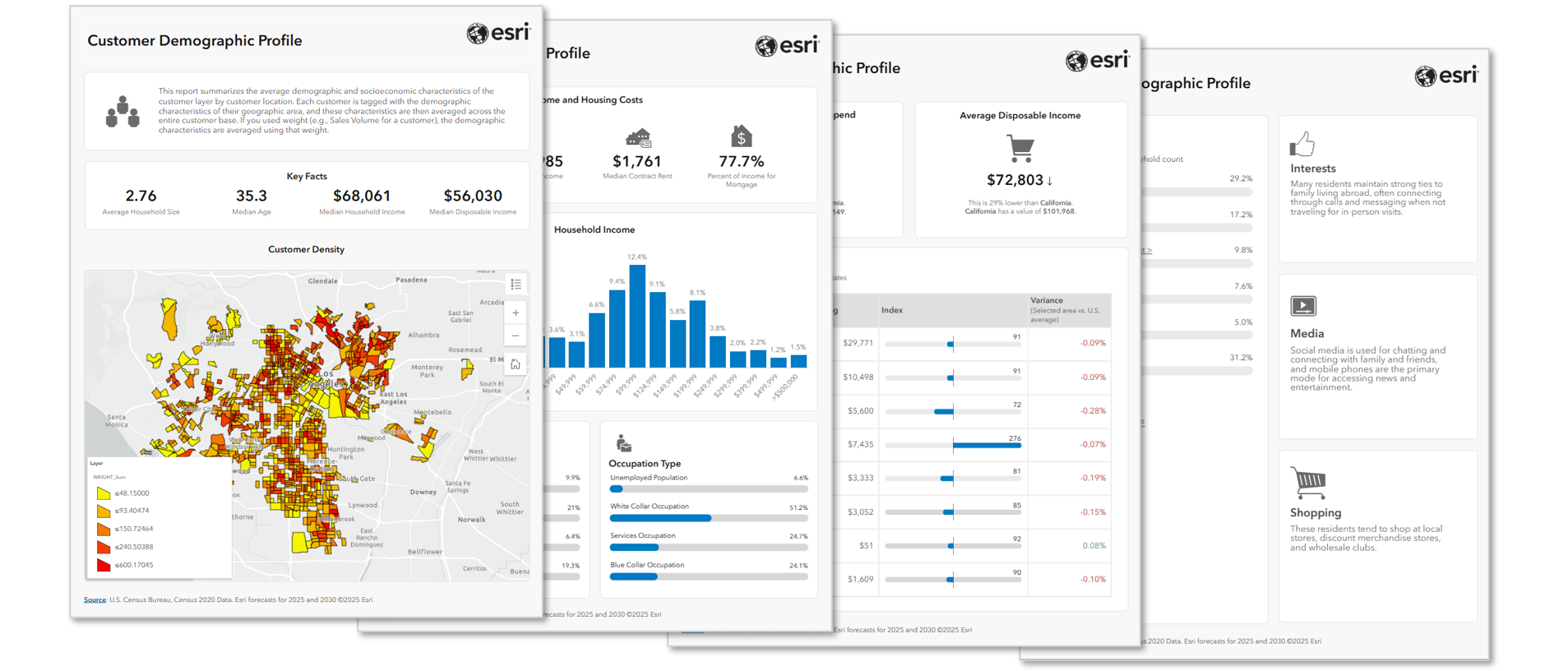
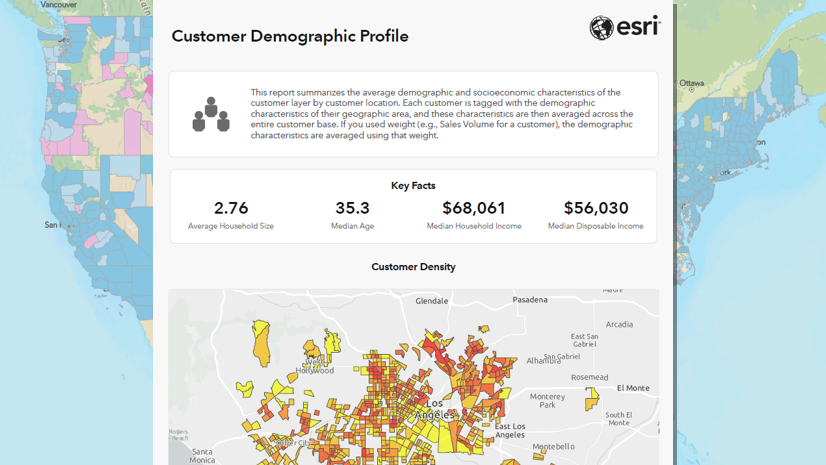
Getting a true demographic picture of your customer base used to mean large data pulls and custom-built workflows. Now you can say hello to the Generate Customer Demographic Profile Report tool that does the heavy lifting for you! This new tool analyzes the demographic and socioeconomic characteristics of your customers based on where they are located, creating a stylish infographic that depicts your “average” customer. You can refine your research further by factoring in specific attributes such as customer spending, so you gain more precise insights that truly reflect your customer base.
This tool is built for organizations of all kinds that need to know their customers better. Whether you’re a retailer making decisions about your marketing and advertising strategy, a real estate organization comparing locations, a health organization researching patient needs, or a nonprofit using information from attendees of a recent event to help them reach more supporters; with this tool, you can understand exactly who and where your customers and audiences are and make impactful decisions with confidence, in minutes.
Note: This tool only runs on local data and is a part of the Target Marketing toolset. It requires a layer of customer points as input.
Updated target marketing workflow: Access actionable insights for customer outreach and marketing strategy
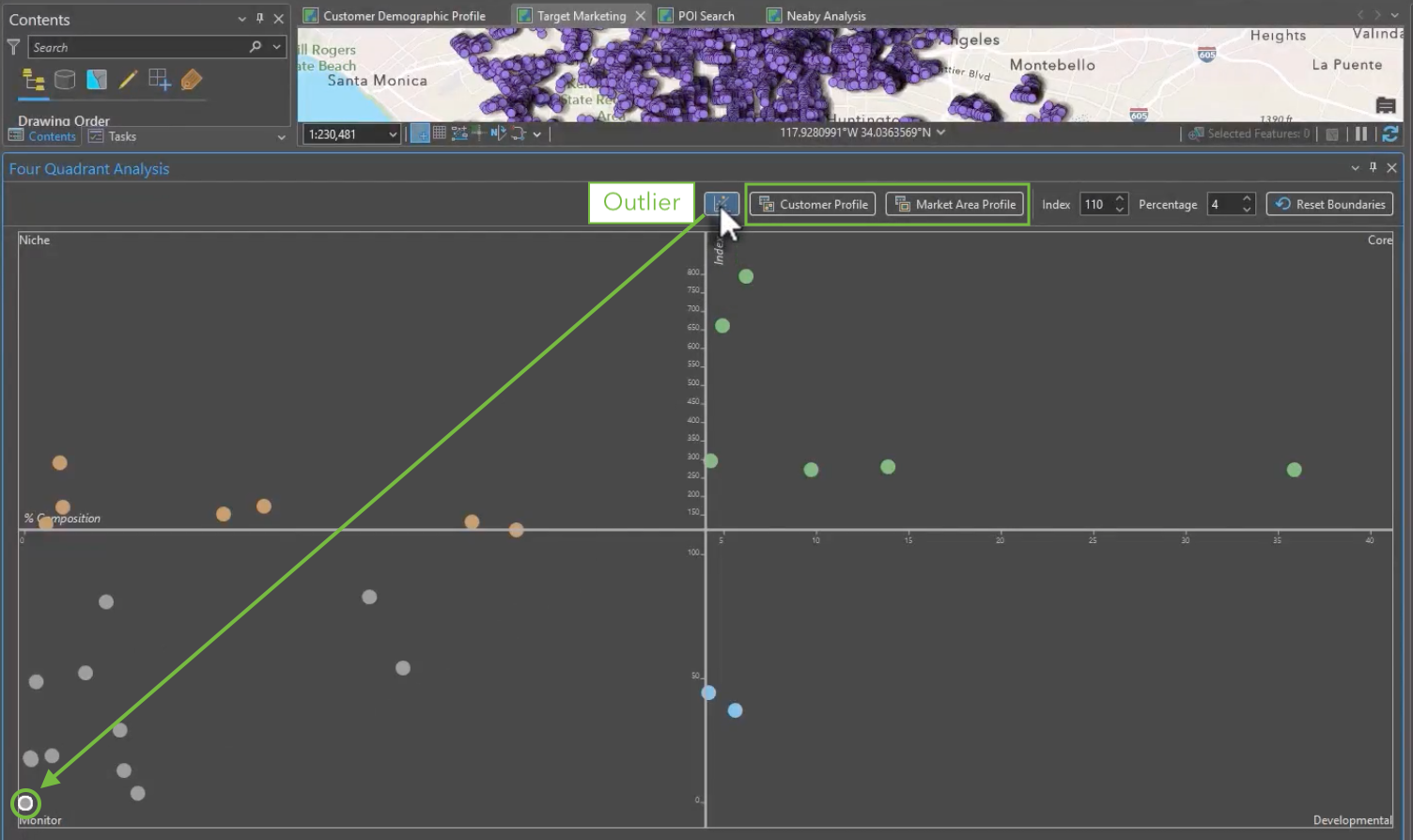
Determining how and where to find more of your best customers is crucial, and don’t worry, you don’t need to leave Business Analyst Pro to do it. The Target Marketing workflow is a wizard-driven workflow that guides you through a 6-step process using demographic data to build a picture of who your customers are, where they reside, and how they compare to the market. With this information, you can confidently identify which customers to target and which customers to deprioritize, so you always know exactly where to focus your efforts.
This release makes that process more accessible and more precise. Whether you’re working with your own customer data or not, you can now use survey profiles in the workflow. Survey profiles allow you to see the likelihood of individuals purchasing your product or product category across an area. This gives you a strong directional image of your potential market without needing your own data. This release also improves the overall experience by adding a new outlier toggle that lets you show or hide outliers in your analysis with one click. Customer and market area profiles are now accessible directly within the workflow, so you can gain a deeper understanding of any segment without ever leaving the workflow.
Note: Local data is required to use the Target Marketing toolset.
Redesigned points of interest search workflow: Now more powerful than ever
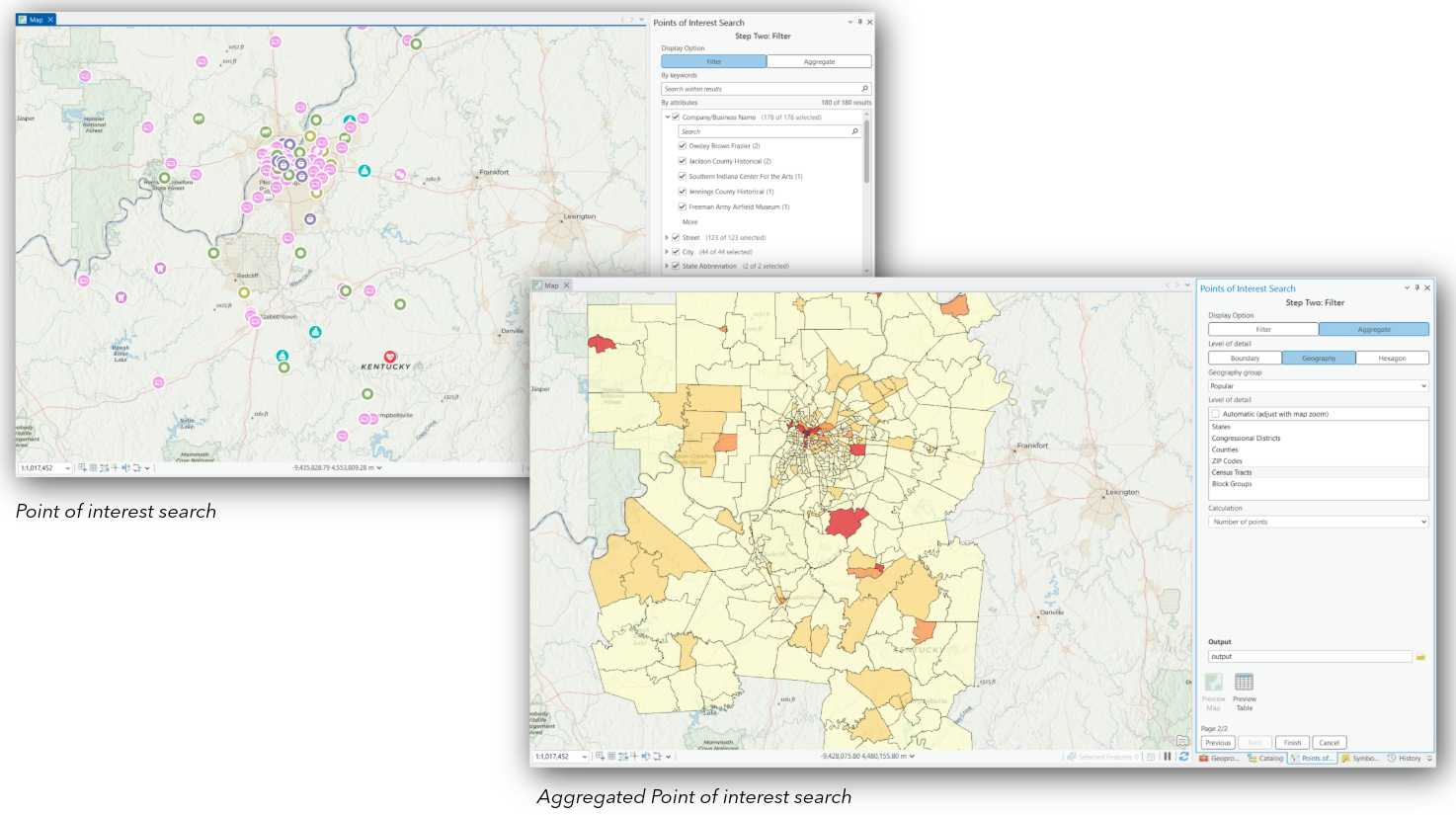
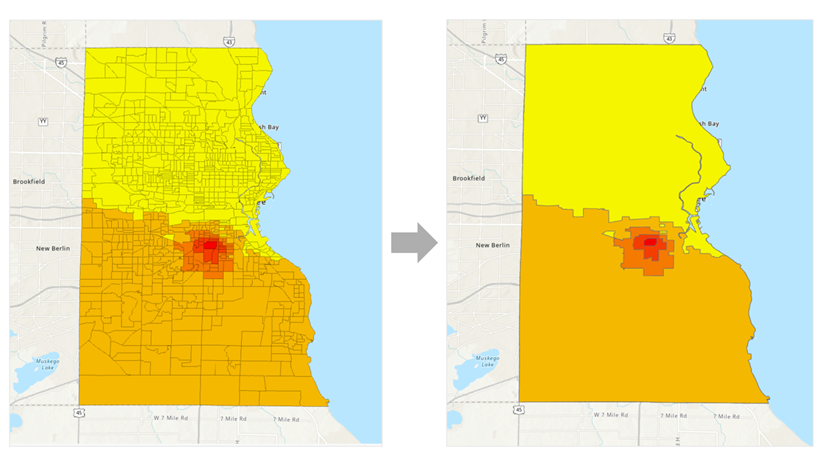
One of Business Analyst’s most powerful workflows, points of interest (POI) search, has a new interface and updated functionality that will make your analysis more accurate, visual, and informative. Whether you’re evaluating a new site, assessing competition, or determining market opportunities, by using the advanced filtering options for both category and code types you’re able to pinpoint exactly the businesses, competitors, or facilities that matter, ensuring consistent, high-accuracy results every time. With the new point data aggregation capability, you can summarize those results across trade areas, geographies, or hexagonal grids automatically, replacing what used to be a multi-step process. The new Area of Interest control allows you to lock your search to a specific city, ZIP code, or custom polygon so every result returned is relevant to the market you’re analyzing.
Updated infographics: Bring your local datasets into the picture
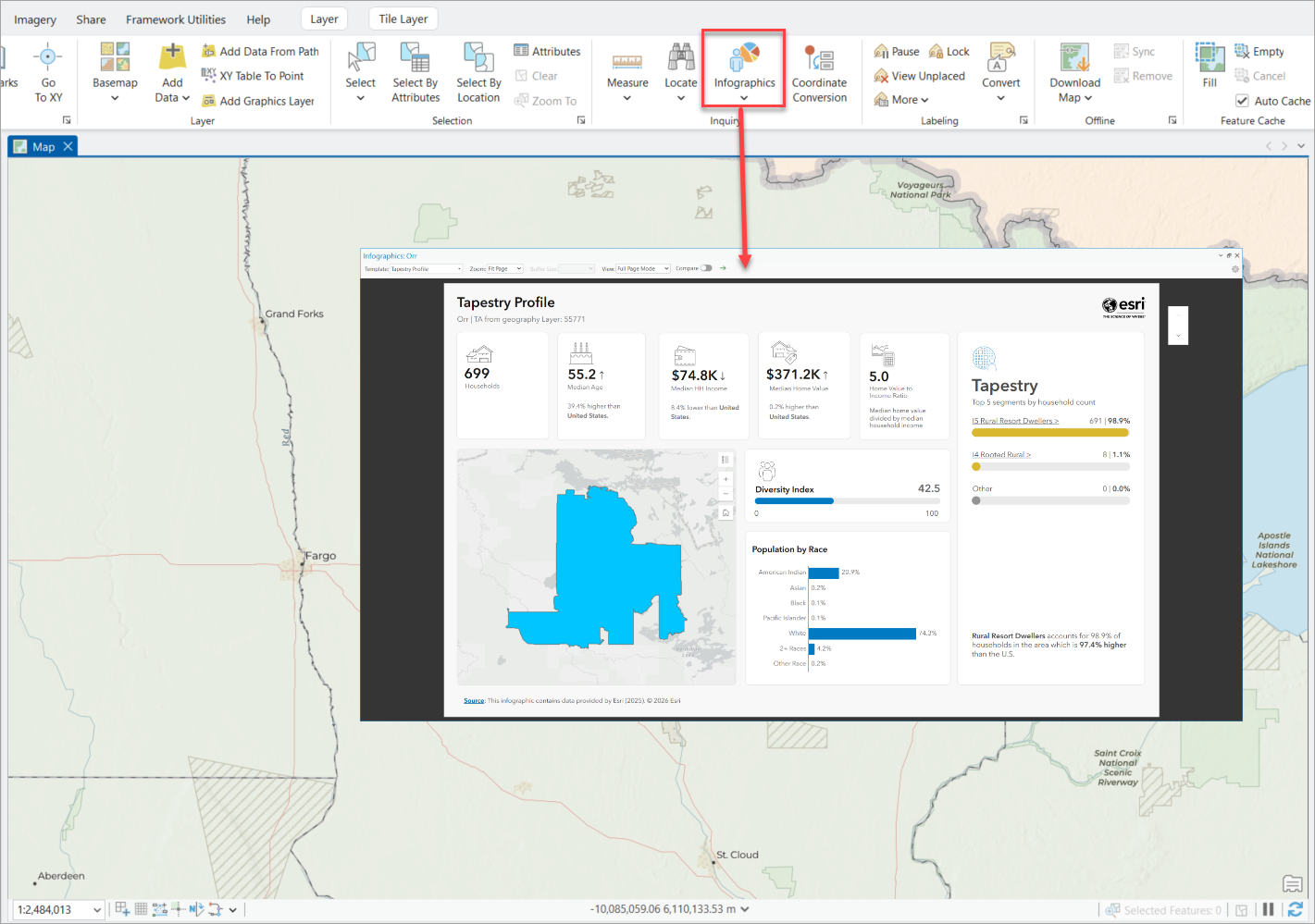
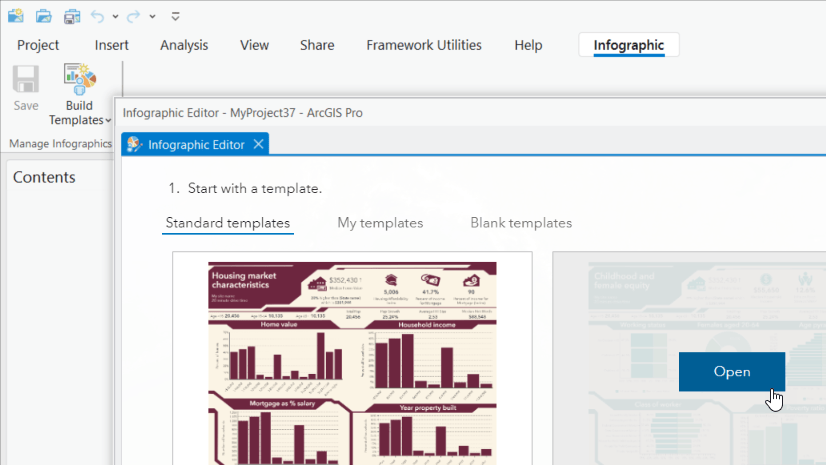
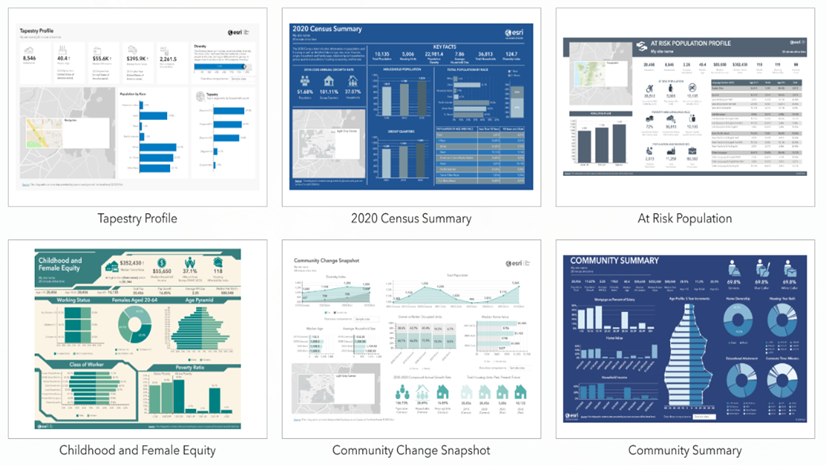
The infographics tool on the Map ribbon now works with your local datasets, not just online data sources. With this update, get ready to run any infographic template, including custom templates or those imported from Business Analyst Web App, using local datasets on your machine. If you want to take it a step further, when you compare locations, you can view infographic comparisons for up to ten sites and export the infographic reports in a single step, with no toggling between different tools.
Additional resources
We’re so happy to share this latest release of ArcGIS Business Analyst Pro with you and we can’t wait to see how you use these updates and enhancements to make smarter, data-driven decisions. Below, we’ve added resources to help you with your ArcGIS Business Analyst journey:
- Business Analyst product overview page
- Review pricing and purchase Business Analyst
- Join our LinkedIn Business Analyst User Group
- Join our Business Analyst Esri Community
- Follow us on X @ArcGISApps
- Read more Business Analyst blog articles on ArcGIS Blog
- Watch Business Analyst Pro videos
- Visit the Business Analyst Resources page

Article Discussion: