ArcGIS Enterprise 12.1 for Windows and Linux is here. As the first long-term support release of the 12.x generation and a Network Management release, ArcGIS Enterprise 12.1 delivers a stable, trusted foundation supported for approximately four years under Esri’s updated product life cycle. This release brings meaningful updates for GIS administrators, IT professionals, GIS analysts, and developers alike, from the general availability of ArcGIS Data Pipelines and expanded observability to enhanced 3D visualization and .NET 10 support. In this blog, we will guide you through the updates tailored to your role and explore how they can make your GIS work more efficient.
- The ArcGIS Enterprise metrics API, now available for Windows and Linux deployments, provides enhanced observability by capturing information about your system and the machines on which your ArcGIS Enterprise components are running.
- Certificate management is now streamlined with the ability to update ArcGIS Enterprise certificates without requiring a restart of software components, easing the operational burden of keeping certificates current as maximum certificate lifecycles continue to shorten.
- The response caching capability has been improved to increase the scalability and performance of both feature layers and map image layers, expanding on existing caching support for hosted feature layers to deliver faster, more consistent service.
- The ArcGIS Enterprise product documentation website was refreshed with a modern design and improved information architecture, improving information discoverability and providing greater consistency with other ArcGIS documentation pages. The new design is intentionally tailored to common activities in your work with ArcGIS Enterprise.
- ArcGIS Data Pipelines, a no-code, visual data engineering capability that makes it easy to prepare and integrate data for mapping and analysis workflows, is now generally available and ready for production use after being introduced as a beta feature in ArcGIS Enterprise 12.0. ArcGIS Data Pipelines is included with ArcGIS Enterprise Advanced.
- ArcGIS Pipeline Referencing, ArcGIS Data Reviewer, and ArcGIS Roads and Highways are now supported on Linux operating systems, making these specialized capabilities available to organizations taking advantage of the Linux deployment option.
Quick Links
Jump to a section in this blog to start exploring.
GIS Administrators
ArcGIS Enterprise 12.1 empowers GIS administrators to manage their organizations with greater control and operational clarity. This release introduces more granular member management capabilities, expanded data store flexibility, and data management improvements that help administrators maintain data integrity and streamline governance.
Organization administration
ArcGIS Enterprise 12.1 gives administrators finer-grained control over member access and organizational resources. A new dedicated privilege allows administrators to manage which members can take an ArcGIS Pro license offline, and the ability to transfer a member’s user type, role, content, groups, add-on licenses, settings, and member categories to another existing member simplifies personnel transitions.
The Dashboard tab now features interactive charts, tables, and lists with detailed information about your organization’s content, members, and groups, replacing the Status tab from previous versions. A dedicated Reports tab has also been introduced for creating, scheduling, and managing reports.
Lastly, if a group is configured as part of a distributed collaboration, GIS Administrators now have the ability to view the collaboration details on the Overview tab of the group page.
ArcGIS Data Store and system storage
Several enhancements to ArcGIS Data Store improve flexibility and operational visibility in this release. Administrators can now change the ArcGIS Data Store object store from single-instance mode to cluster mode to enable high availability without an out-of-place backup and restore. The describedatastore utility now returns properties for deployments using a cloud service for the object store, and the new datastoremetrics utility enables the collection of metrics for the relational store.
Data management
Response caching is now easier to enable. Users can now configure this directly from the layer’s item page to save time. Response caching now supports feature layers and map image layers shared by reference from an enterprise geodatabase, alongside hosted feature layers and views.
When publishing a feature layer referencing a custom data provider, administrators can now select the federated server site to which the layer will be published as a service. For administrators responsible for governing content sharing across organizations, the clarity these enhancements provide is critical.
Additional improvements include support for geospatial PDFs as items in ArcGIS Field Maps and expanded Replace Layer support for 3D layers published from a 3D tiles package (.3TZ) and that reference i3sRest or 3D tiles dataset content.
IT Administrators
ArcGIS Enterprise 12.1 delivers meaningful improvements for IT administrators across observability, certificate management, and platform support.
Observability enhancements with expanded metrics API
The ArcGIS Enterprise metrics API, now available on Windows and Linux, captures comprehensive information about a customer’s system and the machines running ArcGIS Enterprise components — including transaction times, requests by user, and hardware information. These metrics can be captured by Prometheus and visualized using Grafana to better understand system health, service popularity, and user engagement. Provided Grafana templates make metrics readable and actionable.
Improved certificate management for SSL and TLS certificates
Certificate lifetimes have been reduced to 200 days in line with evolving industry security standards. To support more frequent certificate rotations, IT administrators can now update certificates using .pfx files without restarting component services — The /update operation in the Portal Admin API was added in ArcGIS Enterprise 12.1 to allow administrators to update existing SSL certificates. When this /update is executed, the software component does not restart. This eliminates downtime during certificate rotations and allows updates on the fly through REST, improving operational efficiency and reducing service interruptions.
.NET 10 support
ArcGIS Enterprise 12.1 introduces .NET 10 support for the ArcGIS Web Adaptor and ArcGIS Enterprise SDK. This update from Microsoft brings a range of enhancements and features that developers can leverage to enhance their ArcGIS applications. To take advantage of these benefits, developers will need to update their Visual Studio to a supported .NET 10 version. For those developing new SDK extensions or migrating existing ones, it is recommended to use .NET 10. This ensures compatibility and allows developers to leverage the latest capabilities offered by the framework.
GIS Analysts
ArcGIS Enterprise 12.1 delivers a broad set of new tools and enhancements for GIS analysts, expanding capabilities across mapping, visualization, and analysis. With updates to Map Viewer, Scene Viewer, and core analysis tooling, this release helps analysts work with data more expressively and efficiently.
ArcGIS Data Pipelines
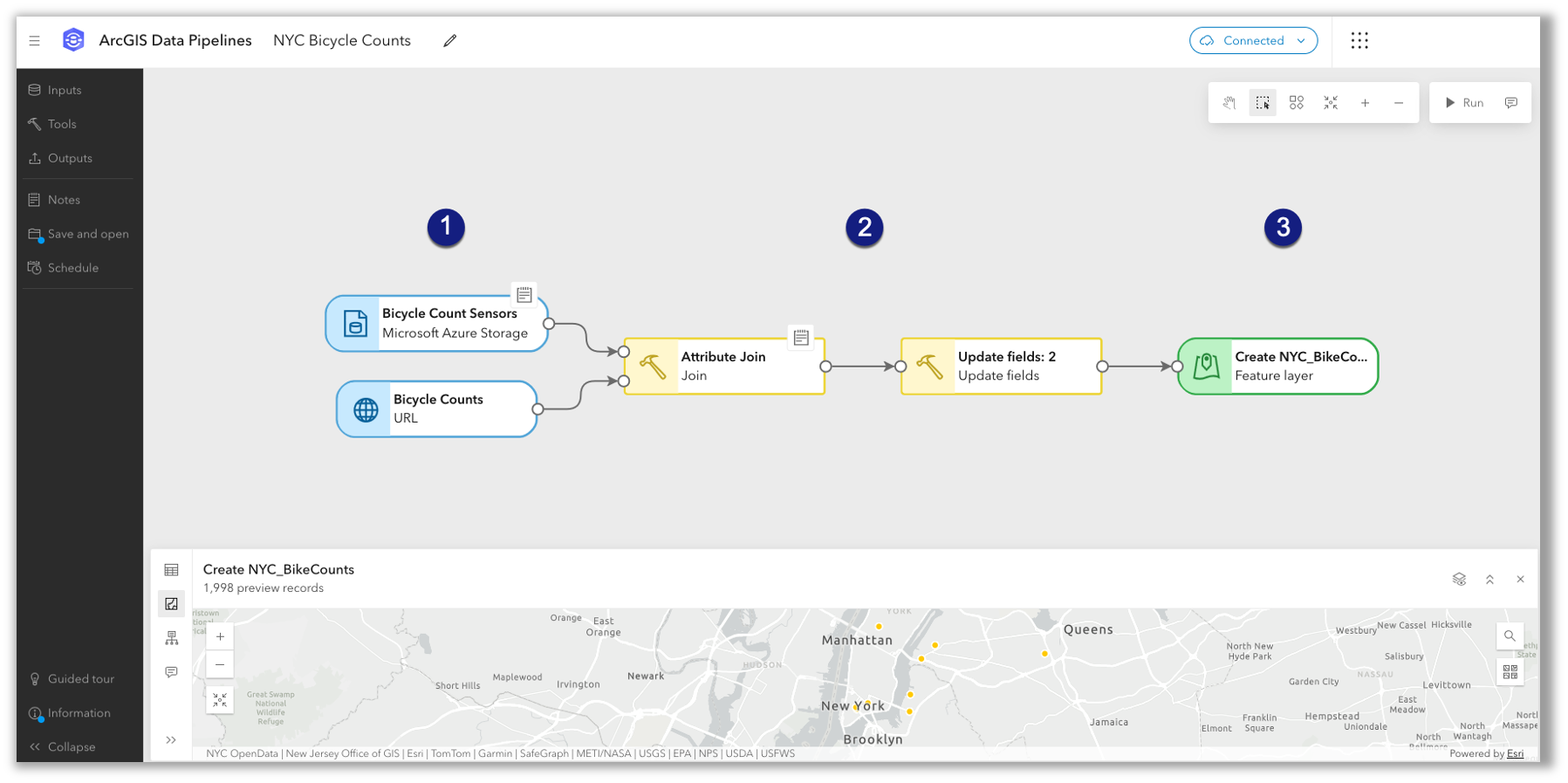
ArcGIS Data Pipelines, the no-code, visual data engineering capability introduced in beta with ArcGIS Enterprise 12.0, is now generally available and ready for production use in ArcGIS Enterprise 12.1. This no-code solution makes it simple to connect to external data sources, clean and transform data with drag-and-drop preparation tools, combine datasets, and save results as hosted feature layers. You can also schedule data pipelines to automate data updates and keep information current.
Map Viewer
ArcGIS Enterprise 12.1 brings a substantial set of Map Viewer enhancements across visualization and editing.
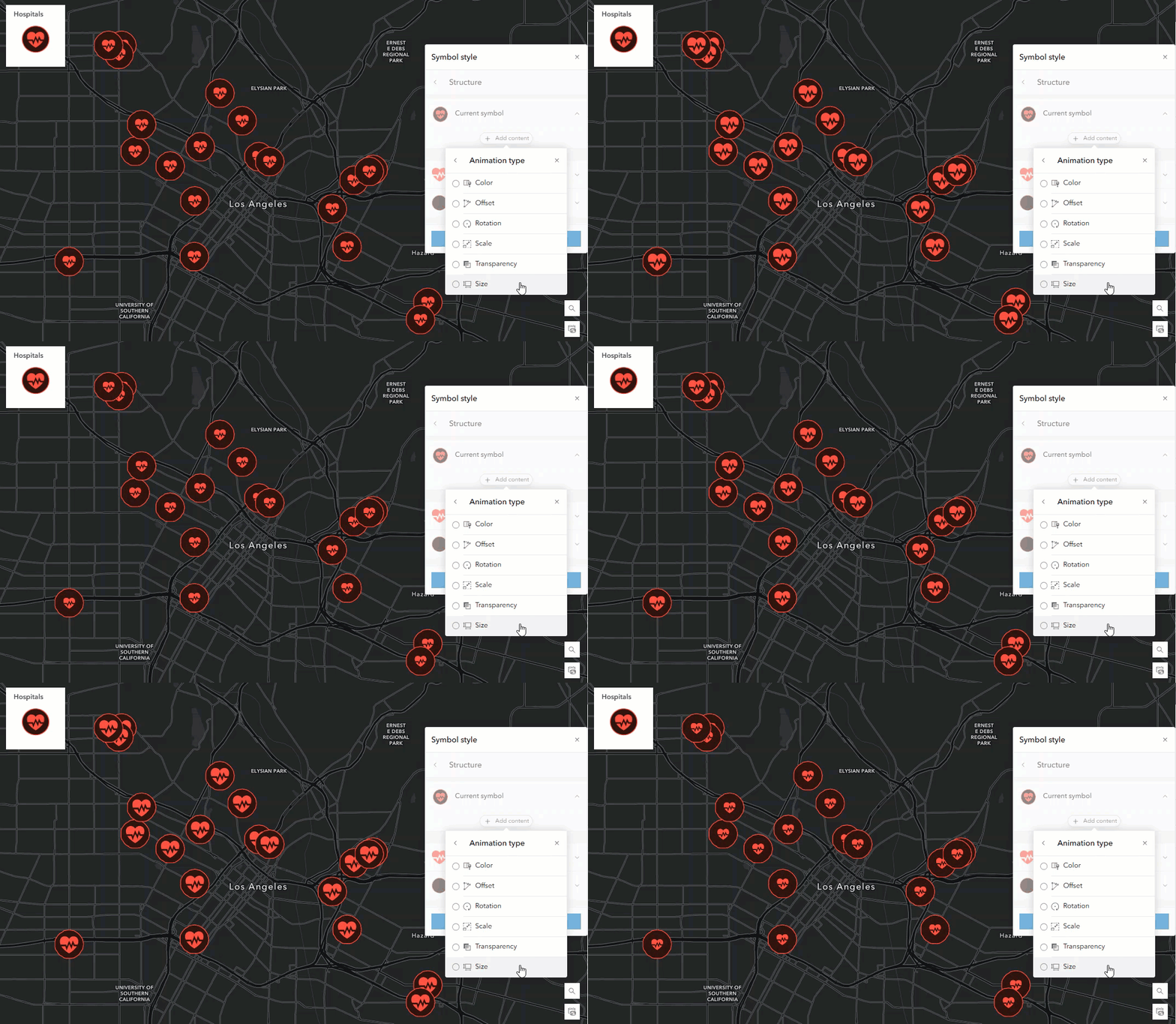
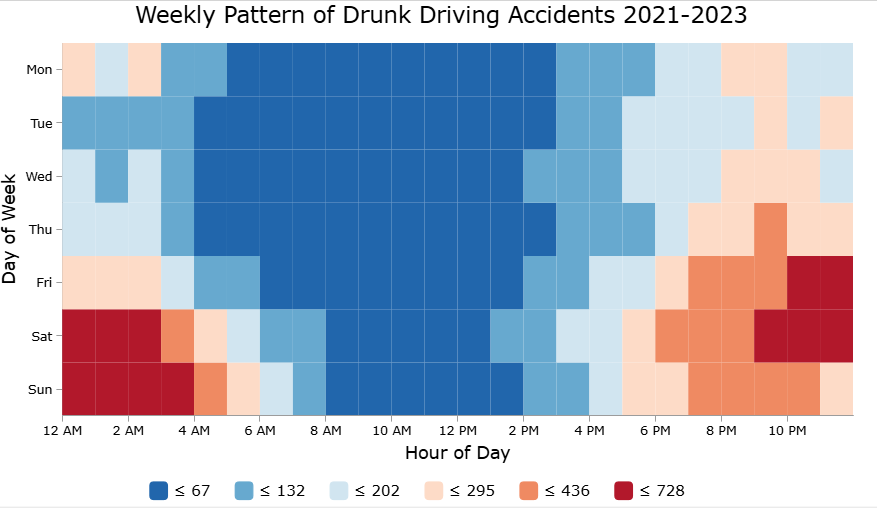
New symbol animation capabilities allow authors to animate any vector symbol and target individual components using effects such as color, rotation, scale, and transparency. The new Calendar Heat Chart visualization organizes time-based data into calendar layouts — by day, week, or month — making it easy to surface recurring patterns and seasonal trends.
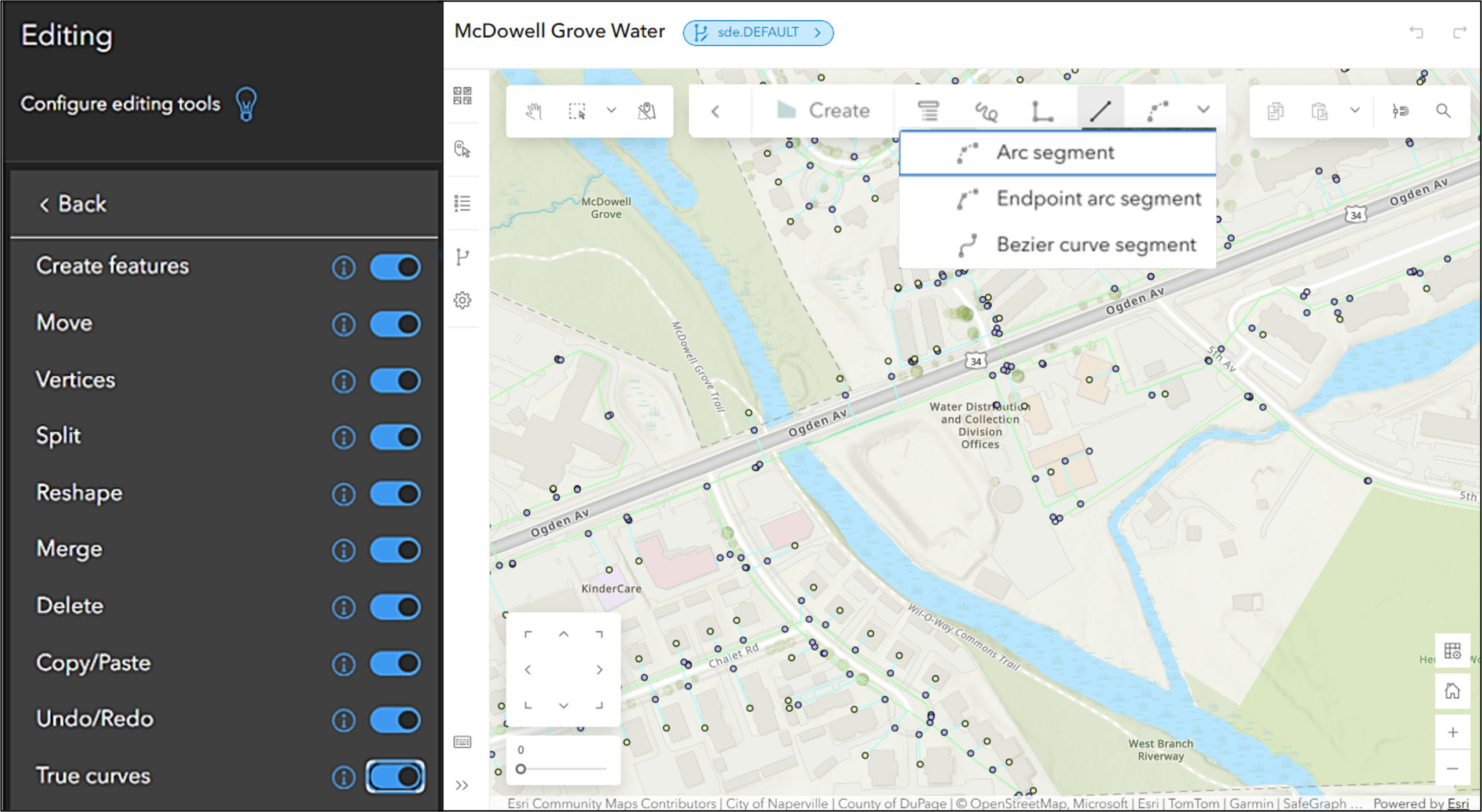
Editing workflows are expanded with the new Split and Merge tools, which allow analysts to divide or combine line, polygon, and multipoint features, complemented by new feature selection capabilities and support for creating and editing true curves. Additional authoring improvements include custom reverse geocoder support in the What’s here? Tool. This gives administrators greater control over which geocoding services are used and allows users to work with results that better match local or organizational requirements. Results can also be added directly to sketch layers.
Map Viewer makes sharing maps easy and gives users added control over the viewing experience. The latest update, the Create custom link option, lets you generate a shareable URL that opens in a view tailored to your audience.
Explore more details in these blogs:
Scene Viewer
Scene Viewer in ArcGIS Enterprise 12.1 expands support for photorealistic 3D visualization and more flexible analysis workflows. Gaussian splat layers, which use dense visual data to create smooth, photo-like scenes, are now supported — well suited for visualizing rich detail across infrastructure, vegetation, and urban environments. Imagery layers can now visualize direction using flow and elevation, and improved flow rendering makes it easier to see patterns, directions, and concentrations of movement such as traffic, wind, or water. Expanded Arcade support includes expression-driven visualization for smarter styling and logic in the browser.
Explore more details in these blogs:

3D models with georeferencing information, such as IFCv4 files, are now placed automatically in the scene when uploaded, reducing manual setup. Analysts can run custom geoprocessing tools directly within Scene Viewer to support more flexible, scenario-specific analysis workflows. Layers from favorite ArcGIS Hub catalogs can now be browsed and added directly, and all messages that appear when loading a scene can be dismissed at once to keep the focus on the task at hand.
Analysis
ArcGIS Enterprise 12.1 adds new analysis tools and enhancements that extend raster analysis capabilities and improve workflow flexibility. Two new raster analysis tools are now available: the Geomorphon Landforms tool calculates the geomorphon pattern of each cell of an input surface raster and classifies them into common landform types and the Summarize Categorical Raster tool generates a table containing the pixel count for each category in each slice of an input multidimensional categorical raster. Together, the Geomorphon Landforms and Summarize Categorical Raster tools help GIS analysts classify terrain and quantify landforms at scale.
The Enrich Layer tool now includes a Travel direction parameter when a travel mode is used to generate enrichment areas, providing more accurate results when accounting for road network restrictions such as one-way streets. Also the Plan Routes and Calculate Travel Cost tools now support the Processing extent environment setting. The processing extent specifies the extent or boundary when nonraster analysis (including feature analysis and custom web tools) is run. All input features or cells that are completely within or that intersect the specified extent are used in the analysis.
Two new raster functions have also been introduced: the Label Bad Bands function enables specification of bands using ranges or lists to be labeled as bad, and the Subset Bands function enables extraction of a subset of bands using ranges or lists. Processing extent environment settings have been updated for greater control — the setting has been split into Analysis processing extent for feature analysis tools and Raster analysis processing extent for raster analysis tools and raster functions.
GIS Developers
As mentioned earlier, ArcGIS Enterprise 12.1 introduces support for .NET 10 in the ArcGIS Enterprise SDK, enabling GIS developers to modernize their custom extensions and stay aligned with the latest .NET long-term release. Developers with server object extensions (SOEs) and server object interceptors (SOIs) built on .NET will need to recompile them to target .NET 10 after upgrading, ensuring continued compatibility and reliability. This update helps preserve existing investments in custom logic while providing a stable, future-ready foundation for extending and maintaining enterprise GIS workflows.
Applications & Extensions
ArcGIS Enterprise 12.1 delivers updates across a broad range of server roles, extensions, and applications — introducing new capabilities, expanded workflows, and important platform transitions.
ArcGIS Velocity
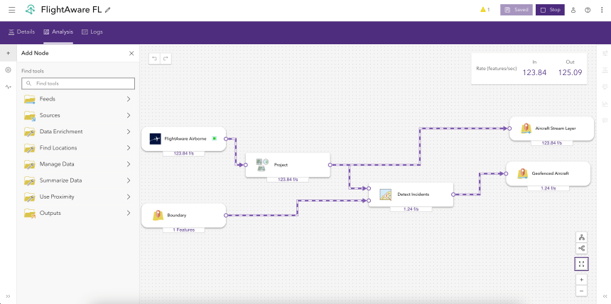
ArcGIS Velocity for ArcGIS Enterprise 12.1 is the first release for Windows and Linux deployments, providing real-time capabilities for customers leveraging self-hosted single-machine environments. ArcGIS Velocity delivers real-time data integration and analytics capabilities, empowering organizations to ingest, analyze, and act on streaming data from virtually any source, including IoT sensors, moving assets, and event streams.
ArcGIS Data Reviewer
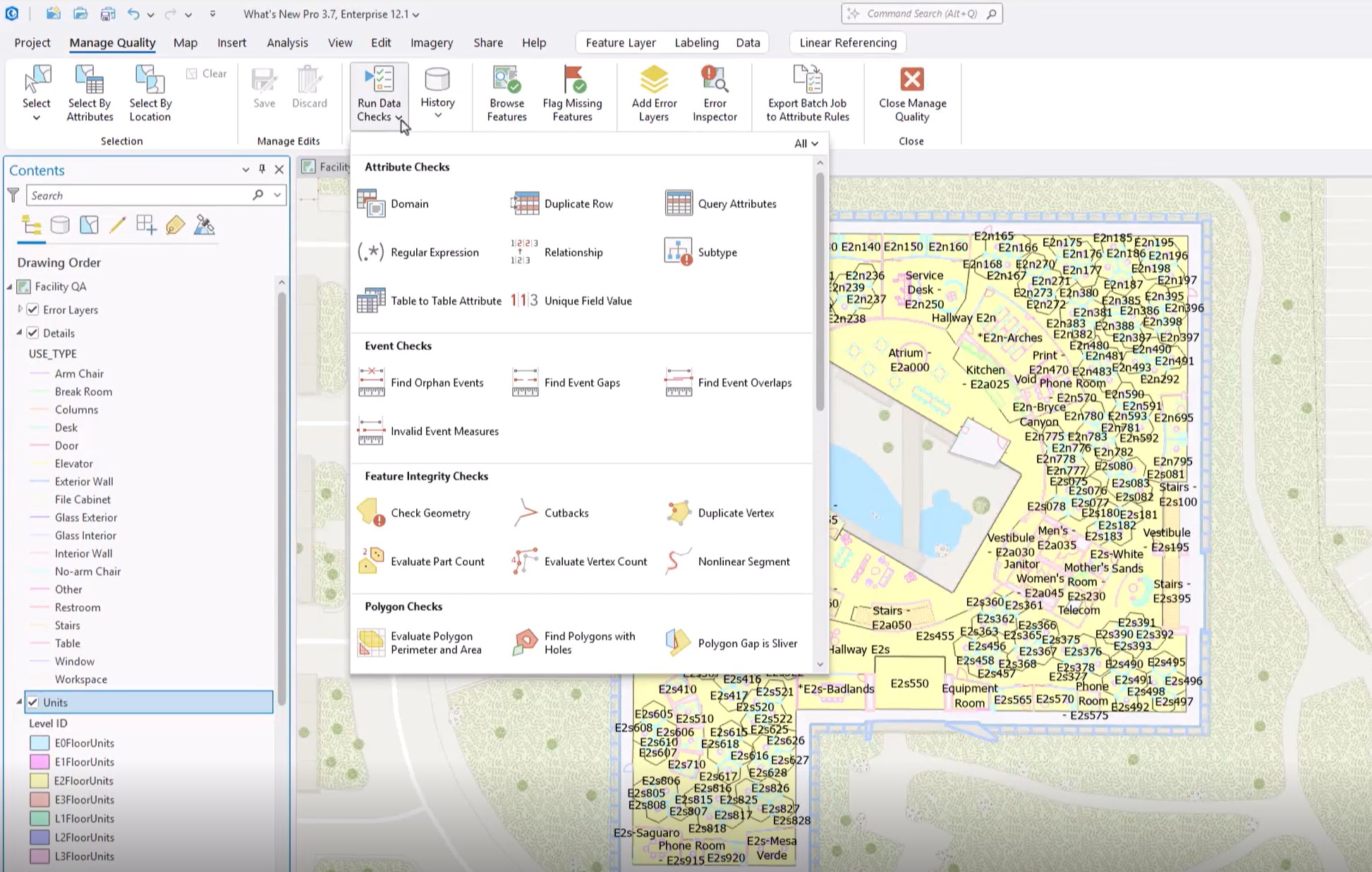
ArcGIS Data Reviewer introduces a new automated data quality check for detecting duplicate rows, updates to error management workflows for error prioritization, usability improvements for rule creation, and removal of ArcMap-based data quality workflows. At ArcGIS Enterprise 12.1, Data Reviewer is now available for Linux deployments.
ArcGIS Topographic Mapping
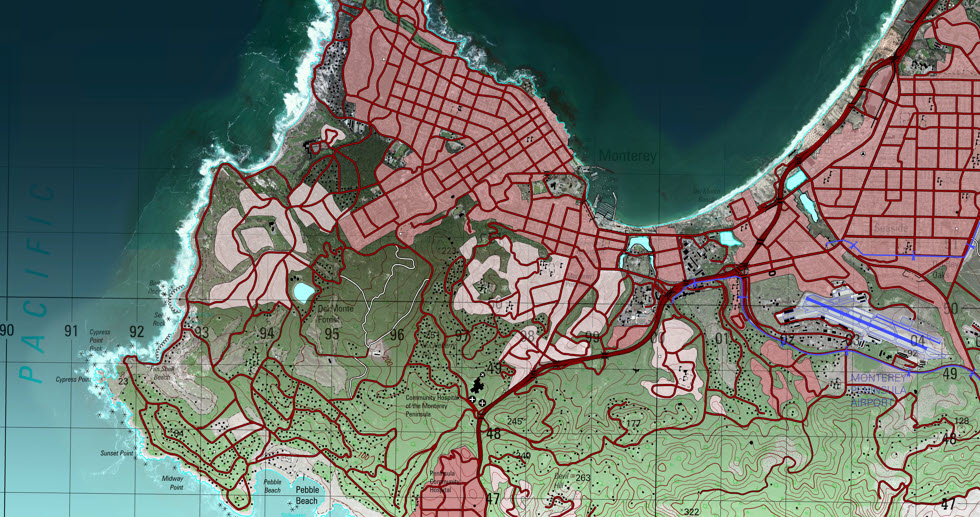
With ArcGIS Enterprise 12.1, ArcGIS Topographic Mapping is now supported in ArcGIS Enterprise deployments on Linux, enabling organizations running Linux-based ArcGIS Enterprise environments to include topographic map production as part of their standard production workflows. This release also delivers enhancements to the Topographic Production Manager (TPM), a web app in the ArcGIS Topographic Mapping extension, that streamlines job management and improves situational awareness helping teams move faster from job review to action.
ArcGIS Excalibur & ArcGIS Video Server
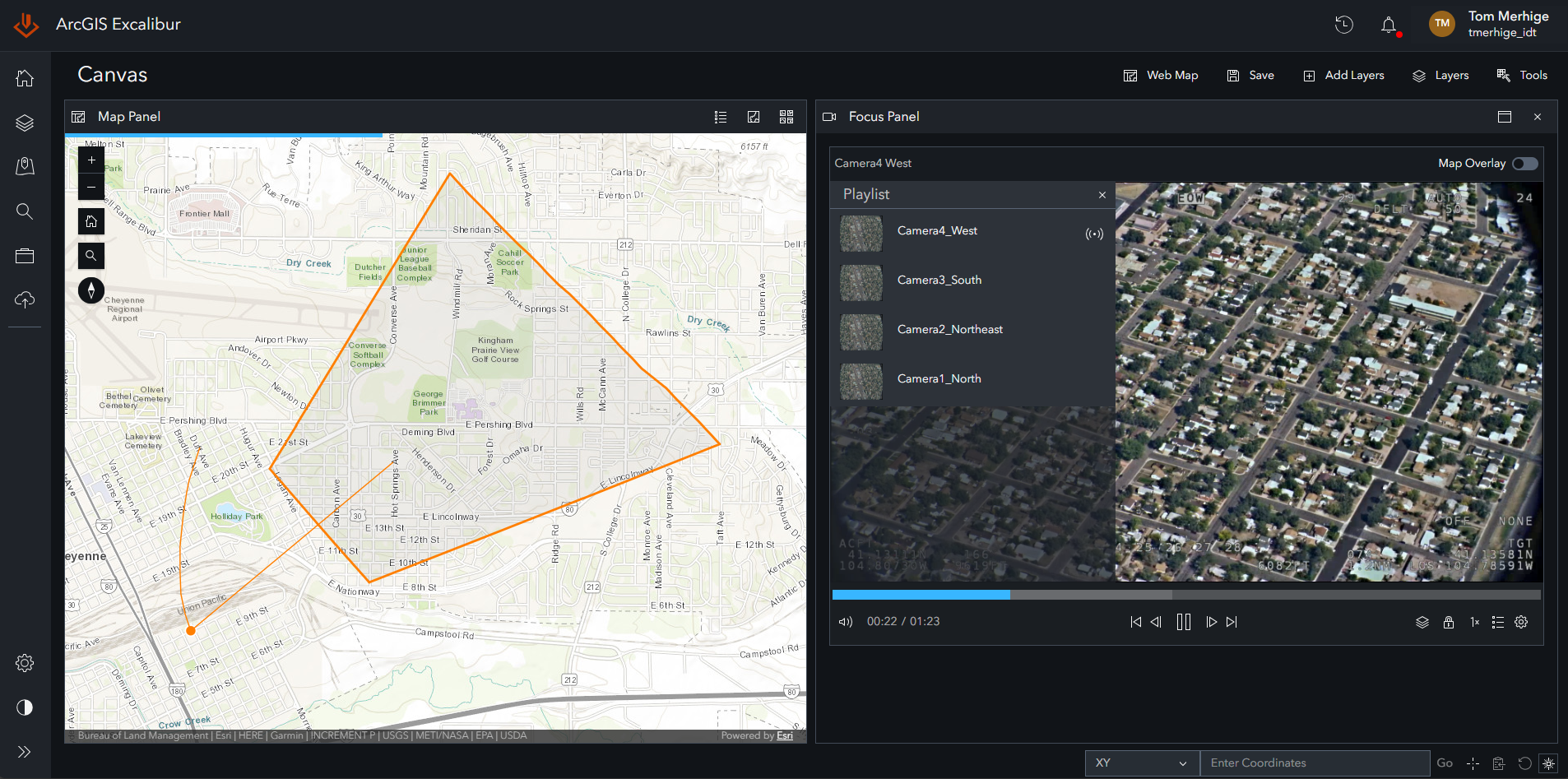
ArcGIS Excalibur makes it easier to publish, update, and manage video from many cameras at once. You can create video services directly from camera locations stored in feature layers and quickly add new video streams as they come online—without rebuilding your services. Whether you plan to monitor traffic cameras or a facility’s security cameras, this means faster access to new video feeds and an easier way to scale as your camera network grows. The result: clearer real-time visibility, more efficient operations, and faster, more confident decisions in changing conditions.
ArcGIS Knowledge
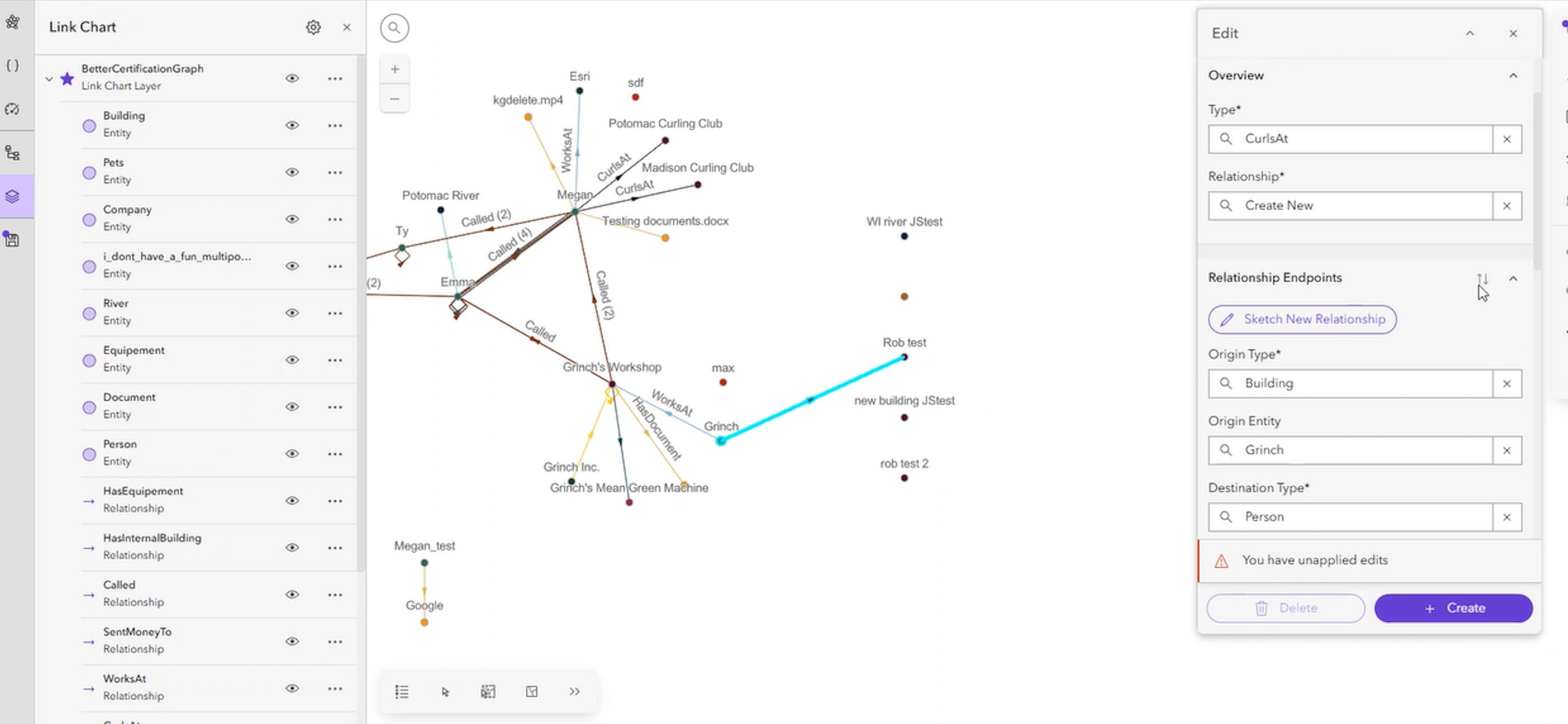
ArcGIS Enterprise 12.1 strengthens ArcGIS Knowledge for analysts and developers supporting enterprise graph workflows. ArcGIS Knowledge Studio enhancements improve analysis and authoring, with the ability to draw entities and relationships directly in Link Charts, view charts in Query Preview, and write queries more efficiently using syntax highlighting and autocomplete. Custom Entity Overview cards created in ArcGIS Pro and ArcGIS AllSource are now viewable in Knowledge Studio, while new knowledge graph replication and synchronization services support trusted, governed collaboration across teams and systems.
ArcGIS Urban
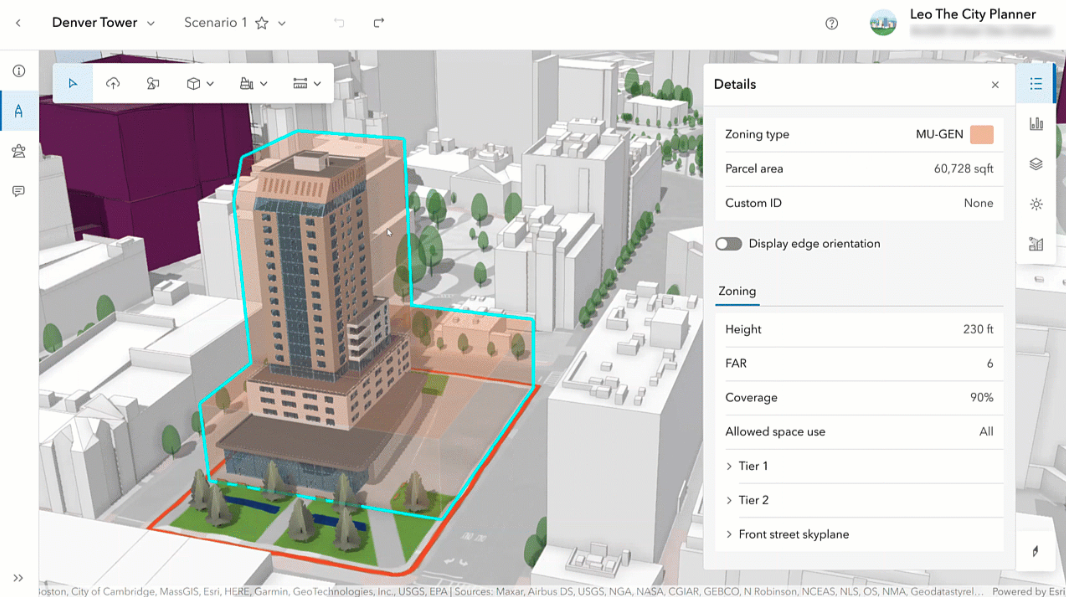
ArcGIS Urban enhances project review with more accurate 3D and smarter zoning validation. Upload detailed 3D building models (including IFC4) and place them automatically at the correct real-world location using embedded coordinates. Projects can also be checked against zoning regulations in 3D with envelopes that visually compare proposed designs to what’s allowed, supporting faster, more confident reviews and stakeholder communication.
ArcGIS GeoBIM
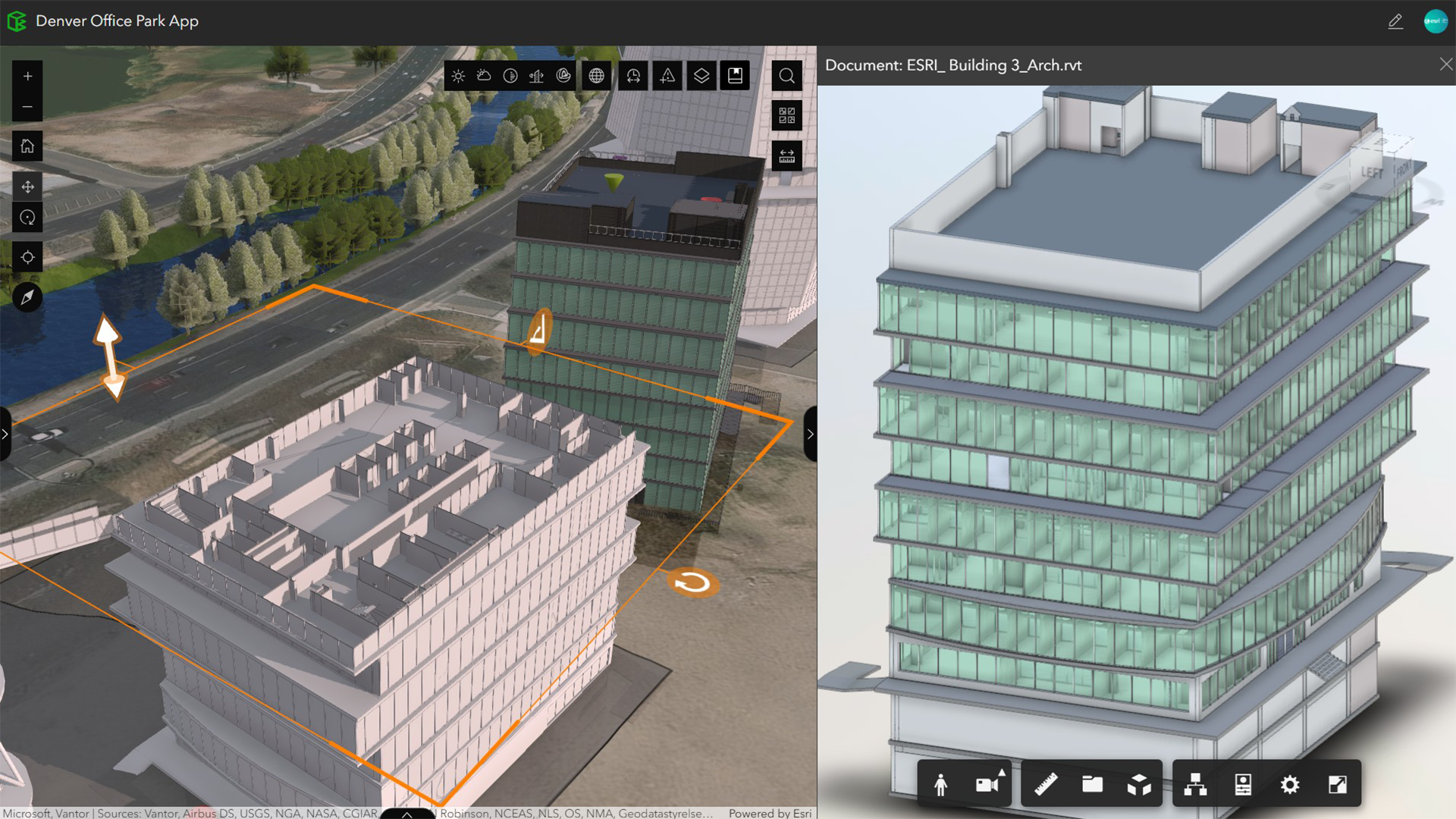
This release delivers security enhancements to strengthen authorization permissions with Autodesk Forma (formerly Autodesk Construction Cloud). This release also introduces key improvements to Autodesk Revit workflows, including georeferencing and and default 3D view-based filtering, along with usability enhancements to the Document Explorer widget in ArcGIS Experience Builder.
ArcGIS Experience Builder
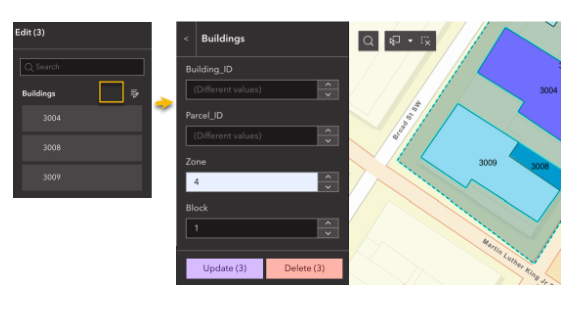
With the ArcGIS Enterprise 12.1 comes many new editing tools like the ability to copy and paste features from a layer, configure fields for batch editing, and export/import drawing graphics. Support is also now available for live location display in the Map Locate tool. Accessibility improvements are now available, as well as updates to the Analysis widgets so that users can make feature selections and reorder layers. Additionally, it introduces Arcade assistant (beta), which supports expressions for dynamic content and styling.
The Branch Version Management widget will retire in Q4 2026. Starting with ArcGIS Enterprise 12.1, customers can replace it with the new Branch Version Editing widget. This new widget provides full functional parity, along with additional version management capabilities. The current widget will continue to work until it’s retirement in Q4 2026. For more detailed information, please review the Branch Version Editing widget blog.
ArcGIS Instant Apps
ArcGIS Instant Apps in ArcGIS Enterprise 12.1 helps organizations deliver more tailored, accessible, and efficient app experiences with less configuration effort. New capabilities make it easier to support focused editing workflows through the Web Editor template, play layers directly from the layer list in Basic (Media Map) template, and give users more control with language switching available from both the cover page and within the app. Public-facing workflows also gain flexibility with customizable PDF exports and distance-based selection refinement in Public Notification, helping teams better support regulatory, outreach, and emergency response needs. Together, these enhancements make it faster to build purpose-driven apps that better serve diverse users and real-world operational requirements.
ArcGIS Web Editor
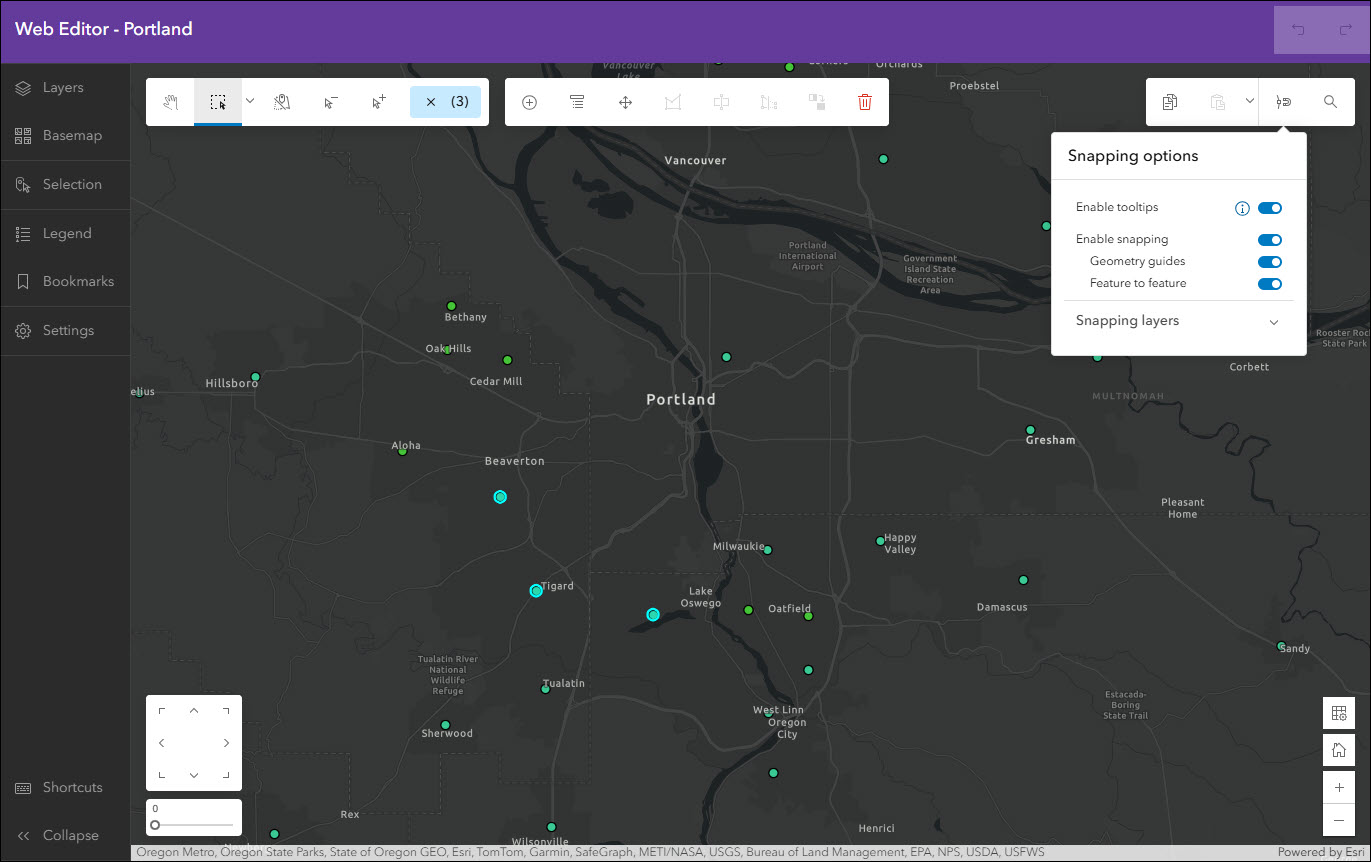
ArcGIS Web Editor in ArcGIS Enterprise 12.1 helps teams edit with greater confidence and efficiency, whether they are GIS power users or occasional editors. This release simplifies editing workflows while expanding what users can do in the browser, including enhanced drawing tools that support mixed straight-line and curve segments for more precise feature creation, as well as a new Web Editor template in ArcGIS Instant Apps that enables streamlined editing experiences tailored to specific workflows and user roles.
Learn More
As you explore the new capabilities in ArcGIS Enterprise 12.1, take advantage of the documentation, best practices, and resources available to help you get the most from this release. Stay informed by following ArcGIS Enterprise on social media and subscribing to the newsletter for timely updates. We invite you to join the conversation in the Esri Community, where your feedback helps shape the future of the platform. As the first long-term support release of the 12.x generation, ArcGIS Enterprise 12.1 is built to grow with you, and there is much more to come.



Commenting is not enabled for this article.